Clipth
Health Gecti
- License — License: MIT
- Description — Repository has a description
- Active repo — Last push 0 days ago
- Community trust — 10 GitHub stars
Code Gecti
- Code scan — Scanned 12 files during light audit, no dangerous patterns found
Permissions Gecti
- Permissions — No dangerous permissions requested
Bu listing icin henuz AI raporu yok.
Local-first clipboard history for macOS — offline semantic search, OCR, content protection, and a built-in MCP server for AI tools. 本地优先的 macOS 剪贴板管理器
Clipth
English · 中文
Local-first clipboard history for macOS and AI tools.





Clipth is an open-source macOS clipboard manager with offline semantic search and a built-in Model Context Protocol server. It lets you search clipboard history locally, organize useful clips, and optionally let AI clients such as Claude Desktop, Claude Code, or Cursor query your clipboard. Cloud sync is off by default and only connects to a destination you configure.
The name comes from "clip path": a trail of things you copied.
Why Clipth?
- Local-first by default - clipboard history, OCR text, tags, and embeddings stay on your Mac unless you explicitly enable encrypted sync.
- Conflict-resilient encrypted sync - optionally sync through iCloud Drive, WebDAV, S3-compatible storage, or a local folder without exposing clipboard plaintext.
- Offline semantic search - Apple
NLEmbeddingpowers meaning-based search without hosted embedding APIs. - AI-native workflow - the app binary can run as an MCP stdio server with searchable and writable clipboard tools.
- Native macOS utility - menu bar app, global hotkeys, Quick Paste, previews, snippets, and SwiftUI interface.
- Content protection - sensitive values such as phone numbers and API keys are redacted across the UI, exports, and MCP by default, while the original stays on your Mac for reuse.
- Privacy controls - pause capture, exclude source apps, ignore sensitive pasteboard markers, strip URL trackers, disable MCP tools, and delete history.
Highlight: Encrypted Sync That Merges, Not Overwrites
Clipth does not replace one Mac's entire database with another. It sends encrypted incremental operations, merges each field independently, and keeps a recoverable copy when two devices change non-mergeable content.
Choose automatic sync or keep it manual. The main window always exposes a compact sync state: one-click sync when automation is off, an immediate in-progress indicator, and explicit success or failure feedback when the run finishes.
| What happens | How Clipth protects it |
|---|---|
| Two Macs edit different fields | Hybrid logical clocks and field versions preserve both changes |
| Both devices write at once | Immutable encrypted journals survive the snapshot race |
| Tags or group membership change independently | Convergent set merging combines additions and preserves removals |
| A device returns with stale data | Acknowledged tombstones prevent deleted clips from silently reappearing |
Everything is encrypted locally with AES-256-GCM before it reaches iCloud Drive, WebDAV, S3-compatible storage, or your chosen sync folder. The losing version is retained as an encrypted conflict copy for 30 days, while old journals and orphan attachments are cleaned conservatively. Read the sync architecture →
Preview
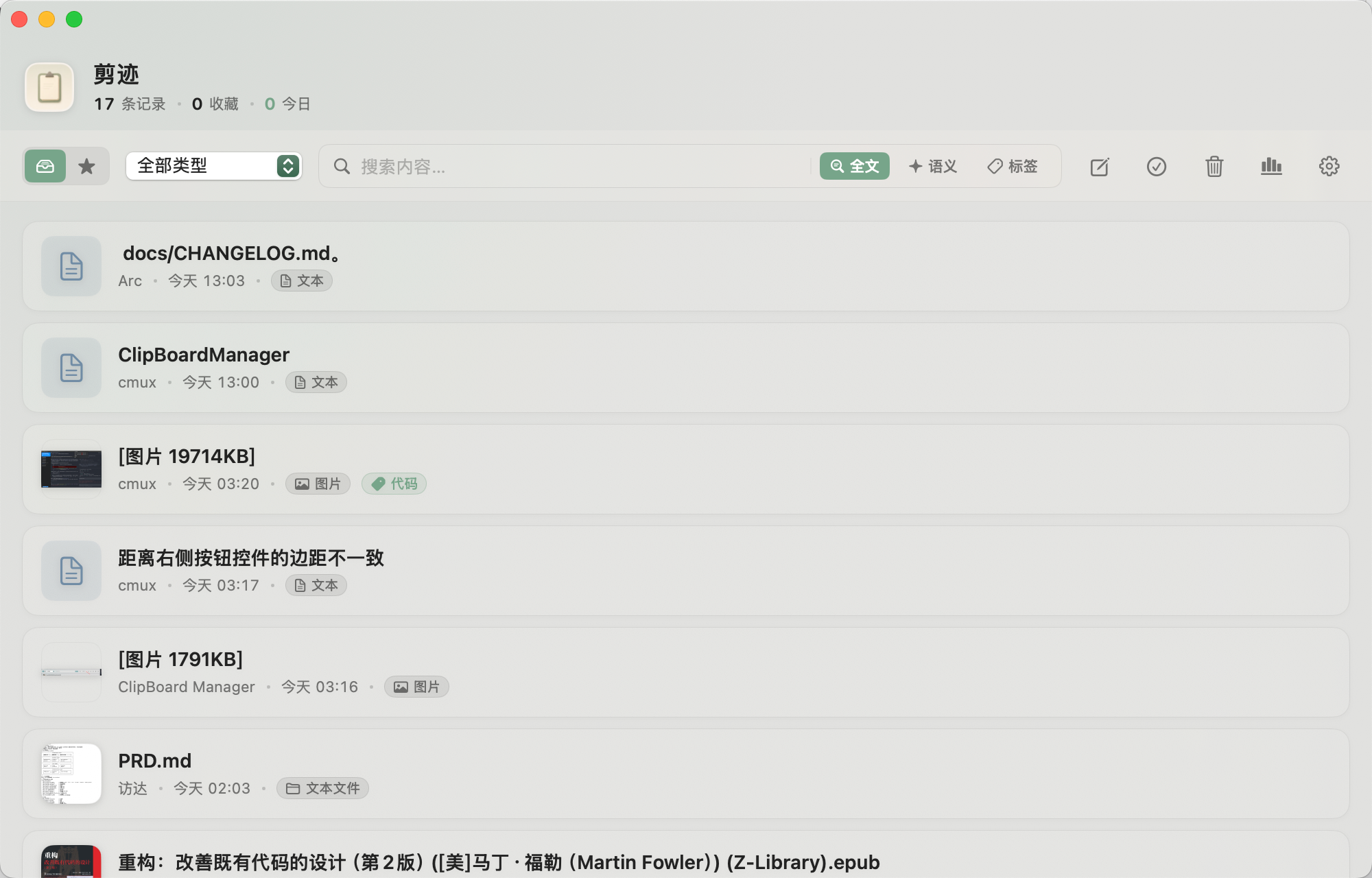
Main window - history, full-text and semantic search, tags
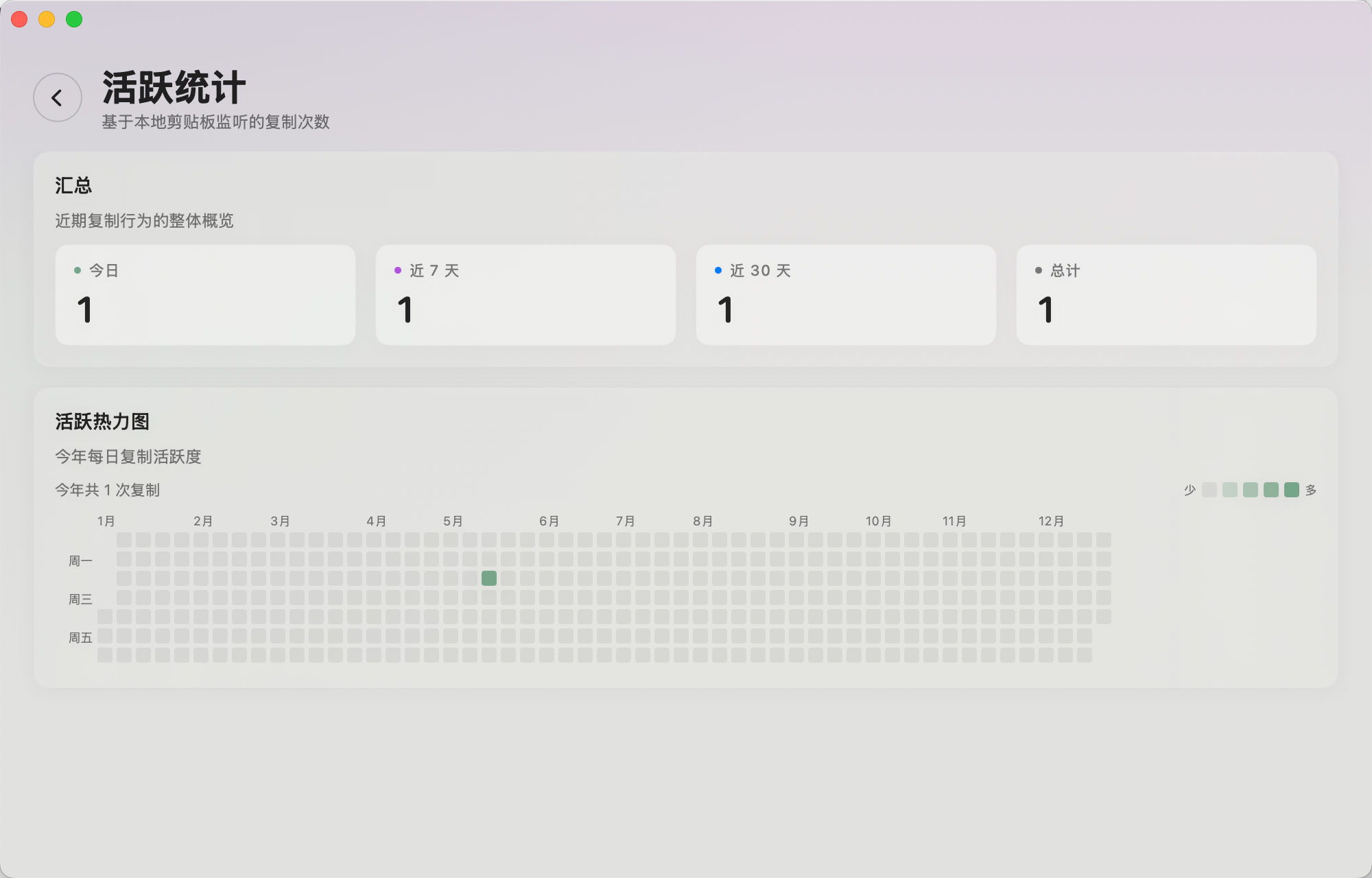
Activity stats - daily count and yearly heatmap
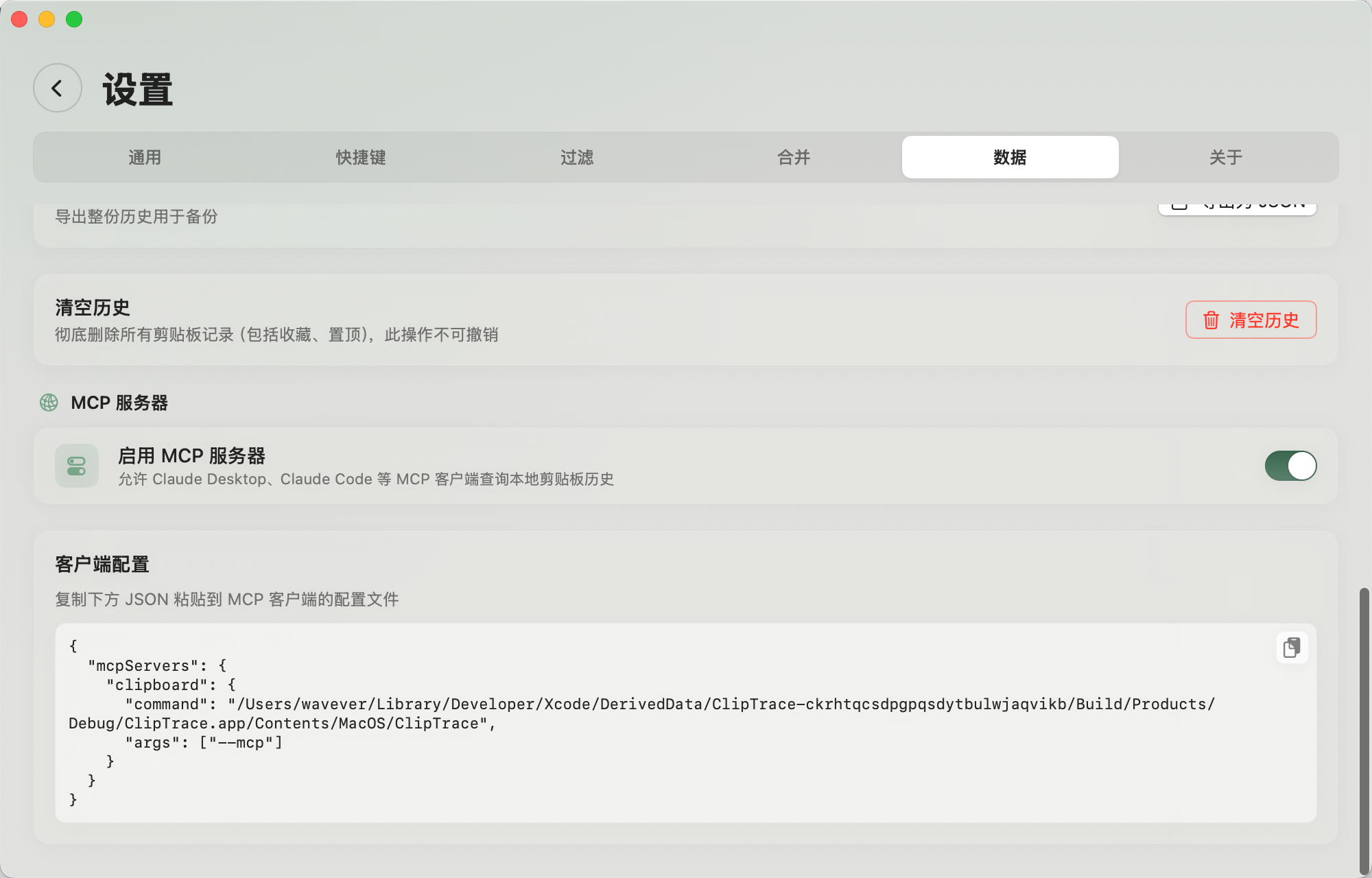
MCP server - connect Claude Desktop, Claude Code, or Cursor
Features
Capture and Reuse
- Auto-captures text, images, video, files, URLs, and rich text
- Double-click to copy an entry back to the clipboard
- Duplicate refresh keeps re-copied items at the top instead of creating duplicates
- Optional paste-as-plain-text and trailing-whitespace trimming
- Soft-delete trash with restore, permanent delete, and retention controls
- Global hotkeys for the main window and snippets
- Efficient image storage — clipboard images are kept compressed with external binary storage, so memory and disk usage stay low even with a long image history
- Switch between list and grid layouts: the main window uses a responsive grid, while Quick Paste and the menu bar panel offer independently configurable two-column grids in Settings. Grid image previews preserve their aspect ratio and show the image name as an in-place overlay.
Search and Organization
- Full-text search with type filters
- Offline semantic search over text and OCR content
- Source-app and time filters such as
app:Safari,since:2d, andbefore:2026-05-01 - Favorites, pinned clips, tags, custom titles, and tag autocomplete
- Multi-select merge for clips of the same type
Content Awareness
- Rich preview popover
- OCR indexing for images
- Smart text parsing for timestamps, Base64, and JSON
- Video preview with thumbnail or inline player mode
- URL tracking-parameter stripping for
utm_*,fbclid,gclid, and more - Screen-recording hide mode for the app window
Content Protection
- Automatic, conservative redaction of sensitive spans: Chinese mainland phone numbers (
13812345678→138****5678) and API keys, tokens, secrets, and passwords — labeled values such asappkey=…plus high-confidence prefixes likesk-,ghp_,AKIA - Masks only the sensitive value while keeping surrounding labels and structure; conservative enough to leave UUIDs, hashes, timestamps, and ordinary URLs untouched
- Redacted display across the history list, previews, menu bar, Dynamic Island, Quick Paste, Quick Look, and search snippets, with a lock badge on protected clips
- The original value is never modified in storage — copy, quick paste, paste-as-plain-text, and edits still use the raw clip
- Default exports and MCP responses return redacted content with
isProtectedmetadata; raw egress requires an explicit opt-in - Master switch and one editable rule list in Settings → Privacy: the built-in phone/app-key rules can be edited, reset, or turned off, alongside your own keyword or regex rules
Export and Stats
- JSON export with type, date, favorite, and pinned filters
- Per-item export to original formats such as text and PNG
- Copy statistics, 14-day chart, and GitHub-style yearly heatmap
Encrypted Sync
- Optional bidirectional sync through iCloud Drive, WebDAV, S3-compatible object storage, or a local folder (including folders managed by Dropbox, OneDrive, Syncthing, and network drives)
- Manual or automatic sync with a compact main-window status, immediate progress feedback, and clear success or failure notifications
- AES-256-GCM end-to-end encryption before data leaves the Mac; WebDAV passwords, S3 secret credentials, and the 256-bit recovery key are stored in Keychain
- Hybrid logical clocks merge independently edited fields; tags and group membership use convergent set merging, while losing content is retained as a 30-day conflict copy
- Encrypted incremental journals protect concurrent writers and compact into conditional-write snapshots; acknowledged deletion tombstones, old journals, and orphan attachments are garbage-collected conservatively
- Syncs history, images, tags, groups, favorites, pins, trash state, and individual file attachments up to 25 MB; device settings, statistics, and semantic vectors remain local
- Another Mac needs the same recovery key. Losing it makes existing remote data unrecoverable.
- Existing v1 manifests are upgraded in place on the next successful sync; the recovery key is reused and the remote
.clipth-sync-v1location stays stable for Clipth releases. - See Sync Architecture for merge, commit, migration, and retention invariants.
MCP Server
The app binary doubles as an MCP stdio server. Configure a compatible client with:
{
  "mcpServers": {
    "clipboard": {
      "command": "/Applications/Clipth.app/Contents/MacOS/Clipth",
      "args": ["--mcp"]
    }
  }
}
Available tools:
| Tool | Description |
|---|---|
search_clipboard |
Keyword or semantic search over clipboard history |
list_recent |
List recent entries, optionally filtered by type |
get_clip |
Fetch one entry by UUID with full content and metadata |
list_tags |
List all tags and usage counts |
list_recent_activity |
List entries added since an ISO date or relative time such as 30m, 2h, 3d, 1w |
tag_clip / untag_clip |
Add or remove tags |
favorite_clip / pin_clip |
Update favorite or pinned state |
delete_clip / restore_clip |
Soft-delete, permanently delete, or restore entries |
create_snippet |
Create a snippet with optional title and tags |
Protected clips are redacted in MCP responses by default and carry isProtected metadata; returning raw protected content requires an explicit opt-in in Settings → Privacy. MCP can still expose other clipboard contents to the client you configure — read PRIVACY.md before enabling it for sensitive workflows.
Install
Download the latest DMG from GitHub Releases, open it, and drag Clipth into Applications.
Current public releases are signed with a stable self-signed identity so macOS can keep Accessibility permission across updates. Public notarization is on the roadmap. If macOS blocks a downloaded build, you can build from source with unsigned local signing disabled.
System Requirements
- macOS 14.0 Sonoma or later
- Xcode 16.0 or later recommended for development
Build from Source
Open Clipth.xcodeproj in Xcode, select "My Mac", and run.
Command line:
xcodebuild \
  -project Clipth.xcodeproj \
  -scheme Clipth \
  -configuration Debug \
  -destination 'platform=macOS' \
  -derivedDataPath build \
  -skipMacroValidation \
  CODE_SIGN_IDENTITY="-" \
  CODE_SIGNING_REQUIRED=NO \
  CODE_SIGNING_ALLOWED=NO \
  build
Code Signing for Maintainers
Releases use a stable self-signed certificate so macOS keeps Accessibility permission across rebuilds and updates. Without a stable signing identity, the permission can be invalidated after each build even if the System Settings toggle still appears enabled.
Run once to create and install the certificate:
scripts/generate-signing-cert.sh
The script prints SIGNING_CERT_P12_BASE64 and SIGNING_CERT_PASSWORD values for GitHub Actions secrets.
Keyboard Shortcuts
| Shortcut | Action |
|---|---|
⌘⇧V |
Open main window |
⌘, |
Open settings |
⌘N |
New snippet |
⌘⏎ |
Save in snippet editor |
Esc |
Dismiss preview, go back, or cancel edit |
Project Docs
Contributing
Issues and pull requests are welcome. Good first areas include documentation, localization, MCP resources/prompts, URL sanitizer tests, search parser tests, and privacy polish.
Before contributing, read CONTRIBUTING.md. For private security or privacy reports, follow SECURITY.md.
License
Clipth is released under the MIT License.
Yorumlar (0)
Yorum birakmak icin giris yap.
Yorum birakSonuc bulunamadi