radio-gateway
Health Uyari
- No license — Repository has no license file
- Description — Repository has a description
- Active repo — Last push 0 days ago
- Low visibility — Only 5 GitHub stars
Code Gecti
- Code scan — Scanned 12 files during light audit, no dangerous patterns found
Permissions Gecti
- Permissions — No dangerous permissions requested
Bu listing icin henuz AI raporu yok.
Ham radio & GMRS gateway and repeater — bridges two-way radios to Mumble, Broadcastify, and the internet. AIOC USB, RSPduo dual SDR, TH-9800/D75/KV4P CAT control, AI announcements, ADS-B tracking, MCP server for AI control, live web dashboard. Raspberry Pi & Linux.
Radio Gateway
A Linux gateway that bridges two-way radios to digital endpoints: Mumble VoIP, Broadcastify streaming, Telegram, AI automation, and the web. Bus-based audio routing with a visual drag-and-drop editor, plugin-based radio support, and 44+ MCP tools for AI control -- all from a single Python process.
v2.0 Highlights
v2.0 is a full architectural rewrite of the audio engine:
- Bus-based routing replaces the monolithic mixer. Four bus types (Listen, Solo, Duplex Repeater, Simplex Repeater) handle all audio flow. Sources and sinks are wired through busses -- audio only flows where you connect it.
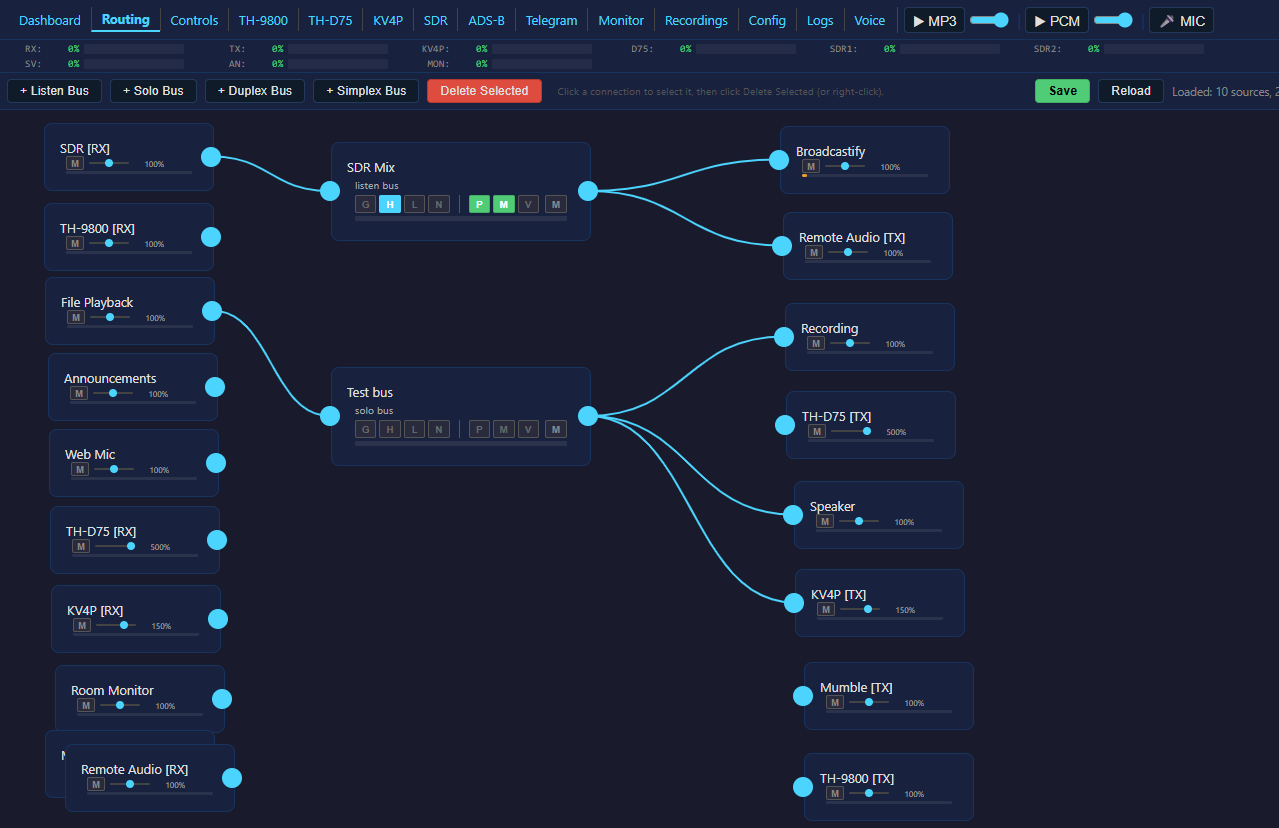
- Visual routing UI built on Drawflow. Drag sources, busses, and sinks onto a canvas and wire them with click-and-drag connections. Live audio level bars on every node.
- Plugin architecture for all radios. TH-9800, TH-D75, KV4P, and SDR are self-contained plugins (
TH9800Plugin,D75Plugin,KV4PPlugin,SDRPlugin) that register as sources and sinks in the routing system. - Per-bus audio processing -- noise gate, HPF, LPF, and notch filter configurable per bus.
- Full duplex Remote Audio -- Windows client sends and receives simultaneously on two TCP ports.
- Direct Icecast streaming -- internal ffmpeg pipes directly to Icecast. No DarkIce, no ALSA loopback, no external processes.
- Mumble as routable source/sink -- Mumble RX and Mumble TX appear as nodes in the routing page.
- MCP routing tools -- AI can create busses, wire connections, mute sinks, and read levels programmatically.
- ~5000 lines of dead code removed -- old console UI, terminal status bar, keyboard handler, legacy mixer, and unused generator methods all gone.
Screenshots
| Dashboard | Routing | Controls |
|---|---|---|
 |
 |
 |
| TH-9800 | TH-9800 (full) | TH-D75 |
|---|---|---|
 |
 |
 |
| KV4P | SDR | ADS-B |
|---|---|---|
 |
 |
 |
| Telegram | Monitor | Recordings |
|---|---|---|
 |
 |
 |
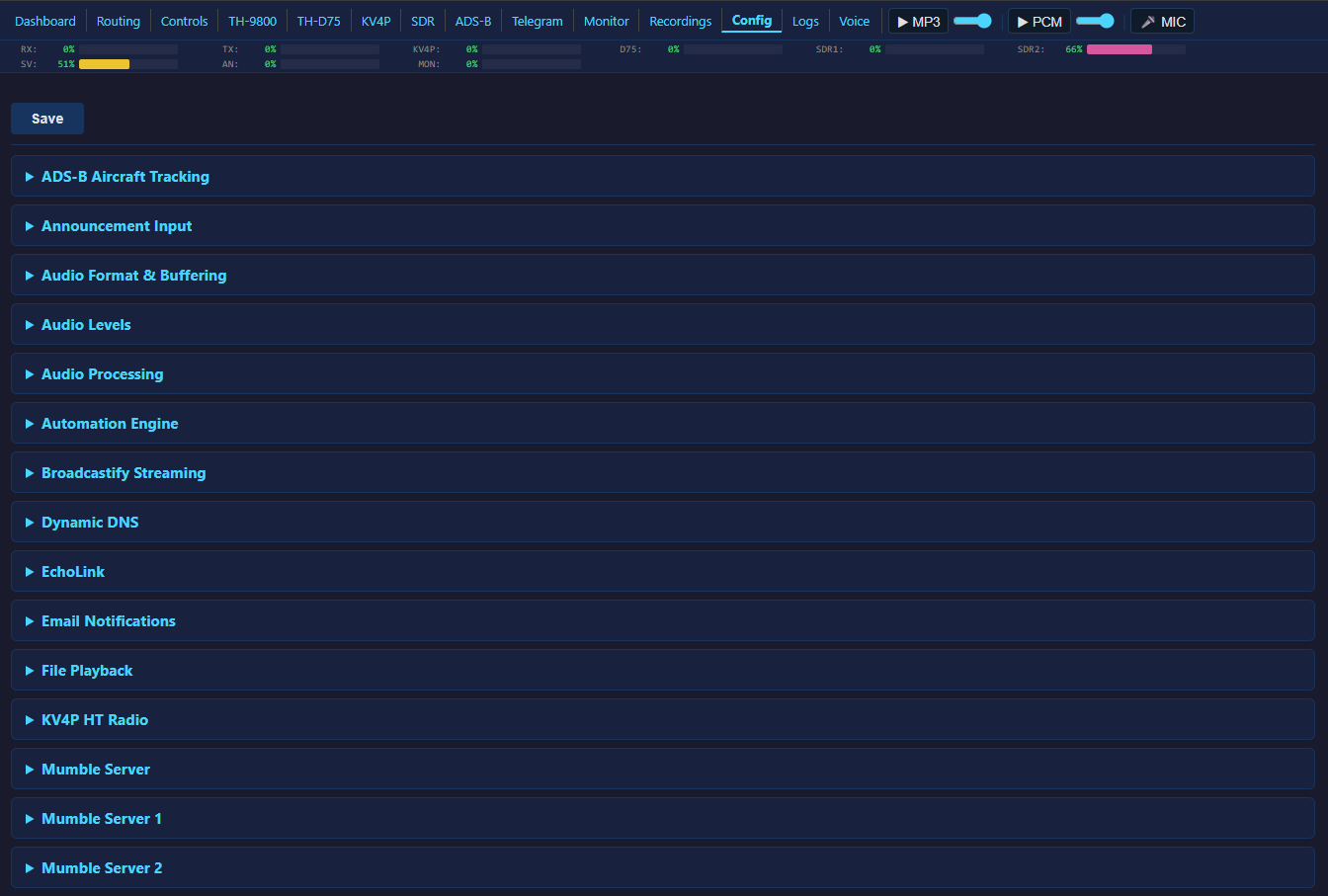
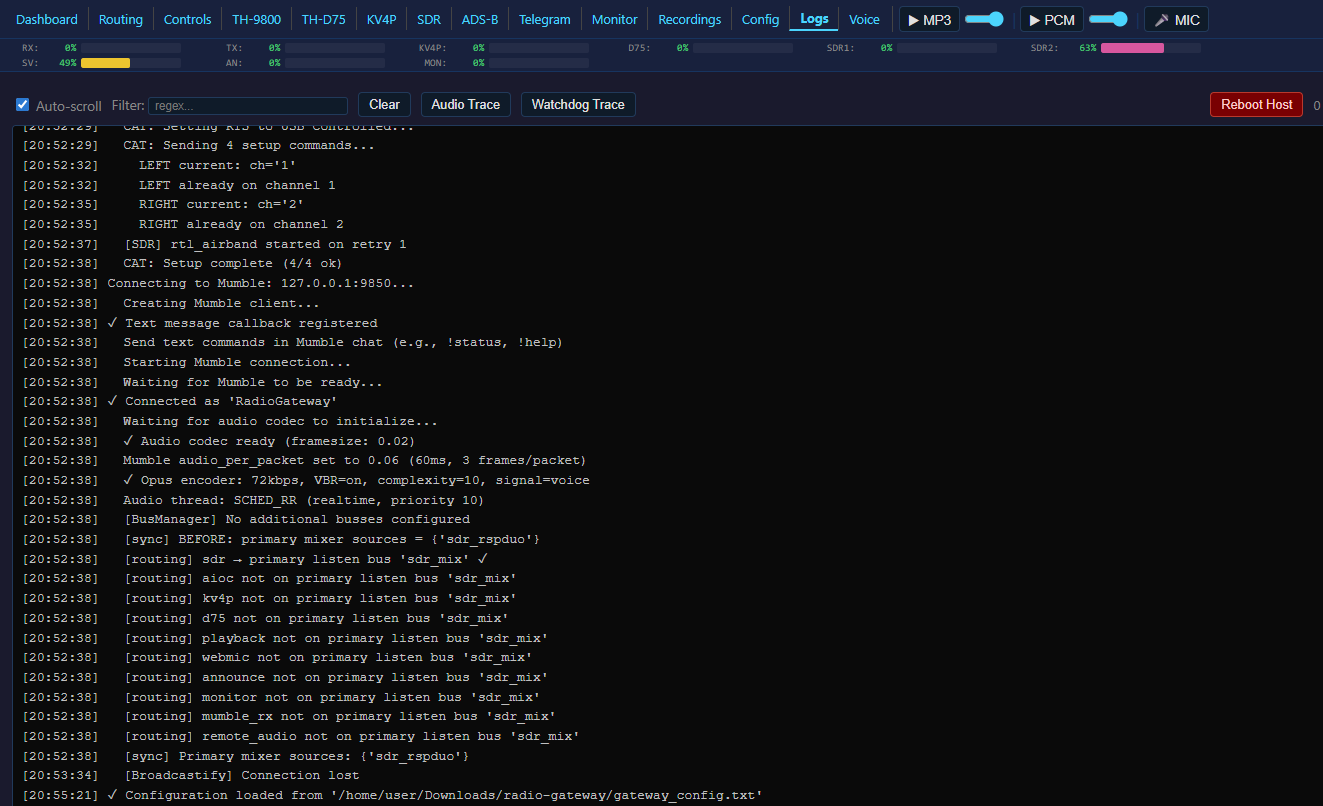
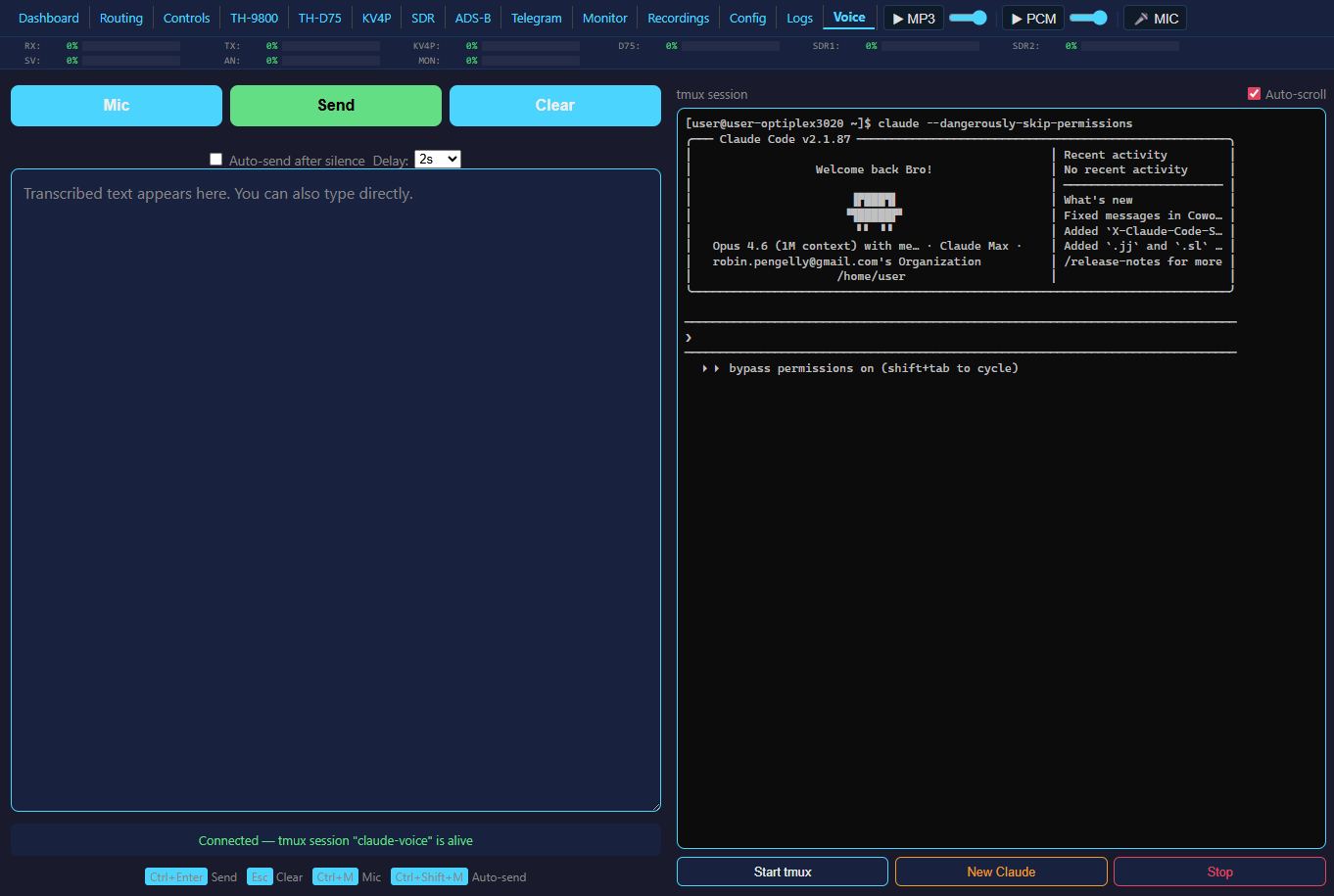
| Config | Logs | Voice |
|---|---|---|
 |
 |
 |
Quick Start
Requirements
- Linux system (Raspberry Pi 4, Debian, Ubuntu, Arch)
- Python 3.7+
- PipeWire (recommended) or ALSA
- FFmpeg
Installation
git clone <your-repo-url>
cd radio-gateway
bash scripts/install.sh
The installer handles system packages (Python, PortAudio, FFmpeg, HIDAPI, scipy), PipeWire configuration, Python packages, UDEV rules, audio group membership, Mumble server, example config, and a desktop shortcut.
Supported: Raspberry Pi (any model), Debian 12, Ubuntu 22.04+, Arch Linux.
Python 3.12+: The installer patches the
pymumbleSSL layer automatically.
First Run
Copy and edit the config:
cp examples/gateway_config.txt gateway_config.txtSet your Mumble server details:
MUMBLE_SERVER = your.mumble.server
MUMBLE_PORT = 64738
MUMBLE_USERNAME = RadioGateway
MUMBLE_PASSWORD = yourpassword
Start the gateway:
python3 radio_gateway.pyOr use the startup script:
bash start.sh(handles Mumble, CAT server, tmux sessions, CPU governor, USB resets, and the gateway itself).Open the web UI at
http://<host>:8080/dashboard
Web Interface
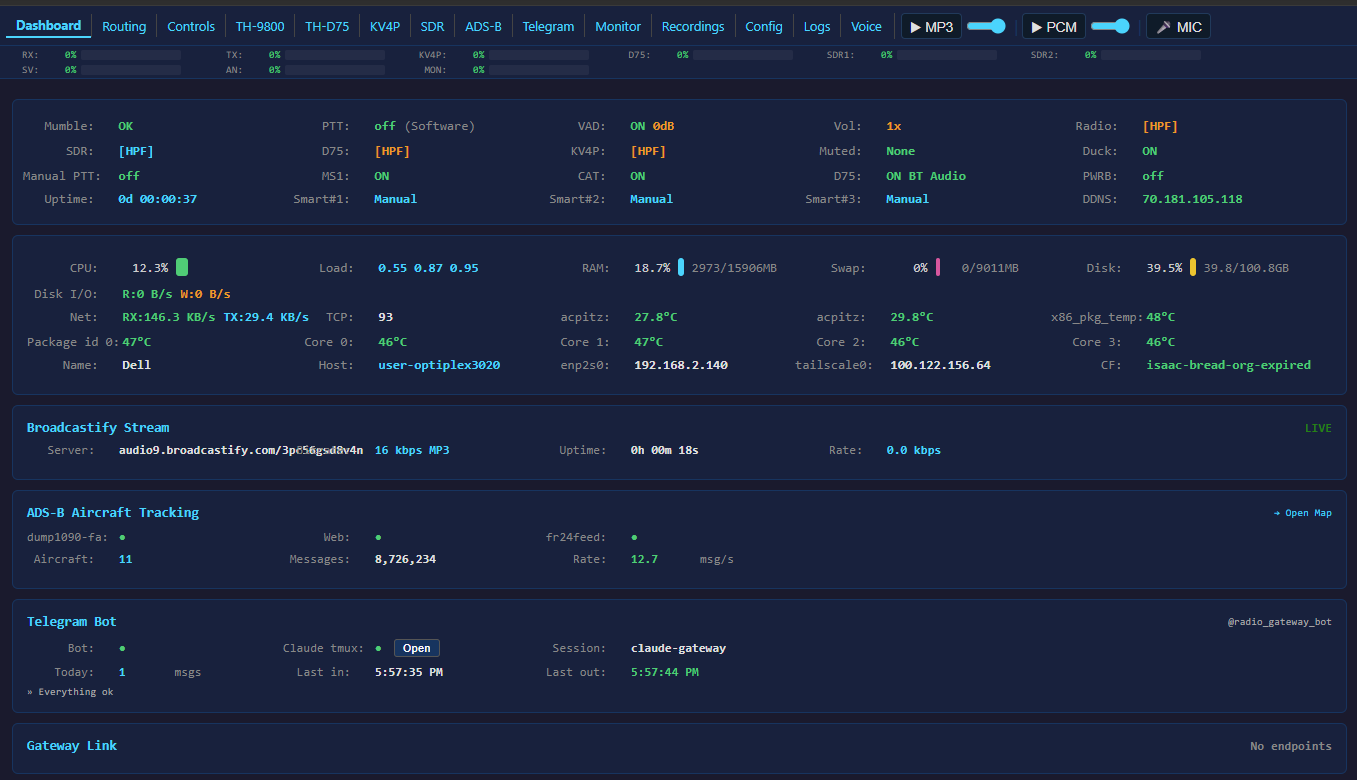
Built-in HTTP server (no Flask). Shell frame with persistent audio level bars visible on every page. Compact nav bar with inline MP3/PCM/MIC controls. 14 pages served from static HTML files in web_pages/.
[web]
ENABLE_WEB_CONFIG = true
WEB_CONFIG_PORT = 8080
WEB_CONFIG_PASSWORD =        # blank = no auth
GATEWAY_NAME = My Gateway
WEB_THEME = blue             # blue, red, green, purple, amber, teal, pink
| Page | Path | Description |
|---|---|---|
| Dashboard | /dashboard |
Live status: audio bars, uptime, Mumble/PTT/VAD state, system stats |
| Routing | /routing |
Visual drag-and-drop audio routing editor (Drawflow) |
| Controls | /controls |
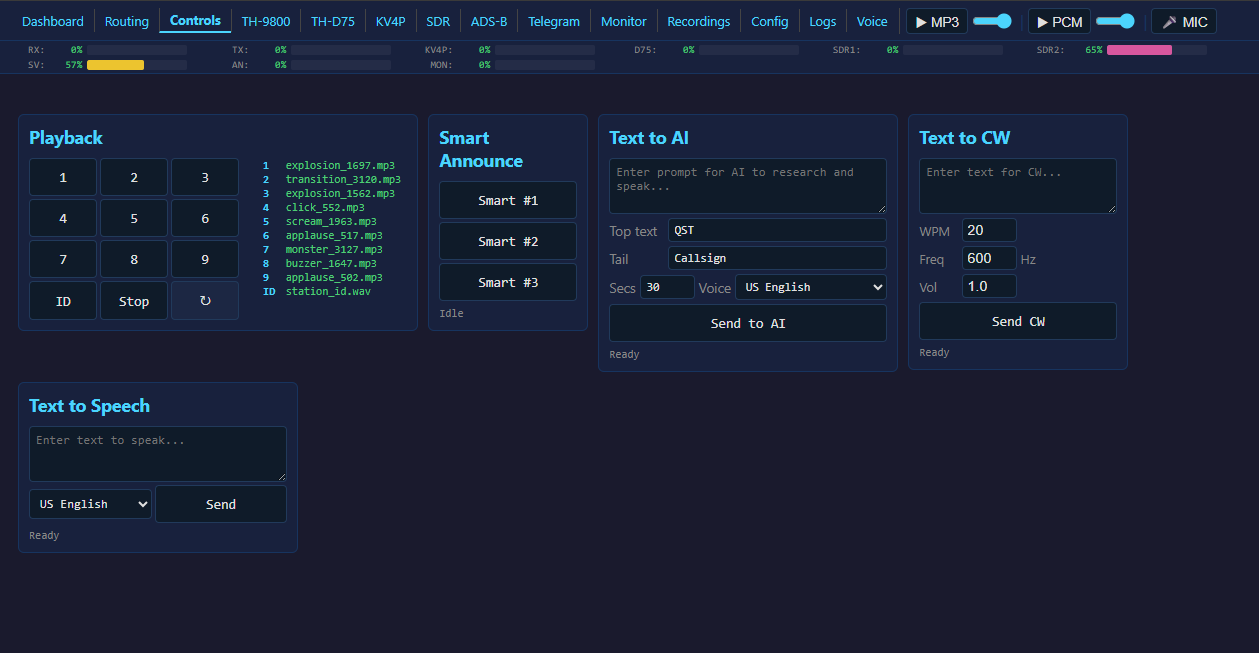
Playback, Smart Announce, TTS, system controls |
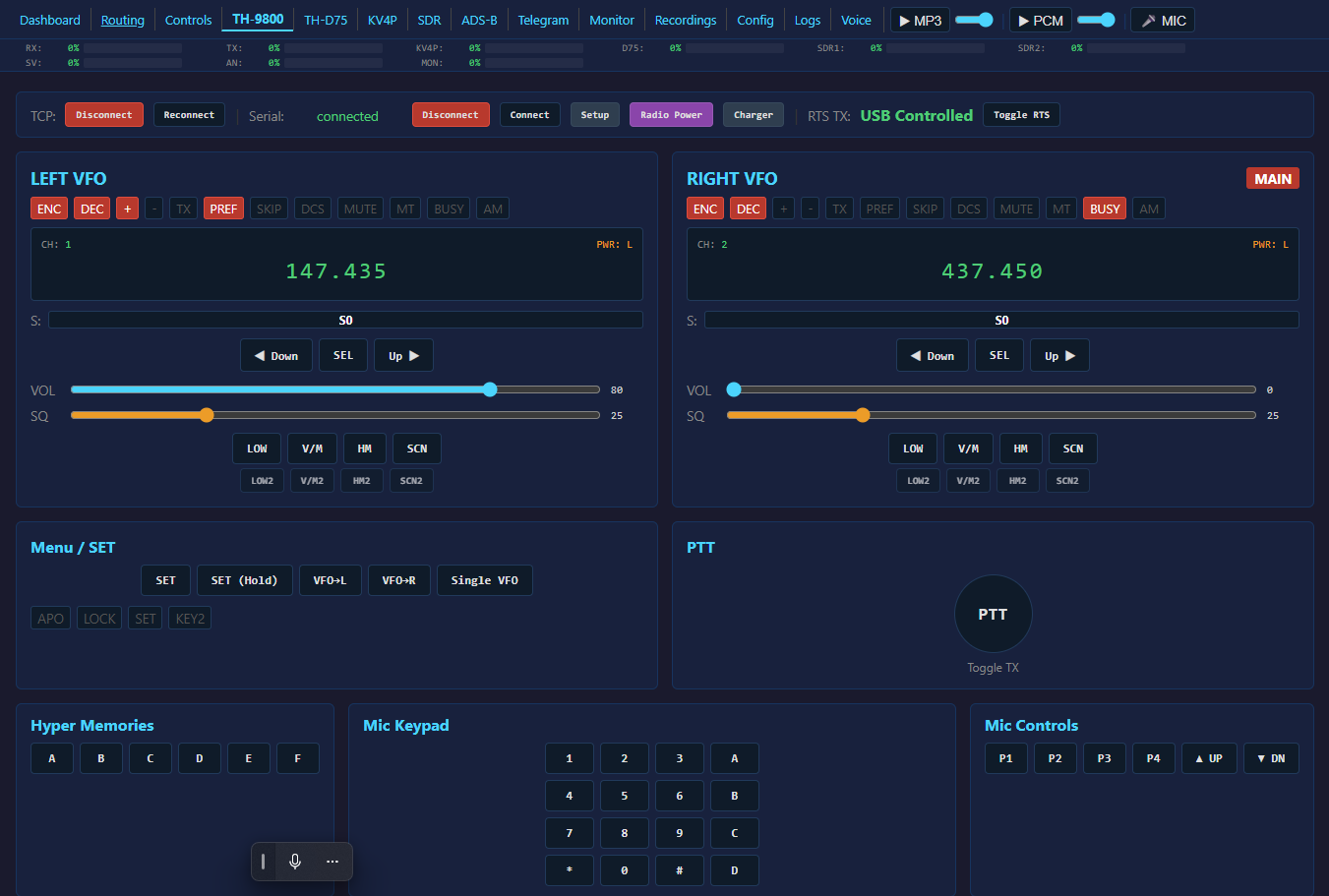
| TH-9800 | /radio |
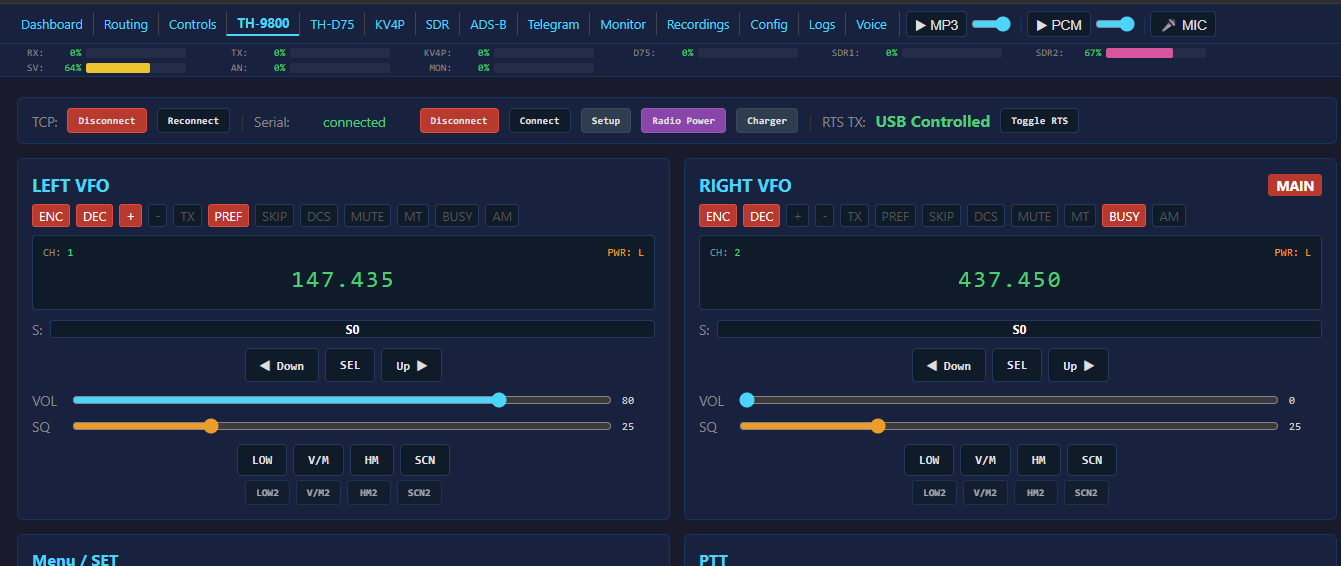
Front-panel replica: dual VFO, signal meters, all buttons, browser mic PTT |
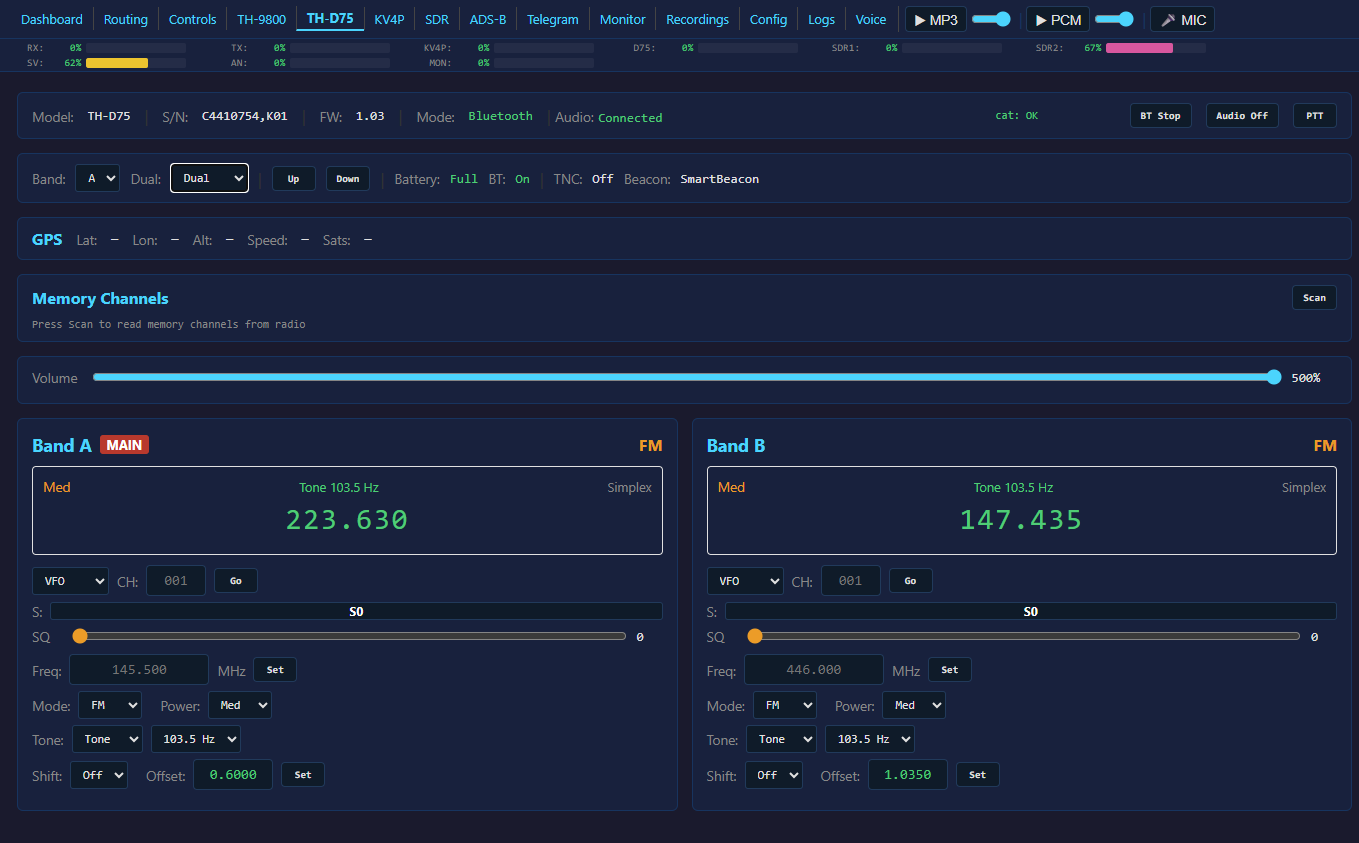
| TH-D75 | /d75 |
Band A/B VFOs, memory channels, D-STAR, BT connect/disconnect |
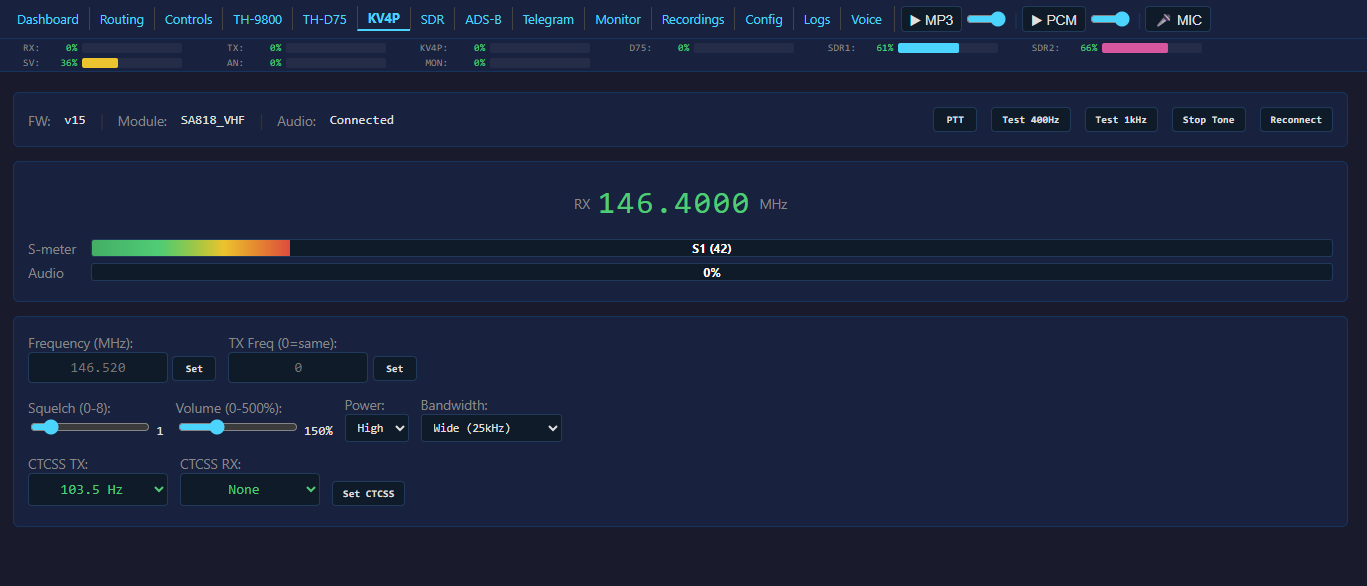
| KV4P | /kv4p |
Frequency, CTCSS TX/RX, squelch, volume, power, S-meter |
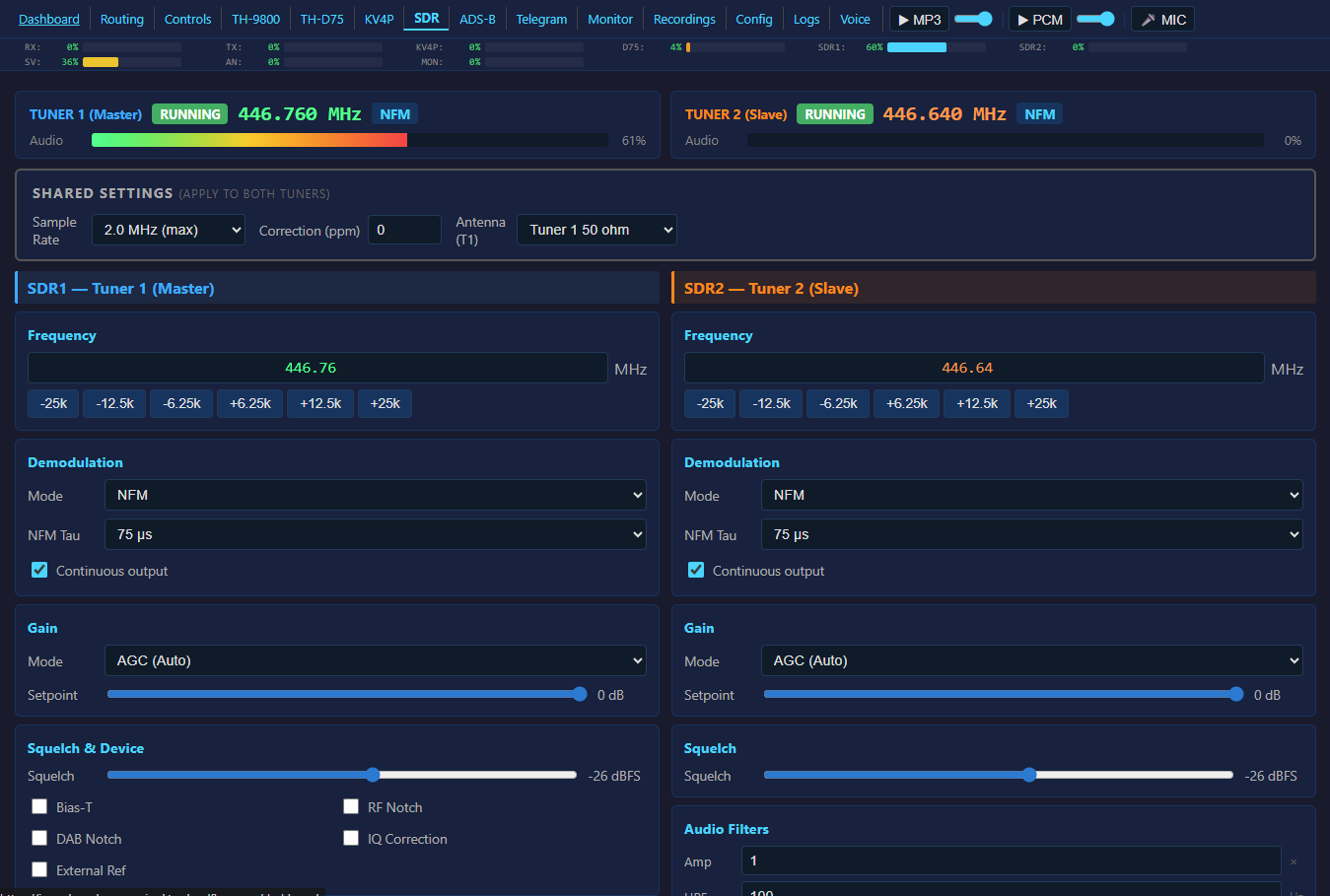
| SDR | /sdr |
Frequency/modulation/gain/squelch, 10-slot channel memory, dual tuner |
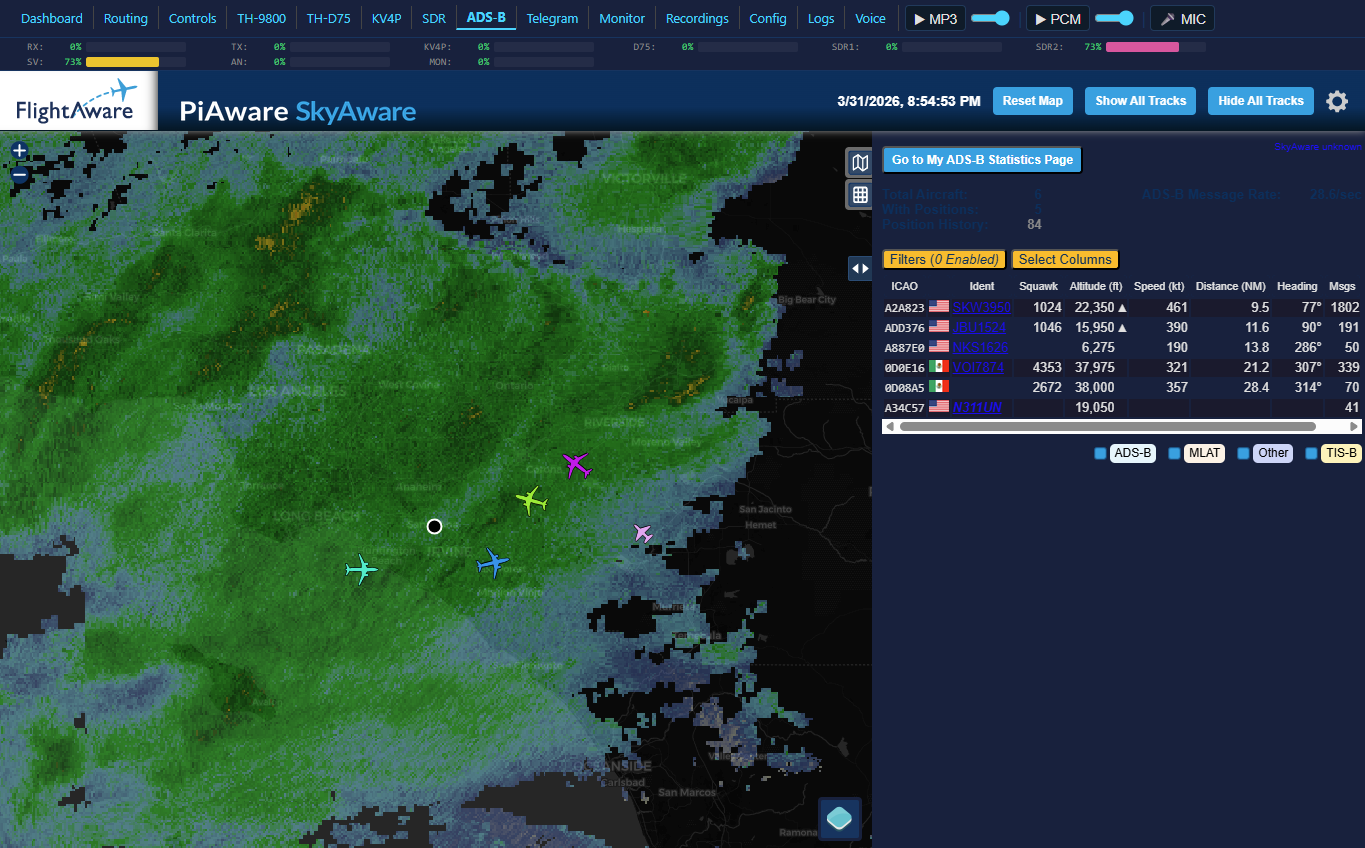
| ADS-B | /aircraft |
Dark mode map with NEXRAD weather, reverse-proxied dump1090-fa |
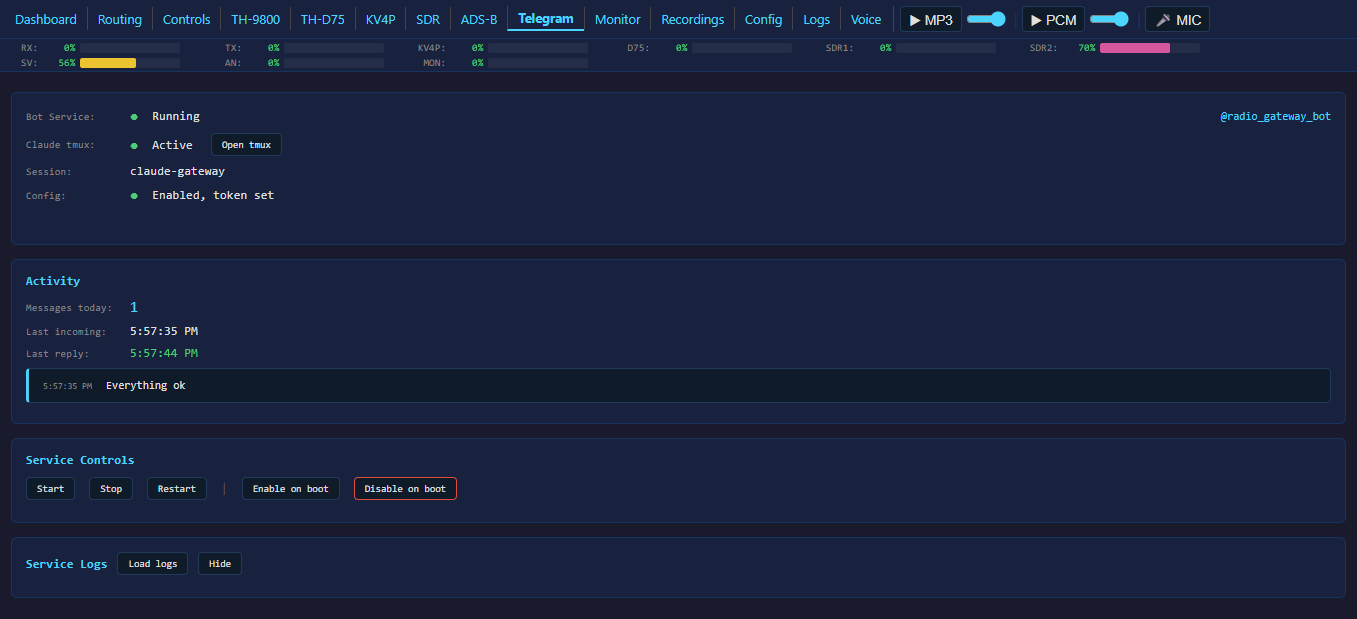
| Telegram | /telegram |
Telegram bot status and message log |
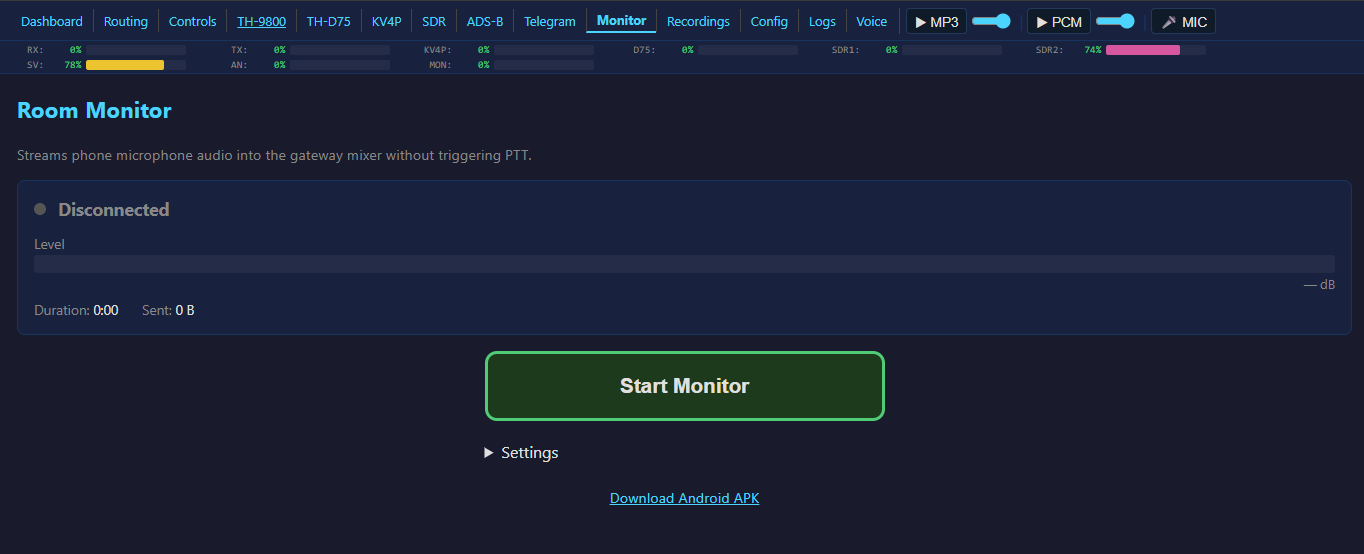
| Monitor | /monitor |
Room monitor: streams device mic, gain/VAD/level controls |
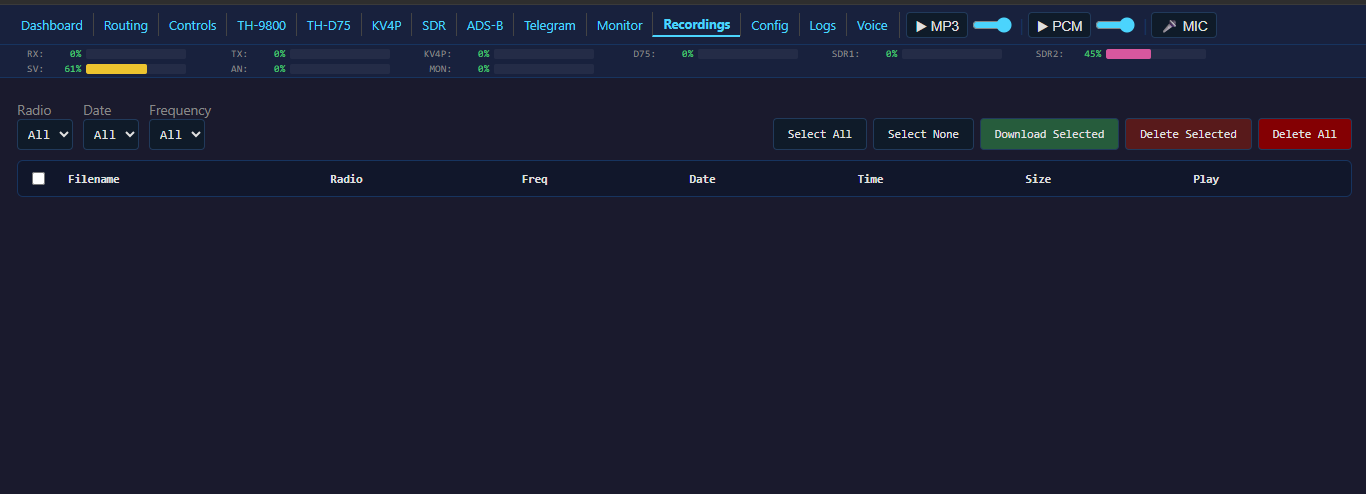
| Recordings | /recordings |
Browse, play, download, delete recorded audio; filter by source/date |
| Config | / |
INI editor with collapsible sections, Save & Restart |
| Logs | /logs |
Live scrolling log viewer with regex filter, Audio Trace, Watchdog Trace |
| Voice | /voice |
Voice relay to Claude Code via tmux |
Nav bar buttons: MP3 stream toggle, PCM stream toggle, MIC (web microphone -- sends browser audio to the routing system).
Browser audio: MP3 stream (shared FFmpeg encoder) and low-latency WebSocket PCM player with 200ms pre-buffer. Screen wake lock during playback.
Cloudflare tunnel: Free public HTTPS via *.trycloudflare.com. Works behind NAT, no port forwarding needed.
ENABLE_CLOUDFLARE_TUNNEL = true
Audio Routing
v2.0 replaces the old priority mixer with a bus-based routing system. All audio flows through busses. Sources produce audio, sinks consume it, and busses sit in between to mix, repeat, or cross-link.
Bus Types
| Bus Type | Purpose | Audio Flow |
|---|---|---|
| Listen | Monitor/mix multiple sources with ducking | Many sources in, many sinks out. Priority-based ducking between tiers. |
| Solo | Standalone control of a single radio | TX sources (mic, TTS, playback) mix into the radio; radio RX goes to sinks. |
| Duplex Repeater | Full duplex cross-link between two radios | A's RX feeds B's TX and B's RX feeds A's TX simultaneously. |
| Simplex Repeater | Half-duplex store-and-forward | One side receives and buffers; when signal drops, the buffer plays out on the other side's TX. |
Routing UI
Open /routing in the web UI. The page shows a canvas with three column types:
- Sources (left) -- radio RX, SDR, Mumble RX, Room Monitor, Remote Audio, etc.
- Busses (center) -- create busses by type, each with its own processing chain.
- Sinks (right) -- Mumble TX, Icecast stream, speaker, Remote Audio TX, radio TX, etc.
To wire a connection, drag from a source's output port to a bus's input port, or from a bus's output port to a sink's input port. Audio only flows through established connections.
Each node shows a live audio level bar. Sources and sinks have inline mute and gain controls. Busses have mute toggles and show red level bars when muted.
Per-Bus Processing
Each bus has its own audio processing chain, toggled independently:
- Noise Gate -- removes background noise below threshold
- HPF -- high-pass filter (cuts low-frequency rumble)
- LPF -- low-pass filter (cuts high-frequency hiss)
- Notch Filter -- narrow-band rejection at configurable frequency
Per-Bus Streaming
Each bus can independently enable:
- PCM -- low-latency WebSocket stream
- MP3 -- compressed stream for browser playback
- VAD -- voice activity detection gating
Speaker Mode
The speaker output has three modes to prevent feedback:
- Virtual -- PipeWire virtual sink (prevents feedback loops)
- Auto -- selects the best available output
- Real -- direct hardware output
Radio Plugins
All radios are self-contained plugins that register as sources and sinks in the routing system.
TH-9800
Full CAT control via TH9800_CAT.py TCP server. AIOC USB audio interface with HID PTT.
- Dual VFO with independent frequency, channel, volume, and power control
- Signal meters, all front-panel buttons replicated in the web UI
- Browser mic PTT via the radio page
- Hyper memories and mic keypad
ENABLE_CAT_CONTROL = true
CAT_HOST = 127.0.0.1
CAT_PORT = 9800
TH-D75
Kenwood TH-D75 D-STAR HT via Bluetooth proxy (scripts/remote_bt_proxy.py). Proxy ports: 9750 (CAT text), 9751 (raw 8kHz PCM audio).
- Bluetooth TX audio -- transmit playback, TTS, and announcements through the D75
- Memory channel load with full tone, mode, shift, offset, and power settings
- Band A/B VFO control, D-STAR status, BT connect/disconnect
- Battery level and TNC mode from proxy
ENABLE_D75 = true
D75_CAT_HOST = 127.0.0.1
D75_CAT_PORT = 9750
KV4P
KV4P software-defined radio module (SA818/DRA818) via CP2102 USB-serial. Opus codec audio.
- DRA818 uses 38 CTCSS tones (not 39 -- no 69.3 Hz)
- PTT via its own serial interface
- Frequency, CTCSS TX/RX, squelch, volume, power, bandwidth, S-meter
ENABLE_KV4P = true
KV4P_PORT = /dev/kv4p
SDR (RSPduo Dual Tuner)
Two simultaneous SDR receivers via RTLSDR-Airband + SoapySDR Master/Slave mode. Audio captured through PipeWire virtual sinks.
- RSPduo runs both tuners via Master (mode 4) + Slave (mode 8) -- NOT mode 2
- Start order is critical: Master must stream before Slave starts (gateway enforces this)
- Requires fventuri's SoapySDRPlay3 fork (
dual-tuner-submodesbranch) - 2.0 MSps per tuner limit in Master/Slave mode
- 10-slot channel memory persisted in
sdr_channels.json - Full web control: frequency, modulation (AM/NFM), sample rate, antenna, AGC/manual gain, squelch
ENABLE_SDR = true
SDR_DEVICE_NAME = pw:sdr_capture
SDR2_DEVICE_NAME = pw:sdr_capture2
Audio Sources and Sinks
These appear as nodes in the routing page. Wire them to busses to create your audio paths.
Sources
| Source | Description |
|---|---|
| TH-9800 RX | Radio receive audio via AIOC USB |
| TH-D75 RX | D-STAR HT receive via Bluetooth |
| KV4P RX | Software-defined HT via USB serial |
| SDR1 / SDR2 | RSPduo dual tuner via PipeWire |
| Mumble RX | Incoming Mumble VoIP audio |
| Room Monitor | Browser or Android mic via WebSocket |
| Remote Audio RX | Audio from Windows client (TCP port 9600) |
| Web Mic | Browser microphone from nav bar button |
| File Playback | WAV/MP3/FLAC from announcement slots |
| Announce Input | External audio via TCP port 9601 |
| EchoLink | EchoLink audio via named pipes |
| Gateway Link | Remote endpoint audio (per-endpoint sources) |
Sinks
| Sink | Description |
|---|---|
| TH-9800 TX | Radio transmit with PTT |
| TH-D75 TX | D-STAR HT transmit via Bluetooth |
| KV4P TX | Software-defined HT transmit |
| Mumble TX | Outgoing Mumble VoIP |
| Icecast Stream | Direct ffmpeg pipe to Icecast/Broadcastify |
| Speaker | Local audio output (Virtual/Auto/Real mode) |
| Remote Audio TX | Audio to Windows client (TCP port 9602) |
| EchoLink TX | EchoLink output via named pipes |
Streaming
Broadcastify / Icecast
v2.0 streams directly to Icecast using an internal ffmpeg process -- no DarkIce, no ALSA loopback devices, no external configuration files. The Icecast stream appears as a sink in the routing page; wire any bus output to it.
ENABLE_STREAM_OUTPUT = true
STREAM_SERVER = audio9.broadcastify.com
STREAM_PORT = 80
STREAM_MOUNT = /yourmount
STREAM_BITRATE = 16
The dashboard shows live streaming status: connection state, bytes sent, TCP send rate, RTT. Start/Stop/Restart controls available on the controls page.
Browser Audio
Two browser audio modes, toggled from the nav bar:
- MP3 -- shared FFmpeg encoder, works everywhere
- PCM -- low-latency WebSocket stream with 200ms pre-buffer
Remote Audio
Full Duplex (v2.0)
The Windows audio client (windows_audio_client.py) operates in full duplex -- sending and receiving audio simultaneously over two TCP connections:
| Port | Direction | Purpose |
|---|---|---|
| 9600 | Client to Gateway | TX audio (microphone) |
| 9602 | Gateway to Client | RX audio (speaker) |
The client uses callback-based audio streams for WDM-KS compatibility. Both directions appear as routable source/sink nodes in the routing page.
pip install sounddevice numpy
python windows_audio_client.py [host]
Config saved to windows_audio_client.json.
Gateway Link
Connects remote radios to the gateway over TCP with duplex audio and structured commands. Any number of endpoints connect simultaneously, each with its own source in the routing system.
Endpoint (Pi + AIOC + radio)     Gateway
  link_endpoint.py          <TCP>  GatewayLinkServer
  +-- AIOCPlugin                    +-- LinkAudioSource per endpoint
  |   +-- audio in/out              +-- per-endpoint controls
  |   +-- HID PTT                   +-- mDNS publish (_radiogateway._tcp)
  +-- mDNS discover
Features: plugin architecture (RadioPlugin base class, AudioPlugin, AIOCPlugin), mDNS auto-discovery, per-endpoint PTT/gain/mute, JSON commands with ACK, cable-pull resilience, 60s PTT safety timeout.
# Auto-discover gateway on LAN:
python3 tools/link_endpoint.py --name pi-aioc --plugin aioc

# Manual server:
python3 tools/link_endpoint.py --server 192.168.2.140:9700 --name pi-aioc --plugin aioc
[link]
ENABLE_GATEWAY_LINK = true
LINK_PORT = 9700
MCP Server
gateway_mcp.py is a stdio-based MCP server with 44+ tools that gives Claude (or any MCP-compatible AI) full control of the gateway via its HTTP API.
Tool Categories
| Category | Tools | What They Do |
|---|---|---|
| Status | gateway_status, sdr_status, cat_status, system_info, d75_status, kv4p_status, telegram_status |
Read current state of any subsystem |
| Radio Control | radio_ptt, radio_tts, radio_cw, radio_ai_announce, radio_set_tx, radio_get_tx, radio_frequency, d75_command, d75_frequency, kv4p_command |
Key radios, speak, send CW, tune frequencies |
| SDR | sdr_tune, sdr_restart, sdr_stop |
Control SDR receivers |
| Routing | routing_status, routing_levels, routing_connect, routing_disconnect, bus_create, bus_delete, bus_mute, sink_mute, bus_toggle_processing, set_gain |
Wire audio paths, create/delete busses, mute/unmute, adjust gains |
| Automation | automation_status, automation_history, automation_reload, automation_trigger |
Inspect and trigger scheduled automation tasks |
| Recordings | recordings_list, recordings_delete, recording_playback |
Browse and manage recorded audio |
| System | gateway_logs, gateway_key, audio_trace_toggle, config_read, process_control |
Logs, diagnostics, config, process management |
| Telegram | telegram_reply, telegram_status |
Send replies through the Telegram bot |
| Mixer | mixer_control |
Legacy mixer controls |
Setup
The MCP config lives in .mcp.json in the project root. Enable in Claude Code settings:
{ "enableAllProjectMcpServers": true }
The MCP server runs as a Claude Code child process -- restarting the gateway does NOT restart MCP.
Telegram Bot
Control the gateway from your phone. Text messages route through Claude Code with MCP tools. Voice notes transmit directly over radio.
Text:  Phone -> Telegram -> telegram_bot.py -> tmux -> Claude Code (MCP) -> telegram_reply()
Voice: Phone -> Telegram -> telegram_bot.py -> ffmpeg -> port 9601 -> radio TX (PTT auto)
Setup:
- Create a bot via
@BotFather, copy the token - Get your chat ID:
curl "https://api.telegram.org/bot<TOKEN>/getUpdates" - Configure:
[telegram] ENABLE_TELEGRAM = true TELEGRAM_BOT_TOKEN = 123456:ABC-DEF... TELEGRAM_CHAT_ID = 987654321 - Start Claude Code in tmux:
tmux new-session -s claude-gatewaythenclaude --dangerously-skip-permissions - Enable the service:
sudo systemctl enable --now telegram-bot
Smart Announcements
Scheduled radio announcements powered by Claude CLI. Claude searches the web, composes a natural spoken message, and the gateway broadcasts via Edge TTS + PTT. No API key needed -- uses existing Claude Code auth.
- Configure announcement slots with interval, voice, target length, and prompt
- On each interval,
claude -pis called with the prompt - Response converted to speech via Edge TTS and broadcast on radio
- If the radio is busy, waits up to ~8 minutes for a clear channel
ENABLE_SMART_ANNOUNCE = true
SMART_ANNOUNCE_START_TIME = 08:00
SMART_ANNOUNCE_END_TIME = 22:00

SMART_ANNOUNCE_1_PROMPT = Weather forecast for London, UK
SMART_ANNOUNCE_1_INTERVAL = 3600
SMART_ANNOUNCE_1_VOICE = 1
SMART_ANNOUNCE_1_TARGET_SECS = 20
SMART_ANNOUNCE_1_MODE = auto
Up to 19 announcement slots. Trigger manually via the controls page or MCP tools.
Room Monitor
Stream a device microphone to the gateway over WebSocket. Works as a source in the routing system -- wire it to any bus.
- Browser:
/monitorpage with gain control (1x-50x), VAD threshold, level meter - Android APK:
tools/room-monitor.apk(also downloadable from the gateway at/monitor-apk). Foreground service with persistent notification, streams even with screen locked.
Works through Cloudflare tunnel.
ENABLE_WEB_MONITOR = true
ADS-B Tracking
Embedded FlightAware SkyAware map via reverse proxy. Dark mode with NEXRAD weather overlay.
- Hardware: RTL2838/R820T USB SDR dongle (separate from RSPduo)
- Stack: dump1090-fa + lighttpd on port 30080; fr24feed uploads to FlightRadar24
- Access: Single-port through gateway at
/aircraft, works through Cloudflare tunnel
ENABLE_ADSB = true
ADSB_PORT = 30080
Gateway Link
See the Gateway Link documentation for the full protocol spec, plugin development guide, and roadmap.
Other Features
Text-to-Speech
Google TTS via !speak <text> from Mumble chat. 9 voice accents (US, UK, AU, IN, SA, CA, IE, FR, DE). Configurable speed and volume.
ENABLE_TTS = true
TTS_DEFAULT_VOICE = 1       # 1=US 2=UK 3=AU 4=IN 5=SA 6=CA 7=IE 8=FR 9=DE
TTS_SPEED = 1.3
Text-to-CW
Morse code broadcast via !cw <text> from Mumble. Configurable WPM, frequency, and volume.
File Playback
10 announcement slots with soundboard. Supports WAV, MP3, FLAC with automatic resampling. File naming: station_id.mp3 for slot 0, 1_welcome.mp3 for slot 1, etc.
EchoLink
TheLinkBox-compatible named pipe interface.
ENABLE_ECHOLINK = false
ECHOLINK_RX_PIPE = /tmp/echolink_rx
ECHOLINK_TX_PIPE = /tmp/echolink_tx
Embedded Mumble Server
Run one or two Mumble servers directly from the gateway. No external murmurd needed.
ENABLE_MUMBLE_SERVER_1 = true
MUMBLE_SERVER_1_PORT = 64738
MUMBLE_SERVER_1_PASSWORD = yourpassword
Voice Relay
The /voice page provides a web-based voice interface to Claude Code running in a tmux session. Start/stop session controls, speech-to-text input.
Automation Engine
Scheduled tasks with configurable triggers. Manage via the MCP tools (automation_status, automation_history, automation_reload, automation_trigger).
Dynamic DNS
Built-in No-IP compatible updater.
ENABLE_DDNS = true
DDNS_HOSTNAME = your.ddns.net
DDNS_UPDATE_INTERVAL = 300
Email Notifications
Gmail notifications on startup, errors, and events.
ENABLE_EMAIL = true
EMAIL_ADDRESS = [email protected]
EMAIL_APP_PASSWORD = xxxx-xxxx-xxxx-xxxx
Configuration
All settings live in gateway_config.txt (INI format with [section] headers). Copy the template from examples/gateway_config.txt and edit to suit your setup.
The web Config page (/) provides a live editor with collapsible sections and Save & Restart.
Key sections: [mumble], [audio], [ptt], [sdr], [web], [cat], [d75], [kv4p], [streaming], [smart_announce], [telegram], [adsb], [link], [remote_audio], [email], [ddns], [echolink], [relay], [automation].
Security:
gateway_config.txtis in.gitignore-- it contains stream keys and passwords. Never commit it.
Project Structure
radio-gateway/
+-- radio_gateway.py          # Main application
+-- gateway_core.py            # Core gateway logic
+-- gateway_mcp.py             # MCP server (44+ tools, stdio)
+-- gateway_utils.py           # Shared utilities
+-- audio_bus.py               # Bus system (Listen, Solo, Duplex, Simplex)
+-- bus_manager.py             # Bus lifecycle and routing manager
+-- audio_sources.py           # Audio source classes
+-- ptt.py                     # PTT control
+-- th9800_plugin.py           # TH-9800 radio plugin
+-- d75_plugin.py              # TH-D75 radio plugin
+-- kv4p_plugin.py             # KV4P radio plugin
+-- sdr_plugin.py              # SDR radio plugin
+-- cat_client.py              # D75 CAT client
+-- smart_announce.py          # Smart announcement manager
+-- radio_automation.py        # Automation engine
+-- gateway_link.py            # Gateway Link protocol
+-- web_server.py              # HTTP server
+-- windows_audio_client.py    # Windows full duplex audio client
+-- gateway_config.txt         # Configuration (gitignored)
+-- .mcp.json                  # MCP server config for Claude Code
+-- start.sh                   # Startup script
+-- web_pages/                 # Static HTML pages (18 files)
|   +-- dashboard.html
|   +-- routing.html
|   +-- controls.html
|   +-- radio.html
|   +-- d75.html
|   +-- kv4p.html
|   +-- sdr.html
|   +-- aircraft.html
|   +-- telegram.html
|   +-- monitor.html
|   +-- recordings.html
|   +-- logs.html
|   +-- voice.html
|   +-- common.css / common.js
|   +-- drawflow.min.css / drawflow.min.js
+-- examples/
|   +-- gateway_config.txt     # Template configuration
+-- scripts/
|   +-- install.sh             # Full installer (RPi + Debian + Arch)
|   +-- remote_bt_proxy.py     # D75 Bluetooth proxy
+-- tools/
|   +-- telegram_bot.py        # Telegram bot
|   +-- link_endpoint.py       # Gateway Link endpoint
|   +-- room-monitor.apk       # Android room monitor app
+-- docs/
|   +-- screenshots/           # Web UI screenshots (15 images)
|   +-- gateway_link.md        # Gateway Link protocol spec
|   +-- LICENSE
+-- audio/                     # Announcement files
    +-- station_id.mp3
License
See docs/LICENSE.
Yorumlar (0)
Yorum birakmak icin giris yap.
Yorum birakSonuc bulunamadi