Superpower
Health Gecti
- License — License: MIT
- Description — Repository has a description
- Active repo — Last push 0 days ago
- Community trust — 57 GitHub stars
Code Gecti
- Code scan — Scanned 12 files during light audit, no dangerous patterns found
Permissions Gecti
- Permissions — No dangerous permissions requested
Bu listing icin henuz AI raporu yok.
From AI Assistance to Agentic Workflows: Making MCP Practical in the Browser

Superpower
One MCP layer for browser AI and native desktop workflows.


Products · Why Superpower · Features · Platforms · Architecture · Quick start
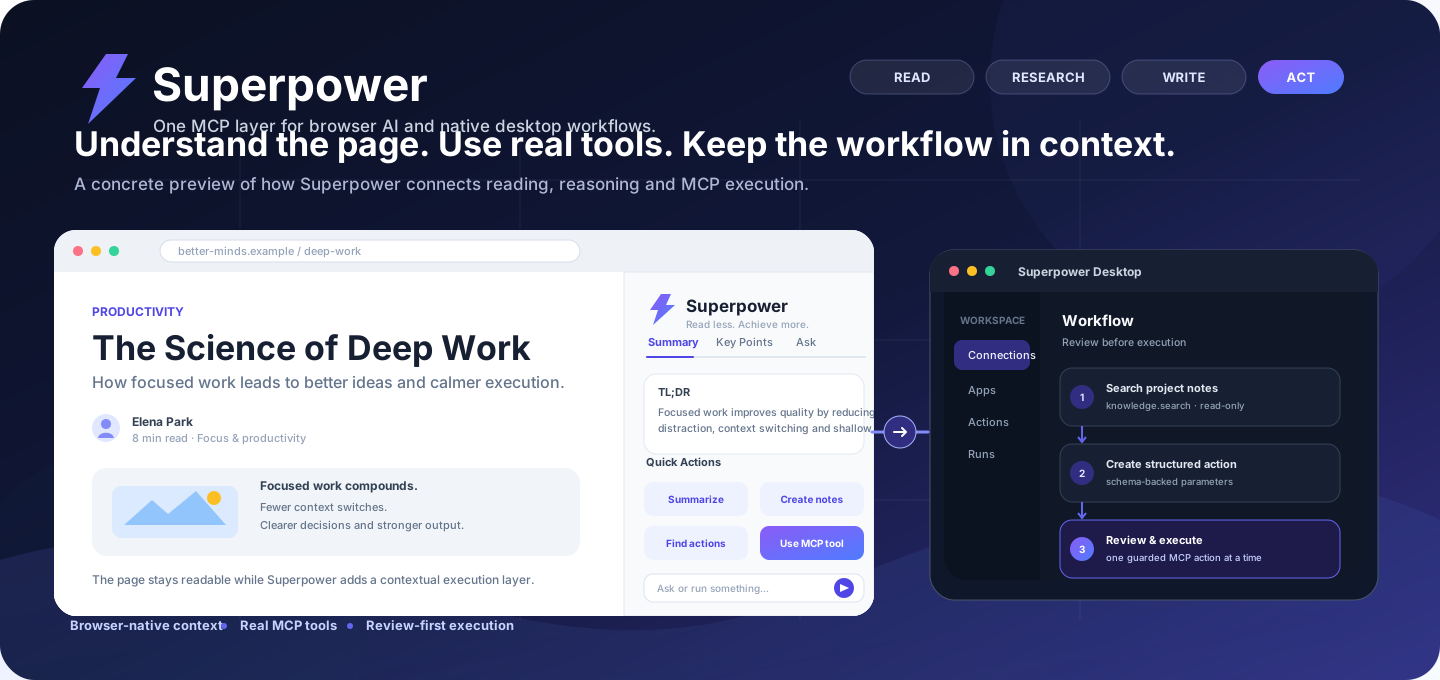
Practical MCP workflows across browser and desktop surfaces.
Products
Browser ExtensionBring MCP tools directly into supported AI websites without leaving the conversation.
Best for: browser-native AI workflows. |
Desktop AppUse Superpower as a native MCP workspace outside the browser.
Best for: managing MCP connections and actions from one desktop workspace. |
Why Superpower?
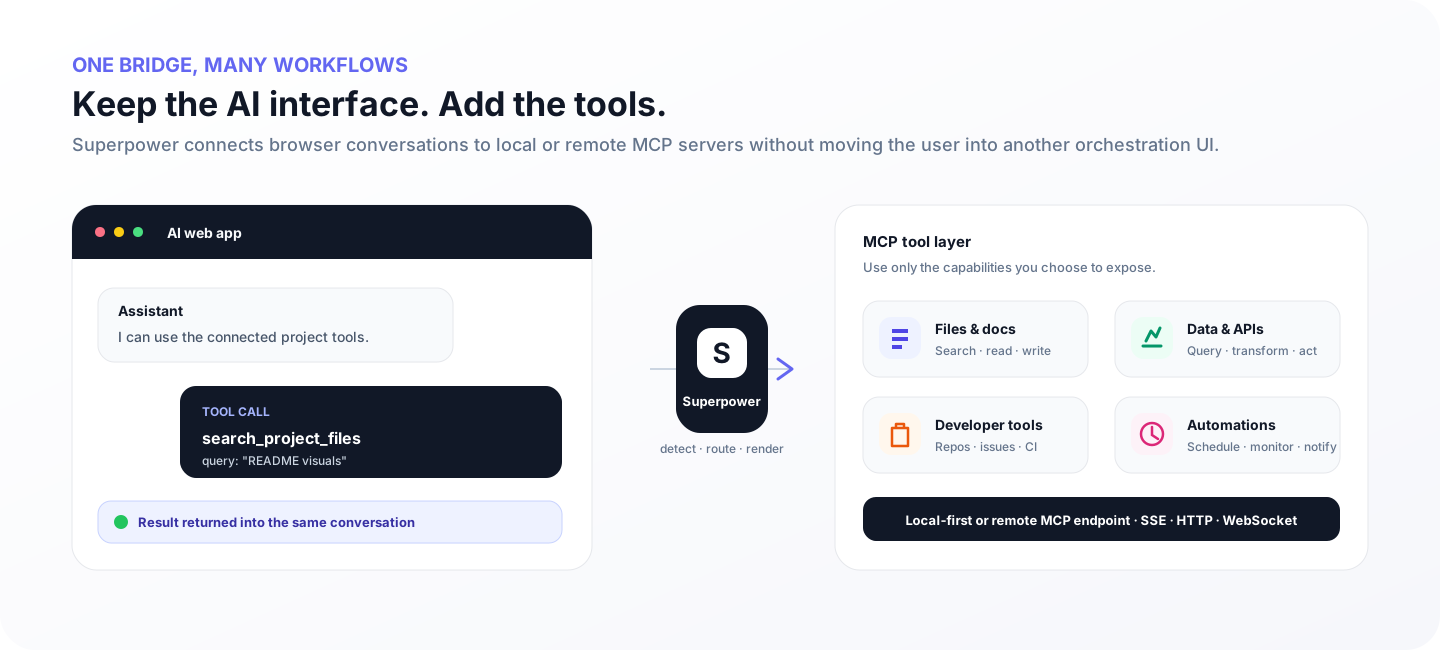
Superpower keeps tool execution close to the interface where the work happens. Use the browser extension when the conversation is the workspace, or use the desktop app when you want a dedicated MCP control surface.
Stay in contextUse MCP capabilities without constantly switching tools or consoles. |
Connect real toolsUse local or remote MCP servers across browser and desktop workflows. |
Keep controlChoose exposed tools and review guarded actions before execution. |
Features
- Shared MCP execution model across browser and desktop surfaces
- Browser-side tool discovery, structured call detection and result injection
- Native desktop workspace for connections, apps, actions and runs
- Manual and automated execution flows
- Local and remote MCP endpoints
- Multi-tool and dependency-aware workflows
- Persistent controls and generated MCP instructions
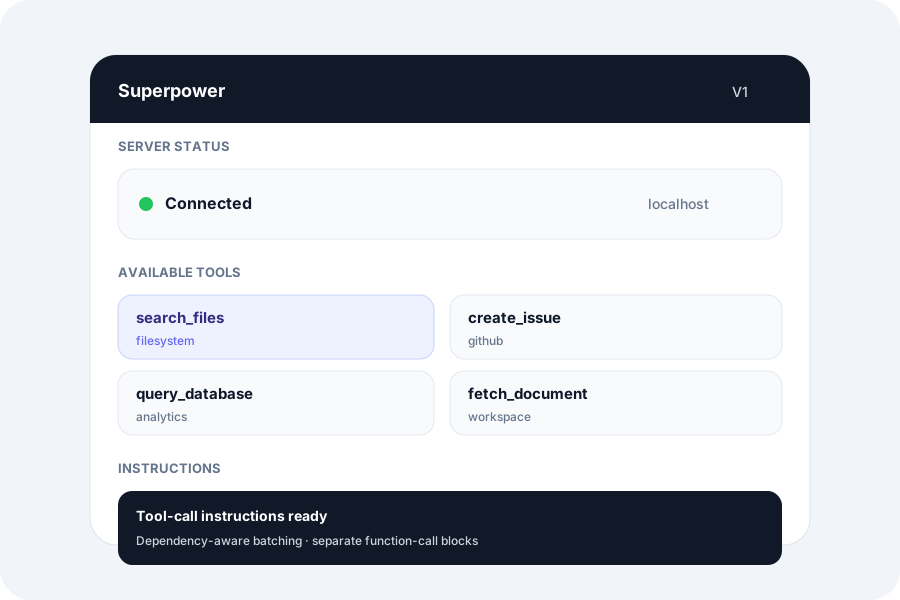
Browser extension: connections, tools and automation controls. |
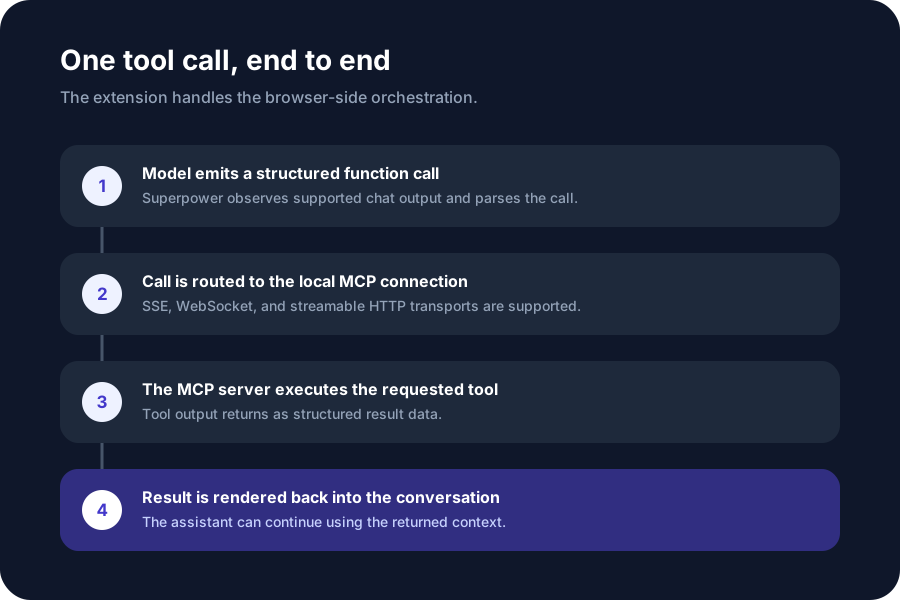
Structured tool calls routed through MCP and returned to the workflow. |
Natural-language Action Router
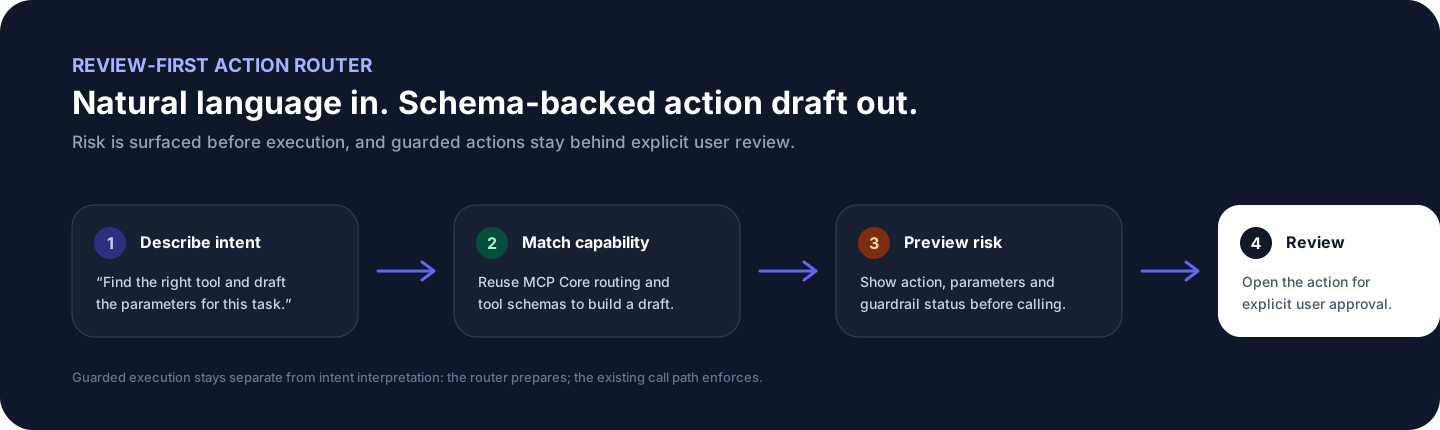
The V1.5 development line adds a review-first Action Router that maps natural-language intent to MCP capabilities, drafts schema-backed parameters, surfaces risk, and sends the action through an explicit review step before execution.
Supported platforms
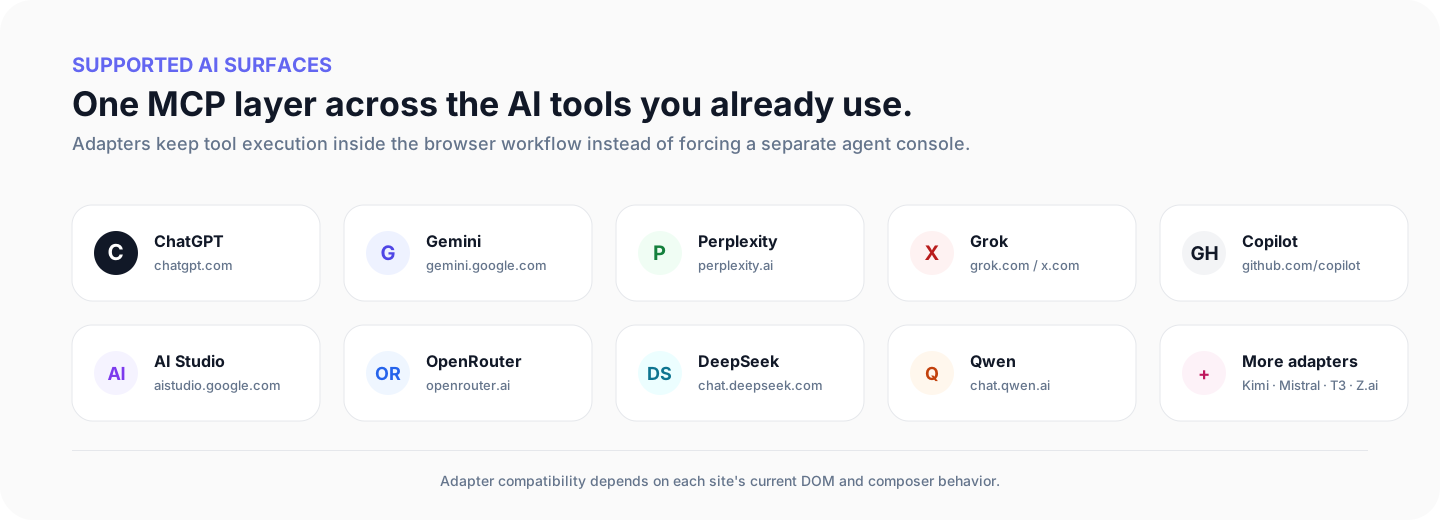
The browser extension currently supports ChatGPT, Google Gemini, Perplexity, Google AI Studio, Grok, OpenRouter, DeepSeek, T3 Chat, GitHub Copilot, Mistral, Kimi, Qwen Chat, and Z.ai.
How it works
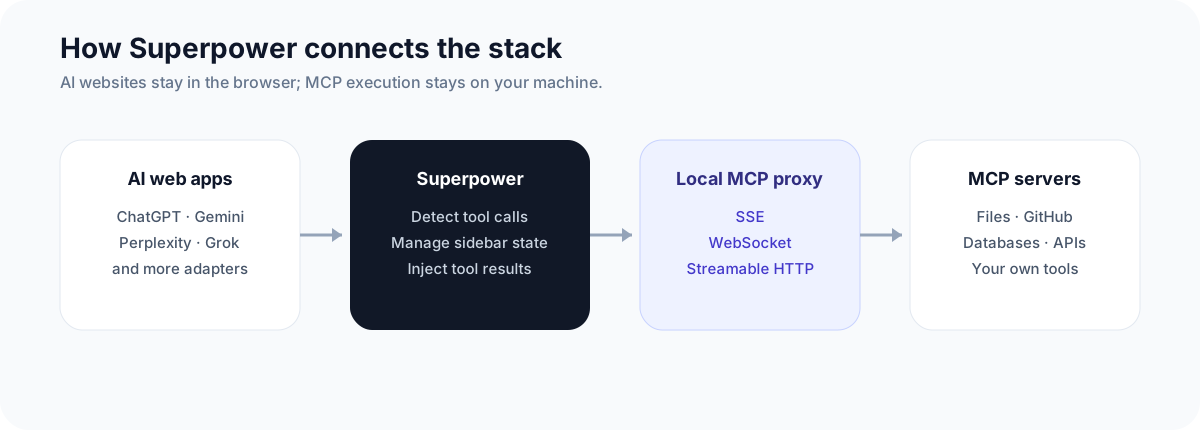
- A browser or desktop workflow selects an MCP capability.
- Superpower routes the structured request through the configured MCP connection.
- The MCP server executes the tool.
- The result is returned to the active browser conversation or desktop workflow.
Quick start
Browser Extension
- Download the latest release.
- Extract it and run
Install-Superpower.cmd. - Open
chrome://extensions/and enable Developer mode. - Select Load unpacked and choose the generated
dist/folder.
See RELEASE_INSTALL.md for the full extension installation guide.
Desktop App
- Open the latest release.
- Download
Superpower-Desktop-*-Windows-x64.zip. - Extract the archive and launch the packaged desktop application.
Build the browser extension from source
Requirements: Node.js 22.12+, pnpm 9.x, and a Chromium-based browser.
git clone https://github.com/stloendays/Superpower-V1.git
cd Superpower-V1
pnpm install
pnpm base-build
Configure an MCP proxy, start it with your preferred transport, then load dist/ as an unpacked extension.
Development
pnpm dev          # Development build
pnpm base-build   # Production build
pnpm type-check   # Type checking
pnpm lint         # Lint
Project
Superpower is an Oxford × NUS collaborative project led by Tony, focused on practical human–AI workflows and MCP-based tool use across browser and desktop environments.
Superpower V1 is a modified derivative of MCP SuperAssistant. The original MIT license and upstream attribution are preserved in LICENSE and NOTICE.md.
Security
MCP servers may expose filesystem, database, developer-tool, or third-party API access. Only connect endpoints you trust and keep credentials outside the repository. See SECURITY.md.
Contributing
Issues and pull requests are welcome. For bug reports, include the affected surface (browser or desktop), platform/browser version, and reproduction steps.
License
Released under the MIT License, with upstream attribution described in NOTICE.md.
Yorumlar (0)
Yorum birakmak icin giris yap.
Yorum birakSonuc bulunamadi