maul-team
Health Warn
- License — License: NOASSERTION
- Description — Repository has a description
- Active repo — Last push 0 days ago
- Low visibility — Only 5 GitHub stars
Code Fail
- rm -rf — Recursive force deletion command in .claude/settings.json
Permissions Pass
- Permissions — No dangerous permissions requested
No AI report is available for this listing yet.
Multi-agent AI Scrum team for Claude Code — native Mac app + CLI. Autonomous Sprints; you stay Product Owner.
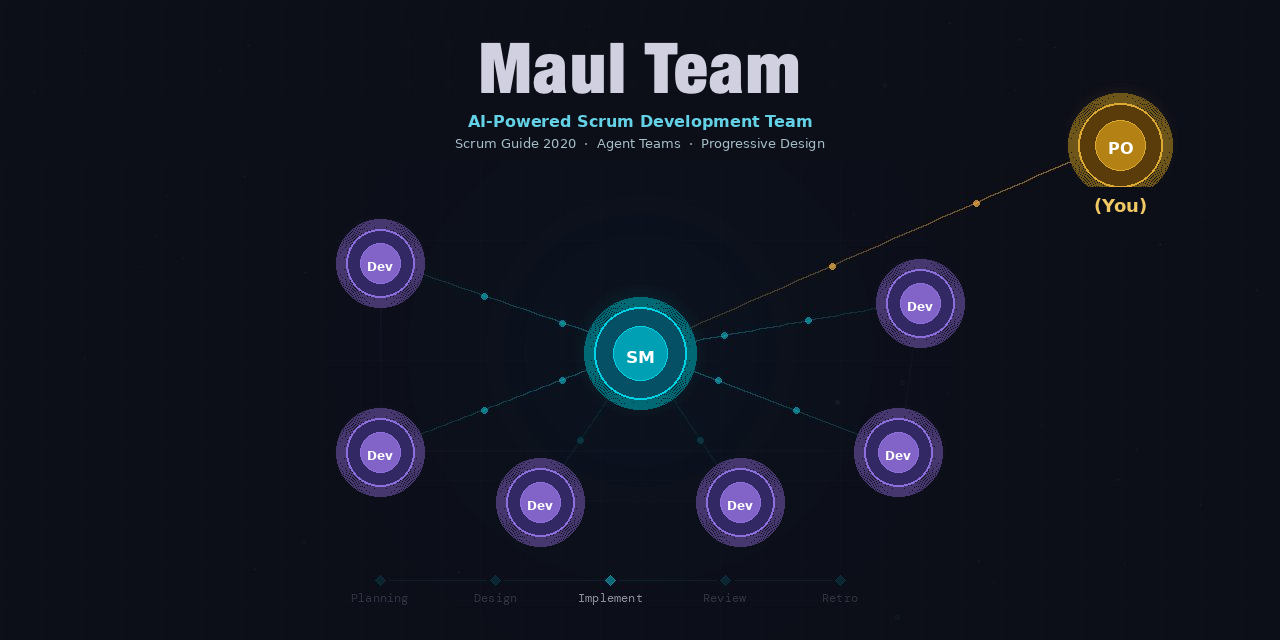
Maul Team
An AI Scrum team for Claude Code — multi-agent coordination via Agent Teams drives your entire Scrum workflow






English | 日本語
Why? • Demo • Get Started • Loop Engineering • Features • Command line • Architecture • Development
Open a project in MaulTeam.app (or run scrum-start.sh from a terminal) and a full AI Scrum team takes over — a Scrum Master coordinates Developer agents through Sprint cycles while you act as the Product Owner, approving goals and reviewing the working product.
Why?
Vibe coding's speed is attractive, but order erodes as a project runs longer. Spec-Driven Development (SDD) keeps order well, but demands defining a lot upfront. Most real projects live in between — not everything is decided on day one, yet you still need to maintain order as you go.
Maul Team brings Scrum's inspect-and-adapt loop to Claude Code, giving you structured iteration without requiring a complete specification on day one. You stay in the Product Owner seat — describing what you want, approving Sprint Goals, and reviewing working software each Sprint — while a team of AI agents handles the rest.
Demo
https://github.com/user-attachments/assets/e71c5fc3-b269-4df3-a585-f5da03e292bc
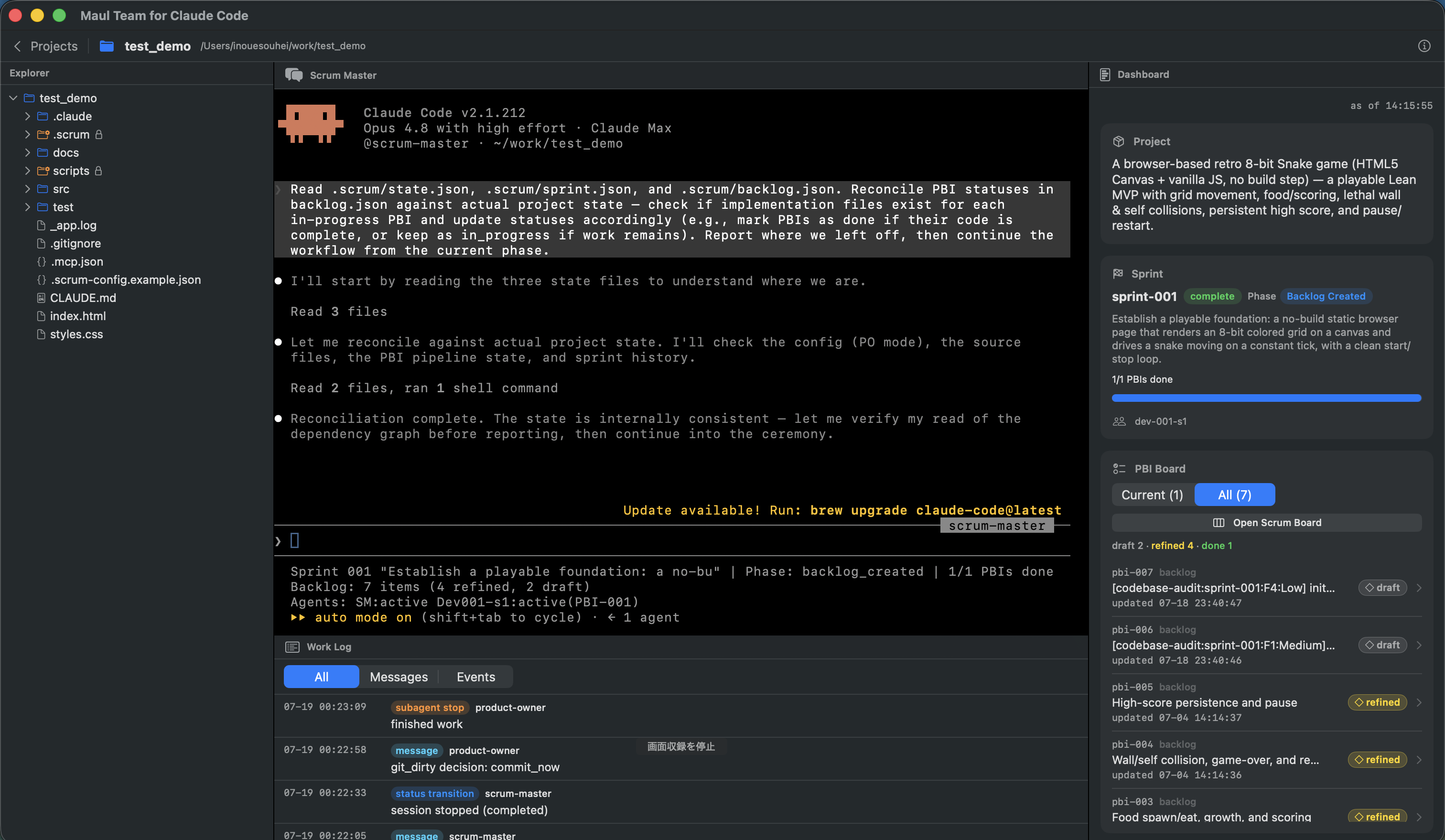
MaulTeam.app brings the information and controls you need for Scrum development into a single window.
Pick or create a project, then talk to the Scrum Master in the embedded terminal. A native dashboard shows Product and Sprint status, the PBI list, and progress — and you can watch agent activity and the code being generated.
Get Started
The easiest way in is the Mac App — a native macOS app that wraps the whole framework. On Linux, or if you prefer a terminal, you can also use the command line.
Install (early access — build from source)
MaulTeam.app is currently available as a source build. Signed and notarized .dmg and Homebrew installation are planned for the first public release.
git clone [email protected]:sohei56/maul-team.git
cd maul-team
sh macapp/scripts/make-app.sh release
open macapp/build/MaulTeam.app
Requirements:
| Requirement | Version | Purpose / notes |
|---|---|---|
| macOS + Xcode | macOS 13+ / Xcode 15+ (Swift 5.9+) | For the source build; the first build needs network access to fetch SwiftTerm |
| Claude Code CLI | 2.1.172 or later (on PATH) | The app runs scrum-start.sh, whose PBI pipeline relies on sub-agents spawning further sub-agents (unlocked in 2.1.172). See Claude Code version |
| Python | 3.9+ | scrum-start.sh validates it at launch and installs textual + watchdog if missing (the Mac App's dashboard is native SwiftUI, but the launcher still checks these) |
| Codex CLI | Optional, recommended | Enables cross-model review; without it, the review stages fall back to Claude-based review |
See macapp/README.md for the full architecture — editor, background sessions, bundled-framework resolution, and distribution status.
What a Sprint looks like
In short: shape the requirements → plan a Sprint → develop and review PBIs in parallel → demo the working product → improve and repeat.
Detailed lifecycle- Co-author a product brief — for a new project,
docs/product/brief.mdis co-written interactively; the brief becomes the foundation for everything that follows - Requirement Definition — the Scrum Master spawns a Requirements Analyst to elicit requirements and write
requirements.md - Backlog Refinement — the SM creates and refines PBIs from your requirements
- Sprint Planning — the SM proposes a Sprint Goal; you approve or adjust
- PBI Development (parallel, per-PBI) — each Developer acts as a conductor running the
pbi-pipelineskill on its assigned PBI in its own git worktree (.scrum/worktrees/<pbi-id>/, branchpbi/<pbi-id>): rounds of design → implementation + black-box UT → review (cross-model via Codex when available, with a Claude-based fallback), with deterministic termination gates and real C0/C1 coverage; before ready-to-merge, an Integrity stage runs 5 aspect reviewers (requirement-conformance, functional-quality, security, maintainability, docs-consistency) over the PBI's diff. The SM merges each PBI on completion. - Cross-Review — once all PBIs are merged, the SM runs an audit-only cross-review: a whole-repo 4-axis
codebase-audit(spec-conformance, logic-defect, redundancy, product-security). It is non-blocking — Critical/High findings become draft PBIs for the next Sprint - Sprint Review — the SM launches the app and demos each completed PBI in turn; you confirm each works
- Retrospective — the team reflects and records improvements for future Sprints
- Repeat from step 3 until the Product Goal is achieved; then advance to the two closing phases:
- Integration Tests — derive boundary-value and branch-coverage test cases from the design specs and run them (smoke + API/UI automation)
- UAT & Release — a user-story-driven UAT and the go/no-go release decision
Your role as Product Owner
| You do | The AI team does |
|---|---|
| Describe what you want to build | Elicit and write detailed requirements |
| Approve Sprint Goals | Plan Sprints and assign PBIs |
| Review demos in the running app | Design and implement the Increment, and run cross-review |
| Report defects during UAT | Fix defects and re-test |
| Make release decisions | Run automated test suites |
The PO seat can also be delegated to the
product-owneragent viapo_mode=agent(autonomous mode). See docs/autonomous-mode.md.
Loop Engineering
Loop engineering means designing a system in which agents repeatedly plan, act, verify, and improve instead of relying on isolated prompts. Maul Team implements it at three levels: Development pipeline, Sprint, and autonomous execution.
- Development pipeline loop (innermost — build & verify). Per PBI: design → implementation + black-box unit tests → review, repeated in Rounds until deterministic termination gates pass (success / stagnation / divergence / hard cap). Codex provides cross-model review when available, with a Claude-based fallback; C0/C1 coverage is measured by real tooling.
- Sprint loop (middle — drift detection & self-improvement). Every Sprint ends with a whole-repo, 4-axis
codebase-auditthat detects drift between the merged code and the requirements/design; its Critical/High findings are filed as draft PBIs for the next Sprint, and the Retrospective feeds process improvements forward the same way. The product and the process both hill-climb. (LangChain's hill-climbing loop.) - Autonomous execution loop (outermost — event-driven, unattended). Co-author a product brief and even the PO seat becomes an agent (
po_mode=agent); an outer Ralph-Loop watchdog re-launches headless sessions iteration after iteration, enforces safety valves (iterations / wall-clock / Sprints / failure budgets), sleeps through API rate limits and resumes, and writes you a morning report. (LangChain's event-driven loop.)
The main risk is cognitive surrender: accepting whatever an autonomous loop produces. Maul Team counters it with enforced state and branch rules, deterministic gates, measured coverage, and escalation of unclear requirements.
Background: Addy Osmani, “Loop Engineering”, O'Reilly Radar, and LangChain, “The Art of Loop Engineering”.
Features
- Native Mac app — MaulTeam.app runs the whole team in one macOS window (project picker, embedded Scrum Master terminal, tabbed code editor, native dashboard)
- 19 Skills covering the full Scrum lifecycle: product-brief co-authoring, requirements elicitation, backlog refinement, sprint planning, PBI Development (design + impl + UT + per-PBI review), per-PBI merge, cross-review (whole-repo codebase audit), sprint review, retrospective, integration testing, and UAT & release
- Multi-agent coordination — the Scrum Master (Delegate mode) orchestrates up to 6 parallel Developers per Sprint (1 Developer per PBI, capped at 6)
- Autonomous PO mode — replace even the PO with an AI Product Owner to drive development end-to-end. An outer Ralph-Loop watchdog re-launches headless Claude sessions, enforcing safety valves while writing reports to
.scrum/reports/. See docs/autonomous-mode.md - Design document governance — an immutable catalog (
catalog.md) plus an editable enablement config (catalog-config.json), enforced by status-gate hooks, control the documents AI agents are allowed to create - Quality enforcement hooks — status gates, path guards, branch-ops guard, completion-flow enforcement (
stop-dispatch.sh→dashboard-event.sh+completion-gate.sh), quality gates (Definition of Done), session context restoration, plus an external stall watchdog (scripts/stall-watchdog.sh) in human mode — turning the behaviors you want agents to follow into mechanisms - State persistence — all state is saved to
.scrum/JSON files; sessions resume - Retrospective-driven improvement — improvements from past Sprints are applied automatically
- Automated testing — Integration Tests derives design-driven test cases covering boundary values and flow/pattern branches on top of smoke tests (unit + e2e), automated as committable API + Playwright UI tests; UAT & Release then runs a story-driven UAT (Playwright MCP / Chrome DevTools MCP-assisted) and the release decision
AI-Specific Adaptations
This is not a carbon copy of human Scrum — it adapts the framework to how AI agents actually work.
Extensions leveraging AI strengths:
- Dynamic team sizing — the number of Developer agents is optimized per Sprint based on PBI count and complexity
- Two-tier independent review — the Increment is inspected at two altitudes: each PBI's diff before merge (the 5-aspect Integrity gate), then a Sprint-end whole-repo codebase audit over the merged Increment, complemented by optional per-PBI Codex cross-model review with a Claude-based fallback. See What a Sprint looks like for the full aspect and axis catalog
Constraints addressing AI weaknesses:
- Mandatory Requirement Definition — the first Sprint (Sprint 0) is dedicated solely to requirements elicitation, preventing the team from charging ahead without a map
- No work without a PBI — all development must be tied to a backlog item, stopping the Scrum Master from drifting into ad-hoc fixes mid-conversation
- Controlled document creation — only document types listed in the design catalog may be created, curbing the AI tendency to produce sprawling, unstructured documentation
- PO-driven Sprint scope — Sprint boundaries are set by meaningful review checkpoints rather than velocity estimates, since AI agents have no stable velocity baseline
Sprint Lifecycle
 ┌─────────────────────────────────────────────────────────────┐
 │  Requirement Definition (Sprint 0)                          │
 │  Requirements Elicitation ──▶ Initial Product Backlog       │
 └──────────────────────────────┬──────────────────────────────┘
                                ▼
 ┌─────────────────────────────────────────────────────────────┐
 │  Sprint N                                                   │
 │                                                             │
 │  1. Backlog Refine    PBIs: draft ──▶ refined               │
 │          ▼                                                  │
 │  2. Planning          PO approves Sprint Goal               │
 │          ▼                                                  │
 │  3. Scaffold Specs    Create design doc stubs from catalog  │
 │          ▼                                                  │
 │  4. Spawn Teammates   Launch Developer agents + worktrees   │
 │          ▼                                                  │
 │  5. PBI Pipeline      Per Developer / per PBI, in parallel: │
 │                         design → impl + black-box UT →      │
 │                         review (Codex when available), with │
 │                         deterministic termination gates     │
 │                         and real C0/C1 coverage,            │
 │                         then a 5-aspect Integrity stage     │
 │          ▼                                                  │
 │  6. Per-PBI Merge     SM merges each ready PBI immediately  │
 │                         (--no-ff + regression gate;         │
 │                         3-strike escalation)                │
 │          ▼                                                  │
 │  7. Cross-Review      Whole-repo 4-axis codebase-audit      │
 │                         (audit-only, non-blocking;          │
 │                         findings → next-Sprint draft PBIs)  │
 │          ▼                                                  │
 │  8. Sprint Review     Demo to PO, accept/reject PBIs        │
 │          ▼                                                  │
 │  9. Retrospective     Record improvements for next Sprint   │
 └──────────┬──────────────────────────┬───────────────────────┘
            │                          │
            ▼                          ▼
     Next Sprint N+1   ┌──────────────────────────────┐   ┌──────────────────────────┐
                       │  Integration Tests           │──▶│  UAT & Release           │
                       │  Smoke ──▶ Design-Driven     │   │  Story-Driven UAT ──▶    │
                       │  Cases ──▶ Stub/Automate     │   │  Release Decision        │
                       └──────────────────────────────┘   └──────────────────────────┘
Command line (advanced)
Prefer a terminal, or want to run headless, remote, or on Linux? The same framework runs from the shell.
# Clone the repository
git clone [email protected]:sohei56/maul-team.git

# In your project directory:
cd /path/to/your/project

# Launch the Scrum team (auto-installs Python dependencies if needed)
sh /path/to/maul-team/scrum-start.sh

# Or: launch in autonomous PO mode (no human at the keyboard)
sh /path/to/maul-team/scrum-start.sh --autonomous --brief docs/product/brief.md
The script launches a tmux session with Claude Code (the Scrum Master) and the TUI dashboard.

Already deployed this framework to a project before? Re-run
scrum-start.shto refresh.claude/— it is a copied snapshot, not a live link, so changes to Skills and the like only take effect after a re-run.
For detailed setup, see quickstart.md; for autonomous-mode operation (safety valves, Stop-block budgets, morning report), see docs/autonomous-mode.md.
Command-line prerequisites
- Claude Code CLI ≥ 2.1.172 and Python 3.9+ — see the shared prerequisites under Get Started
- tmux (recommended) for the side-by-side dashboard layout
Claude Code version
scrum-start.sh emits a warning when Claude Code is older than 2.1.172. Sub-agents spawning further sub-agents was unlocked in Claude Code 2.1.172 (changelog).
Upgrade paths:
- Homebrew — the stock
claude-codecask is frozen at 2.1.153; switch to the rolling-release cask:brew uninstall --cask claude-code brew install --cask claude-code@latest - Native installer —
curl -fsSL https://claude.ai/install.sh | bash
Sessions, memory, and settings under ~/.claude/ are preserved across either upgrade.
Architecture
maul-team/
├── scrum-start.sh    # Entry point; supports --autonomous --brief <file> --max-sprints <N>
├── macapp/           # Native macOS shell (SwiftUI + SwiftTerm): project picker, tabbed editor, terminal, dashboard
├── agents/           # Agents
├── skills/           # Skills
├── hooks/            # Behavior and quality-enforcement gates
├── rules/            # Cross-cutting Scrum context (team map, SSOT locations, comms protocol)
├── dashboard/app.py  # Textual TUI (Sprint Overview / PBI Board / Work Log; CLI path)
├── scripts/          # Status line, user/contributor setup, autonomous-mode watchdog
├── docs/design/      # catalog.md (read-only) + catalog-config.json (enabled list)
└── .scrum/           # Runtime state (JSON, gitignored)
Development
See CONTRIBUTING.md for development setup and workflow.
License
This repository is split:
- The framework — everything outside
macapp/— is open source
under the MIT License. - The Mac app under
macapp/is source-available under a
commercial license,macapp/LICENSE. You are free
to build it from source and use it personally or within your own
organization; redistribution, resale, and distributing derivative
builds are not permitted.
Contributions require a one-time Contributor License
Agreement signature — see
CONTRIBUTING.md.
Reviews (0)
Sign in to leave a review.
Leave a reviewNo results found