polily
Health Warn
- License — License: MIT
- Description — Repository has a description
- Active repo — Last push 0 days ago
- Low visibility — Only 6 GitHub stars
Code Pass
- Code scan — Scanned 12 files during light audit, no dangerous patterns found
Permissions Pass
- Permissions — No dangerous permissions requested
No AI report is available for this listing yet.
A Polymarket Monitoring Agent That Actually Works

Polily — A Polymarket Monitoring Agent That Actually Works






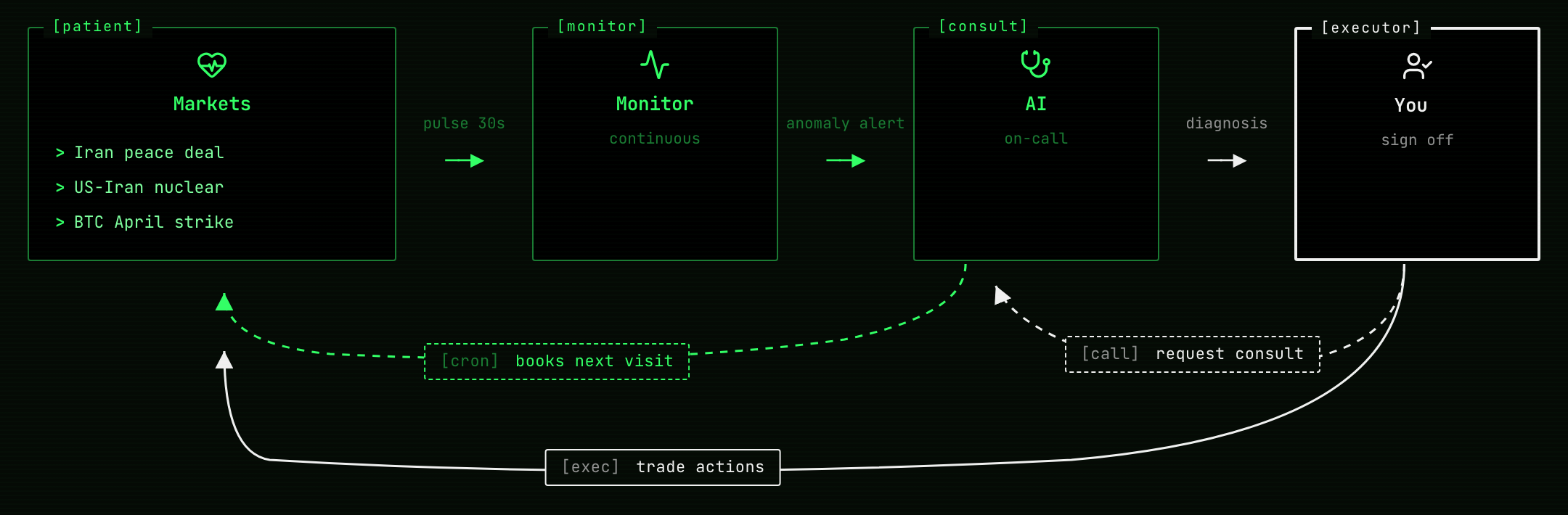
Paste a Polymarket event URL and Polily decides whether it's worth your time, scores the structure, hunts mispricing, watches for moves, and closes out positions automatically when markets resolve. A monitoring agent that surfaces what Polymarket's UI hides — for every event you're considering.
Why You Need It
Polymarket's UI hides what actually matters:
- Spread, depth, and fees quietly eat your PnL — at any account size. Polymarket shows mid-price; you trade against the order book. polily surfaces both before you click
- A good story doesn't make a good market — narratives are seductive; structure (depth, spread, time-to-close, friction) is what the numbers say
- Watching 5+ events by hand doesn't scale — refreshing pages doesn't tell you when something actually changed
- Crypto markets carry vol-implied edge — Polymarket has no vol model; polily compares against live Binance data and flags mispriced probabilities
What It Does For You
- Paste a URL → instant dossier + value check — pulls the full event + child markets, scores 0–100 across spread / depth / objectivity / time / friction, surfaces hidden costs, and tells you whether the event is worth following
- Mispricing detection — for crypto threshold markets, compares against a log-normal vol model fed by live Binance data and flags probabilities that look mis-priced
- Background watching + move alerts — a daemon polls prices for everything in your watchlist; meaningful moves trigger AI analysis and notifications
- Paper trading with a realistic wallet — tracks positions, fees, and PnL exactly as live trading would: real cash balance, aggregated positions (YES + NO coexist), Polymarket-accurate taker fees, and automatic settlement when markets resolve — so your paper PnL curve reflects live execution, not a sanitized backtest
A high structure score ≠ YES will win. It measures whether the market is tradeable, not whether you should buy — keep the two separate.
Quick Start
pipx install polily   # recommended
polily                # launches the TUI; everything happens inside it
Requirements: Claude Code installed and authenticated (polily delegates AI analyses to the
claudeCLI). Runclaude --versionto verify.
For development setup (editable install, running tests, etc.) see CONTRIBUTING.md.
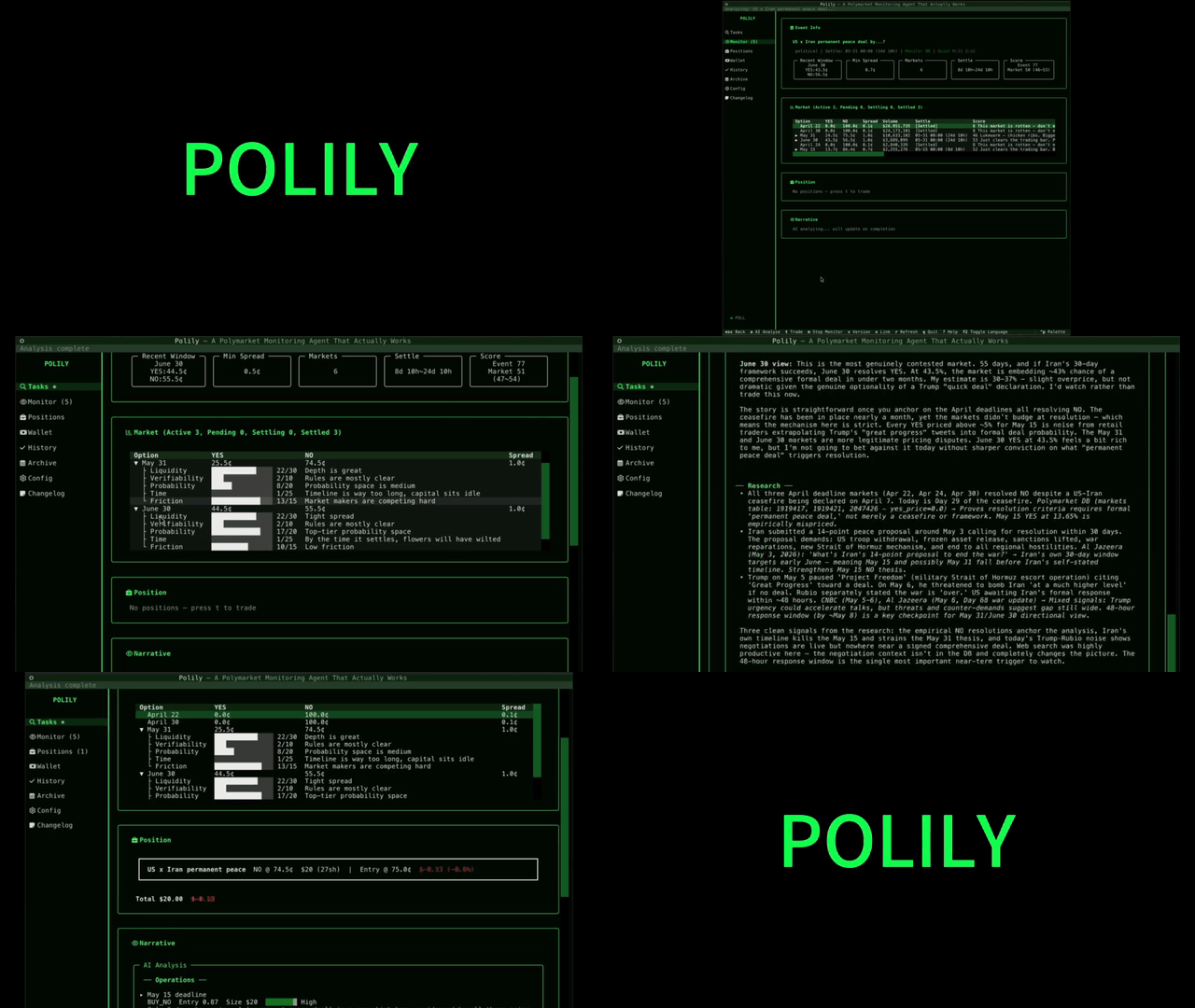
In the TUI, paste a Polymarket event URL (looks like https://polymarket.com/event/...) into the Tasks pane. Polily fetches and scores it; from there you can add it to monitoring or open a paper trade.
Where polily stores data
Starting v0.11.0, polily uses OS-standard locations:
- macOS:
~/Library/Application Support/polily/ - Linux:
$XDG_DATA_HOME/polilyor~/.local/share/polily/
Override with the POLILY_DATA_DIR env var or polily --data-dir=PATH CLI flag (highest priority). Logs go to <data-dir>/logs/ by default; override with POLILY_LOG_DIR.
Requirements
Polily v0.8.0+ requires a Nerd Font installed
and configured as your terminal font. The TUI uses Nerd Font glyphs for
status icons, action markers, and domain entities (event / market / wallet).
macOS (Homebrew)
brew install --cask font-jetbrains-mono-nerd-font
Then set your terminal's font to JetBrainsMono Nerd Font:
- Ghostty: edit
~/Library/Application Support/com.mitchellh.ghostty/configand setfont-family = "JetBrainsMono Nerd Font"(reload withCmd+Shift+,) - iTerm2: Preferences → Profiles → Text → Font →
JetBrainsMono Nerd Font - Terminal.app: Preferences → Profiles → Font → Change →
JetBrainsMono Nerd Font
Any Nerd Font works (font-fira-code-nerd-font, font-hack-nerd-font,font-meslo-lg-nerd-font). Polily tests on JetBrainsMono NF but glyph
positions are the same across all NF fonts.
Verify
polily doctor
The "Nerd Font" section prints sample glyphs. If you see □ tofu
boxes, the font is not yet active — check your terminal's font setting.
Minimum terminal size: 100×30 cells. Polily works at smaller sizes but
column layout may wrap. 120×30 or larger recommended.
Python & Claude CLI
- Python 3.11+
- Claude CLI (optional, used for AI analysis):
npm install -g @anthropic-ai/claude-code && claude login
TUI Shortcuts
| Key | Action |
|---|---|
0 |
Tasks log |
1 |
Watchlist |
2 |
Paper positions |
3 |
Wallet (balance + ledger + topup/withdraw) |
4 |
History |
5 |
Archive |
6 |
⚙ Config (movement / scoring / mispricing / wallet knobs) |
7 |
Changelog |
r |
Refresh current page |
o |
Open Polymarket link (detail pages) |
↑ / ↓ |
Navigate menu |
q |
Quit |
Inside the Wallet page: t topup · w withdraw · shift+r reset (or click Reset Wallet).
Inside an event detail page: a AI analysis · t trade · m toggle monitoring · v switch analysis version.
See docs/ui-guide.md for the full v0.8.0 interaction reference.
Background Scheduler
Price polling, movement detection, and AI analysis run inside a daemon:
polily scheduler run        # foreground (typically launched by launchd)
polily scheduler status     # status
polily scheduler restart    # restart
polily scheduler stop       # stop
polily reset                # wipe DB / logs for a clean restart
polily reset --wallet-only  # reset wallet only, keep events/markets/analyses
Configuration
All polily configuration (movement thresholds, scoring weights, mispricing
deviation gates, wallet starting balance) is managed inside the TUI:
polily       # launches the TUI
# press 6 or click the sidebar's ⚙ Config
- The Config view is grouped into 4 sections — Movement Triggers / Scoring / Mispricing / Wallet
- Click any row to open an Edit modal with a description, default value, and tuning guidance
- After saving, a banner shows
N pending change(s); pressCtrl+Rto restart polily so the daemon picks them up
How it's stored:
- The canonical source is the
configtable inside SQLite (data/polily.db) config.yamlis a read-only snapshot that polily regenerates from the database on every startup — manual edits are silently overwritten- Per-knob documentation lives in
polily/core/config_docs/*.md
Emergency recovery (only useful if the TUI hits the "config invalid" fatal screen):
polily config reset --all                          # reset every knob to defaults
polily config reset movement.magnitude_threshold   # reset a single knob
Current Limitations
- Mispricing detection currently only covers crypto threshold markets
- AI analysis requires Claude CLI — when the CLI call fails (not installed / network issue / schema mismatch), the analysis is marked
failedin scan history with no silent fallback - Data comes from Polymarket public APIs — real-time freshness is bounded by them
Contributing
See CONTRIBUTING.md for setup, branch strategy, and dev workflow (including the .envrc + direnv pattern that keeps your dev data isolated from your real polily data).
Architecture details: docs/architecture.md.
License
MIT
Reviews (0)
Sign in to leave a review.
Leave a reviewNo results found