Quasnooze
Health Uyari
- License — License: MIT
- Description — Repository has a description
- Active repo — Last push 0 days ago
- Low visibility — Only 8 GitHub stars
Code Uyari
- fs module — File system access in .github/workflows/ci.yml
Permissions Gecti
- Permissions — No dangerous permissions requested
Bu listing icin henuz AI raporu yok.
Local-first personal AI assistant for Telegram, Discord, Slack, WhatsApp and the browser. Runs on your machine with Ollama. Zero runtime dependencies, MIT. 🦞
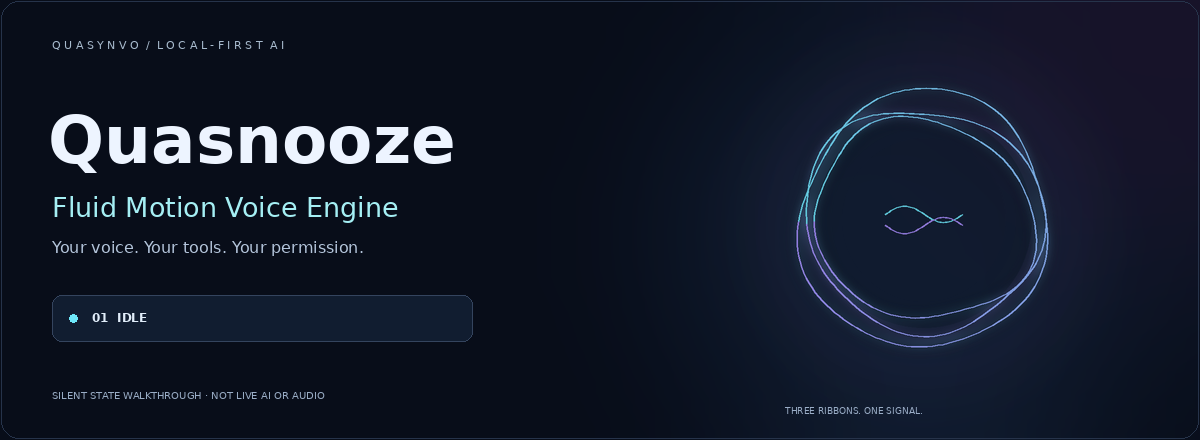

Pinch — a local-first personal AI assistant
A personal AI assistant that runs on your own computer.
Open everyday apps, find files, set reminders, ask questions — and approve sensitive actions yourself.
You talk to it from Telegram, Discord, Slack, WhatsApp — or your phone's browser, by voice.
Not the other Pinch projects. This is a personal AI assistant. It is unrelated to
pinchtab (browser automation), abhinav/pinch (a Haskell serialisation
library), Martin-Nyaga/pinch (process-engineering pinch analysis),
YoussefAbdelkawy/Pinch (an Android widget) and Pinch Payments.





Windows: presence, not just another chat tab
The new resident-assistant preview adds a native tray/widget, opt-in local “Hey Pinch”, local Windows speech, a talk hotkey and explicit action confirmations. Time, system status, bounded filename search and allowlisted app launches skip the language model. The command deck shows real native/mic/model state, results and approvals; the existing web conversation remains linked separately.
After guided setup, run npm run desktop on Windows 10/11 with Node.js 22+. The microphone starts muted every time. Local reasoning uses loopback Ollama; there is no mandatory cloud audio or remote-model fallback in resident requests. Real Windows microphone/startup behavior still needs hardware acceptance testing; this is not universal desktop automation or a finished Jarvis replacement.
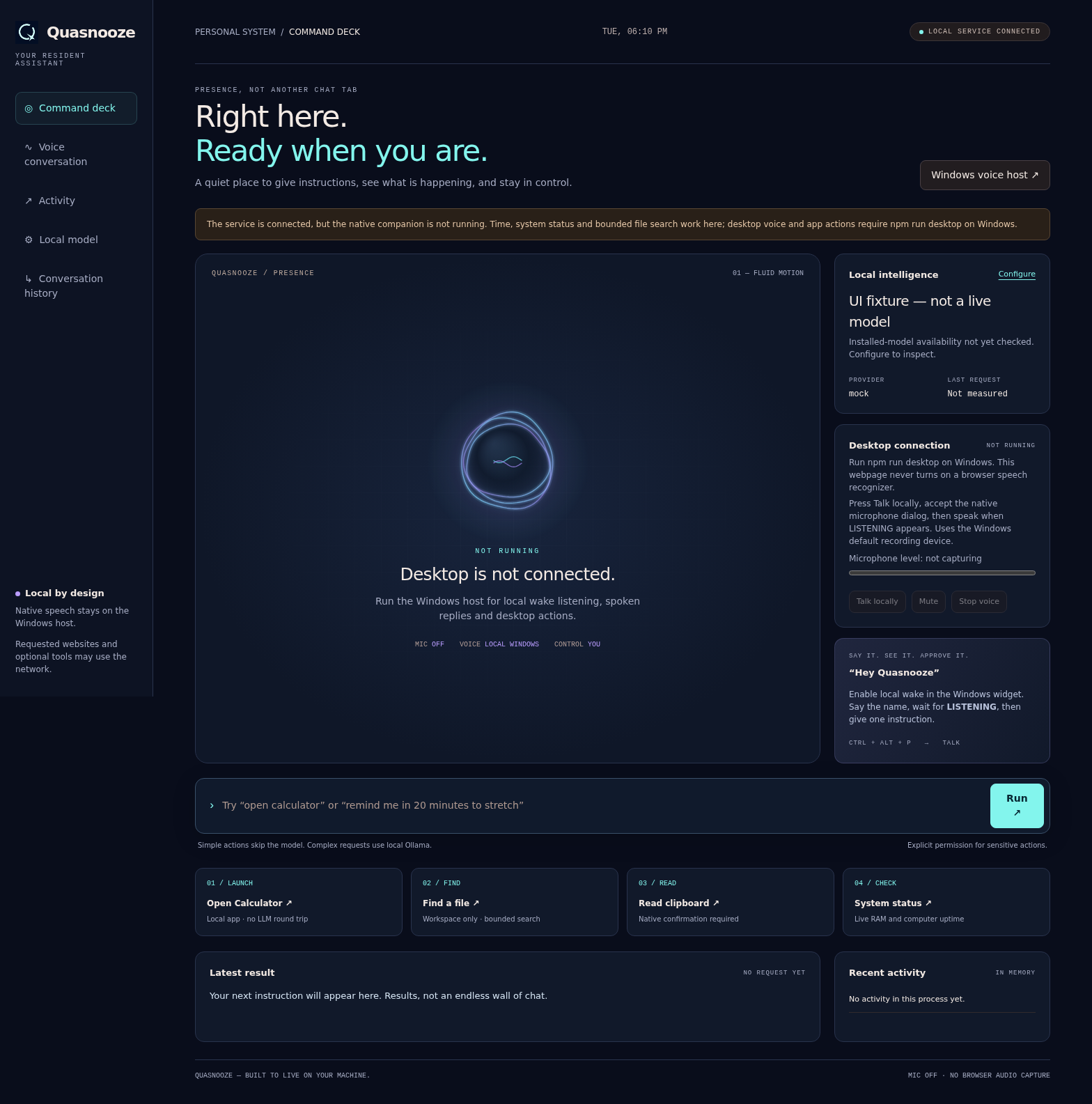
Setup, implemented commands, architecture, privacy, latency boundaries and verification →
Native microphone not recognizing? See the voice-pipeline review and measured Windows fixture fix. Run npm run desktop:doctor for inventory, npm run desktop:doctor -- --self-test for a local synthetic-audio check, or npm run desktop:doctor -- --mic for an explicitly consented microphone probe. No model or cloud audio is needed for these diagnostics.
Try it before connecting your accounts
Clone the repository, enter its directory, and run npm run demo with Node.js 22+. This uses a canned brain: it demonstrates the interaction flow, not a real model’s reasoning quality. You do not need a bot token or cloud API key for that demo. Demo mode disables the panel key and is not a security sandbox; keep it on a trusted local machine and do not expose or forward its port.
The default web home is now the command deck. Use Conversation history (/index.html) for the existing canned-brain conversation demo or normal web chat; native voice/app actions require the Windows launcher.
For real use, follow the guided setup below, then run npm run doctor and npm run brain. Try a harmless read-only question before granting approvals for file changes or commands. Local inference is the default; optional cloud providers and messaging services have their own data boundaries. Read the guide and security limitations before exposing the panel or enabling powerful tools.
Facts
| Name | Pinch |
| Kind | Self-hosted personal AI assistant / agent gateway |
| Runs on | Linux, macOS, Windows — Node.js 22+ |
| Model | Local by default (Ollama); any OpenAI-compatible API optionally |
| Channels | Telegram, Discord, Slack, WhatsApp, web panel (installable PWA); Windows resident preview |
| Tools | See the capability inventory for implemented tools, boundaries and test evidence |
| Runtime dependencies | Zero |
| Licence | MIT — free, no account, no subscription |
| Landing page | https://pinchfoundry.github.io/Pinch/ |
| Source | github.com/pinchfoundry/Pinch |
npm package release preparation
The package metadata is prepared for pinch-ai, exposing the pinch command.
This change does not publish a release: use the Git checkout instructions below
until a maintainer has published and verified the package. Do not install the
unrelated pinch package expecting this project.
After a release, the intended commands are npm install -g pinch-ai, thenpinch setup and pinch. The executable name remains pinch.
The publish allowlist contains the runtime source, web assets, explicitly named
CLI scripts and Windows companion files, plus the README, license and npm-required
package metadata. Tests, repository automation, local data/, .env files and
backups are excluded, including inside allowed directories. Setup can generate
configuration without shipping .env.example. Existing package-relative config
and state paths are unchanged; this does not migrate data to a user-level directory.
Before publishing, run:
npm pack --dry-run --json
node --test test/cli.test.js
node scripts/audit.js
The CLI tests enforce a compressed tarball smaller than 1,000,000 bytes, seed
synthetic local state in a temporary copy to verify exclusions, and exercise--version and a mock-provider ask from the extracted tarball without installing
dependencies or contacting a model. Review the packlist before every release;
never place real credentials in source files or public assets. Publishing to npm
is a separate maintainer-authorized release step.
Install it in two commands
git clone https://github.com/pinchfoundry/Pinch && cd Pinch
npm run setup     # one guided command: model → channels → voice → key
npm start         #     http://localhost:7777
npm run setup checks your model, writes .env, generates a key, and prints the URL to
open on your phone. No account. No cloud. Nothing to configure by hand.
Something not working? Two read-only checks, safe to run any time:
npm run doctor    # reads .env and calls each service: model, Telegram/Discord/Slack tokens, access key
npm run brain     # asks your model for a short reply and a tool call: speed, and whether it can use tools
| You need | Notes |
|---|---|
| Node.js 22 or newer | node --version |
| A model | Ollama locally (recommended), or any OpenAI-compatible API |
| Nothing else | Zero runtime dependencies — the rest is the Node standard library |
| Any OS | Linux, macOS, Windows. Free, MIT licensed, no account and no subscription |
No model installed? See the whole thing work right now, with a canned brain:
npm run demo
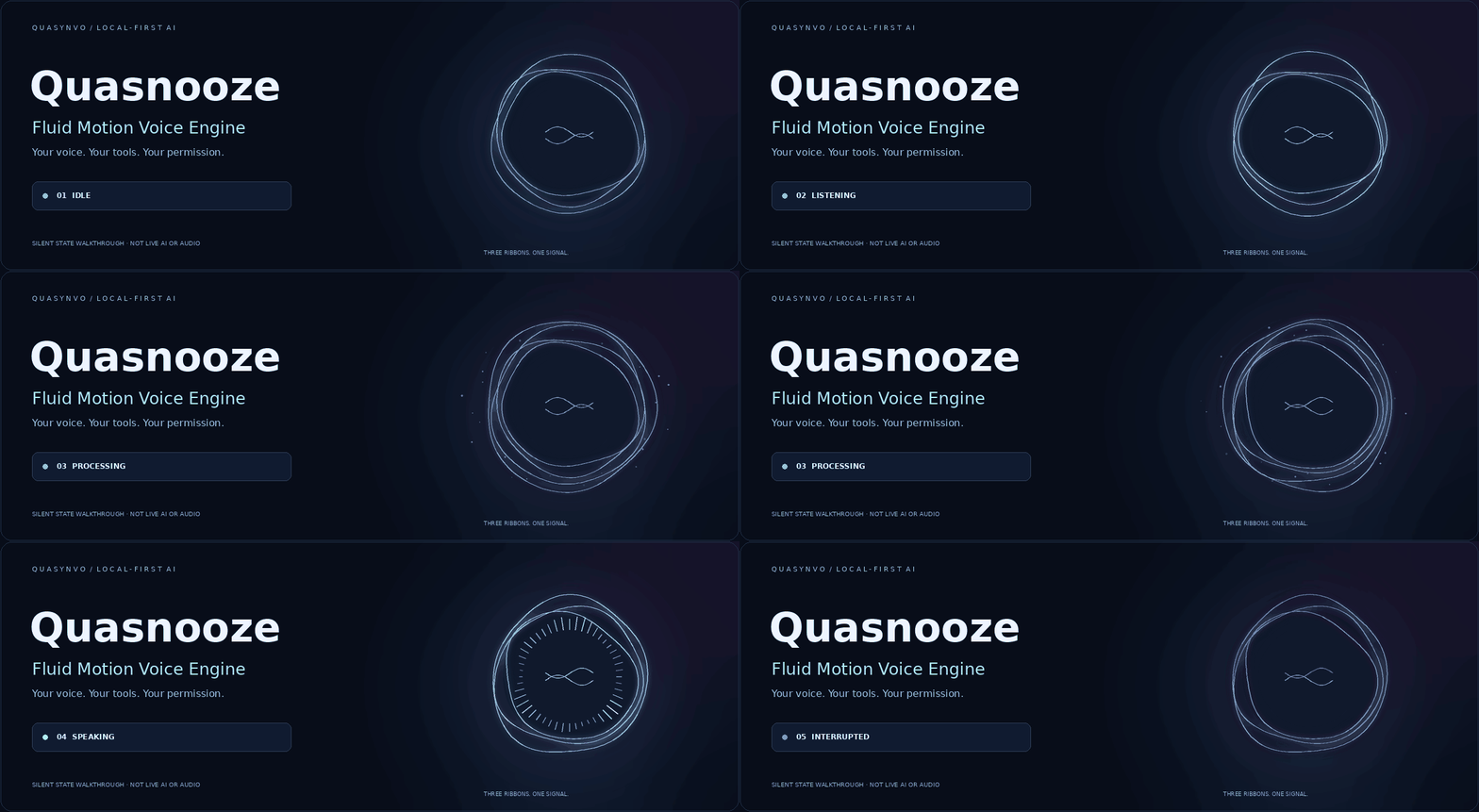
What it actually is
- An assistant that lives where your files are. Not a chat window with a browser
plugin: it can read and write files, run commands, and search, up to 8 tool rounds per turn. - Send it a file. Drop a PDF, a screenshot or a spreadsheet on the panel and ask
about it — extracted in-process, never uploaded anywhere. No OCR for scans, and it
says so instead of pretending. - Search a workspace folder. Offline BM25 retrieves citable text, Markdown, PDF and DOCX
passages. PDF/DOCX extraction is best effort, scans need OCR, and bounded scans may be partial;
see document search. - On your machine, with your model. Default is Ollama on the same laptop. Your
conversations are JSON files indata/—rm -rf datais a valid uninstall. - Answers you can check. When it reads a file or searches the web, the reply cites what it
actually used, and a citation that points at nothing is flagged rather than shown as a link. - With a gate on anything destructive. Shell commands that could change something, file
writes, screenshots and system actions stop and ask you first. Deny it and it genuinely does
not run. Turning down the noise is deliberate:ls,cat,grep,git statusand friends
run straight through, and a command only earns that by passing a fixed read-only allowlist and
keeping every path inside your workspace — so the worst case of a misjudgement is still a prompt.
You message it like a person, and it works like a very fast intern who has your laptop.
Saved prompts and personas
Save reusable style instructions by sending these commands in a conversation
(not as shell commands):
/persona save concise-coder Be concise. Give small code examples and explain important caveats.
/persona use concise-coder
/persona list
/persona use default
The library is local and shared, but each session chooses its own preset. Saving
alone does not select it. Presets persist in data/personas.json (or PINCH_DATA)
and are included in pinch export; review exports before sharing them. They never
replace system rules or disable tool approvals and honesty checks. See the
full persona guide for editing, deletion, limits
and examples including a daily planner and strict reviewer.
How it works
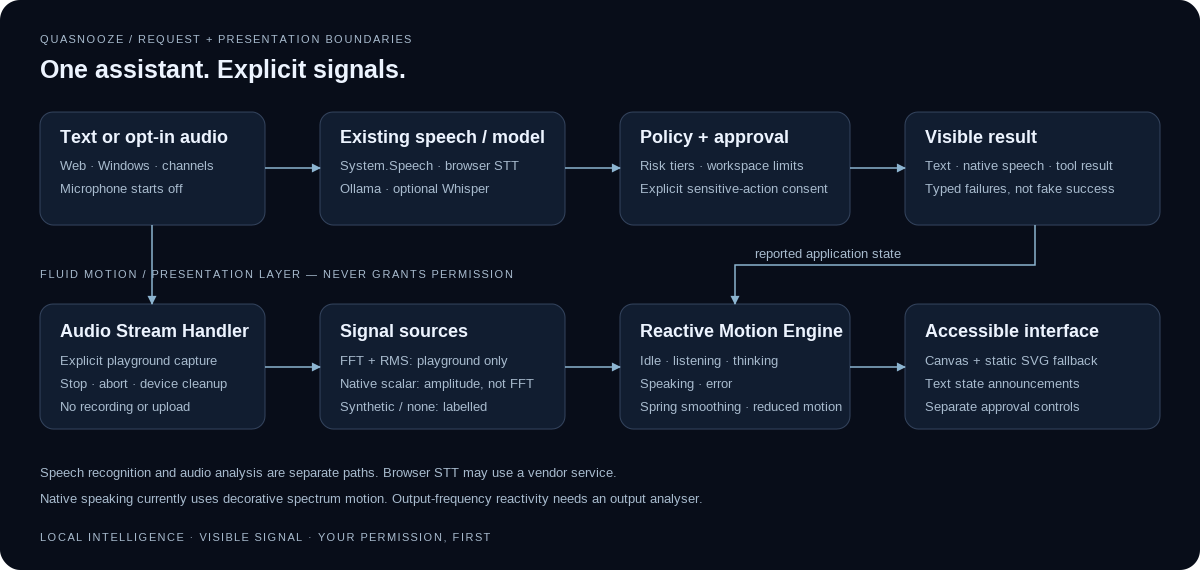
Five stages, and only one of them can touch your machine:
| Stage | What happens |
|---|---|
| Channels | Telegram, Discord, Slack, WhatsApp, or the browser panel by voice |
| Router | Normalises the message and attaches any files you sent |
| Agent | Plans the steps, calls tools, writes the answer |
| Risk + approval | read commands run straight through; anything that could change state stops and asks you |
| Guard | Checks the reply's claims and citations before it leaves, and flags what it had to drop |
The two files that decide whether you trust this with a shell aresrc/risk.js and src/guard.js. Both are short. Read them.
How this is different
| Most self-hosted assistants | Pinch | |
|---|---|---|
| Runtime dependencies | A tree of packages | Zero — the Node standard library |
| Size | Tens of thousands of lines | About 7,300, readable before you hand it a shell |
| Security posture | A policy document | A published audit of itself, unfixed findings included |
| Approval gate | All-or-nothing | Read-only commands are proven read-only before they skip a prompt |
| Default model | Their choice | Yours, local via Ollama |
Ask it things like
"scan ~/code and tell me which repos have uncommitted changes"
"this test is failing with a weird error — read it and fix it"
"remind me in 40 minutes to check the deploy" — it messages you back, in the same app
"remember I only deploy on Fridays" — it still knows next week
"what's on my screen right now?" — screenshot, then it reads it
"explain this stack trace" — dictated into your phone's mic
What's inside
24 built-in tools. The five that change something ask permission first. Add your own from a JSON manifest — no code, and every call still asks.
| Tools | |
|---|---|
| Your machine | shell ✅ · read_file · write_file ✅ · list_dir · grep · scan_project |
| Time & reminders | remind · list_reminders · cancel_reminder · time_now · schedule ✅ — a task Pinch runs on a cadence without you |
| Memory | remember · recall · forget — facts about you, across restarts |
| Tasks | add_task · list_tasks · complete_task |
| The world | search_web · calculator · open_url |
| Third-party tools | MCP servers over stdio, namespaced, approval-gated unless you name the server trusted |
| Your desktop | screenshot ✅ · system_control ✅ — lock/sleep, never shutdown |
✅ = asks you first.
Why not just use ChatGPT?
| Hosted assistant | Pinch | |
|---|---|---|
| Your messages | Their servers, indefinitely | Your disk, in data/ |
| Which model | Theirs, silently swapped | Yours — local by default |
| What it can touch | Whatever their plugins allow | Your actual machine, behind an approval gate |
| Account required | Always | Never |
| Can you read the code | No | Under 6,000 lines, zero dependencies |
Private by default
The honest version, not a paragraph of reassurance:
| Action | What leaves your machine |
|---|---|
| Chatting with the default local model | Nothing |
search_web |
the search query → DuckDuckGo |
| Telegram / Discord / Slack | the message text → that platform |
Cloud model (only if you choose one in .env) |
your prompts → that provider |
| Memory, sessions, reminders, schedules, files, screenshots | Nothing |
grep -r "fetch(" src/ # every outbound call in the product
It has been attacked on purpose
An assistant with a shell deserves more than "we take security seriously". The build was
attacked from the outside, six real defects were found, all six were fixed, and each one
has a regression test that fails on the old code.
npm run audit # 14 probes, ~2 seconds, no model, no network — try it on your own install
| Guard rail | What it means |
|---|---|
| Approval gate | Anything destructive stops and shows you the exact argument — values included, shell metacharacters called out. Default deny. |
| Workspace sandbox | Files are confined to PINCH_WORKSPACE, resolved through realpath() — a symlink cannot walk out. ~/.ssh, ~/.aws, ~/.gnupg and friends are refused even when the workspace is your home directory. |
| No shell for data | Tools that take a filename run it as argv, never as a command string. grep runs model-supplied patterns on a worker thread it can kill. |
| Command screen | rm -rf /, rm -rf $HOME, find / -delete, curl | sh, fork bombs, power-off — refused with a reason. |
| Scrubbed environment | Commands never inherit your PINCH_KEY, TELEGRAM_TOKEN or OPENAI_API_KEY. |
| Host + Origin checks | A website you visit cannot drive your assistant, and DNS rebinding fails. The API key travels in a header, never a cookie, so a stray local dev server cannot read your history. |
| Honesty guard | Every reply is audited in code: "I sent it" with no tool that sends gets flagged, visibly. |
Full method, results and what is still not fixed: docs/AUDIT.md.
Where you can talk to it
| Channel | Setup | Voice |
|---|---|---|
| 🌐 Web panel | none — http://localhost:7777, installable on your phone |
🎙️ dictation, 🔊 opt-in spoken replies with an installed local voice, optional "Hey Pinch" |
| ✈️ Telegram | ~2 min, approvals arrive as buttons | voice notes (with local Whisper) |
| 🎮 Discord | ~5 min | dictation |
| 💼 Slack | ~5 min | dictation |
| unofficial, off by default — read this first | dictation |
Browser dictation may send microphone audio to the browser vendor. Spoken replies are opt-in, use
only installed local voices and are available in the web panel and Windows companion — chat apps
still get text. Voice evidence and boundaries.
Documentation
| Guide | architecture, voice, reminders, honesty guard, configuration, extending, FAQ |
| Voice evidence | what speaks back, what stays local, the tests and the boundaries |
| Security audit | how it was attacked, what was found, what was fixed, what remains |
| Security model | threat model and the hardening checklist |
| Channels | Telegram, Discord, Slack, WhatsApp in detail |
| Support policy | which Node versions we support, and until when |
| Contributing | how to add a tool, and the rules around the guard rails |
| Growth loop | how the daily bot decides what to propose — and why it never writes code |
Honest limits
- It can do anything you can do in a terminal, if you approve it. Narrow
PINCH_WORKSPACE, read the command in the prompt. - No GPU? A 7B model on CPU is 2–4 tokens/sec — usable, not pleasant.
- WhatsApp is unofficial and can get a number banned. Telegram does the same job, officially.
- The command screen is a denylist. Obfuscated commands still reach you for approval; that is the design.
- The tier check is a convenience, not a sandbox. It saves you prompts on
lsandgit status; it cannot contain a destructive command that looks read-only, so the deny rules and the approval gate still do the real work. - Browser dictation may send audio to the browser vendor; the Windows companion keeps recognition and TTS on the device. Spoken replies are opt-in and refuse network-only voices — voice evidence.
- More limits in the guide, including screenshots, voice notes and wake-word caveats.
MIT licensed · built to run on a laptop, in a room, for one person
Maintainer
Ranjith Rosan maintains Pinch with its open-source contributors. Pinch is a local-first personal AI assistant published by Pinch Foundry; see the contributor history for everyone’s work.
Yorumlar (0)
Yorum birakmak icin giris yap.
Yorum birakSonuc bulunamadi