Blender-Bonsai-ifcOpenshell-Sverchok-Claude-Skill-Package
Health Warn
- License — License: MIT
- Description — Repository has a description
- Active repo — Last push 0 days ago
- Low visibility — Only 6 GitHub stars
Code Pass
- Code scan — Scanned 5 files during light audit, no dangerous patterns found
Permissions Pass
- Permissions — No dangerous permissions requested
No AI report is available for this listing yet.
73 deterministic Claude AI skills for Blender, Bonsai, IfcOpenShell and Sverchok. AEC Python development skill package
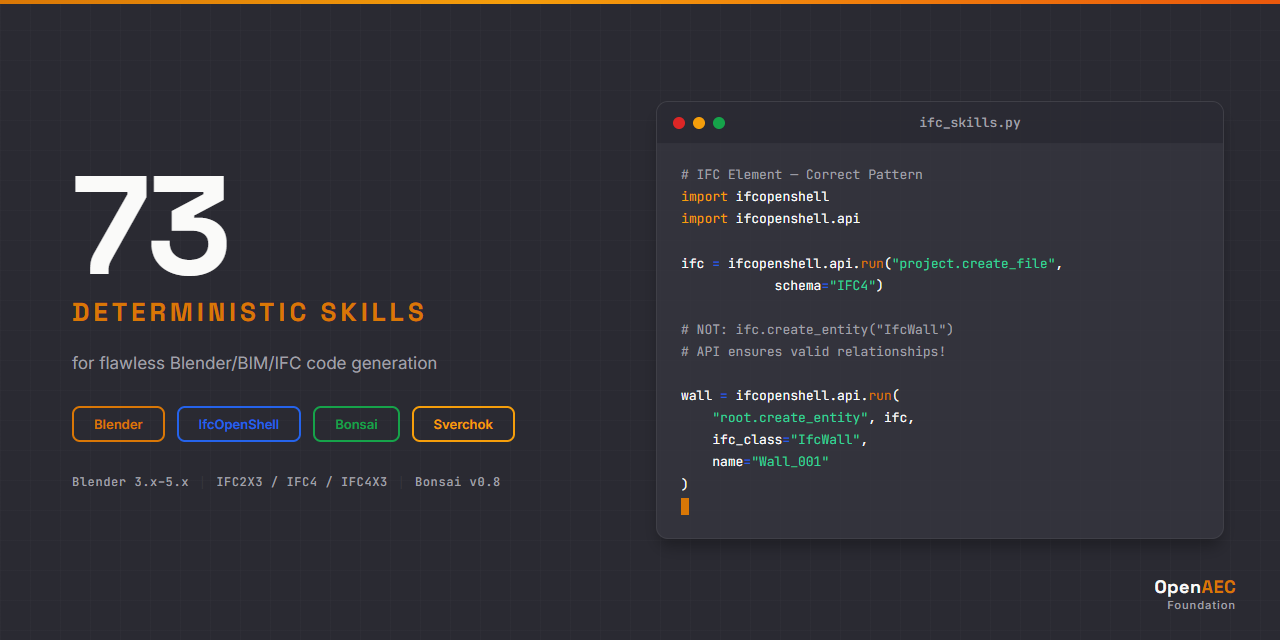





73 deterministic skills + Blender MCP integration enabling Claude AI to generate and execute flawless Blender/BIM/IFC/Sverchok code.
Built with the Open-Agents multi-agent orchestration framework.
Blender MCP: Live Connection to Blender
This package includes a pre-configured .mcp.json that connects Claude Code directly to a running Blender instance via the Blender MCP server. This means Claude can read your scene, execute Python code in Blender, and take viewport screenshots in real time.
Claude Code ──MCP Protocol──> blender-mcp server ──TCP:9876──> Blender Addon ──bpy──> Blender Scene
| MCP Tool | What it does |
|---|---|
get_scene_info |
Read current scene state (objects, materials, settings) |
execute_blender_code |
Run Python code directly in Blender |
get_viewport_screenshot |
Capture the 3D viewport as an image |
get_object_info |
Get details of a specific object |
Quick start (if you already have the prerequisites)
- Install the Blender MCP addon in Blender (Edit > Preferences > Add-ons > Install from Disk)
- In Blender, open the sidebar (
N), go to the BlenderMCP tab, click "Connect to Claude" - Start Claude Code in this workspace. The
.mcp.jsonis already configured.
Full setup guide
See SETUP.md for complete step-by-step installation instructions covering:
- Node.js, Claude Code CLI, uv package manager
- Blender MCP addon installation (the bridge between Claude and Blender)
- Bonsai/IfcOpenShell/Sverchok addon installation
- MCP configuration and troubleshooting
Why This Exists
Claude is powerful, but without domain-specific guidance it generates BIM/IFC code that looks correct but fails in production.
The #1 cause of AI-generated IFC failures:
# WRONG - This creates an orphan entity with no relationships
wall = ifc_file.create_entity("IfcWall")

# CORRECT - API ensures valid ownership, relationships, and GlobalId
wall = ifcopenshell.api.run("root.create_entity", ifc_file,
    ifc_class="IfcWall", name="Wall_001")
This skill package solves it by giving Claude exact API syntax, decision trees, error diagnostics, and version-aware patterns for every operation.
Skill Packages
| Package | Skills | Syntax | Impl | Errors | Core | Agents |
|---|---|---|---|---|---|---|
| Blender | 26 | 11 | 6 | 3 | 4 | 2 |
| IfcOpenShell | 19 | 4 | 9 | 3 | 2 | 1 |
| Bonsai | 14 | 4 | 7 | 1 | 1 | 1 |
| Sverchok | 12 | 4 | 5 | 1 | 1 | 1 |
| Cross-Tech | 2 | — | — | — | 1 | 1 |
| Total | 73 | 23 | 27 | 8 | 9 | 6 |
Each package is standalone — install only the technologies you work with.
See INDEX.md for the full skill catalog with descriptions.
Skill Categories
| Category | Purpose | Example |
|---|---|---|
syntax/ |
API syntax, code patterns, method signatures | blender-syntax-operators |
impl/ |
Step-by-step development workflows, decision trees | bonsai-impl-modeling |
errors/ |
Error handling, diagnostics, anti-patterns | ifcos-errors-schema |
core/ |
Cross-cutting: API overview, version matrix, concepts | blender-core-api |
agents/ |
Intelligent orchestration, validation | aec-agents-workflow-orchestrator |
Installation
First time? Follow the complete SETUP.md guide. It covers everything from installing Node.js to verifying the Blender MCP connection.
Claude Code (CLI)
Option 1 — Copy skills + MCP config into your project:
# Clone the repository
git clone https://github.com/OpenAEC-Foundation/Blender-Bonsai-ifcOpenshell-Sverchok-Claude-Skill-Package.git

# Copy skills into your project
cp -r Blender-Bonsai-ifcOpenshell-Sverchok-Claude-Skill-Package/skills/blender/ your-project/.claude/skills/blender/
cp -r Blender-Bonsai-ifcOpenshell-Sverchok-Claude-Skill-Package/skills/ifcopenshell/ your-project/.claude/skills/ifcopenshell/

# Copy the Blender MCP configuration
cp Blender-Bonsai-ifcOpenshell-Sverchok-Claude-Skill-Package/.mcp.json your-project/.mcp.json
Option 2 — Install via OpenAEC Workspace Composer:
The Workspace Composer sets up a complete workspace with skills and MCP configuration automatically. Select the "Blender/Bonsai" package and the composer handles the rest.
Option 3 — Install per-package (use only what you need):
# Only Blender skills
cp -r skills/blender/ your-project/.claude/skills/blender/

# Only IfcOpenShell skills
cp -r skills/ifcopenshell/ your-project/.claude/skills/ifcopenshell/

# Only Bonsai skills
cp -r skills/bonsai/ your-project/.claude/skills/bonsai/

# Only Sverchok skills
cp -r skills/sverchok/ your-project/.claude/skills/sverchok/

# Cross-technology workflows
cp -r skills/aec-cross-tech/ your-project/.claude/skills/aec-cross-tech/

# Always include the MCP config for Blender connectivity
cp .mcp.json your-project/.mcp.json
Version Compatibility
| Technology | Supported Versions |
|---|---|
| Blender | 3.x, 4.x, 5.x |
| IfcOpenShell | Latest (IFC2X3, IFC4, IFC4X3 schemas) |
| Bonsai | v0.8 (formerly BlenderBIM) |
| Sverchok | Current |
Methodology
Built using the 7-phase research-first methodology proven in the ERPNext Skill Package:
Core principle: Research first, then build. Never create skills based on assumptions.
Skills were created in parallel via Open-Agents multi-agent orchestration, with each skill validated against official documentation and real-world usage.
| Phase | Description | Status |
|---|---|---|
| 1 | Raw Masterplan | Complete |
| 2 | Deep Research | Complete |
| 3 | Masterplan Refinement | Complete |
| 4 | Topic-Specific Research | Complete |
| 5 | Skill Creation | Complete |
| 6 | Validation | Complete |
| 7 | Publication | Complete |
Documentation
| Document | Purpose |
|---|---|
| SETUP.md | Complete setup guide (Blender MCP, addons, Claude Code) |
| INDEX.md | Full skill catalog with descriptions |
| ROADMAP.md | Project status (single source of truth) |
| REQUIREMENTS.md | What skills must achieve, quality guarantees |
| DECISIONS.md | Architectural decisions with rationale |
| SOURCES.md | Official documentation and reference materials |
| WAY_OF_WORK.md | 7-phase development methodology |
| LESSONS.md | Lessons learned during development |
| CHANGELOG.md | Version history |
| CONTRIBUTING.md | How to contribute |
Related Projects
| Project | Role |
|---|---|
| OpenAEC Workspace Composer | One-click workspace setup with skills + MCP |
| Blender MCP | The MCP server that bridges Claude to Blender |
| ERPNext Skill Package | Proven methodology template |
| Open-Agents | Multi-agent orchestration tooling |
| Impertio AI Ecosystem | General AI workspace lessons |
Companion Skills: Cross-Technology Integration
This package covers Blender, Bonsai, IfcOpenShell, and Sverchok as individual technologies. When you need to bridge these tools with other AEC software, install the companion cross-technology package:
Cross-Tech AEC Integration Skills — 15 skills for technology boundaries
Relevant cross-tech skills for Blender/Bonsai users:
| Skill | Boundary | What it adds |
|---|---|---|
crosstech-impl-speckle-blender |
Speckle ↔ Blender | Send/receive BIM data via Speckle, material mapping, Bonsai/IFC through Speckle |
crosstech-impl-freecad-ifc-bridge |
FreeCAD ↔ IFC | Round-trip IFC editing between FreeCAD and IfcOpenShell |
crosstech-core-ifc-schema-bridge |
IFC ↔ All formats | How IFC entities map to Blender objects, Three.js, web-ifc, FreeCAD, Speckle |
crosstech-core-coordinate-systems |
BIM ↔ GIS | CRS transformations, axis conventions (Blender Z-up vs Three.js Y-up) |
crosstech-errors-conversion |
Any ↔ Any | Diagnosing IFC conversion errors across all tools |
License
MIT License — see LICENSE.
Part of the OpenAEC Foundation ecosystem.
Reviews (0)
Sign in to leave a review.
Leave a reviewNo results found