canonfig
Health Warn
- License — License: MIT
- Description — Repository has a description
- Active repo — Last push 0 days ago
- Low visibility — Only 5 GitHub stars
Code Fail
- exec() — Shell command execution in .github/workflows/release.yml
- process.env — Environment variable access in .github/workflows/release.yml
Permissions Pass
- Permissions — No dangerous permissions requested
No AI report is available for this listing yet.
deterministic one-way config synchronizer for AI agent setups.
canonfig
one-way sync for ai agent configuration.


canonfig keeps your global ai agent setup consistent across linux, macos, and
windows. you author it once in ~/.canonfig/ on the Source Machine: shared
instructions, rules, skills, agents, commands, hooks, MCP servers, settings and
tool recipes. canonfig projects that folder into every installed harness's own
global files, publishes it as immutable, signed Profile Revisions, and
Follower Machines mirror and project what they are authorized to receive.
followers never publish changes back.
deterministic actions run first. optional Configuration Agents handle bounded
fallback tasks; an agent's claim never counts as proof of convergence.
website | documentation | interactive demo | first sync | CLI reference
why
every agent harness keeps its own instructions, skills and MCP config in its
own format. keeping them in sync across harnesses and machines usually means
copying files by hand. canonfig gives you one folder for all of it, writes each
harness's native files for you, backs up what it replaces, and keeps
machine-local items in ~/.canonfig/local/. native schedules keep followers up
to date without a resident follower daemon.
install
requires Node.js 24.15+ or 26+ and npm. install the same release on the source and every follower:
npm install --global @microck/[email protected]
canonfig --version
canonfig doctor --no-input
check the credentials result before continuing. canonfig uses Secret Service
on linux, Keychain on macos, and Credential Manager on windows.
browser interface
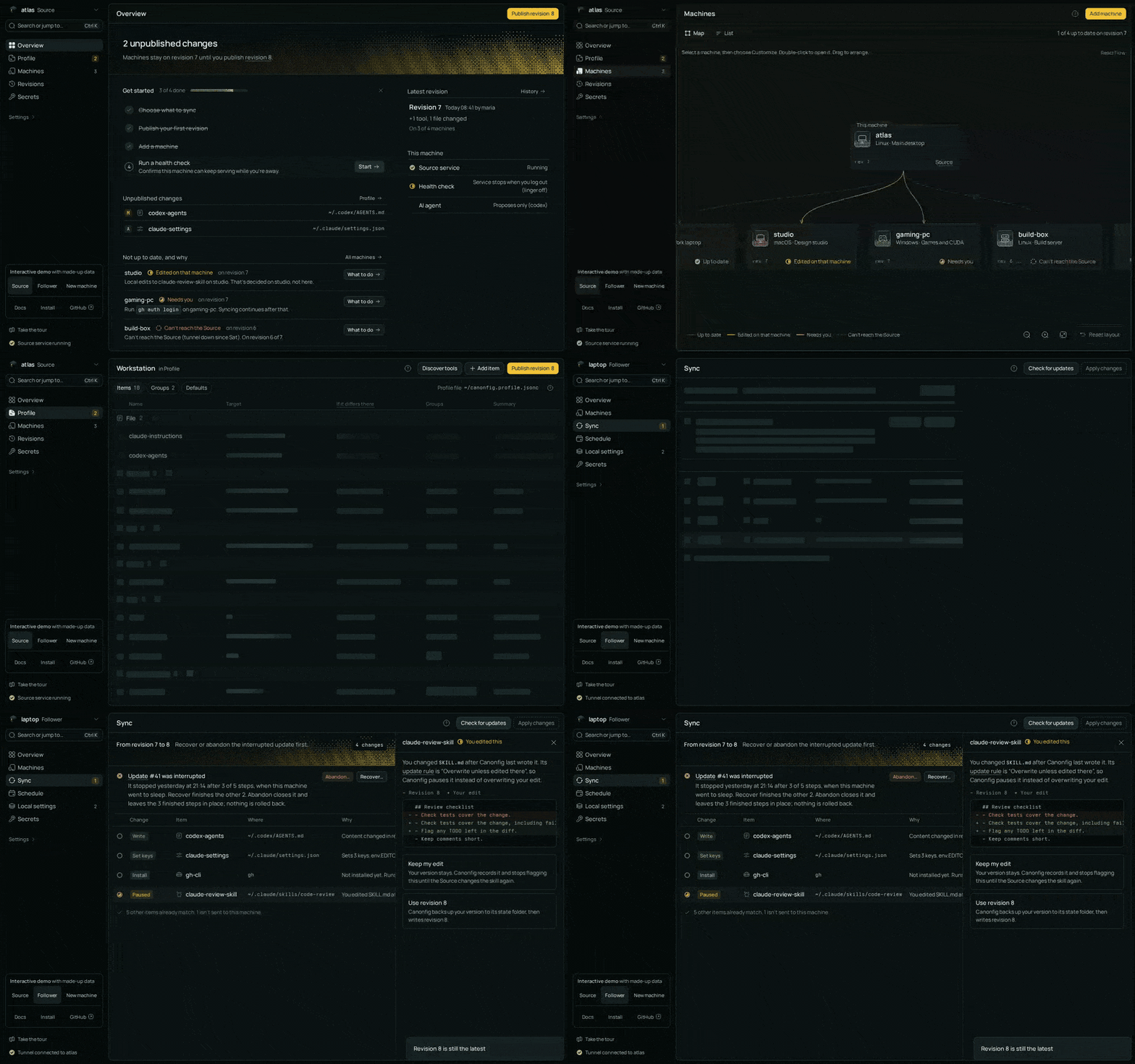
run the browser interface on this machine:
canonfig ui
it opens this machine's workspace, or setup when the machine is not configured.
the server runs in your terminal on 127.0.0.1 with a free port. usecanonfig ui --port 5317 --no-open to choose a port and open the printed
single-use URL yourself. stop it with Ctrl-C.
on a Source, author the profile, choose harnesses and groups, validate and publish
revisions, manage secrets, export the profile, and invite followers. on a Follower,
inspect and apply sync plans, recover or abandon interrupted runs, edit allowed
local items and overlays, manage harness exclusions, restore backups, refresh
secrets, and set the schedule. both roles show real status and settings.
errors keep the CLI's diagnostics. map names and appearance stay in this browser.
the Source card on a Follower shows "Source" and its endpoint because enrollment
does not store the Source machine's name.
self-update status, checks, enable, disable and apply are available on the
Version page in Settings. stop other Canonfig processes before updating; after
activation, restart with canonfig ui. unenrollment leaves applied files,
the native schedule and tunnel configuration in place, as the CLI does.
the interactive demo and images below use made-up
machines. its fleet health, revision and progress displays are not remote
telemetry from the live GUI.
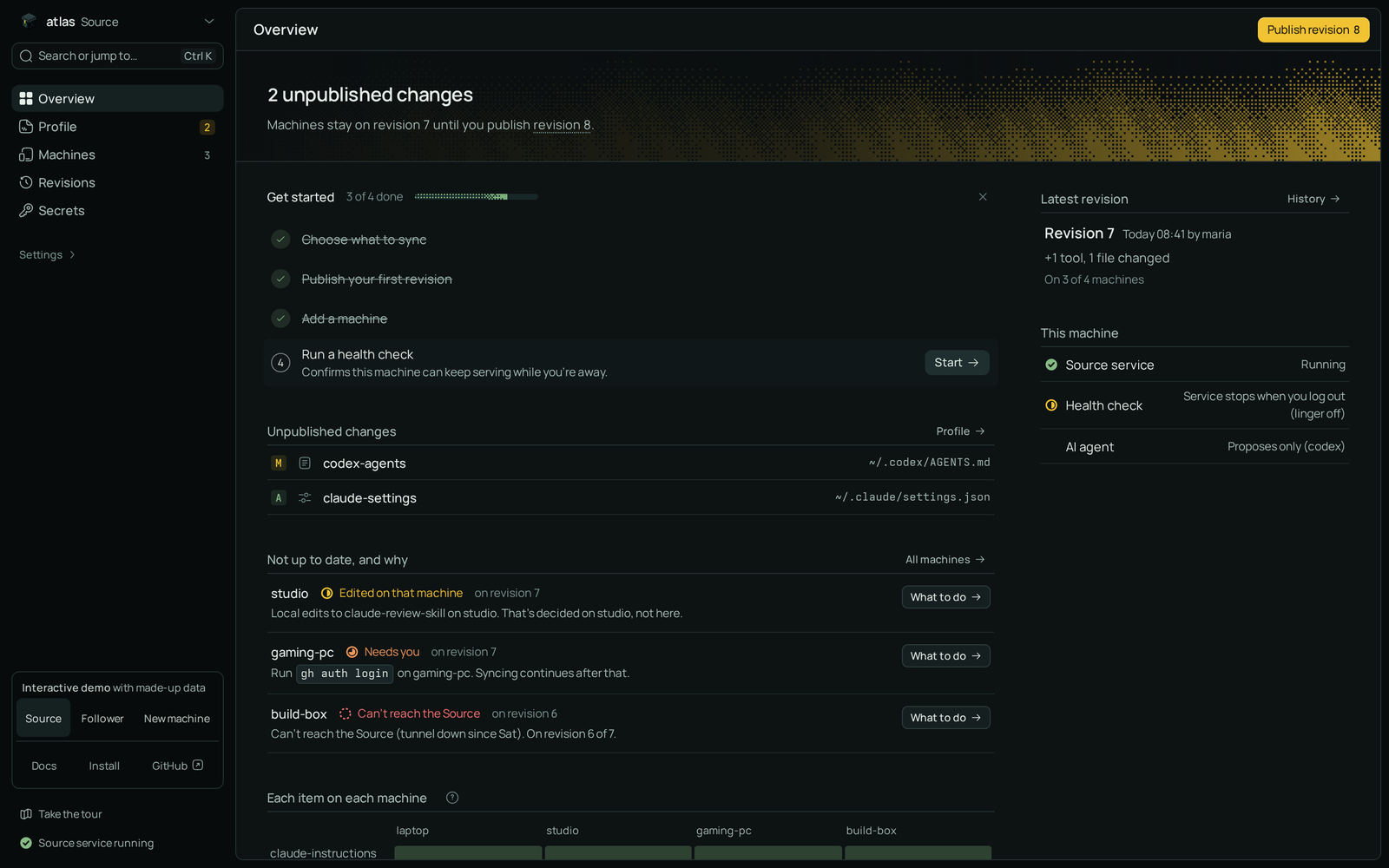 overview: what you haven't published yet, and which machines are behind and why |
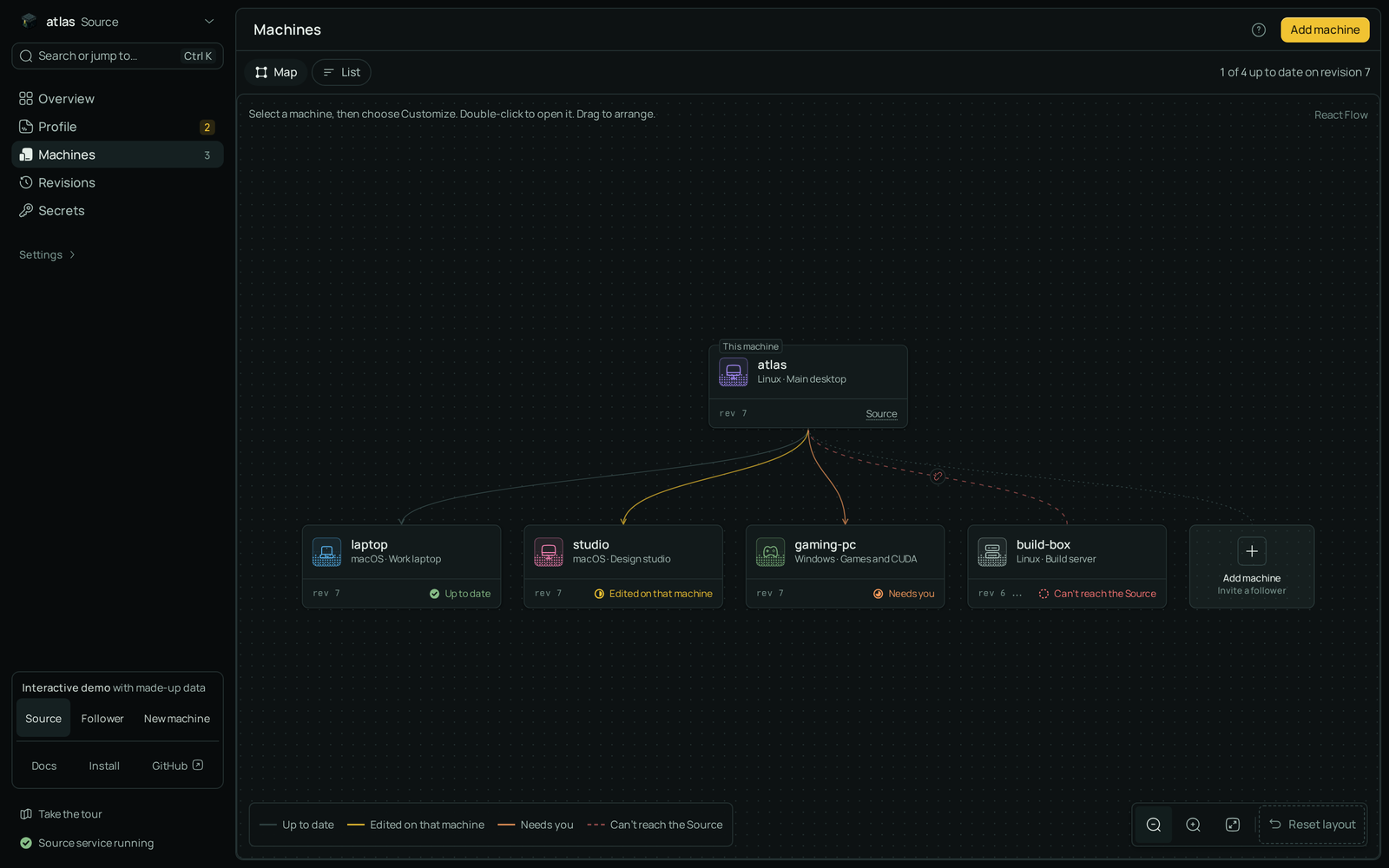 machines: every follower, its revision and its sync state |
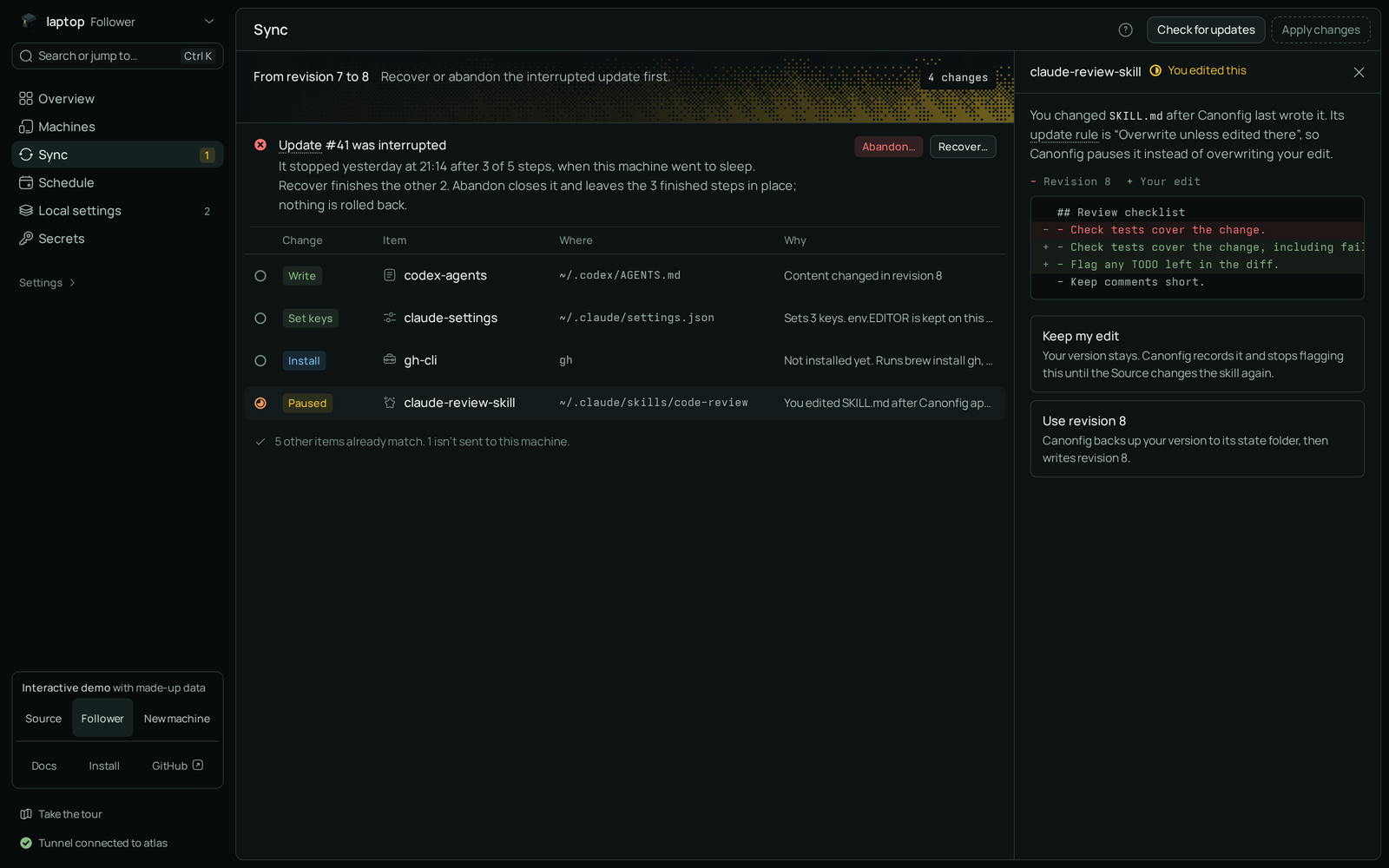 sync: the planned changes on a follower, per harness |
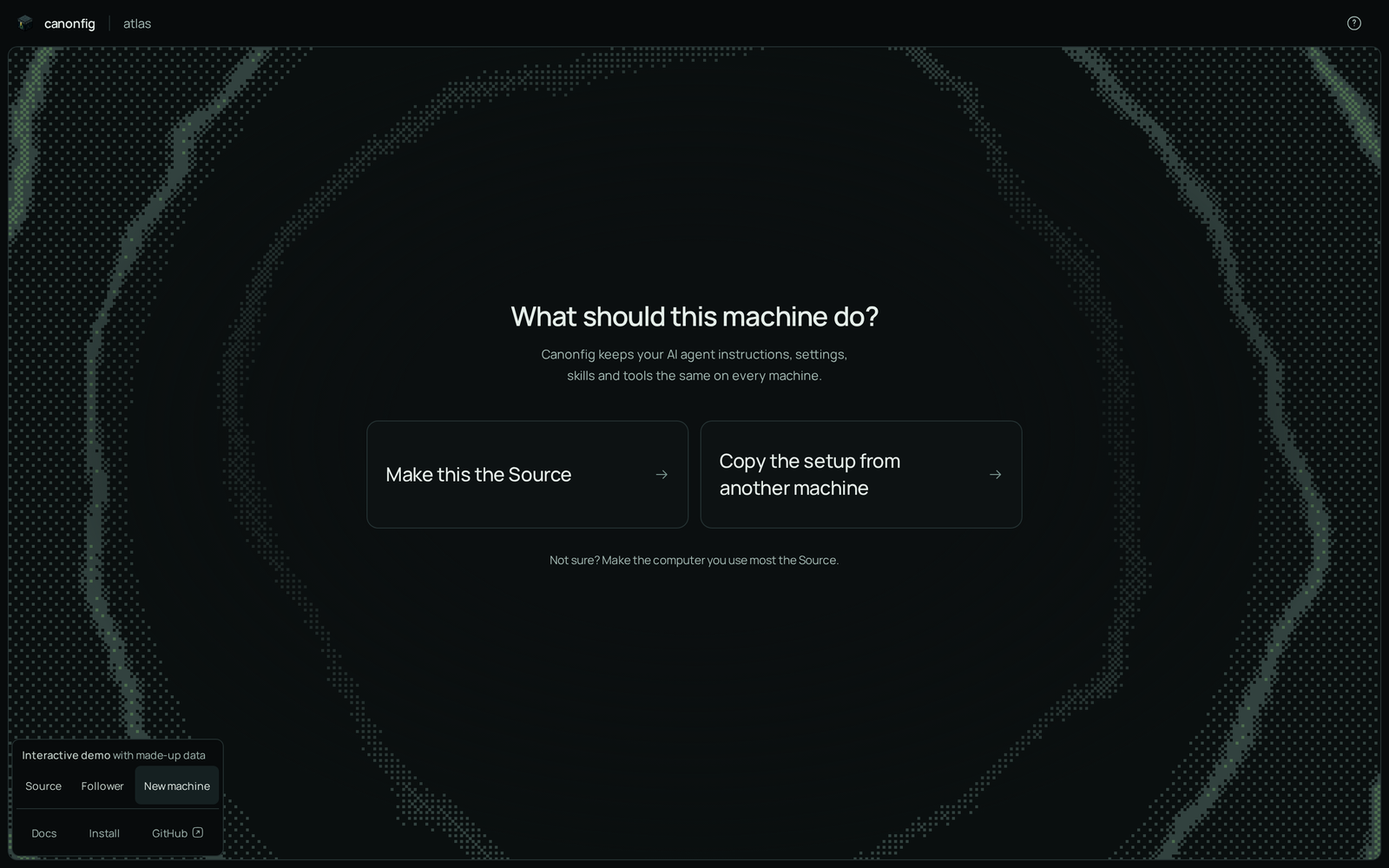 setup: a new machine becomes the Source or copies its setup from one |
sync machines
start with the first sync tutorial.
it covers setup, the folder, the source service, the pinned connection, and
follower enrollment.
on the source, setup detects your harnesses and scaffolds ~/.canonfig/.
the plan lists content available for one-time import. add--import <harness|item-id> or --import-all to the planning command to include
that content.
canonfig setup plan --role source
canonfig setup approve --approver "$USER"
canonfig setup apply
edit the folder, then project it into this machine's harnesses:
canonfig sync --plan
canonfig sync --apply
setup writes a profile named after the machine's hostname into~/.canonfig/canonfig.jsonc; rename it there if you want, then publish:
canonfig source publish --reviewer "$USER"
after enrollment, run on the follower:
canonfig sync --plan
canonfig sync --apply
canonfig status
Converged means declared resources match, not that an agent client has
loaded them. see publish from the folder
and the folder reference.
harnesses
canonfig projects into codex, claude-code, amp, oh-my-pi, pi, factory-droid,
cursor, devin, opencode, grok-build, antigravity, copilot-cli, kimi, kilo,
hermes and qwen. a machine projects the harnesses listed in canonfig.jsonc
that are installed and not excluded locally:
canonfig harnesses
canonfig harnesses exclude cursor
see choose harnesses
and the harness reference.
backups and restore
before its first write to a harness, and before import --replace replaces
folder entries, canonfig snapshots what it replaces under~/.canonfig/.backups/. it keeps the first harness snapshot, the first folder
snapshot and the four most recent.
canonfig restore
export and import
export writes the folder (plus local/) to one private .tar.gz with amanifest.json of every file's size, sha-256 and mode, signed with the source
key when you export on the source. state, backups and credentials never go in.
import verifies any signature and every checksum, then writes the folder in a
journaled run. --expect-key requires a signature from the key you specify.
canonfig export --output ~/canonfig-setup.tar.gz
transfer the archive to a destination machine that isn't an enrolled follower.
if it already has folder entries the archive would replace, preview and apply
with --replace.
canonfig import ~/canonfig-setup.tar.gz --dry-run
canonfig import ~/canonfig-setup.tar.gz
see export and import.
machine-local items
put rules, skills, agents and commands for one machine in ~/.canonfig/local/,
and MCP servers and settings in ~/.canonfig/local/local.jsonc. they are never
published and never replaced. see
add machine-local items.
schedule updates
canonfig schedule set daily@09:00
canonfig schedule status
schedules follow the user's login session by default. see
schedules and
unattended operation
for boot or logged-out operation.
update upstream skills
register an existing skill's Git source with canonfig skills track, then
preview updates before applying them:
canonfig skills check
canonfig skills update --apply
local edits block an update rather than being discarded. see
tracking, local edits and recovery.
self-updates
opt-in canonfig self-update installs stable releases for user-owned global npm
installs. manual updates stay in the current major; automatic updates take
current-line patches or newer majors, never an in-major minor. read
setup, automation and recovery before enabling it.
what gets applied
| folder item | default behavior |
|---|---|
| instructions, rules, agents, commands | written into each harness's native files and directories |
| skills | replaced only if the installed copy is unmodified |
| MCP servers, hooks, settings | merged as owned keys; harness-owned keys and credentials are preserved |
| tools | run a platform recipe and independently verify it |
| credentials | require a local credential reference; never copy it as profile content |
read the folder reference
for every key and file.
trust and boundaries
- enrollment pins source TLS and signing identities; changed pins, invalid
signatures and replayed invitations fail closed - each follower has an independently revocable identity and group assignment
- profile credentials stay local; named secrets are shared only with followers
enrolled incanonfig:secrets - Configuration Agents are bounded by allowlists; elevation, login, restart and
reboot are denied
agent skills
let an AI agent install, set up or operate canonfig for you with the
install, setup
and operate skills.
development
npm ci
npm ci --prefix ui
npm run build:cli
npm run docs:validate
npm test
the browser frontend lives in ui/. its development server runs
the simulated demo (npm --prefix ui ci, then npm run ui:dev). see the
release runbook for every release gate.
to report a bug or send a pull request, read CONTRIBUTING.md.
ai-assisted pull requests are welcome, with the disclosure it describes.
license
Reviews (0)
Sign in to leave a review.
Leave a reviewNo results found