tailhome
Health Pass
- License — License: MIT
- Description — Repository has a description
- Active repo — Last push 0 days ago
- Community trust — 33 GitHub stars
Code Pass
- Code scan — Scanned 12 files during light audit, no dangerous patterns found
Permissions Pass
- Permissions — No dangerous permissions requested
No AI report is available for this listing yet.
The start page that builds itself from your tailnet.
 tailhome
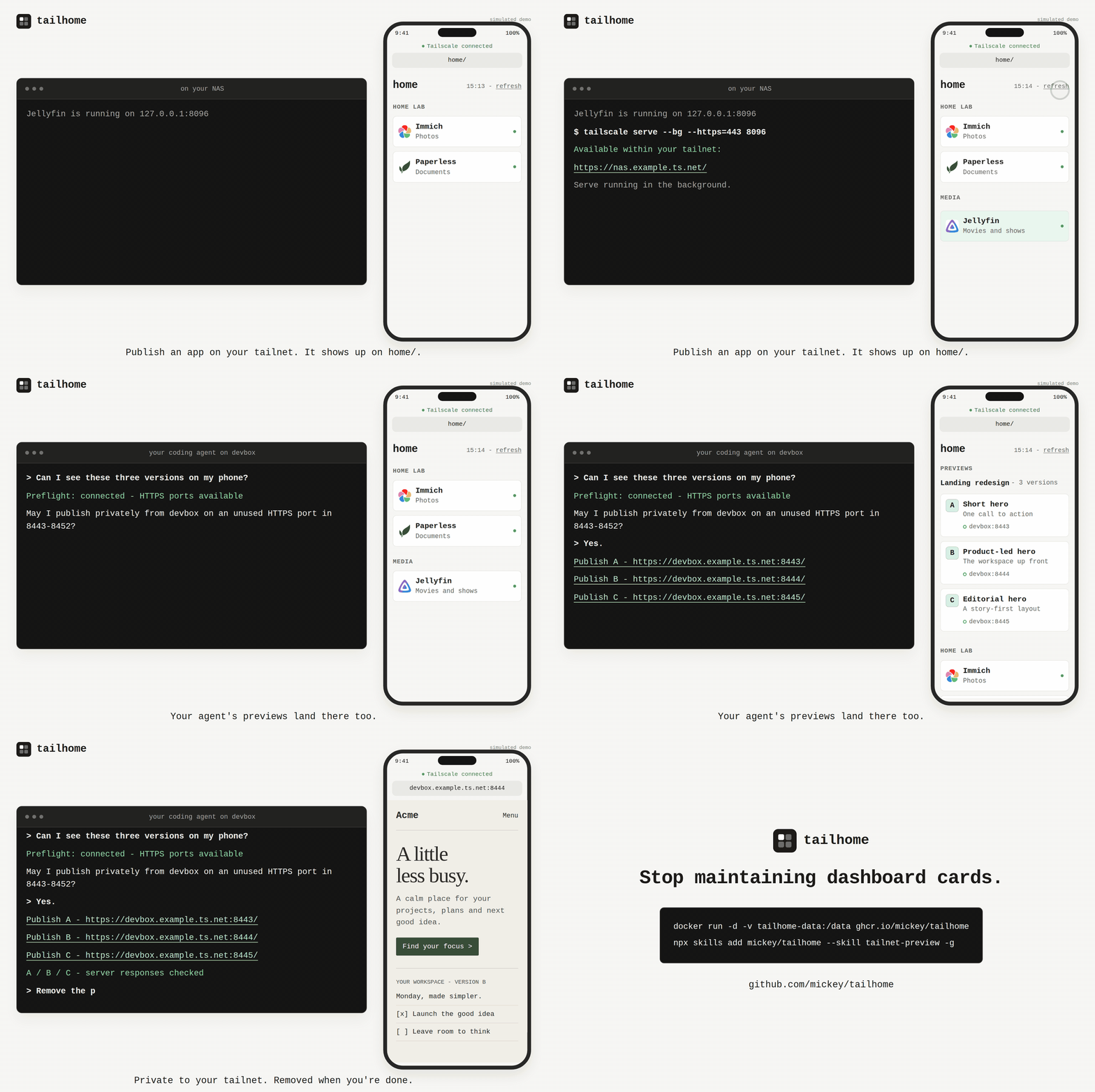
Stop maintaining dashboard cards. tailhome lists the apps on your tailnet, and the previews your coding agents publish.


| You want | Start here |
|---|---|
| A start page for your NAS, home or team | Run tailhome alone. No agent required. |
| An agent to give you preview links on your phone | Install the skill alone. No tailhome server required. |
| Apps and previews in one place | Install both, then enable preview discovery. |
Quick start
Install Docker on a machine you keep running. Enable MagicDNS and HTTPS Certificates in your Tailscale DNS settings, then run:
docker run -d --name tailhome --restart unless-stopped \
  -v tailhome-data:/data ghcr.io/mickey/tailhome:latest
docker logs -f tailhome
Open the login link in the logs yourself to join your tailnet.
When the logs say
serving https://home.<tailnet>.ts.net, open http://home/ from a Tailscale-connected device. Use the name in the logs if different, such ashome-1.Empty page? Install Tailscale and sign in on your app's machine, then publish its local port:
tailscale serve --bg --https=443 8080On Linux, use
sudoor runsudo tailscale set --operator=$USERonce. Press refresh to find the app.
Teammates and family only need Tailscale and access allowed by your tailnet rules.
See setup for Compose, binaries, systemd and host requirements.
Why tailhome
- No published host ports, Docker socket or reverse proxy to configure.
- Apps appear automatically with health dots. Copy SSH and Postgres connection details from Other.
- Install the page on your phone's home screen, or open an app with
home/go/<name>.
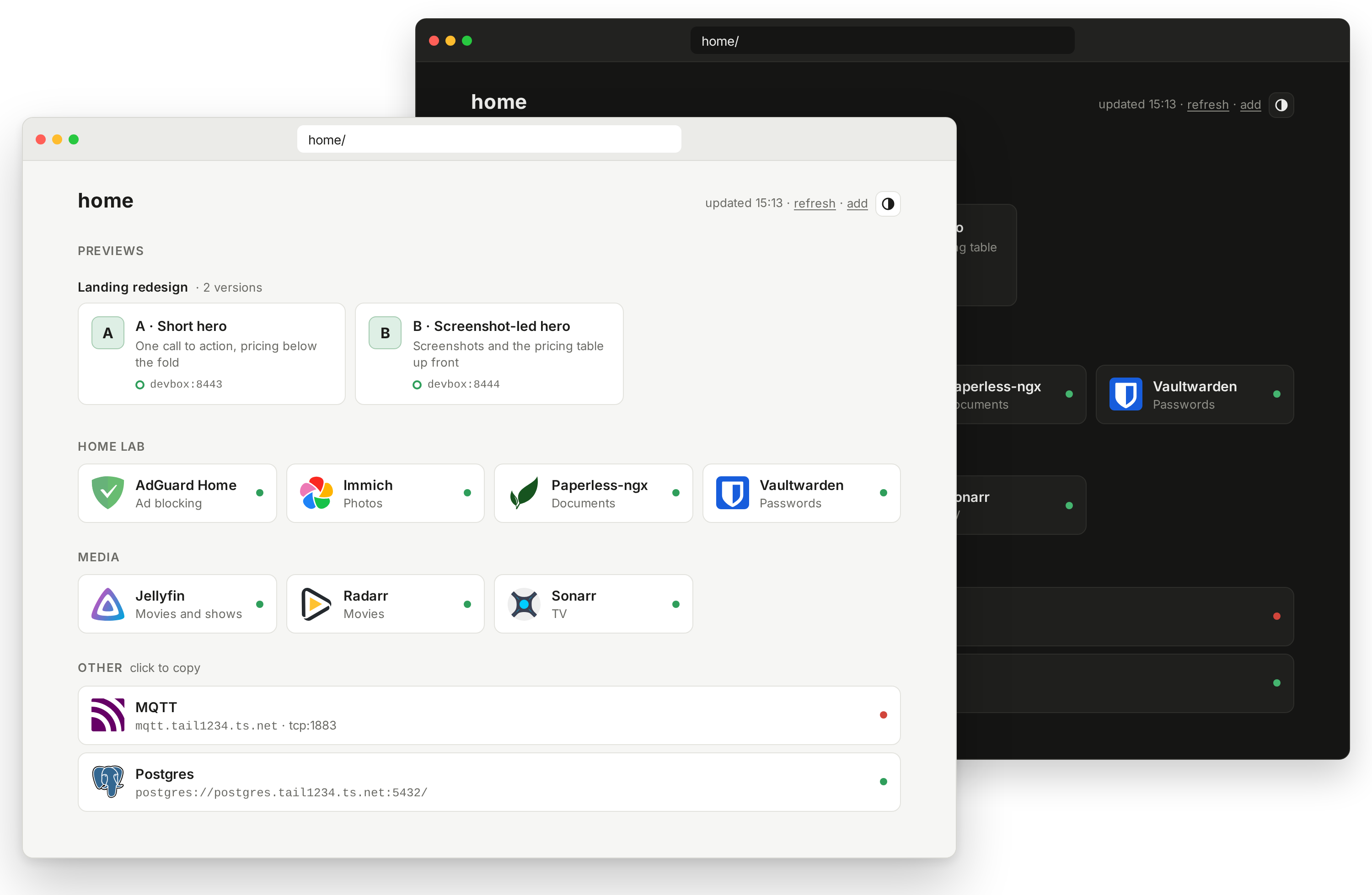
For manual cards and widgets, use Homepage, Homarr, Dashy or Heimdall. You can feed Homepage or Glance your app list.
Which apps appear
- Tailscale Services. Optional OAuth lists all Services with tags and descriptions.
- Apps on a device's tailnet name at HTTPS port 443.
- Agent previews on port 443 or configured HTTPS ports.
For apps on other ports or in containers, see publishing apps.
Previews from coding agents
[!TIP]
Paste this into your coding agent:Install the tailnet-preview skill (npx skills add mickey/tailhome --skill tailnet-preview -g), then show me this app on my phone.
You need Tailscale on Linux or macOS, MagicDNS, HTTPS Certificates, Python 3.9+ and the Tailscale CLI. To install yourself with Node 22.20+:
npx skills add mickey/tailhome --skill tailnet-preview -g
Restart your agent so it finds the skill, then ask: Can I see this on my phone? It asks which HTTPS ports it may use and leaves existing mappings alone.
Your phone needs Tailscale access. Keep the publishing machine awake and each app instance running. Ask the agent to remove previews when done; they never expire automatically and are never public.
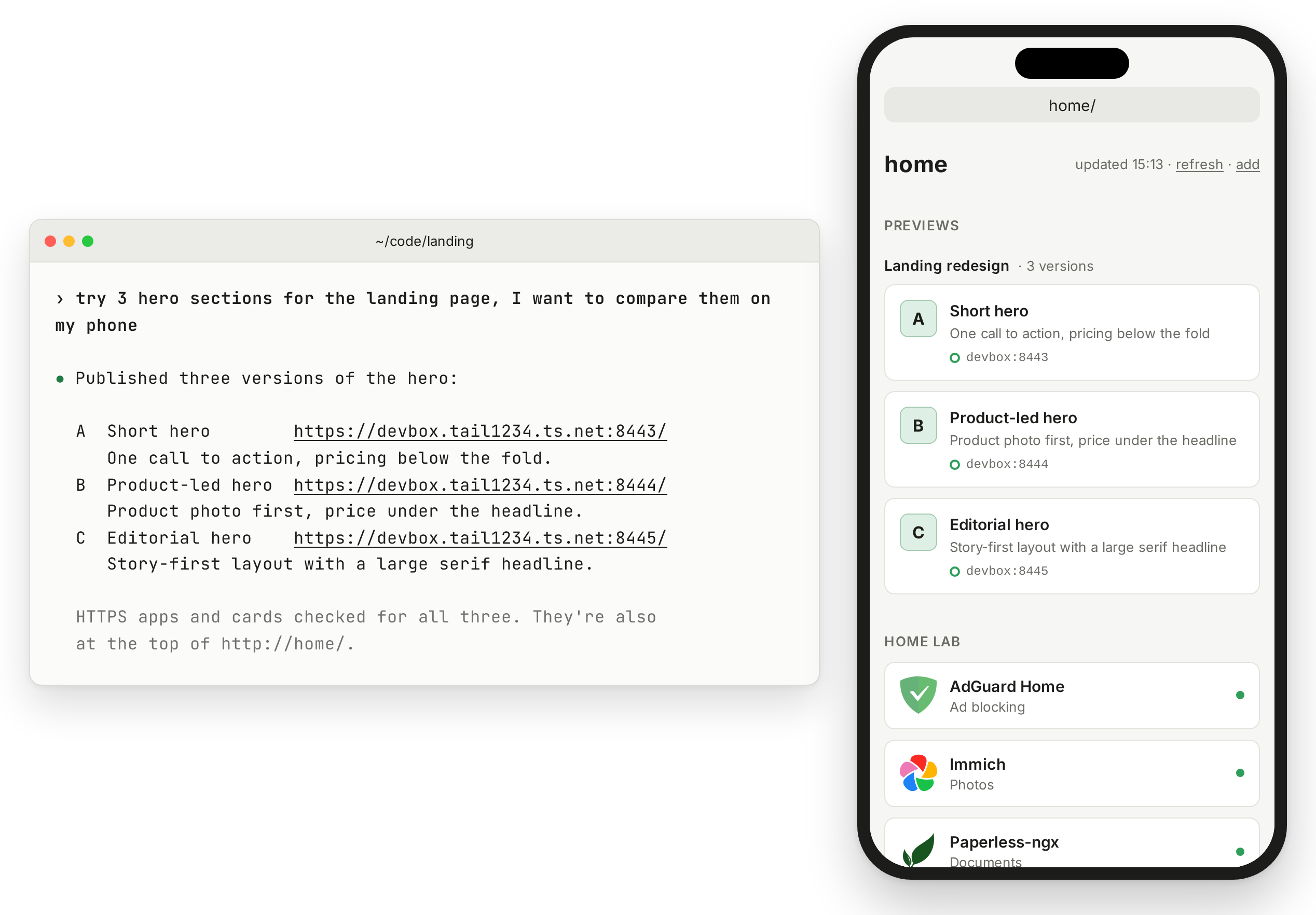
See the skill guide for other installs and preview setup to list previews in tailhome.
Customize tiles
Use config/overrides.yaml to rename, group, reorder or hide tiles and change icons and links.
Documentation
Setup and configuration · Apps, previews and page controls · Customization and JSON endpoints · Troubleshooting · Contributing
Security and privacy
Everyone who can open tailhome sees the same catalog, including app and preview names, descriptions, addresses and status, on the page and JSON endpoints. App access rules do not hide this metadata. Hiding tiles does not restrict access.
Device discovery checks reachable devices, including other members' laptops. OAuth needs Services: Read; add Auth Keys: Write only to join without a login link.
tailhome has no analytics or telemetry. Logs can contain the login link: open it yourself and do not share it. Cookies are shared across HTTPS ports on the same hostname.
Review network requests, icon privacy and Tailscale diagnostic logs. Report vulnerabilities through SECURITY.md.
Is it any good?
Tailscale is a trademark of Tailscale Inc. tailhome is not affiliated with or endorsed by Tailscale.
Reviews (0)
Sign in to leave a review.
Leave a reviewNo results found