NBLM2PPTX
Health Pass
- License — License: MIT
- Description — Repository has a description
- Active repo — Last push 67 days ago
- Community trust — 290 GitHub stars
Code Pass
- Code scan — Scanned 8 files during light audit, no dangerous patterns found
Permissions Pass
- Permissions — No dangerous permissions requested
No AI report is available for this listing yet.
Convert NotebookLM PDFs to PPTX with separated background images and editable text layers using Gemini AI
NBLM2PPTX - NotebookLM PDF to PPTX Converter


Convert NotebookLM exported PDFs into PPTX presentations with separated background images and editable text layers.
✨ Updated (2026-01-21): v2.2.1 Release - Complete i18n Overhaul! All language versions now feature professional light theme design with improved UX and standardized documentation.
繁體中文 | 简体中文 | 日本語 | Español | Français
Demo
🎬 Product Video (40s)
Background Music: "Happy Upbeat Ukulele" by MaxKoMusic (CC BY-SA 3.0)
v1.1 - Hybrid Text Extraction
| Original (NotebookLM PDF) | Output (Editable PPTX) |
|---|---|
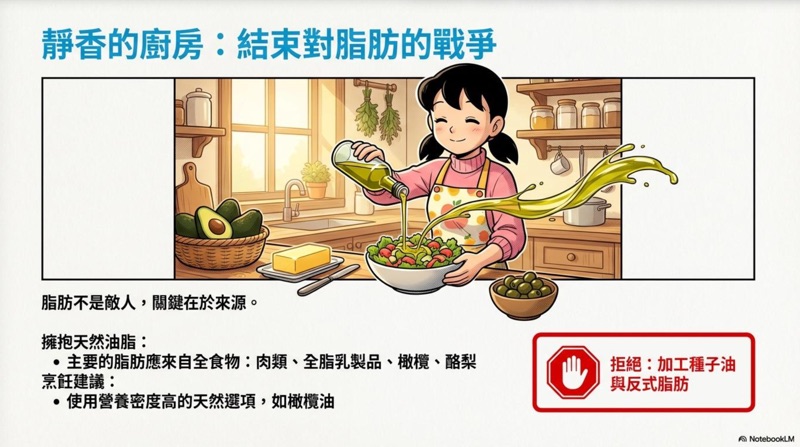 |
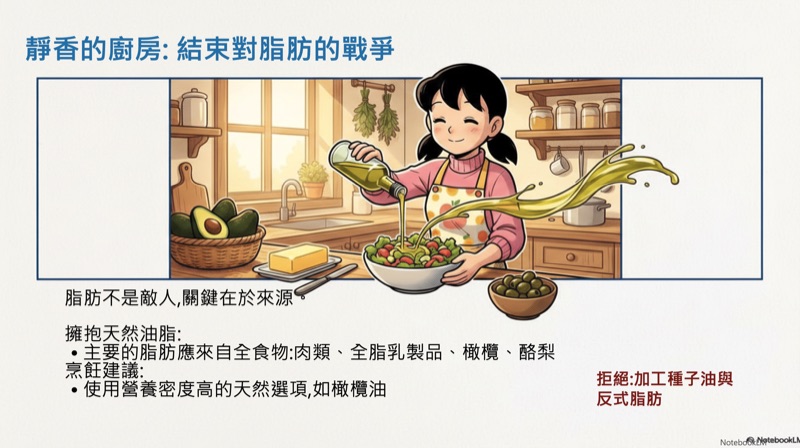 |
PDF.js native text extraction provides precise text positioning without additional API calls.
v1.0 - AI Text Removal
| Before (NotebookLM PDF) | After (Editable PPTX) |
|---|---|
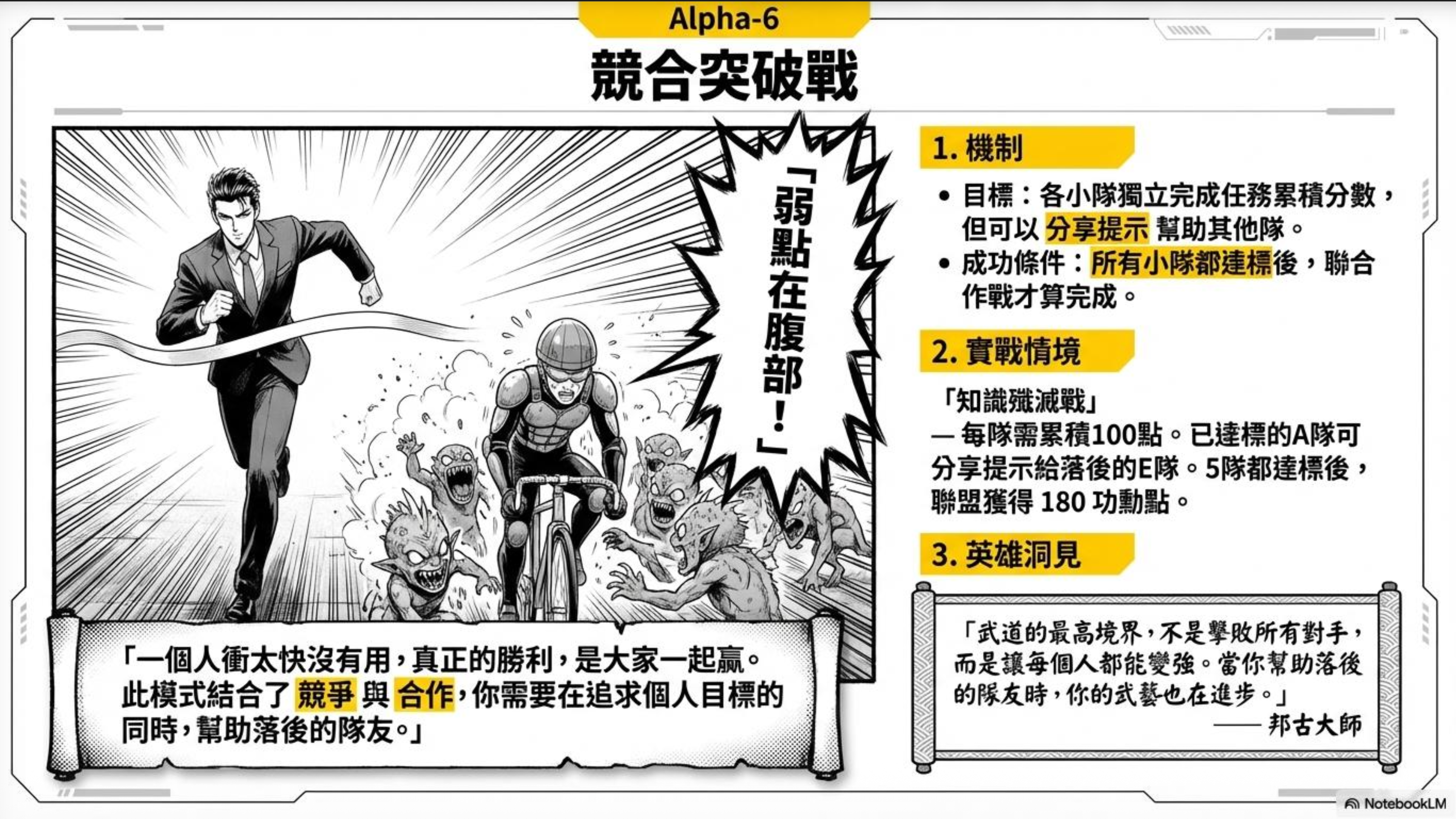 |
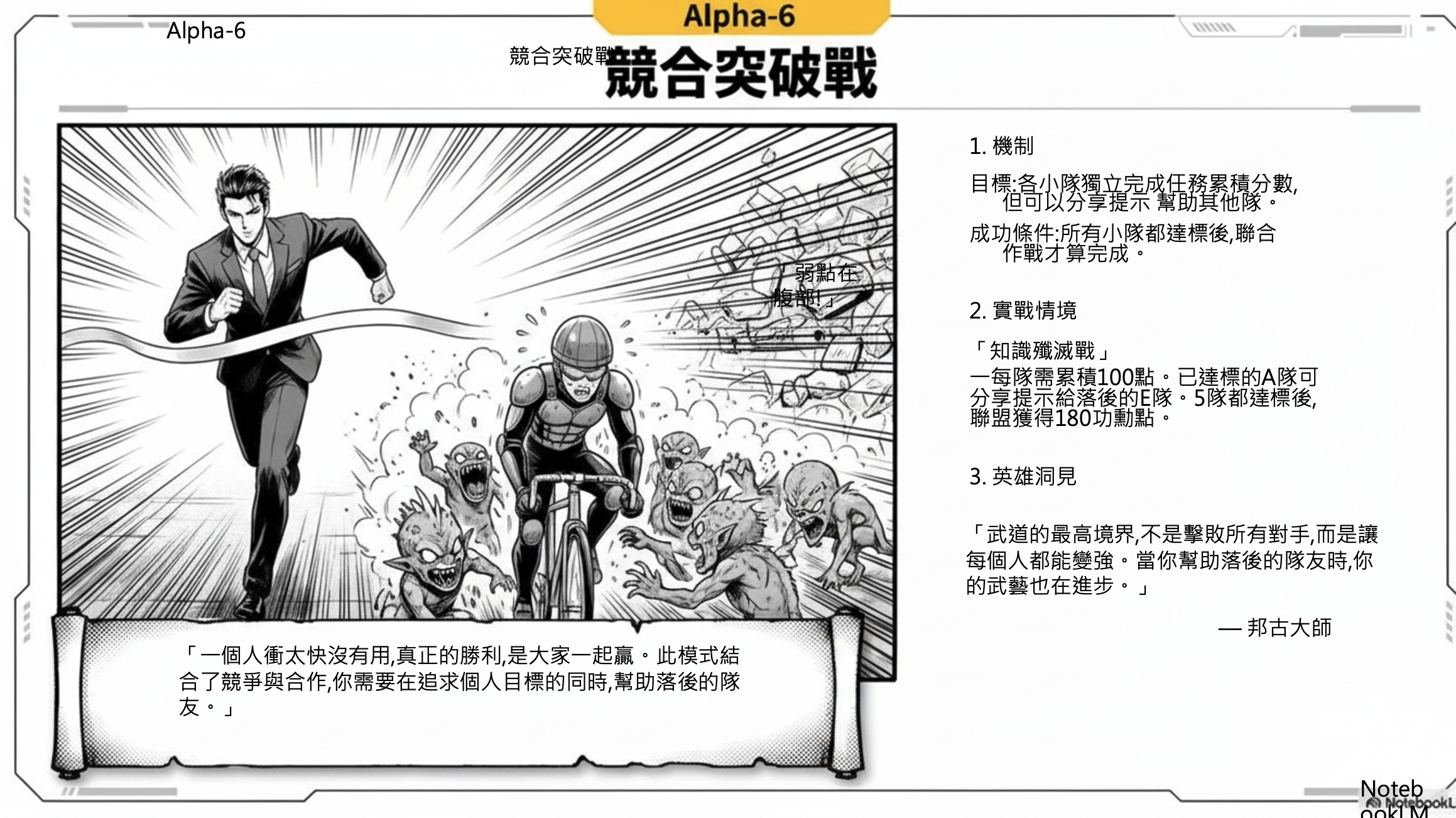 |
Left: Original PDF from NotebookLM (text embedded in image)
Right: Converted PPTX with clean background + editable text layers
What's New in v2.3 (2026-01-21)
⚡ Dual Mode OCR System
- Lite Model (Default): Uses
gemini-2.5-flash-litefor OCR, 40-50% faster with 50% API quota savings - Standard Model (Optional): Uses
gemini-2.5-flashfor full font size, weight, and color style detection - User Flexibility: Switch OCR models during page selection to balance speed and quality based on your needs
🚀 Parallel Processing Technology
- Simultaneous Execution: Text removal and OCR run concurrently, no waiting
- Reduced Processing Time: From 3-4 seconds per page down to 2-3 seconds
- Intelligent Fault Tolerance: Single API failure doesn't affect the overall workflow, improving stability
💡 Clear Usage Guidelines
- Lite Model Best For: Plain text notes, meeting minutes, content drafts (when visual formatting doesn't matter)
- Standard Model Best For: Beautiful presentations, brand showcases, teaching slides (require visual hierarchy)
- Transparent Limitations: Clear communication about Lite model's inability to detect font styles
📊 Output Comparison
| Lite Model | Standard Model |
|---|---|
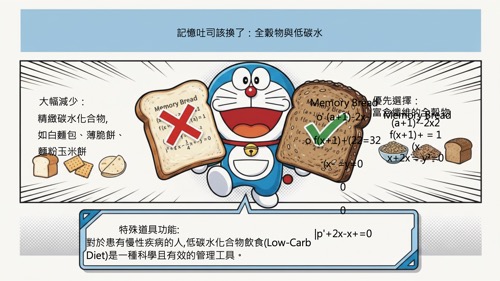 |
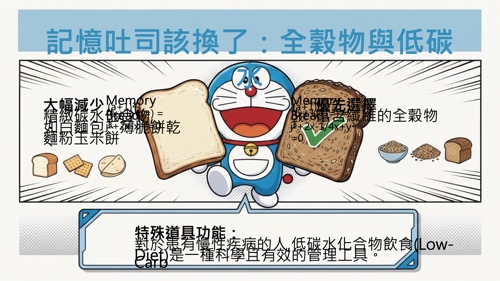 |
Lite Model: All text uses uniform styling, no font size variation (faster, saves API quota)
Standard Model: Fully preserves font size hierarchy between titles and body text (complete style detection)
What's New in v2.2.1 (2026-01-21)
🌍 Complete i18n Overhaul
- Professional Design Across All Languages: Completely redesigned all language versions (English, Spanish, Japanese, French, Simplified Chinese) from dark theme to modern light theme
- Unified Font System: Migrated to Poppins (headings) + Open Sans (body) with language-specific fallbacks (Noto Sans JP, Noto Sans SC, etc.)
- Professional Blue Color Scheme: Implemented consistent #3B82F6 primary color across all versions for trust and professionalism
- Enhanced API Key Modal: Browser-based API Key storage with localStorage integration eliminates need for code editing
- Collapsible UI Elements: Added collapsible alert banner and tools section for cleaner interface
📚 Standardized Documentation
- Comprehensive READMEs: All language README files now follow 204-line comprehensive structure
- Quick Start Guide: Added 3-step quick start instructions for better onboarding
- Free API Quota Details: Clear documentation of Google Gemini's free tier (15 RPM, 1500 RPD, no credit card)
- Complete FAQ Section: 5 Q&A pairs covering common questions about API keys, security, failures, sharing, and offline usage
🎨 Design System Updates
- Light Theme: #F8FAFC background for better readability
- Modern Card Layout: Clean borders (#E2E8F0) and subtle shadows
- Professional SVG Icons: Replaced emoji icons with proper SVG graphics
- Responsive Typography: Optimized font sizes and spacing for all screen sizes
What's New in v2.2 (2026-01-20)
🎯 Soft Reset with API Key Persistence
- No More Re-entering: API Key is now preserved in memory when you click "Restart"
- Unlimited Restarts: Process multiple batches without re-entering your API Key
- Smart State Management: Resets all processing state while keeping your credentials
⚡ Speed Optimization
- 70% Faster Processing: Reduced inter-page delay from 3.5s to 1.0s
- Parallel Processing: Leverages concurrent API calls for maximum efficiency
- Instant Reset: Soft reset returns to initial state immediately without page reload
🔧 IMAGE_RECITATION Error Fix
- Improved AI Prompt: Enhanced prompt engineering to avoid copyright detection
- Better Background Reconstruction: More accurate content-aware fill results
- Reduced Temperature: More consistent AI behavior with temperature 0.4
📝 UI Improvements
- Clearer Instructions: Updated API Key setup guide to match actual workflow
- Clean Reset UI: Restored initial upload interface on reset instead of loading spinner
Features
- AI Text Removal: Uses Gemini 2.5 Flash to automatically remove text from images and reconstruct backgrounds
- Hybrid Text Extraction: PDF sources use native PDF.js extraction for precise coordinates; image sources use enhanced Gemini OCR
- Separated Layers: Exported PPTX contains background images and text as independent layers for easy editing
- Batch Processing: Supports processing multiple PDF pages or images at once
- Page Selection: Freely select which pages to process, saving time and API quota
Usage
Quick Start (3 Simple Steps)
- Open the HTML file in your browser (Chrome/Edge recommended)
- Follow the guided setup to get your free API Key from Google
- Start processing your PDF or images immediately!
First-Time Setup
When you first open the application, a friendly setup wizard will guide you through:
- Visit Google AI Studio - One-click link to aistudio.google.com/apikey
- Create Your Free API Key - Sign in with your Google account (no credit card required)
- Paste and Save - Copy your API Key and paste it into the app
🔒 Your API Key is stored securely in your browser and never uploaded to any server.
Free API Quota
Google Gemini API offers a generous free tier:
- 15 requests per minute
- 1,500 requests per day
- No credit card required
This is more than enough for typical daily use!
Alternative: Using in Google Gemini Canvas (Advanced)
If you prefer to run in Gemini Canvas environment:
- Open Google Gemini
- Paste the code from
01.htmlinto Canvas - Click "Preview" to run
⚠️ Note: As of January 2026, API Key is still required even in Canvas environment. The app will prompt you to set it up.
Workflow
┌─────────────┐    ┌─────────────┐    ┌─────────────┐    ┌─────────────┐
│  Upload PDF │ -> │   Select    │ -> │ AI Process  │ -> │ Export PPTX │
│  or Images  │    │   Pages     │    │ Remove Text │    │ BG + Text   │
└─────────────┘    └─────────────┘    └─────────────┘    └─────────────┘
Step 1: Upload Files
- Drag and drop or click to upload NotebookLM exported PDFs
- Also supports JPG, PNG, WebP and other image formats
- Multiple files can be uploaded at once
Tip: NotebookLM exported PDFs can be quite large. You can use free PDF compression services to reduce file size before uploading for much better efficiency.
Step 2: Select Pages
- System automatically generates thumbnails for all pages
- Check the pages you want to process (all selected by default)
- Click "Start Processing" to proceed
Step 3: AI Processing
- Gemini removes text from each page and reconstructs the background
- Progress is displayed in real-time
- Each page takes approximately 3-5 seconds (including API latency)
Note: Gemini text removal may sometimes be incomplete. If you notice excessive text residue, you can try processing again.
Step 4: Export PPTX
- Select presentation ratio (16:9 / 9:16 / 4:3)
- Click "Export PPTX" to download
- Text positioning uses hybrid strategy:
- PDF sources: Uses pre-extracted coordinates from PDF.js (instant, no API call)
- Image sources: Uses Gemini OCR with enhanced styling detection
Output Structure
Each slide in the exported PPTX contains:
| Layer | Content |
|---|---|
| Bottom | Clean background image with text removed |
| Top | Editable text boxes (positioned to match original text) |
This layered structure allows you to:
- Easily modify text content
- Change fonts, colors, and sizes
- Adjust text positions
- Preserve the original design style
Technical Specifications
| Item | Description |
|---|---|
| AI Model | Gemini 2.5 Flash Image (Text Removal) + Gemini 2.5 Flash (OCR) |
| Text Removal | Optimized prompt for complete text erasure with inpainting |
| PDF Parsing | PDF.js 3.11.174 |
| PPTX Generation | PptxGenJS 3.12.0 |
| Render Resolution | Thumbnail 0.5x / Processing 2.0x |
| Supported Formats | PDF, JPG, PNG, WebP, BMP |
| Text Extraction | Hybrid: PDF.js native (PDF) / Gemini OCR (Images) |
Notes
- API Quota: Text removal uses Gemini API; PDF text extraction is local (no API cost)
- Rate Limiting: System automatically waits and retries on 429 errors
- Processing Time: For large numbers of pages, consider processing in batches
- Network: Requires stable internet connection
- Browser: Chrome or Edge (latest version) recommended
- PDF Advantage: PDF sources export faster with more accurate text positioning
FAQ
Q: Do I need a credit card for the API Key?
A: No! Google Gemini API offers a completely free tier with no credit card required. Just sign in with your Google account.
Q: Is my API Key safe?
A: Yes! Your API Key is stored only in your browser's localStorage and is never sent to any server except Google's official Gemini API.
Q: What if processing fails?
A: Common causes:
- Invalid API Key (check if it starts with "AIza")
- Unstable network connection
- Image too large or unsupported format
- API rate limit exceeded (free tier: 15/min, 1500/day - wait and retry)
Q: Can I share this tool with others?
A: Absolutely! Just share the HTML file. Each user will set up their own API Key, so everyone gets their own free quota.
Q: Can it be used offline?
A: No, this tool requires Gemini API calls for AI processing.
Language Versions
| Language | File |
|---|---|
| 繁體中文 | index.html |
| English | index-en.html |
| Español | index-es.html |
| 日本語 | index-ja.html |
| Français | index-fr.html |
| 简体中文 | index-zh-CN.html |
License
MIT License
Reviews (0)
Sign in to leave a review.
Leave a reviewNo results found