webchat-harness
Health Pass
- License — License: MIT
- Description — Repository has a description
- Active repo — Last push 0 days ago
- Community trust — 14 GitHub stars
Code Fail
- network request — Outbound network request in extension/background.js
- exec() — Shell command execution in extension/cards.js
- exec() — Shell command execution in extension/content.js
- exec() — Shell command execution in extension/lib/projects.js
- exec() — Shell command execution in extension/lib/protocol.js
- exec() — Shell command execution in extension/lib/slash-match.js
Permissions Pass
- Permissions — No dangerous permissions requested
No AI report is available for this listing yet.
Unofficial Chromium extension that lets the DeepSeek web chat read, write and edit files, search them and run shell commands on your computer. No API key.
WebChat Harness
A browser extension that lets the AI chat you already use on a website work on your computer: read and edit your files, search through a project and run commands, the way a coding assistant does. It works with the free chat on the website. There is no API key and nothing to pay for.
Currently supported: DeepSeek and Qwen. More chat sites are planned.
What it does
You write to the chat as usual. When the AI needs to look at a file, change some code or run a command, a card appears in the conversation. You see what it wants to do, approve it, and the result goes back to the AI, which carries on from there.
- You stay in control. By default every change waits for your approval, and edits come with a diff. You can allow more freedom folder by folder, or let it look at your project and make a plan first.
- Works on a whole project. It reads, searches and edits files in the folder you choose, and can hand long searches to helper chats that run in the background.
- Keeps track of the work. A task list stays above the box where you type, so you can see what the AI has done and what is left.
- Goes beyond text. It can look at images, PDFs and Office documents, and use the tools of the MCP servers you already have.
- Everything is in the page. There is no separate app to open. The controls are part of the chat's own window.
This is unofficial and has nothing to do with the chat sites it works with. It relies on how their pages work today, so a site update can break it without warning.
Screenshots
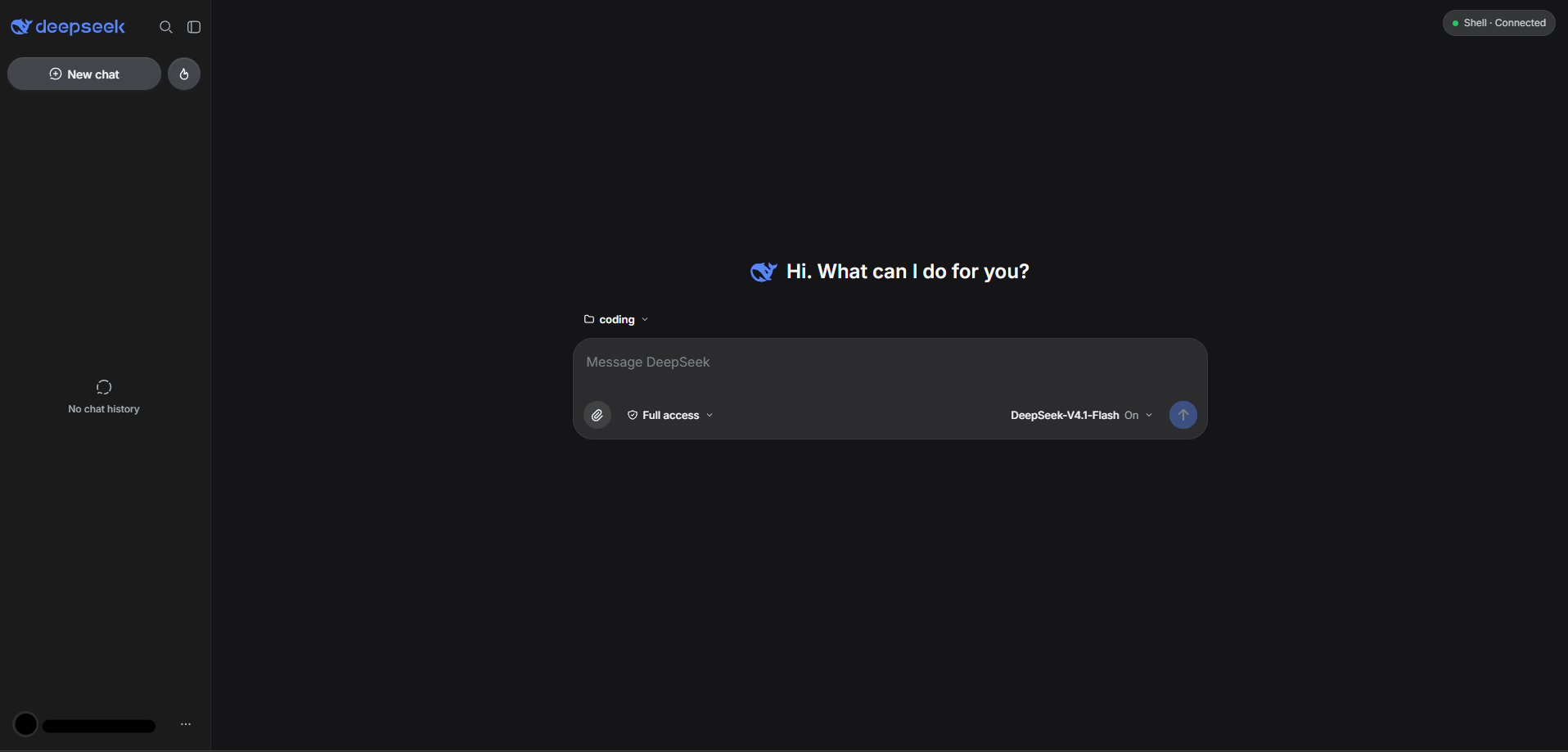
The controls sit in the page's own composer: the folder you work in above it, the permission level and the model panel inside it, and the connection status at the top right. This is DeepSeek; Qwen looks the same, with the controls in its own composer.
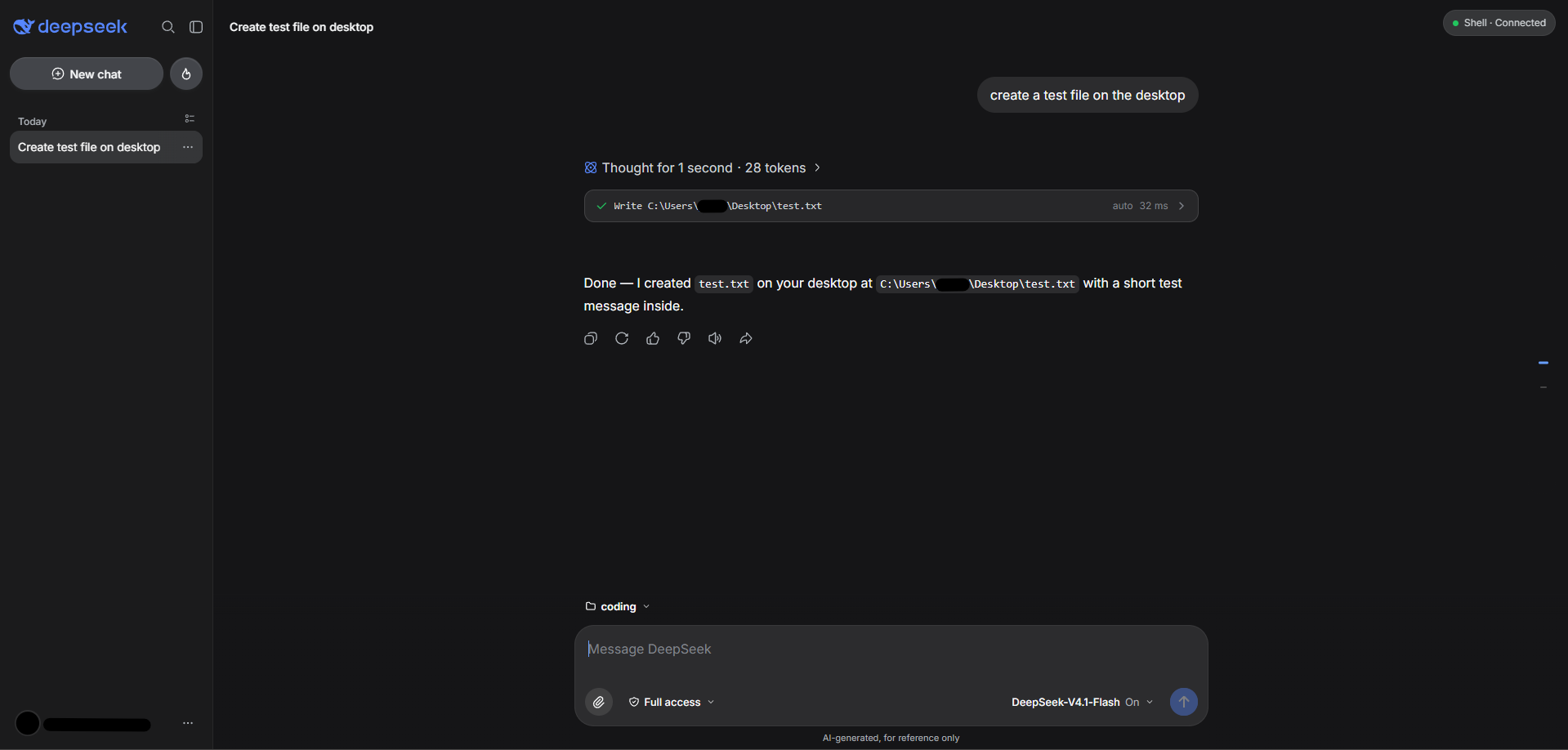
A tool call shows up as a card between the thinking block and the answer. The thinking header carries the live token count.
Learn more
- Installation
- Documentation: how to use it, the features, the supported sites and how it works
- Security: read this before you let it run commands without asking
License
MIT. See LICENSE.
Reviews (0)
Sign in to leave a review.
Leave a reviewNo results found