context-sync
mcp
Fail
Health Pass
- License — License: MIT
- Description — Repository has a description
- Active repo — Last push 58 days ago
- Community trust — 120 GitHub stars
Code Fail
- child_process — Shell command execution capability in bin/auto-configurator.cjs
- execSync — Synchronous shell command execution in bin/auto-configurator.cjs
- fs module — File system access in bin/auto-configurator.cjs
- child_process — Shell command execution capability in bin/install.cjs
- execSync — Synchronous shell command execution in bin/install.cjs
- os.homedir — User home directory access in bin/install.cjs
- process.env — Environment variable access in bin/install.cjs
- fs module — File system access in bin/install.cjs
- os.homedir — User home directory access in bin/platform-configs.cjs
- process.env — Environment variable access in bin/platform-configs.cjs
- os.homedir — User home directory access in bin/register-continue.cjs
- process.env — Environment variable access in bin/register-continue.cjs
- fs module — File system access in bin/register-continue.cjs
- child_process — Shell command execution capability in bin/setup.cjs
- exec() — Shell command execution in bin/setup.cjs
- os.homedir — User home directory access in bin/setup.cjs
- fs module — File system access in bin/setup.cjs
- child_process — Shell command execution capability in src/git-hook-manager.ts
- execSync — Synchronous shell command execution in src/git-hook-manager.ts
- fs.rmSync — Destructive file system operation in src/git-hook-manager.ts
- process.env — Environment variable access in src/git-hook-manager.ts
- fs module — File system access in src/git-hook-manager.ts
- execSync — Synchronous shell command execution in src/git-integration.ts
- exec() — Shell command execution in src/git-integration.ts
Permissions Pass
- Permissions — No dangerous permissions requested
No AI report is available for this listing yet.
Local persistent memory store for LLM applications including continue.dev, cursor, claude desktop, github copilot, codex, antigravity, etc.
README.md
# Context Sync
Local-first memory layer for AI development tools via MCP.
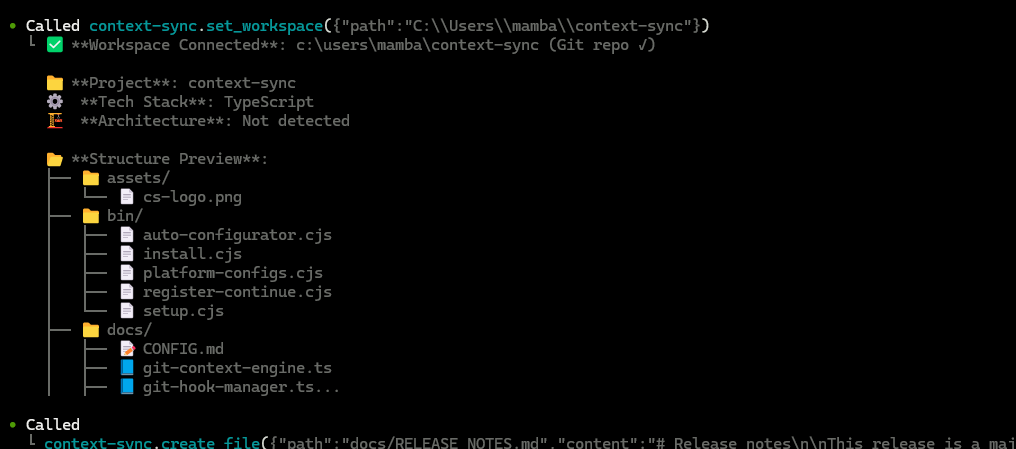
Install and auto-config (60 seconds)
- Install globally:
npm install -g @context-sync/server
Auto-config runs on install. Restart your AI tool.
Verify tools:
- Claude Desktop: Tools list
- Cursor: Tools list
- VS Code/Copilot: Copilot Chat -> Agent mode -> Tools
- Continue.dev: open Continue panel
- Codex CLI: codex mcp list
- Claude Code: claude mcp list
If auto-config fails, see docs/TROUBLESHOOTING.md and docs/CONFIG.md.
If you installed locally (non-global), auto-config does not run.
Optional: Notion setup
context-sync-setup
# or
npx context-sync-setup
Supported platforms
- Claude Desktop
- Cursor
- VS Code + GitHub Copilot
- Continue.dev
- Zed
- Windsurf
- Codeium
- TabNine
- Codex CLI
- Claude Code
- Antigravity (Google Gemini IDE)
First-time workflow
1) set_project({ path: "/abs/path/to/project" })
2) recall()
3) read_file({ path: "src/index.ts" })
4) remember({ type: "decision", content: "Use SQLite for local storage" })
Tool reference: docs/TOOLS.md
Data and config
- Database:
~/.context-sync/data.db - Config:
~/.context-sync/config.json - Install status:
~/.context-sync/install-status.json - Custom DB:
context-sync --db-path /absolute/path/to/dborCONTEXT_SYNC_DB_PATH
More details: docs/DATA.md
Git hooks
When you run set_project inside a git repo, Context Sync installs hooks:
- post-commit
- pre-push
- post-merge
- post-checkout
Hooks are marked with "Context Sync Auto-Hook" and existing hooks are backed up.
Docs
- Release notes:
docs/RELEASE_NOTES.md - Manual config:
docs/CONFIG.md - Tools:
docs/TOOLS.md - Troubleshooting:
docs/TROUBLESHOOTING.md - Data and storage:
docs/DATA.md
Reviews (0)
Sign in to leave a review.
Leave a reviewNo results found