design-guard
Health Uyari
- License — License: MIT
- Description — Repository has a description
- Active repo — Last push 0 days ago
- Low visibility — Only 7 GitHub stars
Code Basarisiz
- rm -rf — Recursive force deletion command in package.json
Permissions Gecti
- Permissions — No dangerous permissions requested
This is a CLI framework and MCP server that integrates with Google Stitch to automate AI-generated web design. It handles the full pipeline from business research and design system generation to building and exporting static websites in frameworks like Astro or Next.js.
Security Assessment
Overall Risk: Medium. The tool makes external network requests to the Google Stitch API and likely requires an API key to function, which means it handles sensitive credentials. No hardcoded secrets were found, and the tool does not request dangerous system permissions. However, the automated scan flagged a recursive force deletion command (`rm -rf`) inside the `package.json` file. While common in build and cleanup scripts, this poses a risk if the command is improperly scoped or executed unexpectedly. Users should manually inspect the package scripts before running installation or build commands.
Quality Assessment
The project is very new and currently has low visibility with only 7 GitHub stars, meaning it has not yet received broad community review or testing. On the positive side, it is actively maintained (last push was today), uses a standard permissive MIT license, and is built with familiar, modern technologies like TypeScript, Node.js, and Vitest.
Verdict
Use with caution — the active maintenance and MIT license are encouraging, but the low community adoption and presence of a recursive deletion command in the package configuration warrant a quick manual code review before integrating this into your workflow.
Stitch Forge — CLI framework for automating web design with Google Stitch MCP
Design Guard
Design websites with AI. Ship them with one command.
Design Guard turns Google Stitch into a full design-to-deploy pipeline.
Generate screens, build design systems, and export to your favorite framework — all from the terminal.




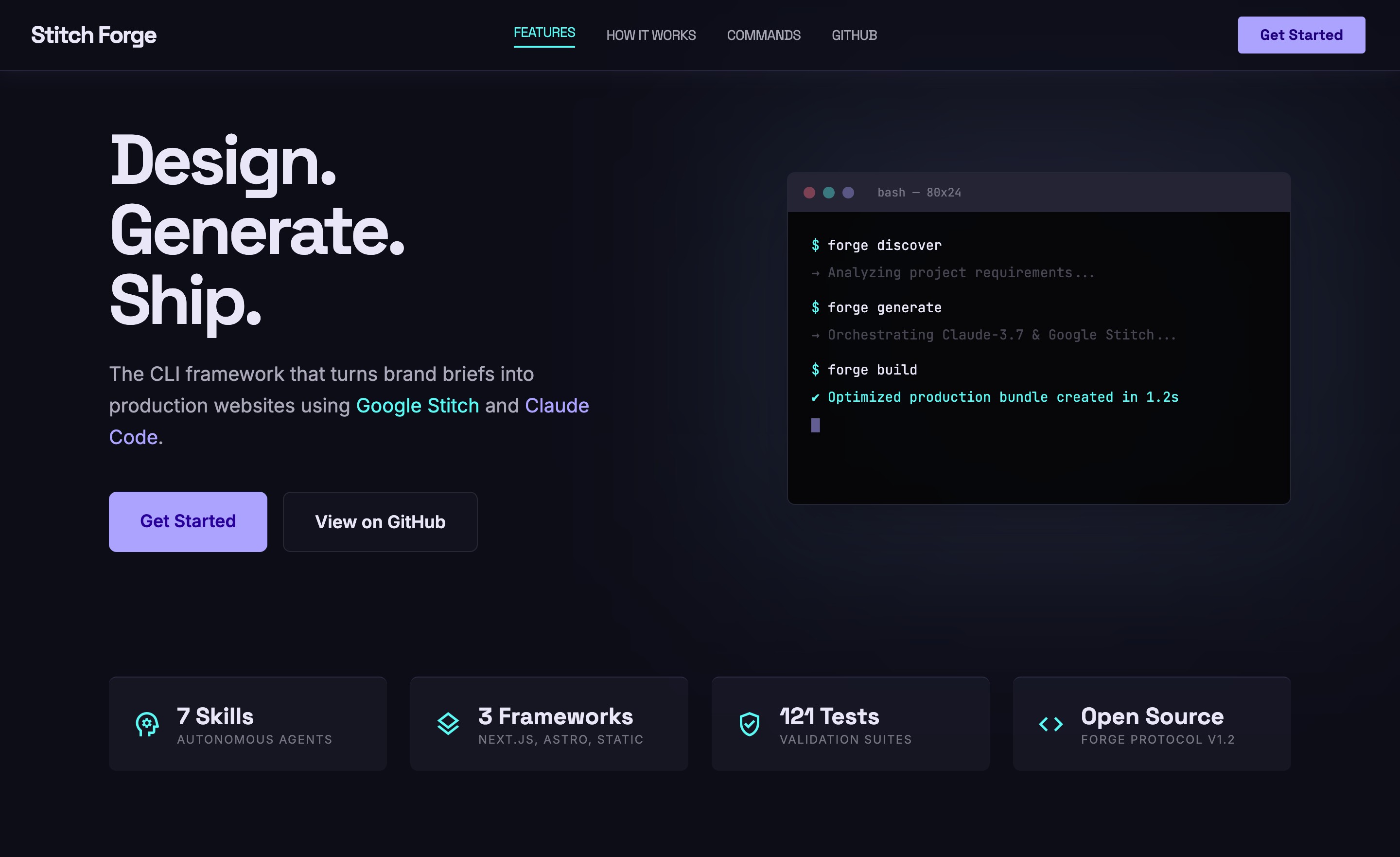
This landing page was generated by Design Guard using the full pipeline. Live demo · Full screenshot
What Is This
Design Guard wraps Google Stitch's MCP API into a CLI framework that handles the full lifecycle of AI-generated web design:
- Research a business and generate a tailored design system — the Design Intelligence Agent understands your business model before designing
- Generate screens with guided prompts, anti-slop validation, and built-in guardrails
- Preview instantly in your browser or inline in Claude Code
- Build and export to Static HTML, Astro, or Next.js
- Track quota and stay within Stitch's monthly generation limits
- Auto-research Stitch updates so your tooling never goes stale
Built for Claude Code. Design Guard ships with 7 skills that turn Claude into your design co-pilot. Generate a full website without leaving the conversation.
Features
| Feature | Description |
|---|---|
| Design Intelligence Agent | Researches your business, analyzes competitors, understands your audience, and generates a tailored DESIGN.md — not boilerplate |
| Business Model Awareness | Detects if you're physical retail, e-commerce, SaaS, or service — prevents generating the wrong page patterns |
| DESIGN.md Generator | 8-section design system with strict validation (hex colors, rem sizes, component patterns, anti-slop rules) |
| Prompt Builder | Zoom-out-zoom-in framework with guardrails: max length, single-screen, vague detection, business alignment |
| Anti-Slop Validation | Scores generated HTML 0-100, catches AI-default fonts, purple-blue gradients, heading hierarchy issues |
| Multi-Framework Build | Export to Static HTML, Astro (via Stitch MCP), or Next.js App Router — with Design Guard signature |
| Live Preview | Open screens in browser from CLI, TUI, or view inline via Claude Code |
| Interactive TUI | Dashboard, prompt composer, and design editor — all in the terminal |
| Quota Tracking | Visual meter for Flash (350/mo) and Pro (200/mo) generation limits |
| Auto-Research | Crawls Stitch docs, blog, and forums — diffs against known state, updates knowledge base |
| MCP Client Resilience | Retry with exponential backoff, 30s/120s timeouts, user-friendly error messages |
Quick Start
# Install globally
npm i -g design-guard

# Or use without installing
npx design-guard init

# Configure
# Add your STITCH_API_KEY from stitch.withgoogle.com > Settings > API Key

# Initialize project
dg init

# Research your business and generate a tailored design system
dg discover "Your Company, industry, audience, aesthetic" --url https://yoursite.com

# Generate your first screen
dg generate "A landing page with hero, features, and CTA"

# Preview it
dg preview

# Build the site
dg build --framework static --auto
From Source
git clone https://github.com/FReptar0/design-guard.git
cd design-guard && npm install
cp .env.example .env  # Add your STITCH_API_KEY
npm run build
npm link  # Makes `dg` command available globally
How It Works
Business name or brief
│
▼
┌──────────────────────┐
│  Design Intelligence │  Research business model, analyze site,
│  Agent               │  study competitors, understand audience
└────────┬─────────────┘
         │
┌────────▼─────────────┐
│  DESIGN.md           │  8-section design system + business context
│  (with biz context)  │  "NOT e-commerce — drive foot traffic"
└────────┬─────────────┘
         │
┌────────▼─────────────┐
│  Prompt Builder      │  Guardrails: length, single-screen,
│  + Stitch MCP        │  vague detection, business alignment
└────────┬─────────────┘
         │
    ┌────┼────┐
    ▼    ▼    ▼
 Screen  Preview  Quota
 .html   browser  tracker
    │
┌───▼──────────────────┐
│  Framework Build     │  --framework static | astro | nextjs
│  + Guard Signature   │  <!-- Built with Design Guard -->
└──────────────────────┘
Usage
CLI Commands
dg init                              Setup project, auth, and MCP config
dg discover "brief..." [--url URL]  Research business + generate DESIGN.md
dg design "brief..."                Generate DESIGN.md from brand brief (preset mode)
dg generate "description..."        Generate a screen via Stitch
dg preview [screen-name]            Open screen in browser (--all for all)
dg build --framework static         Build site (static | astro | nextjs)
dg sync [project-id]                Pull screens from Stitch project
dg research                         Check for Stitch API updates
dg workflow [redesign|new-app]      Show guided step-by-step workflow
dg quota                            Show generation quota usage
dg tui                              Launch interactive terminal UI
Claude Code Skills
/dg-discover   → Research business + generate tailored DESIGN.md (recommended)
/dg-design     → Generate DESIGN.md from a brand brief (preset mode)
/dg-generate   → Generate screens with guided prompts + guardrails
/dg-build      → Build and export to your chosen framework
/dg-preview    → Preview screens inline (base64 image via MCP)
/dg-research   → Check for Stitch updates
/dg-sync       → Pull latest from a Stitch project
MCP Setup
Design Guard connects to Google Stitch via MCP. Add this to your .mcp.json:
{
  "mcpServers": {
    "stitch": {
      "command": "npx",
      "args": ["@_davideast/stitch-mcp", "proxy"],
      "env": { "STITCH_API_KEY": "${STITCH_API_KEY}" }
    }
  }
}
Or connect directly to the Stitch API:
{
  "mcpServers": {
    "stitch": {
      "type": "http",
      "url": "https://stitch.googleapis.com/mcp",
      "headers": { "X-Goog-Api-Key": "${STITCH_API_KEY}" }
    }
  }
}
dg initcreates this file automatically.
Project Structure
design-guard/
├── src/
│   ├── index.ts              # CLI entry (commander)
│   ├── commands/             # init, discover, design, generate, build, sync, research, preview
│   ├── adapters/             # Framework adapters (static, astro, nextjs) + Design Guard signature
│   ├── tui/                  # Ink terminal UI (Dashboard, PromptBuilder, DesignEditor)
│   ├── mcp/                  # MCP client with retry, timeout, response parsing
│   ├── research/             # Business researcher, design synthesizer, crawler, cache
│   ├── templates/            # DESIGN.md (14 industries × 6 aesthetics), prompts, workflows
│   └── utils/                # Config, validators, prompt enhancer, output validator, quota
├── tests/                    # 121 tests — unit + integration with fixtures
├── .claude/skills/           # 7 Claude Code skills (discover, design, generate, build, preview, research, sync)
├── docs/                     # Design guide, prompting guide, known state
└── .github/workflows/        # CI (typecheck + tests)
Development
npm install           # Install dependencies
npm run dev           # Launch TUI in dev mode
npm test              # Run tests (watch mode)
npm run test:run      # Run tests once (121 tests)
npm run typecheck     # Type-check without emitting
npm run build         # Compile TypeScript to dist/
Contributing
See CONTRIBUTING.md for setup instructions and guidelines.
License
Author
Built by Fernando Rodriguez Memije.




Yorumlar (0)
Yorum birakmak icin giris yap.
Yorum birakSonuc bulunamadi