chessclaw
Health Uyari
- License — License: MIT
- Description — Repository has a description
- Active repo — Last push 0 days ago
- Low visibility — Only 5 GitHub stars
Code Gecti
- Code scan — Scanned 12 files during light audit, no dangerous patterns found
Permissions Gecti
- Permissions — No dangerous permissions requested
Bu listing icin henuz AI raporu yok.
ChessClaw: Your personal chess AI assistant
Your personal chess AI assistant, running securely in containers.
Why I Built This
I play chess on Lichess.org and Chess.com, and I found myself repeatedly asking for insights on my games, trying to track my progress, and juggling chess-related tasks across multiple platforms.
I wanted a more streamlined way to manage all of that without bouncing between tools, so I built ChessClaw: a personal chess assistant that brings everything together in one place:
- Sync my games from Lichess.org and Chess.com into a single database, on demand or on a schedule
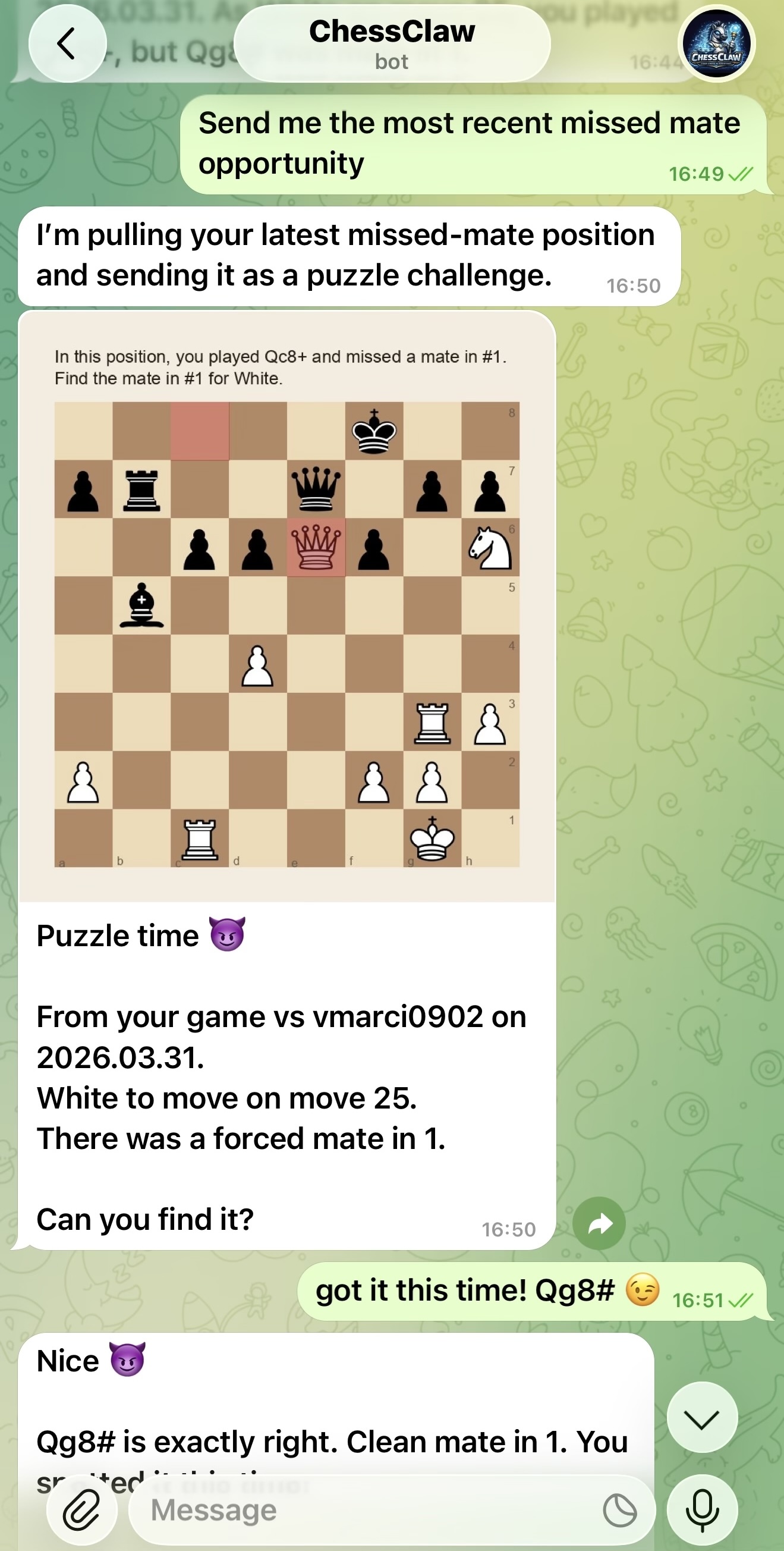
- Analyze my games for missed mates, with optional scheduled runs
- Send me puzzles from my own games, either on demand or on a schedule
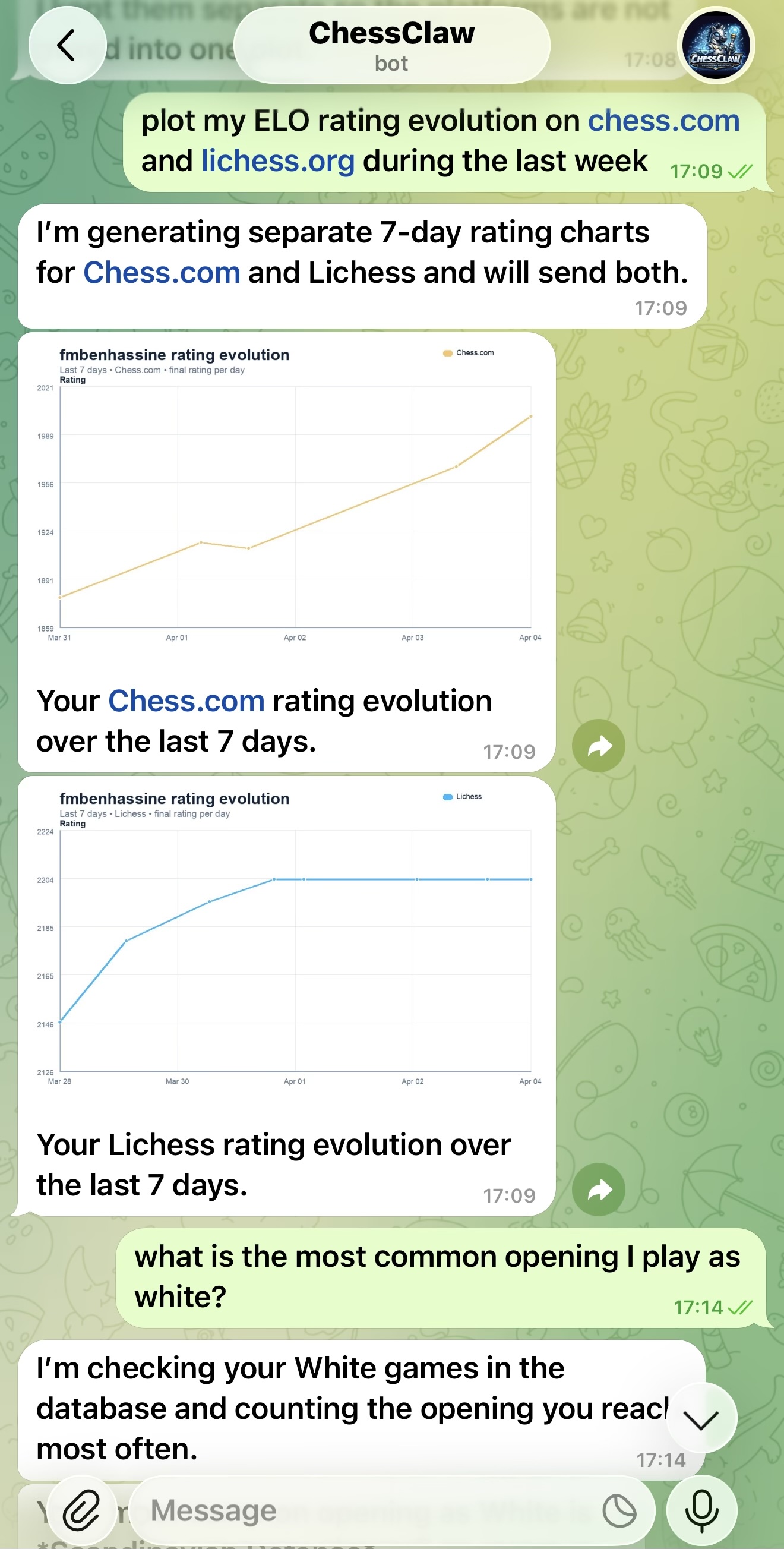
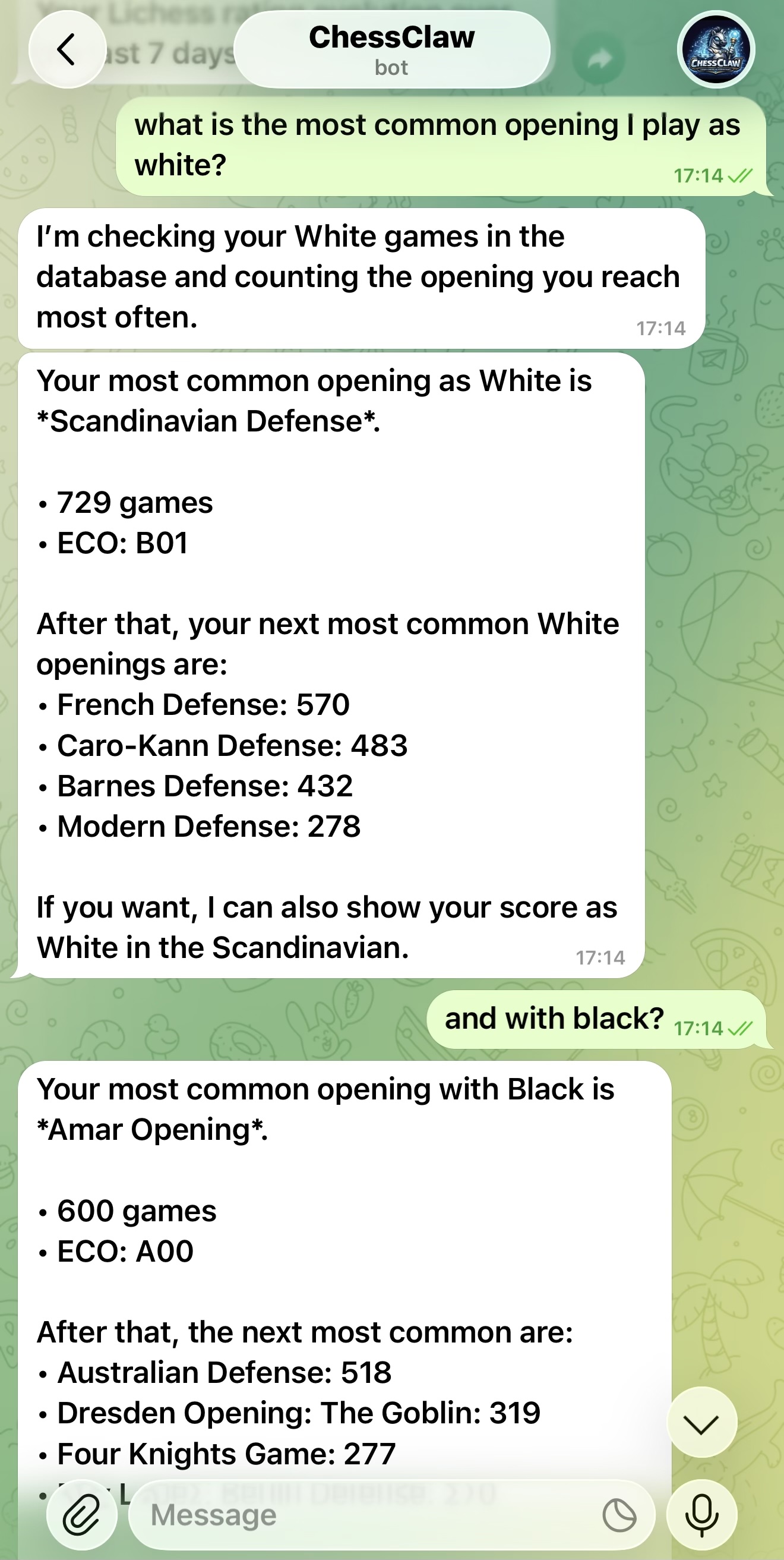
- Answer questions about my games in natural language
- Help me manage chess-related tasks, like scheduling training reminders
Here are some examples of how I use ChessClaw:
Quick Start
git clone https://github.com/fmbenhassine/chessclaw.git
cd chessclaw
codex # or any other ai coding agent that can run SKILL.md files
Ask Codex to run the setup skill. It installs dependencies, builds the agent image, connects your Telegram bot, and configures the macOS service.
See the agent pluggability notes for the current integration and the refactor needed to support another runtime.
[!TIP]
You can still use Codex without a ChatGPT subscription by configuring it to run against OSS or other local providers. See the OpenAI docs on OSS mode and local providers: https://developers.openai.com/codex/config-advanced#oss-mode-local-providers
Philosophy
ChessClaw started as a fork of NanoClaw. It was the closest agent framework to what I wanted, but it still included features I did not need for my use case, such as per-group workspaces and multiple communication channels.
So I forked it and stripped it down to the essentials: a containerized Codex assistant behind a Node gateway, accessible through a Telegram bot.
Therefore, the philosophy of the project is the same as NanoClaw's, but simplified even further and focused on a single use case:
Small enough to understand. One Node.js host process, an in-process queue, and a small set of host-side chess tools. Have Codex walk you through it.
Container isolation. The agent runs in a Linux VM through Apple Container. Shell commands run inside the VM, with explicit mounts for the workspace, session state, and host communication. The host runs chess tools and keeps the live chess database. The Docker conversion skill is available for forks.
Built for one user. This is not a framework. It is working software shaped around my exact needs. You fork it and have Codex customize it for yours.
Customization = code changes. No configuration sprawl. Want different behavior? Modify the code. The codebase is small enough that this is safe.
AI-native. No installation wizard; Codex guides setup. No monitoring dashboard; ask Codex what's happening. No debugging tools; describe the problem, Codex fixes it.
Skills over features. Contributors shouldn't add parallel transports to the codebase. Instead, they contribute skill workflows (for example /add-whatsapp) that transform your fork. You end up with clean code that does exactly what you need.
Codex runtime. The Codex SDK launches the Codex CLI installed in the agent image. See the runtime guide for model and session configuration.
What It Supports
- Telegram I/O - Chat from your phone and receive puzzle and chart images
- Single chat channel - One Telegram chat is configured as the assistant channel
- Single assistant workspace - One
assistant/AGENTS.mdfile and one persistent assistant filesystem - Scheduled tasks - Recurring jobs that run Codex and can message you back
- Container isolation - Agents sandboxed in Apple Containers with mounted directories for persistent state and file access
- Task decomposition - Codex can break complex requests into executable steps with tool usage and MCP integrations
- Optional integrations - Add WhatsApp (
/add-whatsapp) and more via skills
Usage
Once ChessClaw is running, open a private chat with your bot in Telegram. Send /chatid to get the tg:… value for ASSISTANT_CHAT_ID. After setup, try “Sync my Lichess games” or “Give me a puzzle from one of my games.” Initialize and import games before the first incremental sync. Chess backend guide
Customizing
Put your bot token, chat ID, and chess handles in the project's .env file. Set the handle for each platform you use.
TELEGRAM_BOT_TOKEN='your-bot-token'
ASSISTANT_CHAT_ID='tg:123456789'
CHESSCLAW_LICHESS_USERNAME='your_lichess_handle'
CHESSCLAW_CHESSCOM_USERNAME='your_chesscom_handle'
Restart the installed service after saving configuration changes.
launchctl kickstart -k "gui/$(id -u)/dev.chessclaw"
Edit assistant/AGENTS.md to customize the bot's behavior. See the debug checklist for service start, stop, and log commands.
Requirements
- macOS 26 or later on Apple silicon for the default Apple Container setup
- Node.js 22 LTS for the locked
better-sqlite3dependency - Codex CLI
- Apple Container (macOS)
- Telegram account and bot token
- Python 3.11+ and uv for the host chess backend
sqlite3CLI for database queries- Stockfish binary (for local analysis)
Architecture
Telegram (grammY) → SQLite → in-process queue → agent container → Telegram reply
Single Node.js process. Agents execute in isolated Linux containers with mounted directories. Single-channel queueing. IPC via filesystem.
Key files:
src/index.ts- Main app: Telegram connection, message loop, IPCsrc/telegram.ts- Telegram transportsrc/message-queue.ts- Single assistant queuesrc/container-runner.ts- Spawns streaming agent containerssrc/task-scheduler.ts- Runs scheduled taskssrc/db.ts- SQLite operations (messages, tasks, session, state)assistant/AGENTS.md- Assistant instructions and persistent workspace memory
FAQ
Why Telegram and not WhatsApp/Signal/etc?
Because I use Telegram. Fork it and run a skill to change it, for example /add-whatsapp. That's the whole point.
Why Apple Container?
Because I use macOS, and Apple Containers are lightweight, fast, and optimized for Apple Silicon. You can still use Docker if you want: just fork the repository and run the /convert-to-docker skill to modify the container setup.
Why Codex?
Because I use Codex. The current runner uses its SDK and CLI. The agent pluggability notes describe the refactor for supporting another agent.
Is this secure?
The container is the isolation boundary. Treat the mounted workspace, session files, and credentials as visible to the agent. Keep the configured Telegram chat private and review the host actions exposed through MCP. Security model
How do I debug issues?
Ask Codex. "Why isn't the scheduler running?", "What's in the recent logs?", "Why did this message not get a response?" That's the AI-native approach.
Use the debug skill or the debug checklist to investigate. When opening a GitHub issue, share the relevant log excerpts with credentials and private content redacted.
Community
Questions? Ideas? Join the Discussions on GitHub.
License
MIT License. See LICENSE.
Credits
Yorumlar (0)
Yorum birakmak icin giris yap.
Yorum birakSonuc bulunamadi