talon
Health Pass
- License — License: MIT
- Description — Repository has a description
- Active repo — Last push 0 days ago
- Community trust — 85 GitHub stars
Code Fail
- spawnSync — Synchronous process spawning in .github/scripts/enforce-ci-gate.mjs
- process.env — Environment variable access in .github/scripts/enforce-ci-gate.mjs
- network request — Outbound network request in .github/scripts/enforce-ci-gate.mjs
- process.env — Environment variable access in .github/scripts/install-backend-cli.mjs
- execSync — Synchronous shell command execution in .github/scripts/tarball-check.mjs
- process.env — Environment variable access in .github/scripts/vitest-summary.mjs
- fs module — File system access in .github/workflows/ci.yml
- rm -rf — Recursive force deletion command in .github/workflows/companion.yml
Permissions Pass
- Permissions — No dangerous permissions requested
No AI report is available for this listing yet.
🦅 Multi-platform agentic AI harness — runs on Telegram, Discord, Teams & Terminal with a pluggable backend (Claude, Kilo, OpenCode, Codex, OpenAI Agents), full MCP tool access, and persistent background agents (Goals, Heartbeat, Dream).
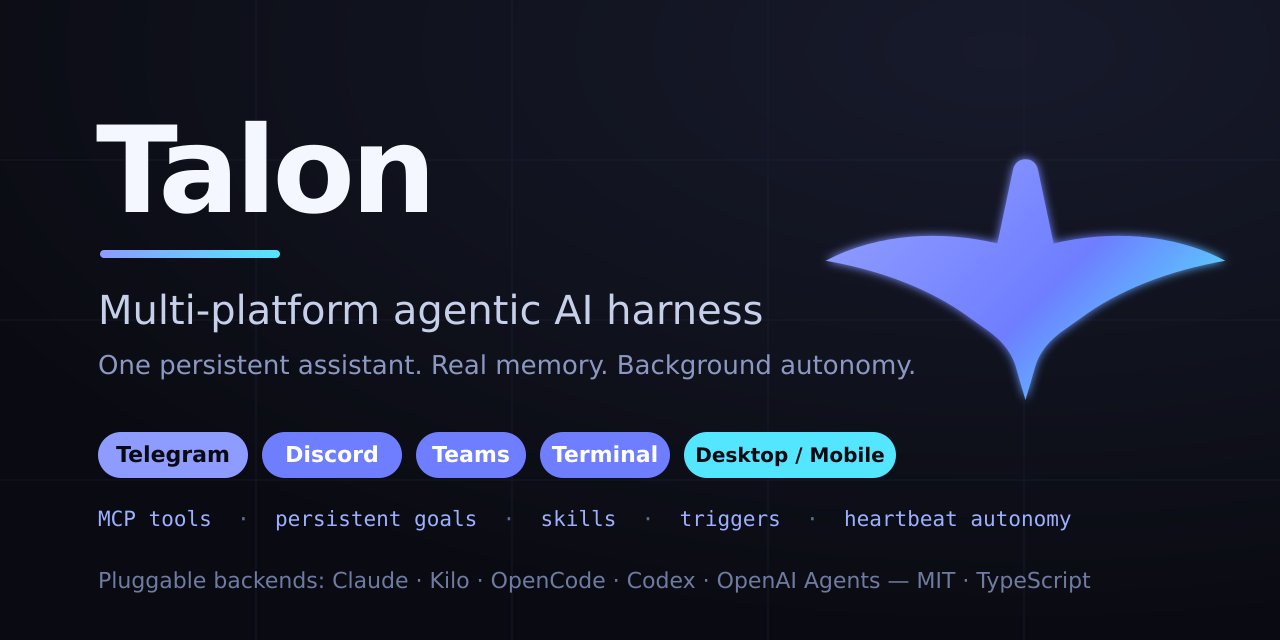
Talon





Multi-platform agentic AI harness. Runs on Telegram, WhatsApp, Discord, Microsoft Teams, the Terminal, and a cross-platform Desktop/Mobile companion app (Flutter), with a pluggable backend (Claude Agent SDK, Kilo, OpenCode, Codex, Antigravity, or OpenAI Agents) and full tool access through MCP.
Features
| Multi-frontend | Telegram (grammY + GramJS userbot), WhatsApp (Baileys multi-device), Discord (discord.js), Microsoft Teams (Bot Framework), Terminal with live tool visibility, and a Desktop/Mobile app (Flutter) over a local/remote bridge — one or several at once, see Frontends |
| Pluggable backend | Claude Agent SDK, Kilo, OpenCode, Codex, Antigravity, OpenAI Agents — selectable per-process via backend config. Streaming, model fallback, context-overflow recovery. |
| MCP tools | Messaging, media, history, search, web fetch, cron jobs, triggers, goals, stickers, file system, admin controls |
| Plugins | Hot-reloadable plugin system with talon plugin install/enable/disable (npm, git, or local sources). Built-in: GitHub, MemPalace, Playwright, Brave Search |
| Background agents | Heartbeat (hourly by default — advances goals, proactively messages when something matters) and Dream (memory consolidation + diary) |
| Goals | Persistent multi-day objectives the agent commits to in chat; every heartbeat run re-reads them, makes progress, and records what it did |
| Skills | SKILL.md workflow bundles the agent authors and reuses, with talon skill install/enable/disable (local folders, git, or owner/repo — the Anthropic skills ecosystem installs directly) |
| Triggers | Self-authored watcher scripts (bash/python/node) that wake the bot when conditions are met |
| Task table | Every unit of agent work — chat turns, heartbeat, dream, isolated cron/trigger jobs — registered live; talon ps / talon kill |
| Event bus | Typed internal pub-sub spine (task + turn lifecycle events); subsystems subscribe instead of importing each other; talon events -f |
| VFS | Unified namespace at ~/.talon/ns over workspace, skills, scripts, logs, plus /proc-style live views of the task table, event bus, and plugin registry — a real filesystem (FUSE-backed live views), so plain ls/cat and every tool just work |
| Per-chat settings | Model, effort level, and pulse toggle per conversation via inline keyboard |
| Model registry | Models discovered from the active backend at startup — new models appear in all pickers automatically |
Quick Start
git clone https://github.com/dylanneve1/talon.git && cd talon
npm install

# Interactive setup (select frontend, configure tokens, pick model)
npx talon setup

# Start
npx talon start       # configured frontend (daemon mode)
npx talon chat        # terminal chat mode
Prerequisites:
- Bun 1.3+ or Node.js 24+. Talon ships as
TypeScript sources and runs them directly: Bun executes them natively, Node goes
through atsxloader. Thetalonlauncher detects which runtime started it, so
either works with no configuration —npm start/npm run devtake the Bun path,npm run start:node/npm run dev:nodethe Node one. Bun is what the release
binaries and the maintained deployment run on; Node stays supported. - Backend-specific:
claudebackend: Claude Code installed and authenticated (claudeCLI on PATH).kilobackend: nothing extra —@kilocode/sdkspawns a local server. Free models are accessible without auth; routed models use Kilo's own credentials.opencodebackend: nothing extra —@opencode-ai/sdkspawns a local server.codexbackend: install thecodexCLI (npm i -g @openai/codex) and authenticate withcodex login,CODEX_API_KEY,TALON_CODEX_KEY, orcodexApiKey.OPENAI_API_KEYis used only as a fallback when no Codex login exists.agybackend: install Google's Antigravity CLI soagyis onPATH(or setagyBinary/AGY_BINARY), then runagyonce interactively on the host and complete the Google sign-in. There is no API key — headless runs reuse the cached OAuth credentials under~/.gemini/antigravity-cli/.
Standalone binary
Each release also ships self-contained binaries (no Node.js required) for
Linux and macOS (x64 + arm64) and Windows (x64). Prompts and all native
modules are embedded in the binary.
# Homebrew (macOS / Linux)
brew install dylanneve1/talon/talon

# Debian / Ubuntu — download the .deb for your arch from the release, then:
sudo apt install ./talon_<version>_amd64.deb     # or _arm64.deb

# Fedora / RHEL — download the .rpm for your arch from the release, then:
sudo dnf install ./talon-<version>-1.x86_64.rpm  # or .aarch64.rpm

# Direct download — grab talon-<os>-<arch> from the release, verify, run:
chmod +x talon-linux-x64 && ./talon-linux-x64 --version
# macOS, if Gatekeeper blocks an unsigned binary:
xattr -d com.apple.quarantine ./talon-darwin-arm64
Verify a direct download against the release SHA256SUMS:sha256sum -c SHA256SUMS --ignore-missing.
Server only, no Telegram? Run the daemon with just the client bridge,
reached by the companion app and talon-node: see
docs/server-install.md.
The binary runs the full interactive/agent CLI (
setup,start,chat,doctor, …) and supervises MCP children like any other install shape. The one
gap: a plugin shipping its MCP server as TypeScript source (mcpServerPath)
needs a runtime that can execute TS, which a compiled binary is not — those
want the npm install. Plugins declaring an explicitmcpServercommand work
everywhere.
Architecture
index.ts                    Composition root
  |
  +-- core/                 Platform-agnostic engine
  |   +-- agent-runtime/    Backend capability interface, events, stores
  |   +-- frontend-runtime/ Frontend capability interface + descriptor registry
  |   +-- models/           Model layer: catalog, per-chat active model,
  |   |                     reasoning-effort vocabulary
  |   +-- prompt/           System-prompt assembly + prompts/system templates
  |   +-- background/       Agents that run without a user message:
  |   |                     heartbeat, dream, pulse, cron, triggers
  |   +-- tools/            MCP tool definitions + spawn/env contract
  |   +-- mcp-hub/          Daemon-hosted MCP over streamable HTTP; supervises
  |   |                     stdio children with respawn-and-backoff
  |   +-- engine/           Message flow: dispatcher (per-chat serial,
  |   |                     cross-chat parallel), HTTP gateway for MCP
  |   |                     tool calls, backend lifecycle controller
  |   +-- weaver/           Per-chat live state: a Weaver owns Looms own Threads
  |   +-- tasks/            Task table — the process table for agent work
  |   +-- bus/              Typed pub-sub spine + event journal
  |   +-- vfs/              The talon:// namespace (~/.talon/ns), FUSE-backed
  |   +-- mesh/             Device mesh: presence, exec/fs channel, teleport
  |   +-- memory/           Typed memory store policy: core view, import, taps
  |   +-- scripts/          Run-to-completion execution of saved scripts +
  |   |                     the WASM-sandboxed Lua runner for trigger scripts
  |   +-- daemon/           Start / stop / restart, pidfile, discovery
  |   +-- plugin/           Plugin loader, registry, hot-reload
  |   +-- update/           Self-update for git-checkout deployments
  |
  +-- backend/
  |   +-- registry.ts       Bootstrap-decoupled backend lookup
  |   +-- shared/           Cross-backend helpers (stream state, flow violation,
  |   |                     delivery contract, metrics, prompt format,
  |   |                     model retry, system prompt, usage)
  |   +-- remote-server/    Shared infrastructure for agent-server backends
  |   |                     (MCP registration, sessions, providers, lifecycle)
  |   +-- claude-sdk/       Claude Agent SDK (in-process MCP, hooks)
  |   +-- kilo/             Kilo HTTP server backend (streaming via SSE)
  |   +-- opencode/         OpenCode HTTP server backend
  |   +-- codex/            Codex CLI backend (`@openai/codex-sdk`)
  |   +-- agy/              Antigravity CLI backend (headless stream-json)
  |   +-- openai-agents/    OpenAI Agents SDK backend (Responses API)
  |
  +-- frontend/
  |   +-- factories.ts      Attaches each built-in's lazy `create`
  |   +-- shared/           Cross-frontend presentation helpers
  |   +-- telegram/         grammY bot + GramJS userbot
  |   +-- whatsapp/         Baileys multi-device socket
  |   +-- discord/          discord.js v14
  |   +-- teams/            Bot Framework + Graph API
  |   +-- terminal/         Readline CLI with tool call visibility
  |   +-- native/           Client bridge (HTTP + SSE) for the companion app
  |
  +-- native/               WASM + napi cores (blake3, strsim, textops, sqlguard,
  |                         htmlents, scheduler, fusefs, warden), each with a
  |                         pure-TS or wasm fallback
  +-- storage/              SQLite layer: sessions, history, chat settings, cron,
  |                         media index, metrics, goals, skills, kv, daily logs
  +-- util/                 Config, logging, workspace, paths, time, runtime
Dependency rule: core/ imports nothing from frontend/ or backend/. Frontends and backends depend on core types, never on each other. All six backends (Claude SDK, Kilo, OpenCode, Codex, Antigravity, OpenAI Agents) implement the same Backend capability interface from core/agent-runtime/capabilities.ts. Frontends mirror this: each implements the Frontend contract from core/frontend-runtime/capabilities.ts and self-registers in the frontend registry (identity + chat-id routing in a descriptor, lazy create in a per-frontend factory.ts) — see docs/frontends.md. Kilo and OpenCode additionally share the remote-server/ infrastructure because they wrap forks of the same upstream HTTP agent server.
Prompts: everything the model reads at session start is assembled by core/prompt/ from the files in prompts/ — see prompts/README.md for the assembly order, file ownership (user-editable vs package-owned templates), and the per-backend delivery contracts.
Frontends
Select via the frontend field in ~/.talon/config.json — one id, or an array to run several at once. Every frontend implements the same Frontend contract and registers a descriptor (identity + which chat ids it owns) in the frontend registry, so a chat id routes to its owning frontend with no central switch — see docs/frontends.md.
| Frontend | frontend value |
Transport | Notes |
|---|---|---|---|
| Telegram | "telegram" |
grammY long-poll (+ optional GramJS userbot) | The widest surface: inline keyboards, reactions, media groups, stickers, polls, admin commands. apiId / apiHash add userbot history access. |
"whatsapp" |
Baileys multi-device (WebSocket) | Drives a real WhatsApp account, paired by phone code or QR. Media, reactions, edits, deletes, forwards, polls, locations, contacts, group admin. | |
| Discord | "discord" |
discord.js v14 gateway | Slash commands, guild / channel allowlists, presence text. |
| Teams | "teams" |
Bot Framework + Graph API | Inbound over a Power Automate webhook, outbound over Graph. |
| Terminal | "terminal" |
Local readline | Always available via talon chat, even when another frontend is configured. Live tool-call visibility. |
| Native | "native" |
HTTP + Server-Sent Events bridge | The protocol the Flutter companion app speaks — see Desktop & mobile app. |
Running several is just an array; each chat id keeps its own session and the frontend that owns it answers:
{ "frontend": ["telegram", "whatsapp", "native"] }
The WhatsApp frontend drives a real WhatsApp account over Baileys multi-device — the same mechanism as WhatsApp Web, so no Business API account is involved.
// ~/.talon/config.json
{
  "frontend": "whatsapp",
  "whatsapp": {
    // The bot account's own number, E.164 digits, no "+". Omit for QR pairing.
    "pairingNumber": "353871234567",
    // Who may DM it — bare numbers or full JIDs. Empty disables DMs.
    "allowedJids": ["353834733284"],
    // Which groups it serves: "listed" | "with-allowed-user" | "all"
    "groupPolicy": "with-allowed-user",
    // In groups: reply only when mentioned/quoted, or to everything
    "respondMode": "mention"
  }
}
First start prints a pairing code (or a QR when pairingNumber is omitted) — enter it under WhatsApp → Linked devices → Link with phone number. Credentials persist in ~/.talon/whatsapp-auth/, so later starts reconnect on their own, with backoff across drops.
groupPolicy: "with-allowed-user" is the useful middle setting: the bot serves any group containing someone from allowedJids — "the groups I'm in" — without listing group JIDs by hand.
Markdown from the model is translated into WhatsApp's own dialect (*bold*, _italic_, ~strike~, monospace blocks) by walking the parsed token tree rather than by regex, and long replies split on message boundaries instead of truncating.
Backends
Select via the backend field in ~/.talon/config.json. All backends implement the same Backend capability interface — heartbeat, dream, and chat handlers are backend-agnostic.
| Backend | backend value |
Transport | Notes |
|---|---|---|---|
| Claude SDK | "claude" |
In-process via @anthropic-ai/claude-agent-sdk |
Requires the claude CLI on PATH. Hook-based turn termination. |
| Kilo | "kilo" |
Local HTTP server via @kilocode/sdk |
SSE-streamed turns. Routes to many model providers via Kilo's auth. |
| OpenCode | "opencode" |
Local HTTP server via @opencode-ai/sdk |
SSE-streamed turns; same MCP and session shape as Kilo (upstream fork). |
| Codex | "codex" |
Per-turn subprocess via @openai/codex-sdk |
Requires the codex CLI from @openai/codex and Codex auth (codex login, CODEX_API_KEY, TALON_CODEX_KEY, or codexApiKey). MCP servers configured via TOML overrides at thread start. |
| Antigravity | "agy" |
Long-lived per-chat subprocess (the agy CLI, headless stream-json) |
Requires the Antigravity CLI on PATH (or agyBinary / AGY_BINARY) and a one-time interactive agy sign-in — subscription OAuth, no API key. MCP servers written into ~/.gemini/config/mcp_config.json before the child spawns. |
| OpenAI Agents | "openai-agents" |
In-process via @openai/agents |
Responses API (or any OpenAI-compatible endpoint via TALON_AGENTS_URL / openaiBaseUrl). Persistent per-chat MCP bundles. |
The Kilo and OpenCode backends share infrastructure (backend/remote-server/) since the upstream HTTP API is the same; each backend supplies its own SDK client, port, and delivery suffix. Codex is its own integration on top of the Codex CLI's JSONL event stream, and Antigravity is its own on top of agy's headless NDJSON protocol.
Desktop & mobile app
The native frontend turns the daemon into a client bridge — a versioned HTTP + Server-Sent-Events JSON API (the Talon Client Bridge Protocol, src/frontend/native/protocol.ts) that any GUI client can speak. The reference client is Talon Companion, a single Flutter codebase that runs on Windows, macOS, Linux, and Android. The protocol has three independent implementations (daemon, companion, talon-node); shared wire fixtures in protocol/ are replayed by all three test suites so a drift on any side fails its CI — see protocol/README.md.
// ~/.talon/config.json
{
  "frontend": "native",
  "native": { "host": "127.0.0.1", "port": 19880 }
  // For remote (e.g. a phone): "host": "0.0.0.0", "token": "your-secret"
}
The old
"desktop"spelling still loads — config normalization rewrites it to"native"and logs a deprecation — but new configs should saynative.
- Local (desktop): the app connects to a Talon on the same machine and launches one if needed (
TALON_FRONTEND_OVERRIDE=desktop). - Remote (mobile/LAN): point the app at
host:port+ token; the bridge requiresAuthorization: Bearer …(or?token=on the SSE stream) whenever a token is set. - Encryption: off-loopback binds serve HTTPS by default with a persistent self-signed certificate (
~/.talon/keys/); the companion pins its SHA-256 fingerprint on first connect and refuses any change afterwards. The daemon logs the fingerprint at startup and/healthadvertises it. Opt out (or in, on loopback) with"tls": false/truein thenativesection. - From anywhere, certificate-only (Immich-style): put your reverse proxy (Caddy, nginx, Traefik, Cloudflare Tunnel) in front with client-certificate auth; import the
.p12in the companion, which also switches to your home-network address whenever it answers. Talon still authenticates with its token — see docs/mtls.md.
The app keeps itself up to date — it watches this repo's releases and installs the next one itself (silently on a rooted/Shizuku phone, swap-and-relaunch on desktop; see docs/companion-updates.md). It provides multi-chat history, live streaming with reasoning + tool-call visibility, per-chat model/effort/reset, and settings sync — read and change the daemon's own config (default model, display name, timezone, pulse/heartbeat/dream) and restart it. See apps/companion/README.md.
Managing plugins & skills
Both stores are managed from the CLI; changes hot-reload into a running
daemon (plugins) or apply on the next session (skills):
# Plugins — npm specs, git repos, or local paths
talon plugin install @scope/my-talon-plugin        # npm → module plugin
talon plugin install some-mcp-server --mcp         # npm → standalone MCP server (npx)
talon plugin install owner/repo                    # git → module plugin
talon plugin list                                  # built-ins + configured entries
talon plugin disable github                        # also toggles built-ins
talon plugin remove my-talon-plugin

# Skills — SKILL.md folders from local paths, git URLs, or owner/repo[/subpath]
talon skill install anthropics/skills/document-skills/pdf
talon skill install ./my-skill --force
talon skill list
talon skill disable pdf                            # hidden from the prompt index, still readable
talon skill remove pdf
Module plugins install under ~/.talon/plugins/; standalone MCP servers are
registered as npx entries in config.json. Disabling keeps the entry (or a.disabled marker in the skill folder) so enabling restores it unchanged.
Built-in Plugins
GitHub
GitHub API access via the official GitHub MCP server. Gives the agent access to repositories, issues, PRs, code search, and more.
Requirements: Docker installed and running.
{
  "github": {
    "enabled": true,
    "token": "ghp_..."
  }
}
The token is optional --- defaults to the output of gh auth token if the GitHub CLI is authenticated.
The server image is pinned to a known-good tag and pulled in the background at boot when absent (docker still pulls on first use as the fallback). Override with "imageTag" ("latest" opts out of pinning); "autoProvision": false disables the pre-pull.
Long-term Memory
Talon supports two long-term memory backends, selected via the unified memory section:
{
  "memory": {
    "enabled": true,
    "backend": "mempalace"
  }
}
Set "backend" to "mempalace" (local, vector search + knowledge graph) or "mem0" (mem0 hosted platform or self-hosted server). Backend-specific settings go in a matching memory.mempalace / memory.mem0 sub-object. The legacy top-level mempalace section is still honored when memory is absent.
MemPalace backend
Structured long-term memory with vector search. The agent can store, search, and retrieve memories semantically. Integrates with Dream mode for automatic memory consolidation and personal diary entries.
Requirements: Python 3.10+ on PATH. Nothing else — Talon provisions its own environment.
On first boot Talon creates a venv at ~/.talon/mempalace-venv and installs the pinned mempalace version into it. From then on the venv is self-maintaining: version drift against the pin reconciles automatically in the background, a broken install (half-written site-packages, a gutted venv) self-heals at the next start, and one-time palace data migrations (e.g. the ≥3.4 wing-name normalization) are applied exactly once, safely and idempotently. Failed upgrades never take the working install down — the current version keeps serving and the retry backs off.
{
  "memory": {
    "enabled": true,
    "backend": "mempalace",
    "mempalace": {
      "palacePath": "~/.talon/workspace/palace",
      "version": "3.10.0",
      "autoUpdate": true,
      "autoProvision": true
    }
  }
}
Everything is optional --- palacePath defaults to ~/.talon/workspace/palace/, version defaults to the built-in pin, and both auto* flags default to true. Leave pythonPath unset to use the managed venv --- its interpreter is ~/.talon/mempalace-venv/bin/python on Linux/macOS and ~/.talon/mempalace-venv/Scripts/python.exe on Windows; any other value is treated as operator-managed (see below). autoProvision governs creating and healing the venv; autoUpdate governs reconciling a working venv to the pin --- they are independent.
Bring your own environment: point pythonPath at any interpreter — a uv tool install, pipx, conda, or your own venv — and Talon treats it as operator-managed: it is probed and reported on (talon doctor shows the exact upgrade command for your install flavor) but never mutated.
mem0 backend
Long-term memory via mem0 --- mem0 extracts durable facts from what the agent stores and retrieves them by semantic search. Works against the hosted platform (API key) or a self-hosted mem0 server.
Requirements: None --- the mem0ai SDK is bundled with Talon.
{
  "memory": {
    "enabled": true,
    "backend": "mem0",
    "mem0": {
      "apiKey": "m0-...",
      "userId": "talon"
    }
  }
}
apiKey defaults to the MEM0_API_KEY env var. For a self-hosted server set "host" instead --- the key is then optional. userId is the entity id memories are filed under (default "talon").
Playwright
Headless browser automation via the Playwright MCP server. The agent can browse websites, take screenshots, generate PDFs, fill forms, and scrape content.
Requirements: None --- @playwright/mcp is bundled with Talon.
{
  "playwright": {
    "enabled": true,
    "browser": "chromium",
    "headless": true
  }
}
Supported browsers: chromium (default), chrome, firefox, webkit, msedge.
For Playwright-managed engines (chromium, firefox, webkit) the browser build is downloaded automatically at boot when missing — version-matched to the bundled @playwright/mcp. System channels (chrome, msedge) and endpoint mode are never touched. "autoProvision": false disables the download.
Brave Search
Web search via the Brave Search MCP server. Replaces the built-in WebSearch/WebFetch tools with higher-quality search results.
{
  "braveApiKey": "BSA..."
}
Get an API key at brave.com/search/api.
Custom Plugins
Plugins add MCP tools and gateway actions without modifying core code. SOLID interface --- only name is required.
{
  "plugins": [{ "path": "/path/to/my-plugin", "config": { "apiKey": "..." } }]
}
export default {
  name: "my-plugin",
  version: "1.0.0",
  mcpServerPath: resolve(import.meta.dirname, "tools.ts"),
  validateConfig(config) {
    /* return errors or undefined */
  },
  getEnvVars(config) {
    return { MY_KEY: config.apiKey };
  },
  handleAction(body, chatId) {
    /* gateway action handler */
  },
  getSystemPromptAddition(config) {
    return "## My Plugin\n...";
  },
  init(config) {
    /* one-time setup */
  },
  destroy() {
    /* cleanup */
  },
};
Plugins support hot-reload via the reload_plugins MCP tool --- no restart required.
CLI
talon           Interactive menu (runs setup on first launch)
talon setup     Guided setup wizard
talon start     Start as a background daemon
talon stop      Stop the daemon
talon restart   Restart the daemon
talon run       Run in the foreground, attached
talon chat      Terminal chat mode (always available)
talon status    Health, sessions, plugins, runtime, disk usage
talon ps        List agent tasks (--all includes journal history)
talon kill      Abort a killable task by id
talon events    Tail the event bus (-f follows, --history [N] reads the journal)
talon plugin    Manage plugins (install / enable / disable / remove)
talon skill     Manage skills (install / enable / disable / remove)
talon config    View or edit configuration
talon logs      Tail structured log file
talon doctor    Validate environment and dependencies
Configuration
Config file: ~/.talon/config.json
| Field | Default | Description |
|---|---|---|
frontend |
"telegram" |
"telegram", "whatsapp", "discord", "teams", "terminal", "native", or an array (Frontends) |
backend |
"claude" |
"claude", "kilo", "opencode", "codex", "agy", or "openai-agents" |
botToken |
--- | Telegram bot token |
model |
"default" |
Default model. Interpretation depends on the active backend. |
agyBinary |
--- | Path to the Antigravity agy executable. AGY_BINARY overrides it. |
codexApiKey |
--- | Codex-only OpenAI API key. Prefer this over openaiApiKey for Codex API-key auth. codex login takes precedence over shared openaiApiKey. |
concurrency |
1 |
Max concurrent AI queries (1--20) |
pulse |
true |
Periodic group engagement |
heartbeat |
false |
Background maintenance agent |
heartbeatIntervalMinutes |
60 |
Heartbeat interval |
heartbeatModel |
--- | Model for the heartbeat agent (falls back to model) |
heartbeatEffort |
--- | Reasoning effort for the heartbeat agent: off, minimal, low, medium, high, xhigh, max. Unset = the model's own default |
router |
--- | Plan-aware routing for background work: { "enabled": true, "ceilingPercent": 85 }. Unpinned sub-agents, cron query jobs and heartbeats run on whichever backend has the most plan headroom, skipping any whose tightest window is at or above the ceiling. enabled: false restores inherit-the-caller's-backend (Backends) |
backendBudgets |
--- | Soft token budgets for backends with no usage API, e.g. { "openai-agents": { "tokensPer5h": 2000000, "tokensPerDay": 8000000 } }. Talon's own rolling ledger is measured against these so such a backend still has a headroom signal — and it is what opts an idle backend into routing. agy reports its real quota windows (via agy -p /usage); a budget there is only a fallback for when that read fails |
dreamModel |
--- | Model for dream / memory consolidation (falls back to model) |
dreamEffort |
--- | Reasoning effort for the dream agent — same levels as heartbeatEffort |
braveApiKey |
--- | Brave Search API key |
timezone |
--- | IANA timezone (e.g. "Europe/London") |
plugins |
[] |
External plugin packages |
disabledToolTags |
--- | Hide whole tool groups from the model (e.g. ["stickers", "web"]) — each registered tool costs context tokens per session |
disabledTools |
--- | Hide individual tools by name (end_turn cannot be disabled) |
adminUserId |
--- | Telegram user ID for /admin commands |
allowedUsers |
--- | Whitelist of Telegram user IDs |
allowedGroups |
--- | Telegram group IDs the bot serves. Unset: groups the admin is in are still admitted (legacy, warned at startup) |
operatorIds |
--- | Extra operator identities ("123", "wa_dm_<number>", "discord:<id>", "teams:<id>") — only operators get the full tool set |
guestDmScope |
on | Conversation-only tools for non-operator senders. Always applied in groups; enabled: false exempts DMs (legacy) |
apiId / apiHash |
--- | Telegram API credentials for full message history |
whatsapp |
--- | WhatsApp frontend: pairing, allowlists, group policy (above) |
discord |
--- | Discord frontend: bot token, application ID, guild / channel allowlists |
native |
--- | Client bridge: host, port, token, TLS (above) |
nativeTools |
false |
Swap the SDK's built-in Read/Write/Edit/Bash/Glob/Grep for Talon's own — these also route to a teleported device |
fuse |
"auto" |
Mount the talon:// namespace with FUSE live views; falls back to a symlink farm where the host can't |
github |
--- | GitHub plugin config (see above) |
memory |
--- | Long-term memory backend selection: mempalace or mem0 (see above) |
mempalace |
--- | Legacy MemPalace plugin config (prefer memory) |
playwright |
--- | Playwright plugin config (see above) |
triggers |
--- | Per-chat trigger caps, e.g. { "maxActivePerChat": 5, "maxPersistentPerChat": 3 } (Scaling limits) |
agents |
--- | Sub-agent caps: { "maxConcurrent": 6, "maxDepth": 2, "defaultTimeoutMs": 900000 } (docs/agents.md) |
Scaling limits
Two caps bound how much background work Talon keeps alive. Both keep their
historical defaults and are raised in ~/.talon/config.json; the error a
capped tool returns names the key to raise.
| Key | Default | Bounds | What it caps |
|---|---|---|---|
triggers.maxActivePerChat |
5 |
1–50 | Active (running or pending) triggers per chat |
triggers.maxPersistentPerChat |
unset | 1–50 | Optional separate budget for persistent triggers (see below) |
agents.maxConcurrent |
6 |
1–64 | Live sub-agents daemon-wide, children included |
With maxPersistentPerChat unset, persistent and ad-hoc triggers sharemaxActivePerChat, exactly as before. Set it and the two draw from separate
budgets: persistent triggers count only against maxPersistentPerChat, andmaxActivePerChat then bounds ad-hoc (non-persistent) triggers only — so a
chat running long-lived watchers still has room for a short CI wait. Caps are
checked at trigger_create; lowering one never kills a trigger already
running, and persistent triggers resumed after a restart are not re-checked.
"triggers": { "maxActivePerChat": 5, "maxPersistentPerChat": 6 },
"agents": { "maxConcurrent": 12 }
Background reasoning effort
heartbeatEffort / dreamEffort set how hard the background agents think —
useful when you want unattended goal work to reason harder than a chat turn,
or hourly heartbeats to stay cheap. Chat effort stays per-chat (/settings).
Which levels a model accepts comes from its catalog entry, so the usable set
differs per model (max is Claude's ceiling, xhigh is Codex's). A level the
model doesn't offer is dropped — the run proceeds on the model default, the
reason is written to the run log, and the boot-time model audit warns about it.
Backends with no reasoning knob at all (Kilo, OpenCode) ignore the setting.
Terminal Mode
npx talon chat
Tool calls shown in real-time with parameters. Streaming phase indicators (thinking / responding / using tools). Per-turn stats: duration, tokens, cache hit rate, tool count.
Commands: /model, /effort, /context, /status, /reset, /rename, /resume, /help, /quit
Production
Docker: the image runs the daemon on Bun (bun src/index.ts); ~/.talon and ~/.claude are bind-mounted from the host into the container's HOME=/home/bun. Prebuilt images are on GHCR (ghcr.io/dylanneve1/talon:latest), and a first boot can be configured entirely from TALON_* environment variables — see docs/docker.md for the quick install, and docs/truenas.md for a step-by-step TrueNAS SCALE install.
docker compose up -d
A Node 24 + tsx image is kept as a fallback for one release cycle: docker build --build-arg RUNTIME=node -t talon . (or set build.args.RUNTIME in docker-compose.yml). Mount paths are the same for both. See packaging/README.md for the build's details.
The image is also ready for the Antigravity (agy) backend: add -f docker-compose.agy.yml to mount ~/.gemini and the agy binary (or bake the binary in with AGY_DOWNLOAD_URL + AGY_SHA256). See docs/docker.md.
Systemd: unit file at packaging/systemd/talon.service — copy to /etc/systemd/system/, set User= and WorkingDirectory=, then systemctl enable --now talon.
Health endpoint: GET http://localhost:19876/health returns JSON with uptime, memory, queue depth, active sessions, and last activity timestamp.
Logging: Structured JSON via pino to ~/.talon/talon.log. Rotated on startup when the file exceeds 10MB.
Resilience: Dynamic model fallback on overload, session auto-retry on expiry, rate limit handling with backoff, atomic file writes, graceful shutdown with 15-second drain timeout.
Development
npm run dev              # watch mode (Bun)
npm run dev:node         # watch mode (Node + tsx)
npm test                 # 4500+ tests across unit / SDK-stub / MCP-functional / integration tiers
npm run test:coverage    # with coverage report
npm run typecheck        # tsc --noEmit
npm run lint             # oxlint
npm run format           # prettier --write
npm run depcruise        # dependency-cruiser — enforces the core/ import rule
npm run knip             # unused files, exports, and dependencies
CI runs the full suite on Node 24 across Linux, macOS, and Windows; a separate
job compiles the standalone bun build --compile binary on all three and
smoke-tests the CLI and the MCP supervisor from it.
License
MIT
Reviews (0)
Sign in to leave a review.
Leave a reviewNo results found