elowen
Health Uyari
- License — License: MIT
- Description — Repository has a description
- Active repo — Last push 0 days ago
- Low visibility — Only 6 GitHub stars
Code Gecti
- Code scan — Scanned 12 files during light audit, no dangerous patterns found
Permissions Gecti
- Permissions — No dangerous permissions requested
Bu listing icin henuz AI raporu yok.
Self-hosted daemon that orchestrates autonomous AI coding agents (Claude Code, OpenCode, Codex) — autopilot missions, guardrails, REST API, CLI, and a real-time web UI.
🐋 Elowen
A personal AI agent you talk to — self-hosted, and yours.
Chat · Act · Automate · Extend
Elowen is a self-hosted personal AI agent. You chat with it and it acts: it plans,
calls tools, edits files, runs shell commands, and manages your tasks — and it
reaches you wherever you are: the elowen CLI, the web dock, Discord, or WhatsApp.
Same agent, same tools, same memory on every surface. It runs on your
machine, uses your models, and every capability is a plugin you add or
remove. No SaaS, no lock-in.


Meet your agent
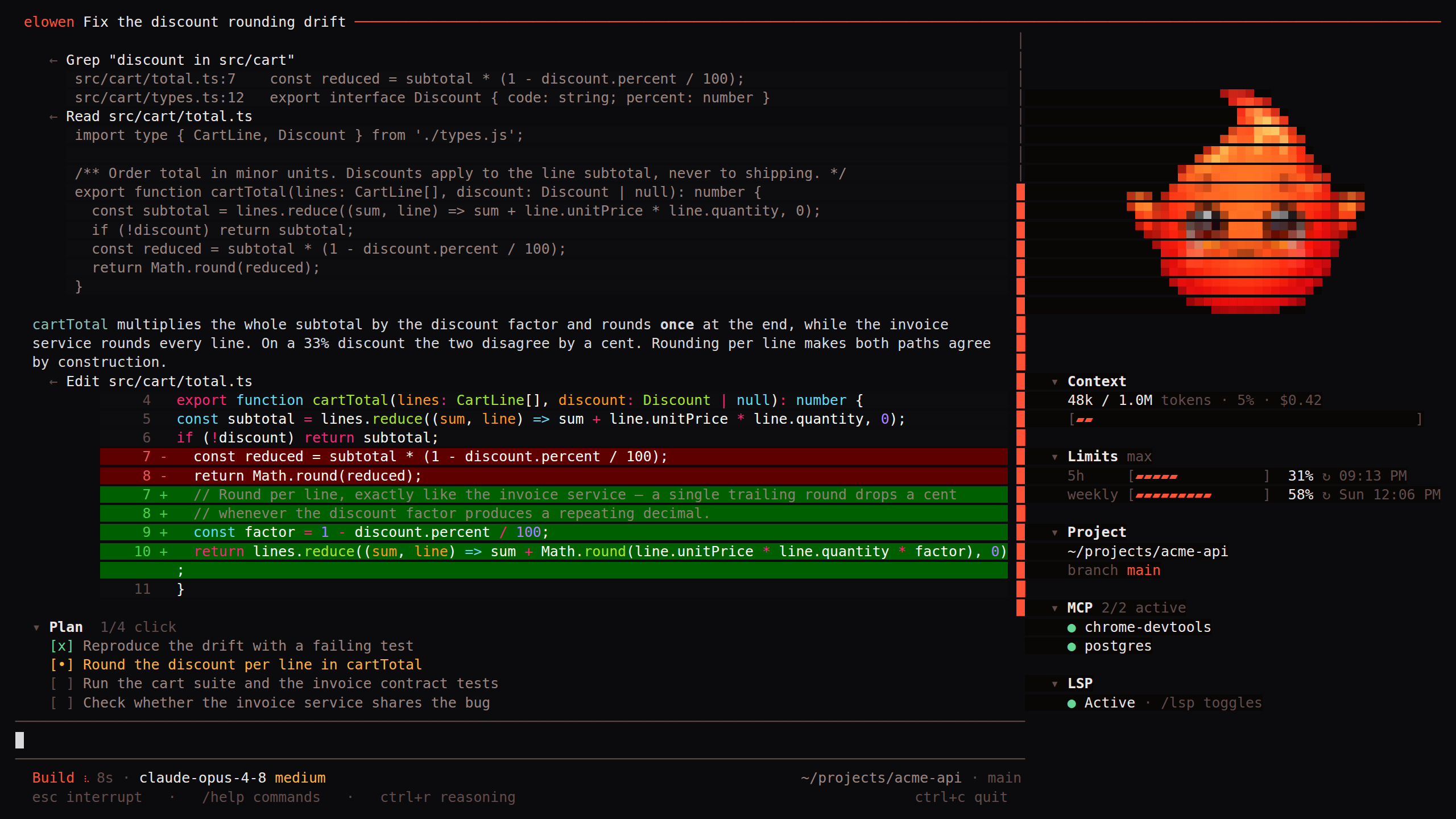
npm install -g elowen   # installs the `elowen` command
elowen setup                 # guided wizard: account, project, AI provider, memory
elowen                       # bare `elowen` opens the chat TUI
The agent is the product. The dashboards, boards and terminals further down are
how you observe and steer what it's doing — they are not the point; the
agent is.
What makes it Elowen
- Clarity — a clean, uncluttered UI where you always see what the agent is doing.
- Simplicity — easy to run, easy to control, sensible defaults, low friction.
- Fully extensible — every capability (chat platforms, tools, memory,
automation, security) is an add/remove-able plugin. Elowen is modular to the core. - Lightweight, professional-grade — one SQLite-backed daemon plus a Next.js
web UI. Small footprint, clean, tested codebase.
The terminal is home
The elowen CLI is the full agent in your shell — an opencode-style TUI with a
streaming transcript, a telemetry panel (context, project, branch, LSP), and a
slash-command menu. Tool calls render dim and collapse when done; file edits show
as git-style diffs; model reasoning folds into clickable Thought rows you can
toggle with /reasoning show.
Streaming tool calls & Thought rows — watch the agent reason and act, with collapsed reasoning above each call. 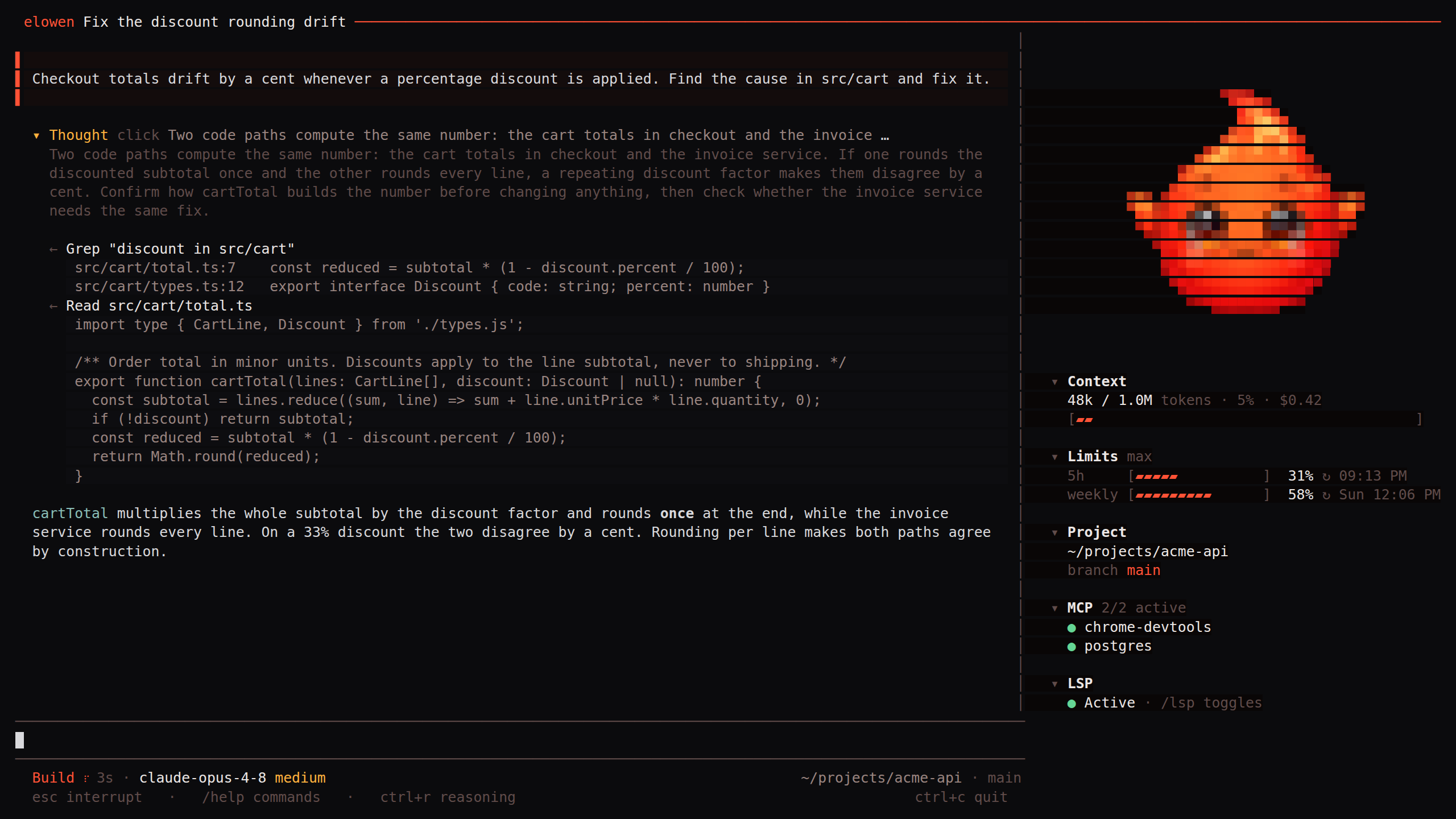 |
Plan mode — shift+tab or /plan: mutating tools are hidden server-side while the agent thinks; a "Plan ready" picker then offers Implement or keep refining. 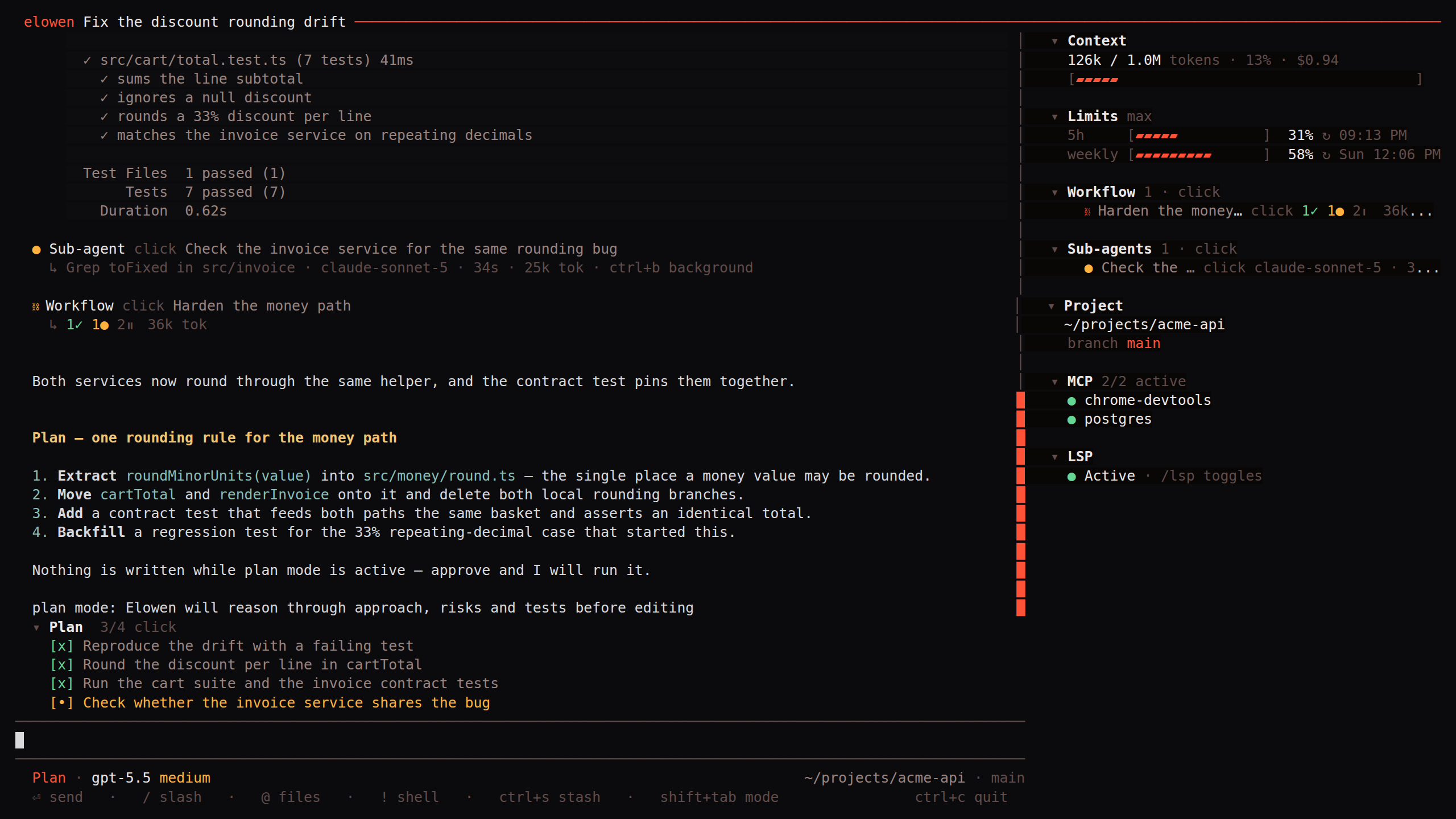 |
Permissions — every mutating tool call stops for Allow once / Always allow / Deny; Esc always means Deny, never abort. 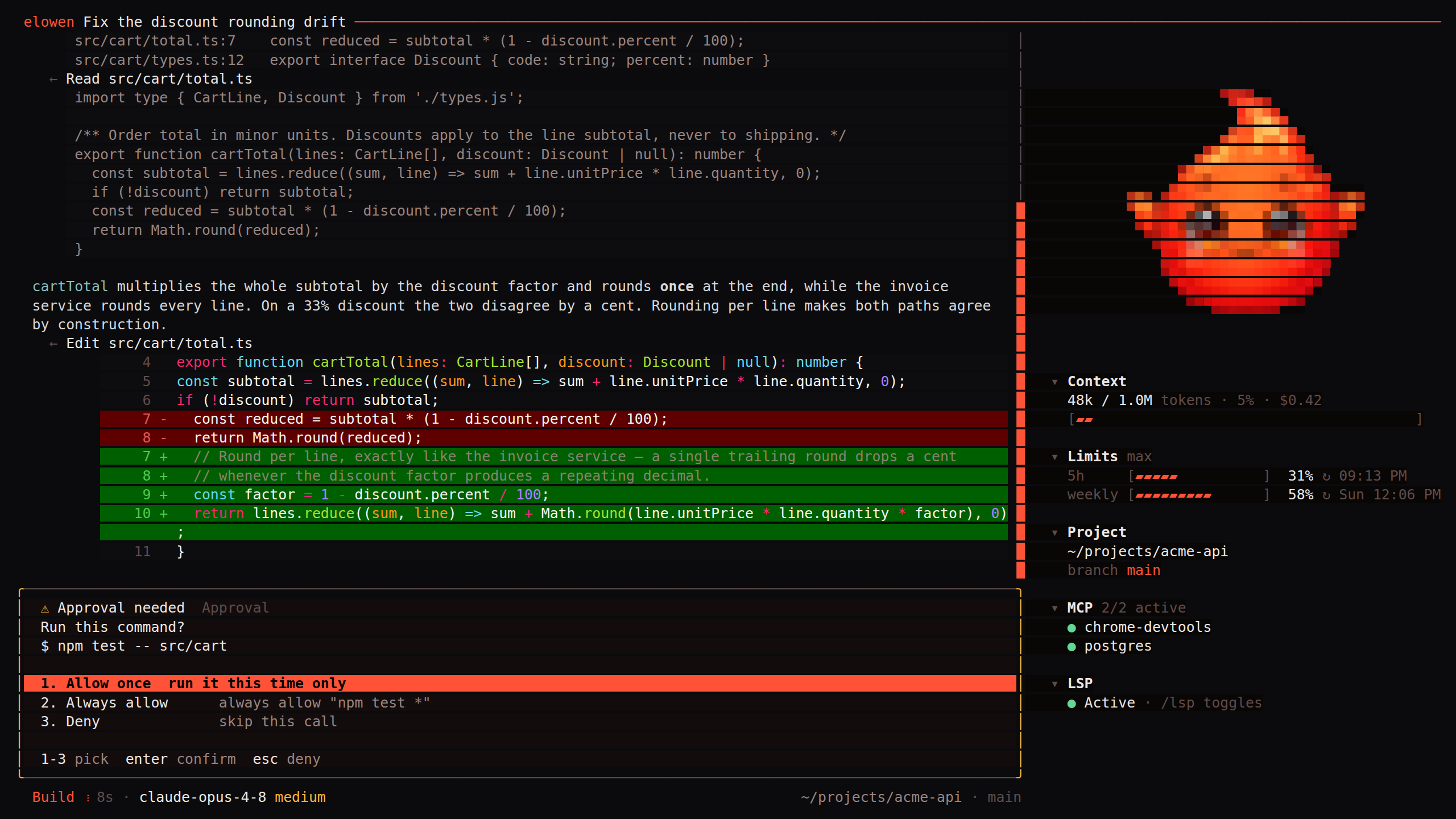 |
Todos — multi-step work keeps a live checklist above the status bar, alongside pending approvals. 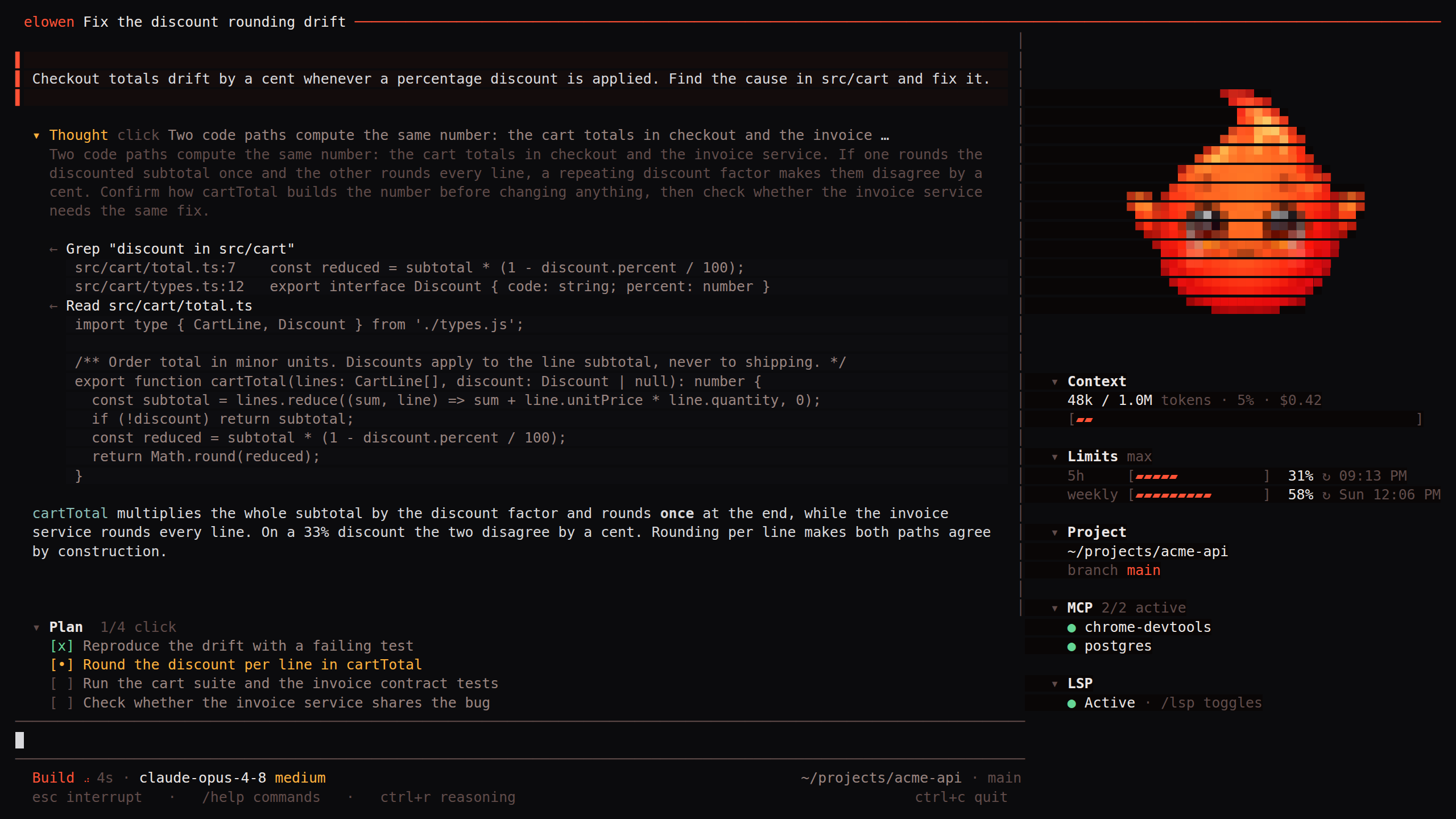 |
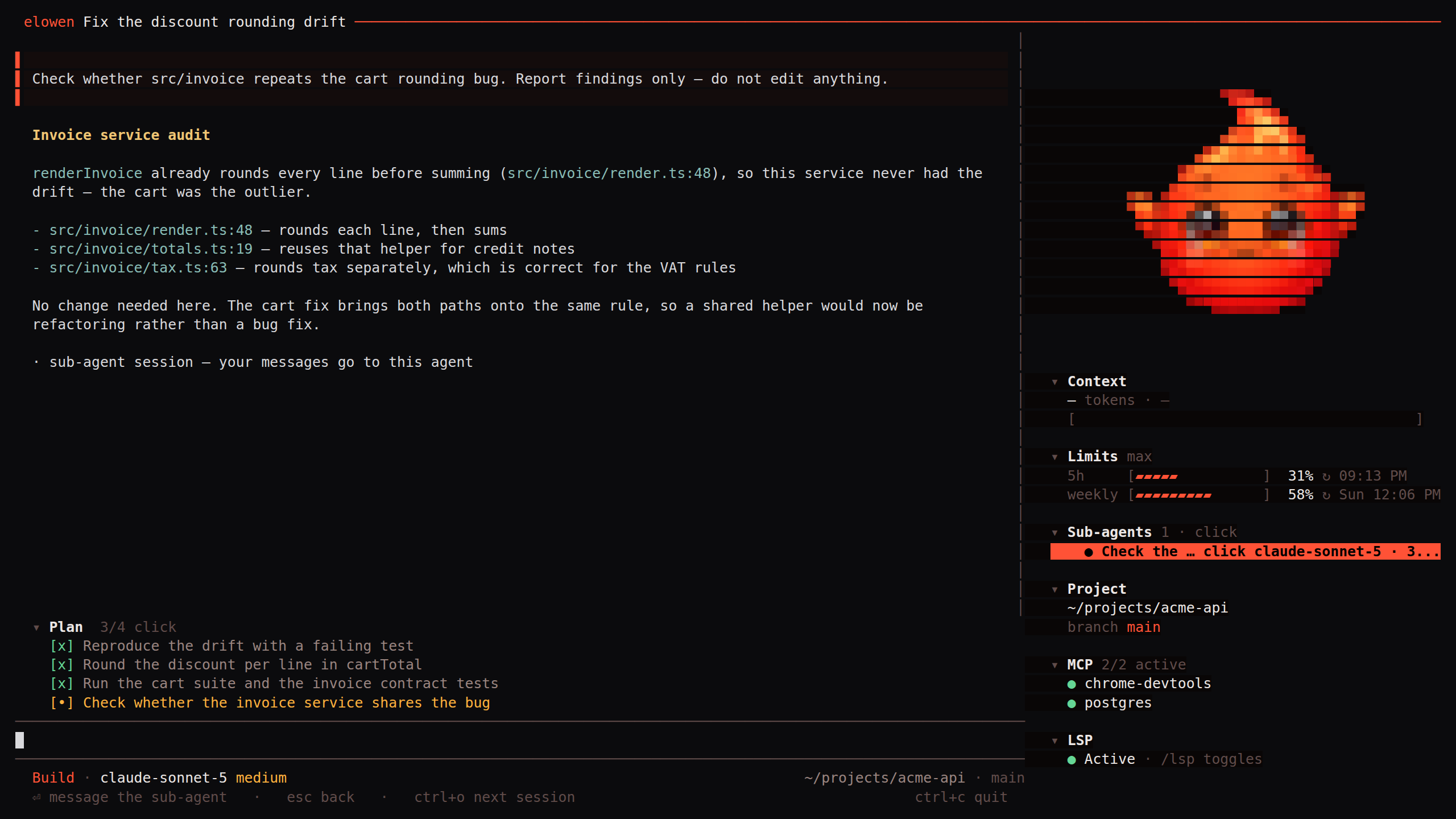
Sub-agents you can drill into. Ask the agent to delegate and it spawns
sub-agents in their own sessions — each a live status row in the transcript.
Click one (or press ctrl+o) to open the child's transcript and steer it
directly; esc pops back out.
And the input line does more than send text:
@file mentions — a fuzzy, frecency-ranked file picker; text files attach
inline, images ride along as real attachments (@clipboardgrabs the clipboard).!cmdlocal shell — run a command on your machine, see its output, and
have it buffered as context for your next prompt./yolo— auto-approve tool asks for this session (deny rules still apply);
a warning-toned YOLO chip makes sure it's never silent.- Pickers & prefs —
/model(providers, auto-fetched catalogs, OAuth
accounts),/theme(15 built-in themes), and/keybindsto rebind every
modifier chord live, persisted per machine. - Headless —
elowen run "<prompt>"for scripts and CI, with--jsonJSONL
event output and meaningful exit codes.
The full reference — every command, key and flag — lives indocs/site/06-cli.md.
Give it real work
- Tasks are the atomic unit: each one runs an agent in its own isolated tmux
session, on Elowen's built-in engine or a coding-agent CLI (Claude Code,
OpenCode, Codex, Kilo Code) — configurable per task. - Missions (autopilot) decompose a bigger goal into ordered phases — plan →
engage → execute → review → complete — and drive them end to end, with
dependencies, scheduling, and mid-flight replanning. - Autonomy levels L0–L3 decide how much runs without asking you, from
Recommend (nothing runs unapproved) to Auto (reaches out only when stuck).
An overseer — an LLM relay or a dedicated parked agent — vets each action
at a confidence threshold; destructive actions always escalate to you. - The
/goalloop turns chat into an autonomous run: a persistent goal keeps
taking turns until it settles, pausing at a configurable turn budget — and a
hard safety ceiling stops even a YOLO'd goal from burning tokens forever. - PR-native mode runs each phase in an isolated git worktree, commits per
phase, and opens a real GitHub pull request for review. - Human-in-the-loop — blocked work stalls instead of retrying blindly and
lands in an Escalations inbox; web push notifications with inline actions
reach your phone. A stuck detector and janitor self-heal dead sessions.
It remembers, and it's yours
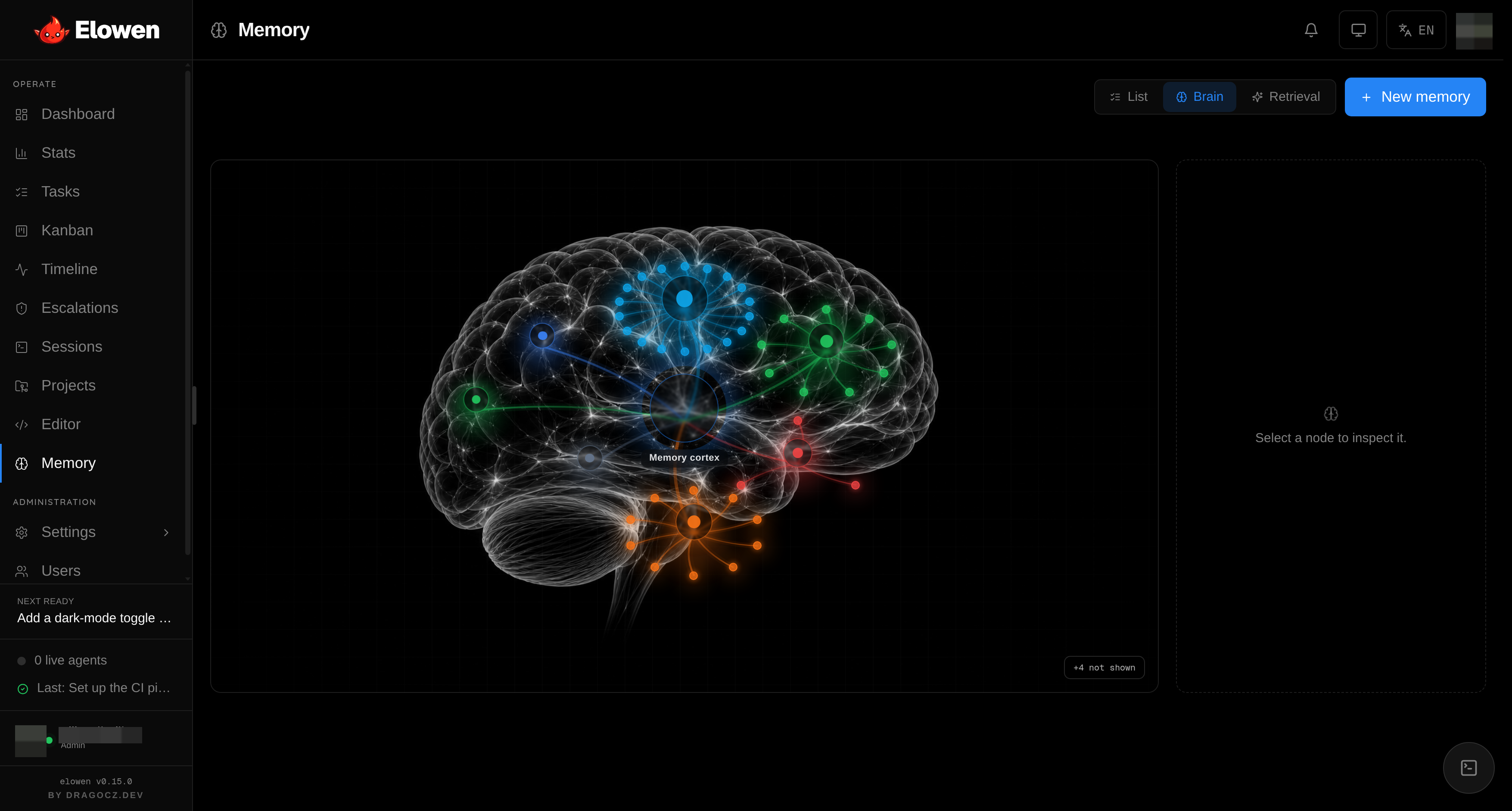
- Recall — before each reply, the most relevant durable memories are
retrieved (semantic with an embedding model, keyword otherwise) and injected
as context — never as instructions, so a stored note can't hijack the agent. - Curation — after each exchange, a cheap model distills durable, reusable
facts and applies a small capped batch of edits; greetings and transient noise
are deliberately ignored. - Per-user and private — nothing bleeds between accounts; browse, merge and
purge everything the agent knows from the Memory module. - Personality — each user shapes the agent's communication style per
platform: terse in the CLI, friendlier on Discord, formal on WhatsApp.
Everything is a plugin
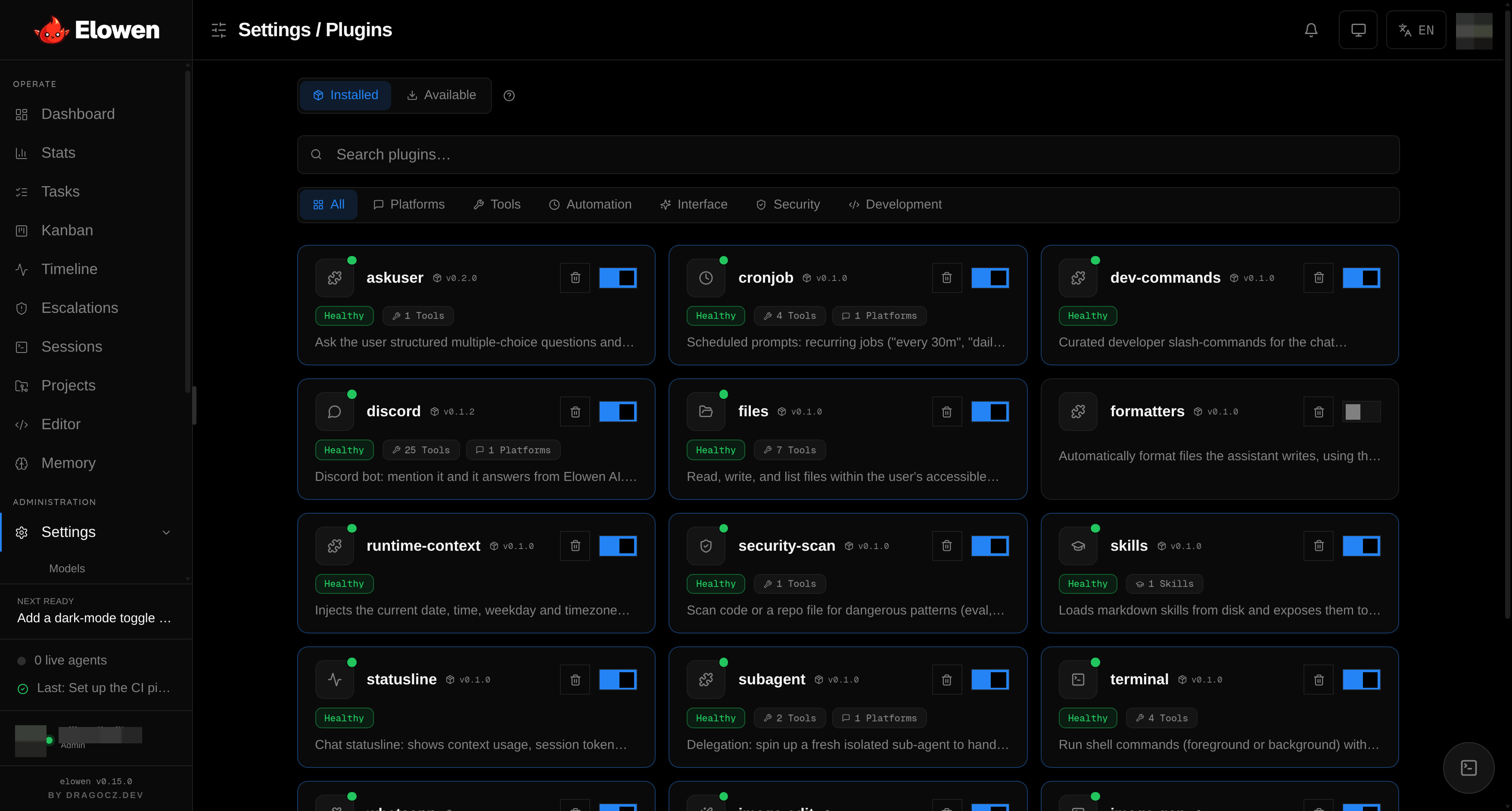
Fourteen bundled plugins ship out of the box — the Discord and WhatsApp
platforms; files, terminal, MCP bridge, sub-agent and ask-user
tools; cron automation; skills, formatters and dev-commands; a security
scanner; statusline and runtime context. A built-in marketplace installs,
updates and removes more, each with a toggle, its own generated config form and
a detail page showing exactly what it contributes.
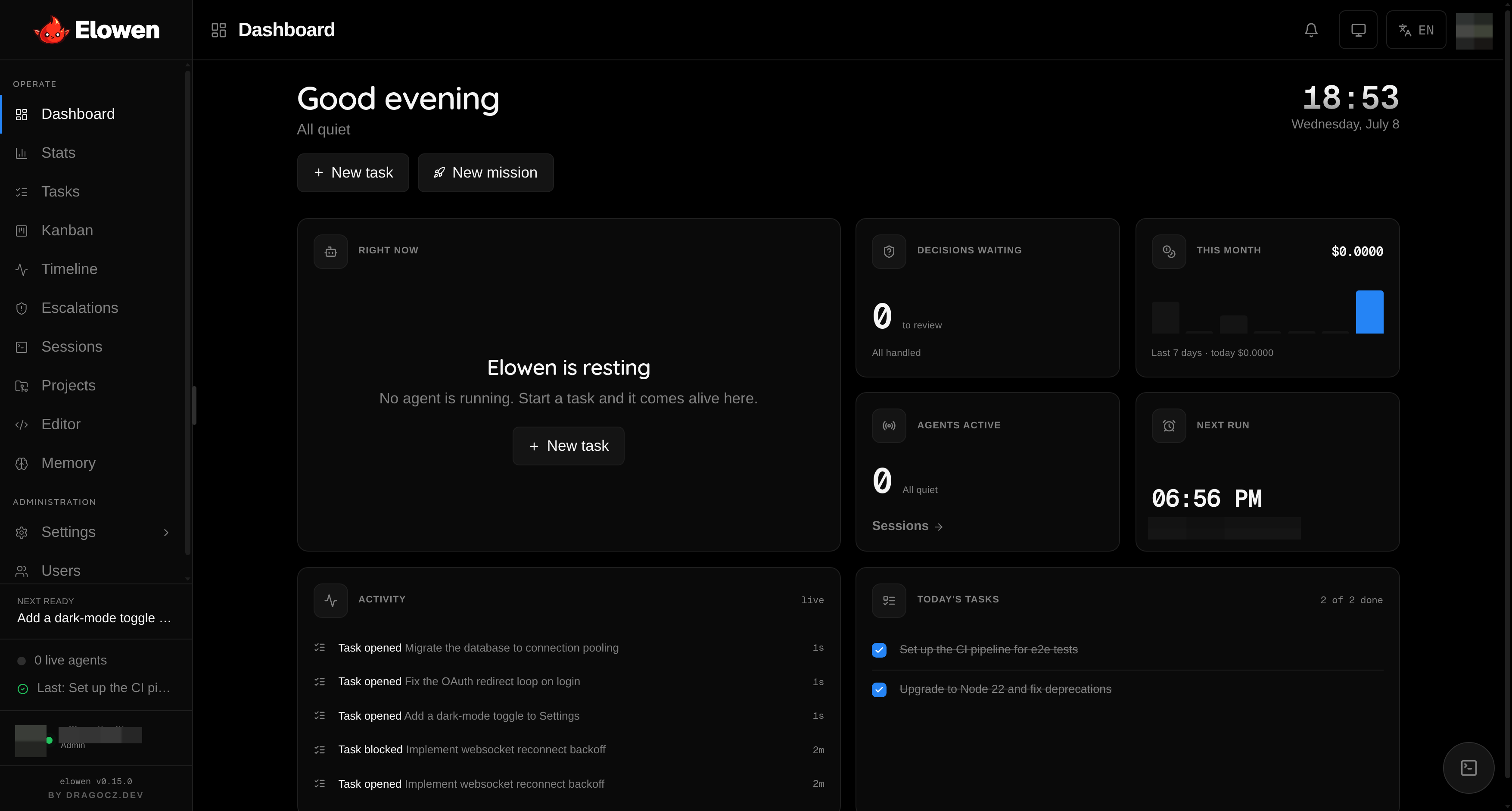
Watch and steer: the web UI
Because Elowen runs real work for you, it gives you rich surfaces to observe and
control it — a live dashboard, tasks with live agent output, a kanban board, a
timeline, real tmux terminals you can jump into, a Monaco editor, per-run
token/cost stats, and operator-tunable limits (tool-output size, memory
recall budget, goal turn budget and safety ceiling, max steps per request — all
clamped to safe ranges).
Kanban — tasks move across open / in-progress / blocked / done as agents work; chain dependencies by drag-and-drop. 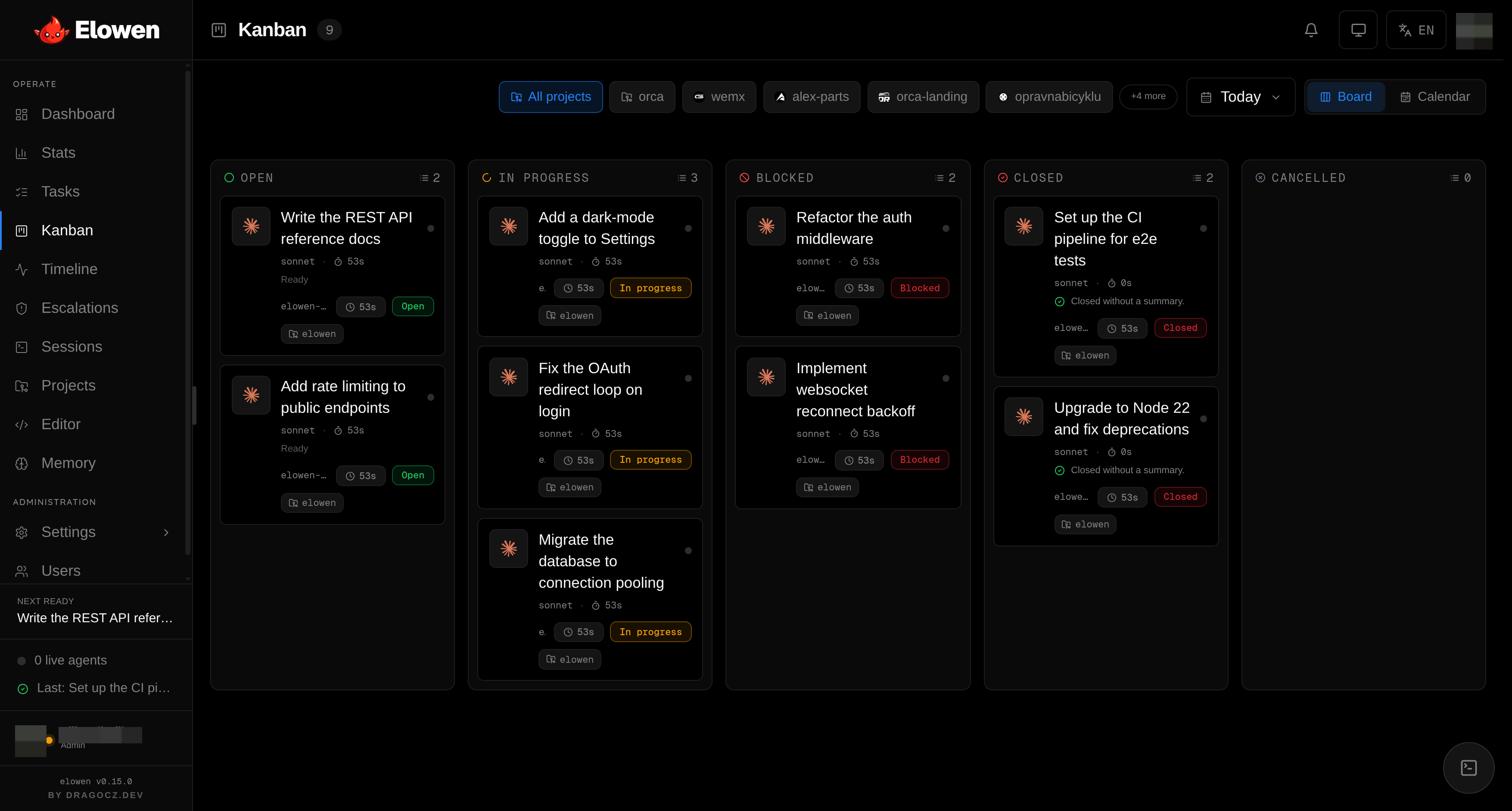 |
Sessions — real-time tmux previews with PTY streaming; pop open a terminal and intervene with one click. 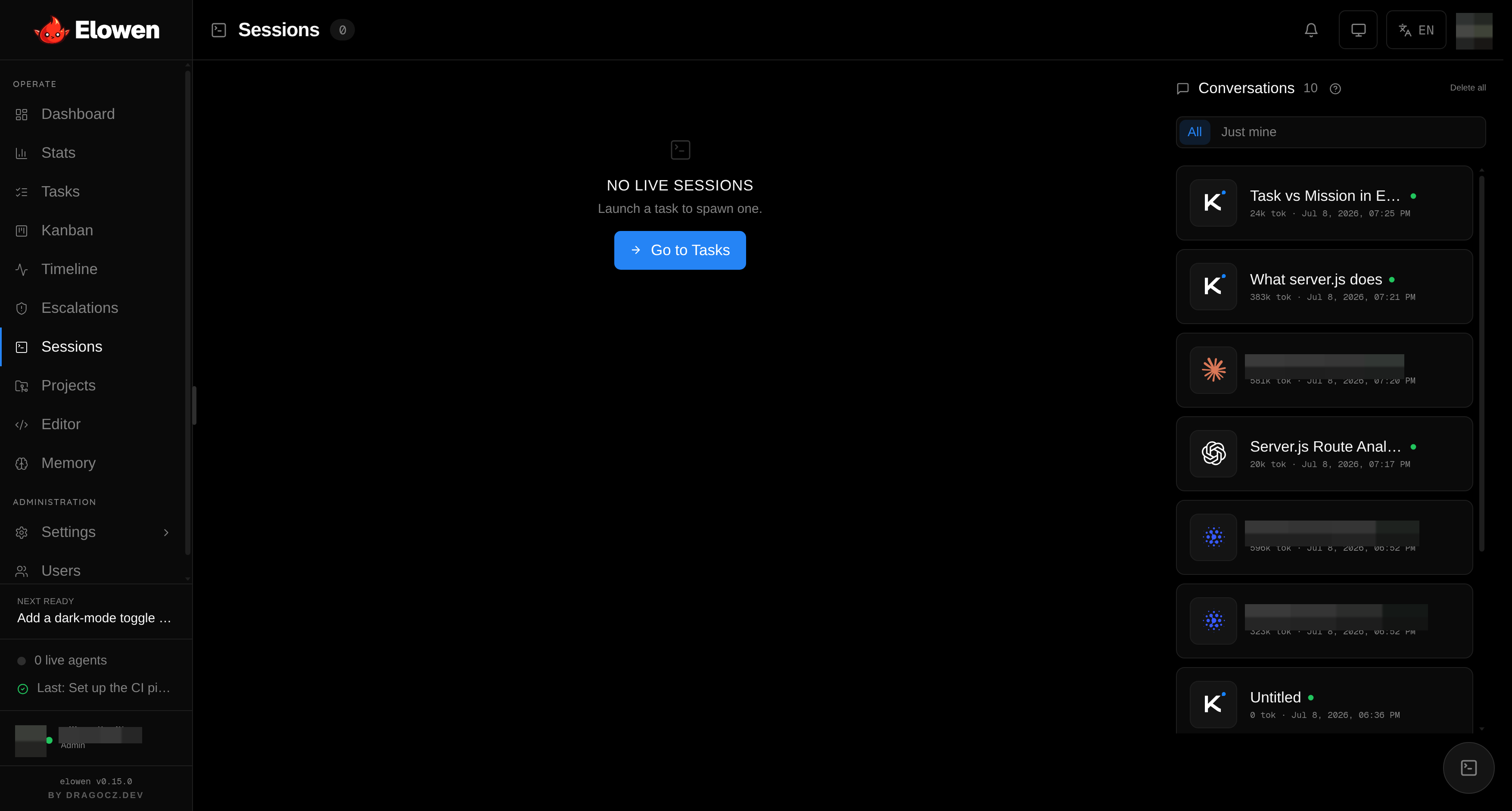 |
Users & RBAC — each user gets a different set of tools, models and projects; the agent only wields what you're allowed to use. 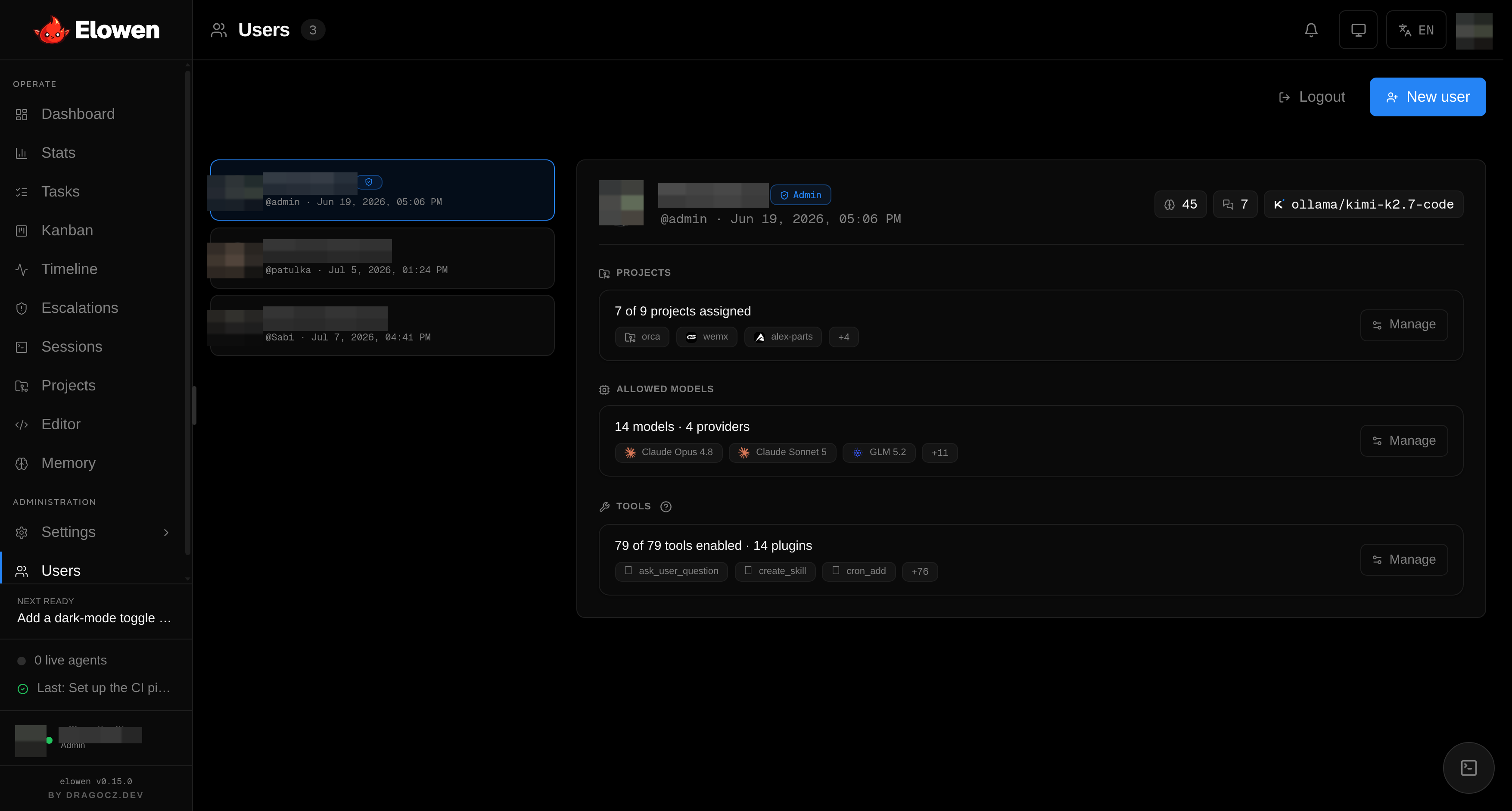 |
Chat dock — the agent follows you across every module, with tool-call traces and a per-conversation model picker. 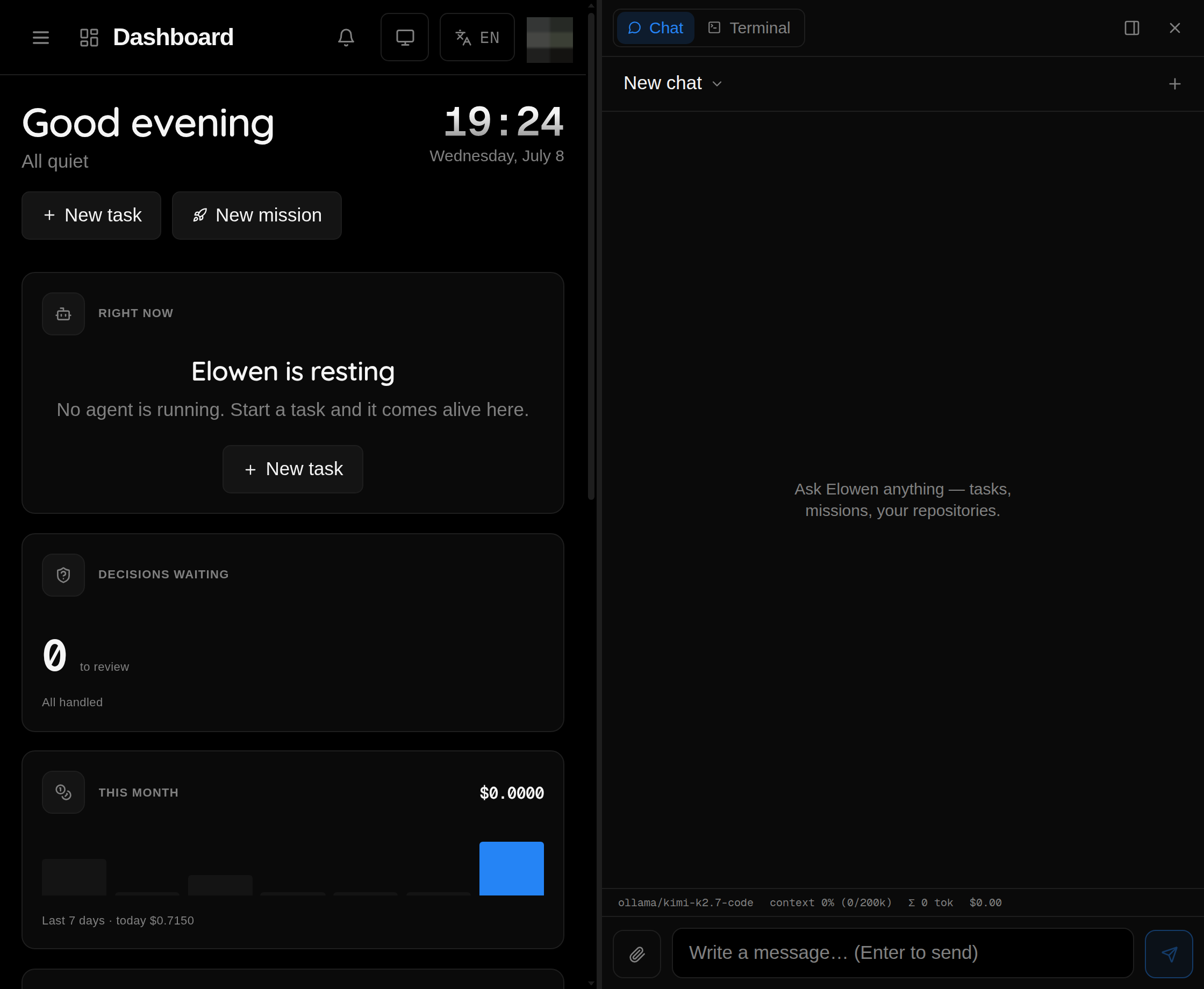 |
Install
npm install -g elowen   # installs the `elowen` command
elowen setup                 # ~2-minute guided wizard
Requires Node ≥ 22 and tmux. elowen setup brings the daemon and web UI
up, then walks you through five skippable, re-runnable steps: account,
project, AI provider — sign in with Claude, GitHub Copilot or
ChatGPT/Codex, paste an API key, or point at any OpenAI-compatible endpoint,
capped with a live chat smoke-test — memory, and optional code
intelligence (TypeScript language server). In a non-interactive shell it never
blocks; for a full server deployment (dedicated user, systemd units, reverse
proxy with optional HTTPS), run elowen install as root instead.
Then just talk to it:
elowen                        # opens the chat TUI
elowen run "<prompt>"         # non-interactive: one turn, streamed, then exit
elowen up | down | status     # manage the daemon (:4400) + web UI (:4500)
elowen doctor                 # readiness report: what works, how to fix the rest
elowen update                 # update to the latest release
Or open http://localhost:4500 and log in for the web UI.
Architecture
                  ┌──────────────┐
  Browser ───────▶│  Web (:4500) │───────┐
                  │  Next.js BFF │       │
                  └──────────────┘       │
                                          ▼
  elowen CLI ──────▶┌──────────────────┐ ┌──────────┐
  Discord  ──────▶│  Daemon (:4400)  │ │ SQLite   │
  WhatsApp ──────▶│  REST + SSE + WS │ │ elowen.db  │
                  └────────┬─────────┘ └──────────┘
                           │
                    ┌──────┴──────┐
                    │  tmux       │
                    │  sessions   │
                    └─────────────┘
One self-hosted daemon (REST + SSE + WebSocket + a built-in MCP server) backed by
SQLite, a Next.js web UI that talks to it over a same-origin BFF proxy so the
daemon stays private, and agents that run in isolated tmux sessions. The elowen
CLI is a thin client over the same REST API, with daemon autostart built in.
Deep dive: docs/site/12-architecture.md.
Documentation
Full user manual at elowen.dragocz.dev and indocs/site/:
Getting Started ·
Install ·
Tasks & Missions ·
Agents & Autonomy ·
Web UI ·
CLI ·
Brain & Chat ·
Plugins ·
Projects & Workflow ·
Configuration ·
Account & Security ·
Architecture
Development
npm test               # daemon test suite (Vitest)
npm run build          # typecheck + build
npm run check          # lint + dead-code + dependency boundaries + typecheck
cd web && npm test     # web test suite
cd web && npm run dev  # web dev server
See docs/DEVELOPMENT.md for the full contributor guide.
Built with
Elowen stands on a small, deliberately chosen open-source stack:
- Agent core — the embedded brain and the chat TUI are built on the PI
toolkit (@earendil-works/pi-ai,pi-coding-agent,pi-tui) — a lean multi-provider LLM / agent / terminal-UI
SDK. External clients plug in through the Model Context Protocol
(@modelcontextprotocol/sdk). - Daemon — Hono (REST + SSE + WebSocket) over
better-sqlite3, with TypeBox +
Zod for schema validation and web-push for phone notifications. Agents
run in isolated tmux sessions. - Chat platforms — Baileys + qrcode power the WhatsApp plugin; the
Discord plugin is a dependency-free gateway on Node's built-in WebSocket + fetch. - Web UI — Next.js + React,
@tanstack/react-query, the Monaco editor, xterm.js for live
terminals, lucide icons, marked + DOMPurify for safe Markdown, and
the Geist typeface. - Quality gates — Vitest, strict TypeScript, ESLint, Knip
(dead code) and dependency-cruiser (architecture boundaries).
See package.json and web/package.json
for the complete dependency list.
License
Yorumlar (0)
Yorum birakmak icin giris yap.
Yorum birakSonuc bulunamadi