echook
Health Pass
- License — License: MIT
- Description — Repository has a description
- Active repo — Last push 0 days ago
- Community trust — 87 GitHub stars
Code Pass
- Code scan — Scanned 12 files during light audit, no dangerous patterns found
Permissions Pass
- Permissions — No dangerous permissions requested
No AI report is available for this listing yet.
【Every star you give feeds a hungry developer's motivation!⭐️】 🔊 echook — AI-operated audio notifications for Claude Code, Cursor IDE & Codex CLI — 26 hooks, voice + chime themes, TTS, webhooks, rate-limit alerts, status line. Tell your AI agent to install — natural language forever after.

echook
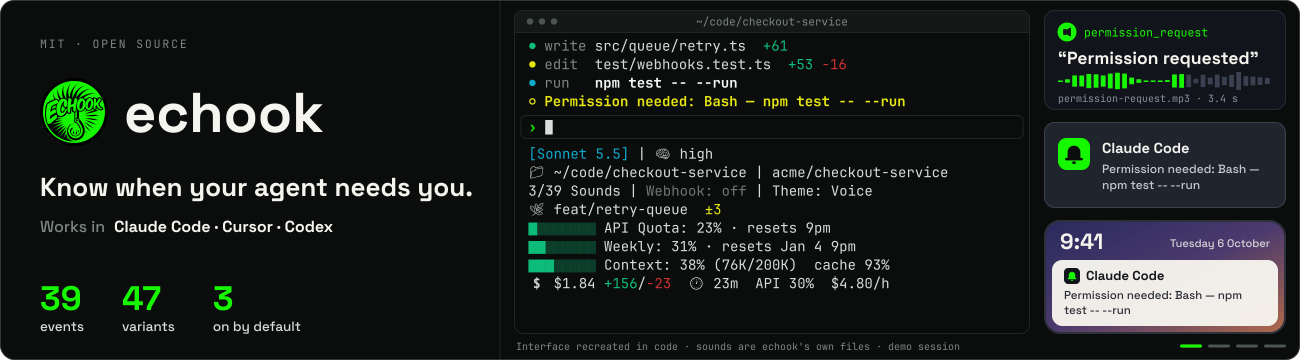
Know when your agent needs you.
A sound, a desktop toast or a message on your phone when Claude Code, Cursor or Codex finishes, asks for permission or hits a rate limit.




https://github.com/user-attachments/assets/804dff1e-56d8-49b2-b0c0-6706f3eeccd4
Try it
Say this to your agent in Claude Code, Cursor or Codex:
Install echook from
github.com/ChanMeng666/echookand set it up for me.
It reads the docs, runs every command and checks the result. Two steps stay with you: type /reload-plugins once in Claude Code, or restart the editor once on the Cursor and Codex install paths.
After that, every setting is a sentence:
Mute audio for an hour. · Switch to chimes. · Put a context-usage bar in my status line.
Why echook
- You choose what you hear. 39 hook events, each with its own sound. Three are on by default.
- Settings are sentences. Your agent runs one
audio-hookscommand for each. There is no config file to edit by hand. - It reaches you away from the screen. A sound at your desk, a desktop toast, a spoken summary, or a webhook to Slack, Discord, Teams or ntfy.
flowchart LR
    E[Editor event] --> R[hook_runner.py]
    R --> C{Snoozed, debounced<br/>or filtered out?}
    C -->|no| O([Sound · toast · speech · webhook])
It runs on your machine, on Windows, macOS and Linux. No telemetry: data leaves your computer only if you set a webhook, and then only to the URL you chose.
For your agent
This page is all a person needs. Everything else is written for agents: clone the repo and point yours at AGENTS.md or llms.txt. Once echook is installed, one command returns its live state:
audio-hooks manifest
Full overview · Install guide · CLI reference · Troubleshooting · Changelog · Privacy · Contributing · MIT
Built by Chan Meng.
Reviews (0)
Sign in to leave a review.
Leave a reviewNo results found