harbor
Health Pass
- License — License: MIT
- Description — Repository has a description
- Active repo — Last push 0 days ago
- Community trust — 11 GitHub stars
Code Pass
- Code scan — Scanned 12 files during light audit, no dangerous patterns found
Permissions Pass
- Permissions — No dangerous permissions requested
No AI report is available for this listing yet.
Self-hosted AI publishing hub - write once, ship to 15 platforms, keep every copy in sync.
Harbor
English · 简体中文
Self-hosted publishing hub for people who write in Chinese and publish everywhere.
Write once, ship to fifteen platforms, and keep every published copy in sync — with AI
drafting, a compliance gate, and a human in the loop when a platform fights back.


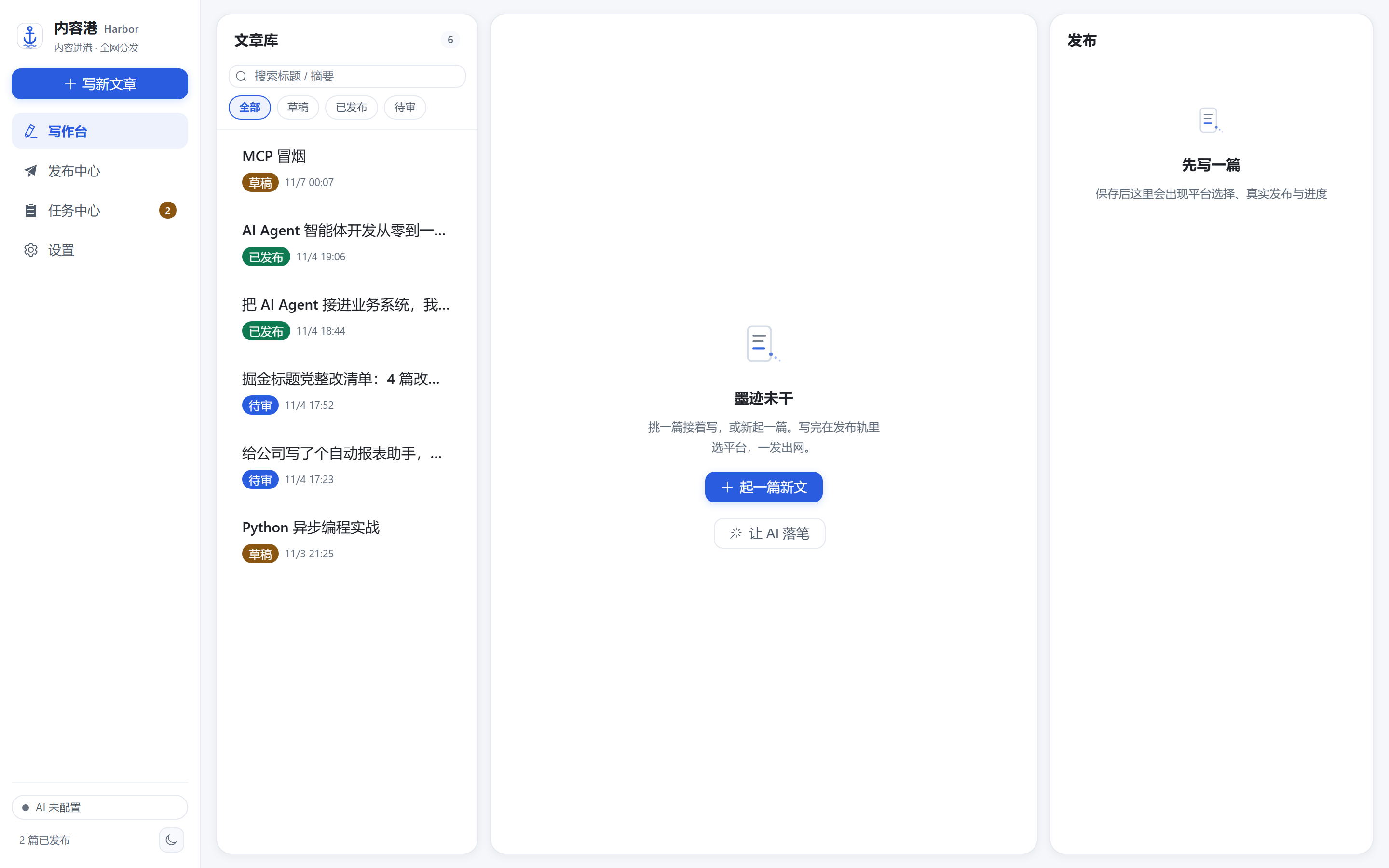
What it does
| Fifteen platforms, one publish action | Zhihu, Juejin, CSDN, Bilibili, Cnblogs, Toutiao, OSChina, SegmentFault, 51CTO, MetaWeblog blogs, WeChat Official Accounts, GitHub Pages, Dev.to, Telegraph, Xiaohongshu. Each adapter declares what it can actually do — publish, draft, update, tags, cover, Q&A — and the UI greys out the rest. |
| Update in place | Edit once; every already-published copy is updated rather than duplicated. |
| AI drafting with a compliance gate | Seven provider routes with failover, plus a four-stage gate before anything ships: safety scan → AIGC disclosure → dual-model review → human confirmation. |
| Pauses instead of guessing | CAPTCHA, risk control, expired session: the task stops, tells you, and resumes where it left off. |
| Session persistence | Log in once per platform. Cookies live in a local profile plus an atomic snapshot, so a wiped profile does not force a re-scan. |
| MCP server, 32 tools | Drive the whole pipeline from Claude Code, Cursor or any MCP client. stdio by default; remote SSE requires a bearer token. |
| Everything local | SQLite with FTS5 full-text search, local media store with content-addressed dedupe, no vendor account, no telemetry. |
Screens
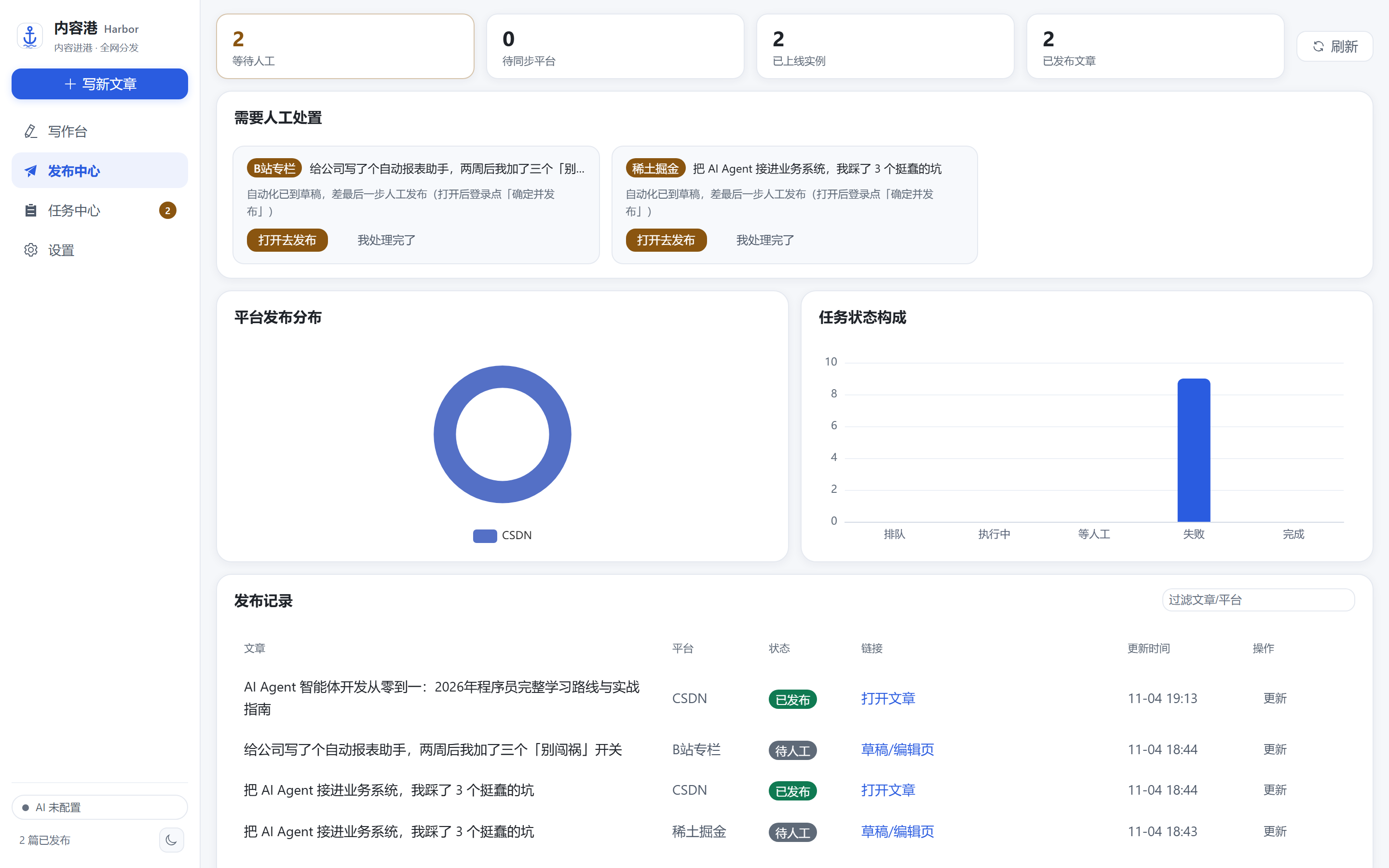
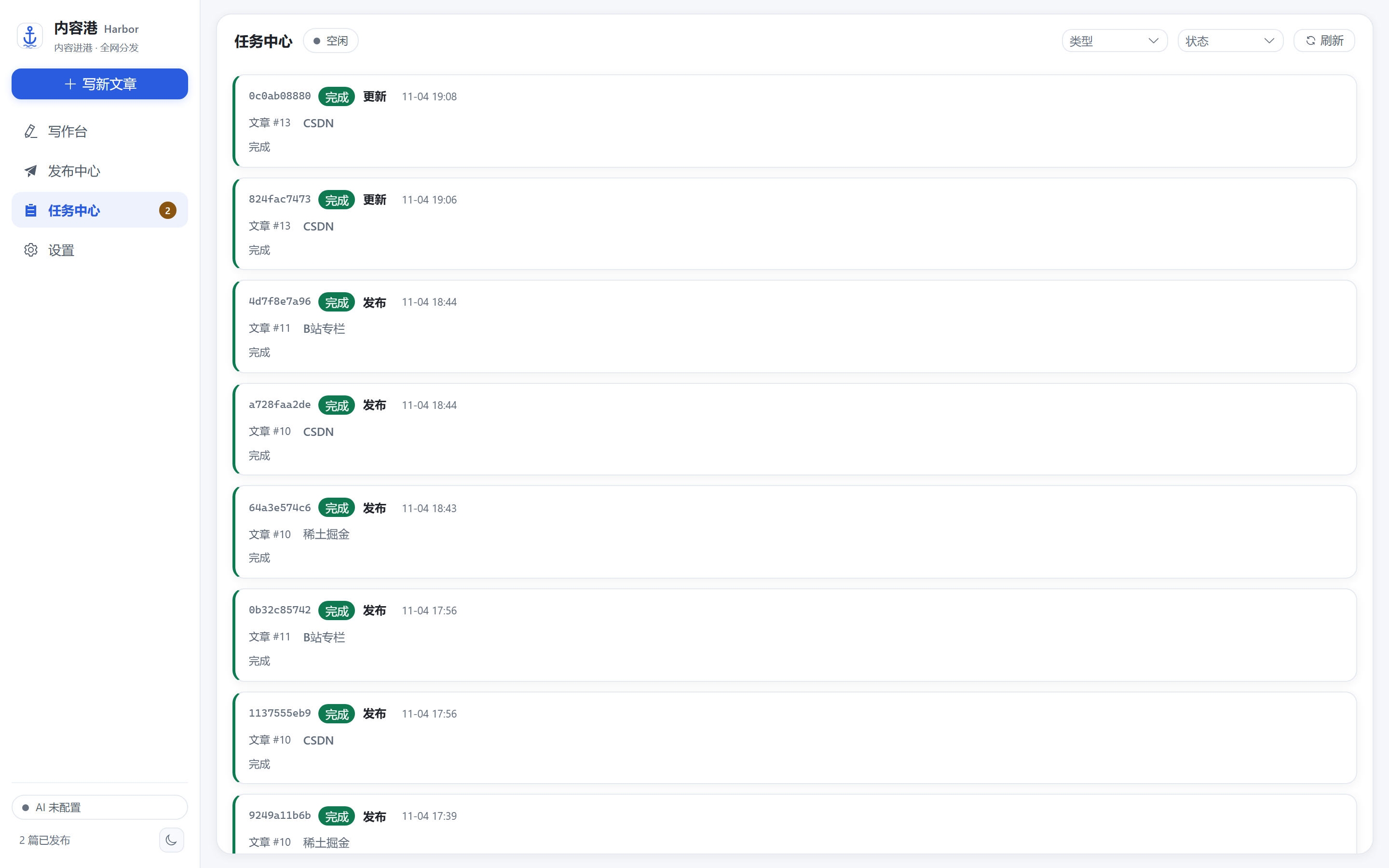
| Publish center | Task center |
|---|---|
 |
 |
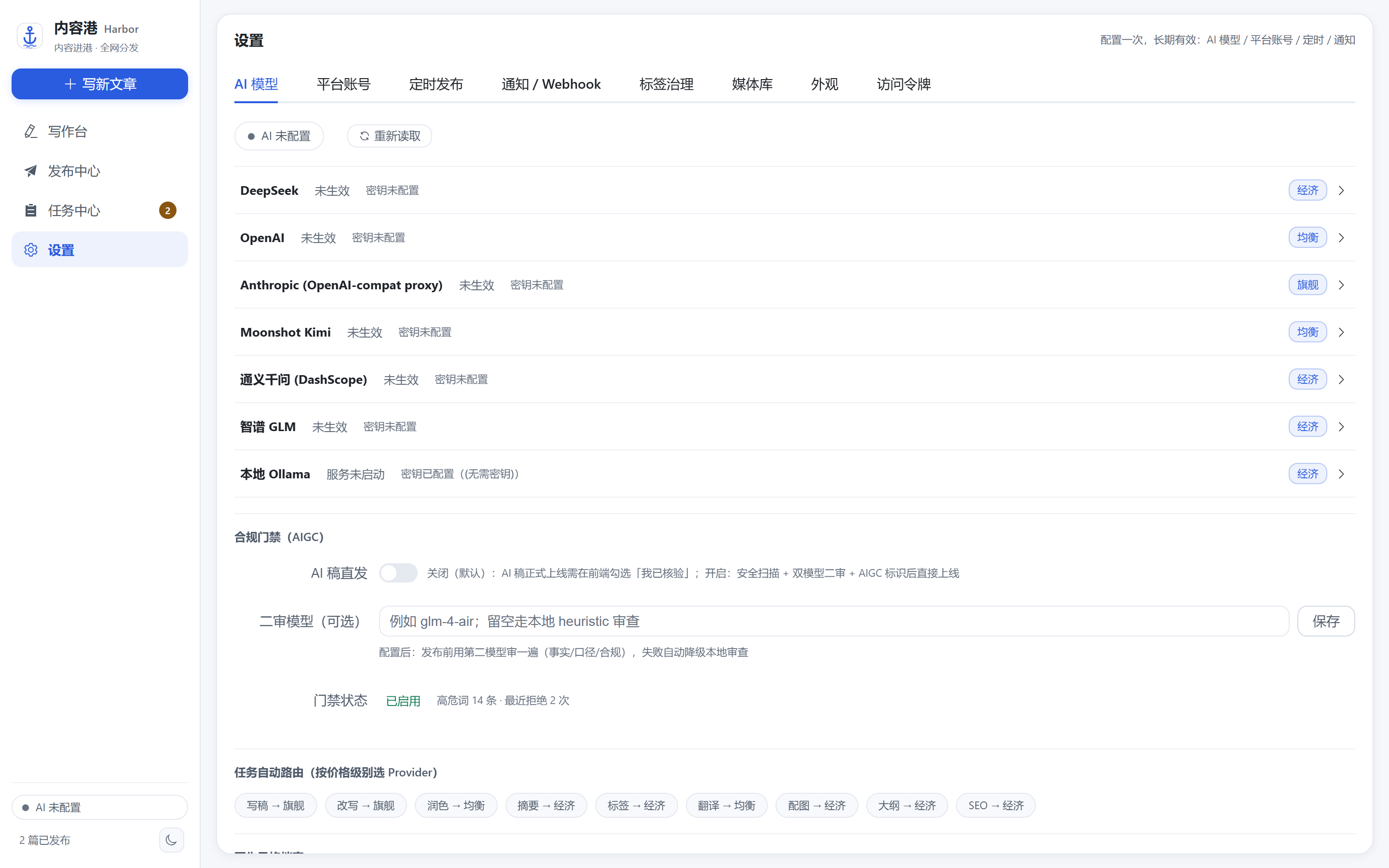
| Settings | Mobile |
|---|---|
 |
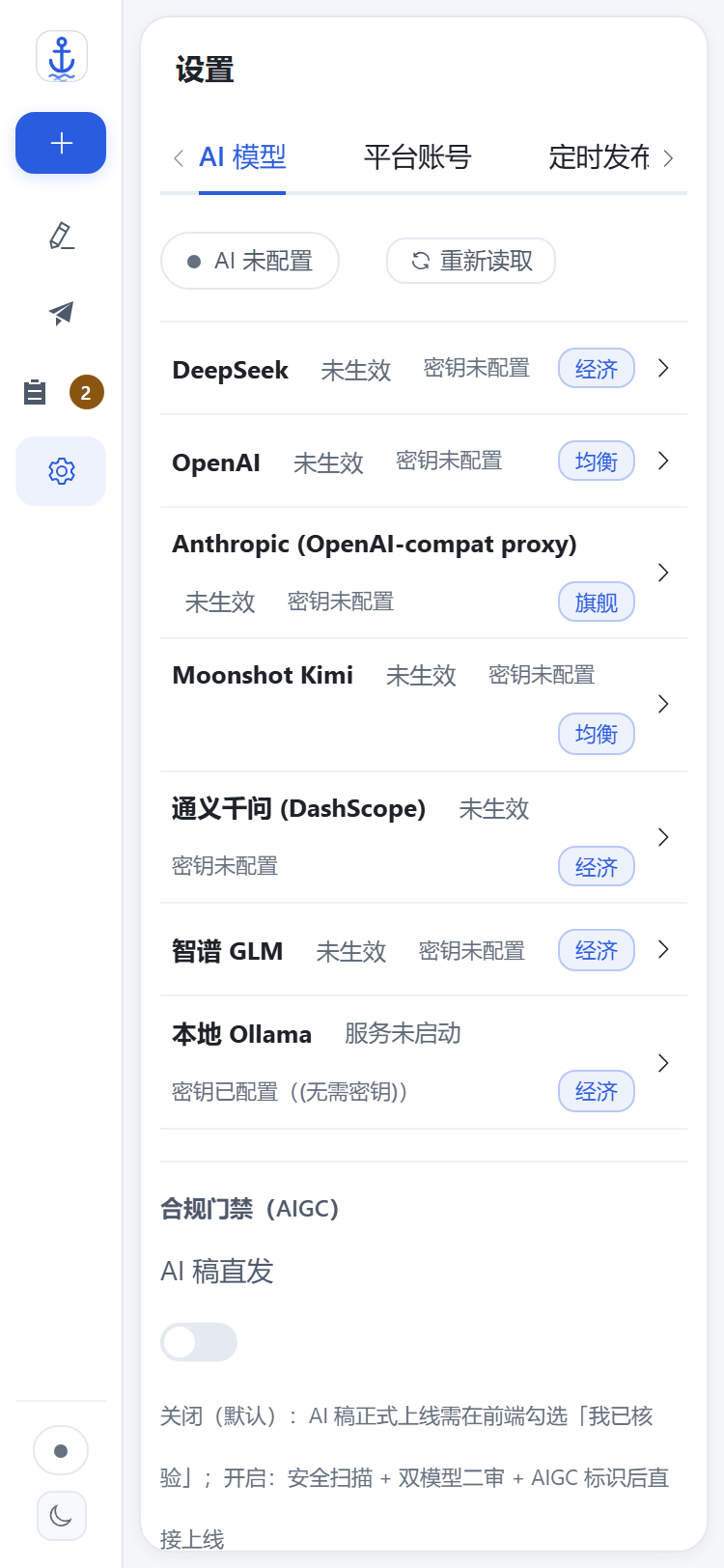 |
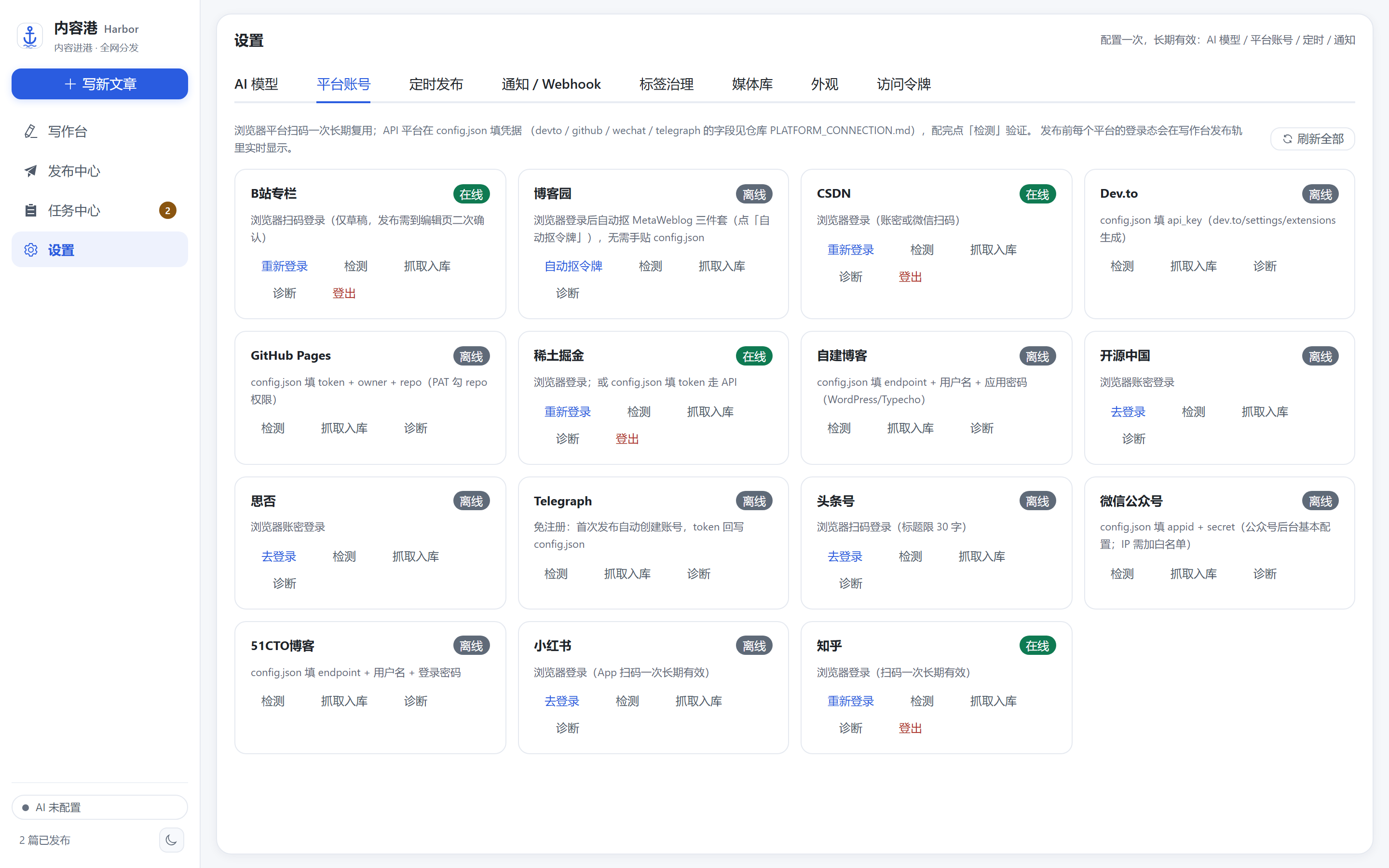
Fifteen adapters, each declaring what it can actually do. Greyed-out actions are not supported by that platform, not missing features.
Quick start
Requires Python 3.10+, uv, Node 20+ and pnpm.
git clone https://github.com/badhope/harbor.git
cd harbor

# Terminal 1 — backend
cd backed
uv sync
uv run uvicorn app.factory:create_app --factory --host 127.0.0.1 --port 8000 --reload

# Terminal 2 — frontend
cd web
pnpm install
pnpm dev            # http://127.0.0.1:5173
Open http://127.0.0.1:5173. The Vite dev server proxies /api to port 8000.
Desktop shell (experimental)
cd web
pnpm install
pnpm run tauri dev
Tauri launches the Python backend as a sidecar. Packaging is not verified across
platforms — see Known limits.
Connect a platform
Two connection styles, decided per platform:
Browser login — for platforms without a usable API. Open Settings → Platform
accounts, click Log in on the platform, and complete the scan or password step in
the window that opens. The session is stored in a local profile and reused.
uv run --project backed python -m backed.cli --headed login --platform zhihu
Protocol credentials — for platforms with a stable API. Fill inplatforms.<name> in config.json; no browser needed. See
PLATFORM_CONNECTION.md for the field list per platform.
uv run --project backed python -m backed.cli publish --id <article-id> --platforms zhihu,juejin
Configuration
Edit backed/config.json, or use environment variables:
| Variable | Purpose | Default |
|---|---|---|
HARBOR_API_TOKEN |
REST authentication token | Auto-generated on loopback; required in production/Docker |
SECRET_KEY / HARBOR_SECRET_KEY |
Signing / JWT key | Required in production; no public default |
TRUSTED_NETS |
Client networks exempt from the API token | Loopback only |
TRUSTED_PROXIES |
Reverse proxies whose X-Forwarded-For is trusted |
Empty |
CORS_ORIGINS |
Allowed cross-origin origins | Same-origin |
ALLOWED_HOSTS |
Accepted Host headers |
Loopback |
HUB_DATA_DIR |
Persistent root for DB, media, profiles, config | Repo-local data/ |
HUB_BROWSER_CHANNEL |
Reuse a system browser (msedge / chrome) |
Bundled Chromium |
PUBLIC_BASE_URL |
Public base URL for hosted media | Empty (media stored, not rewritten) |
DEMO=1 |
Demo mode: no browser, no external API calls | Off |
Deployment
Docker Compose runs the backend behind nginx, with the token injected server-side:
export SECRET_KEY=$(openssl rand -hex 32)
export HARBOR_API_TOKEN=$(openssl rand -hex 32)
docker compose -f deploy/docker-compose.yml --profile web up -d --build
The backend is not exposed to the host; nginx terminates and injects the token. Data
lives in the hub_data volume.
Testing
bash scripts/check_all.sh          # all gates; Linux/macOS
pwsh -File scripts/check_all.ps1   # all gates; Windows

cd backed && uv run pytest -q      # backend only
pnpm --dir web test                # frontend only
check_all runs eight gates: compileall, ruff, version consistency, secret scan,
pytest, eslint, vitest, vite build.
Architecture
Vue 3 SPA  ──REST/SSE──►  FastAPI  ──►  Publishing hub
(Tauri shell)             (uvicorn)      ├── 15 platform adapters
                                         ├── task engine + scheduler
                                         ├── SQLite (WAL + FTS5)
                                         └── MCP bridge (stdio/SSE)
Details in docs/architecture/ARCHITECTURE.md.
Known limits
Read this before trusting any claim above.
- Browser fetch and screenshot are enabled but network-restricted. The target host
is pinned to its validated public IP inside Chromium and every sub-resource is
checked. Private, loopback and link-local targets are rejected. - Real publishing is not regression-tested against live platform DOM. Adapters pass
a static contract probe; only Juejin has a captured DOM sample. Verify with a draft
before relying on any platform. - Docker and Tauri builds are unverified on this machine. Docker daemon unavailable;
Tauri fails with a local linker error. The compose file and sidecar script exist but
have not produced a tested artifact here. - No auto-update, no signed release manifest, no cross-platform installer.
Documentation
| Project management | Branch model, DoD, gates, five-remote sync |
| Versioning | SemVer policy and release checklist |
| Roadmap | Shipped, next, backlog, out of scope |
| Platform guide | Per-platform credentials and CLI |
| Architecture | Module boundaries and data flow |
| Verification records | Dated evidence for manual checks |
| Audit reports | Historical defect audits and fixes |
| Contributing | How to send a change |
| Security | Reporting vulnerabilities |
License
MIT — see LICENSE.
Reviews (0)
Sign in to leave a review.
Leave a reviewNo results found