nogon
Health Pass
- License — License: AGPL-3.0
- Description — Repository has a description
- Active repo — Last push 0 days ago
- Community trust — 6294 GitHub stars
Code Pass
- Code scan — Scanned 12 files during light audit, no dangerous patterns found
Permissions Pass
- Permissions — No dangerous permissions requested
This tool acts as a personal, privacy-focused search engine. It runs locally to provide full-text indexing and search capabilities for your browsing history and local files, with an added feature to connect agents via MCP.
Security Assessment
Overall risk: Medium. The primary function of this application involves ingesting, storing, and indexing personal data such as browsing history and local files, which are highly sensitive. To achieve this, it utilizes a headless browser or web crawler, meaning it inherently makes network requests and processes external web content. The automated code scan passed successfully, finding no hardcoded secrets or malicious execution patterns, and no dangerous system permissions are requested. However, the fundamental nature of the tool requires access to your local data and web traffic to function.
Quality Assessment
Overall quality: High. The project is very actively maintained, with the most recent code push occurring just today. It benefits from strong community trust, evidenced by over 800 GitHub stars. The repository is well-documented and explicitly includes a security policy for responsible vulnerability disclosure. It uses the AGPL-3.0 license, which is standard for open-source projects but requires careful review if you plan to modify and host the tool for a wider community.
Verdict
Use with caution: Safe to use locally as a personal knowledge base, but be aware that the tool requires access to your browsing data and local files to function.
Your own search engine
Hister
Your own search engine
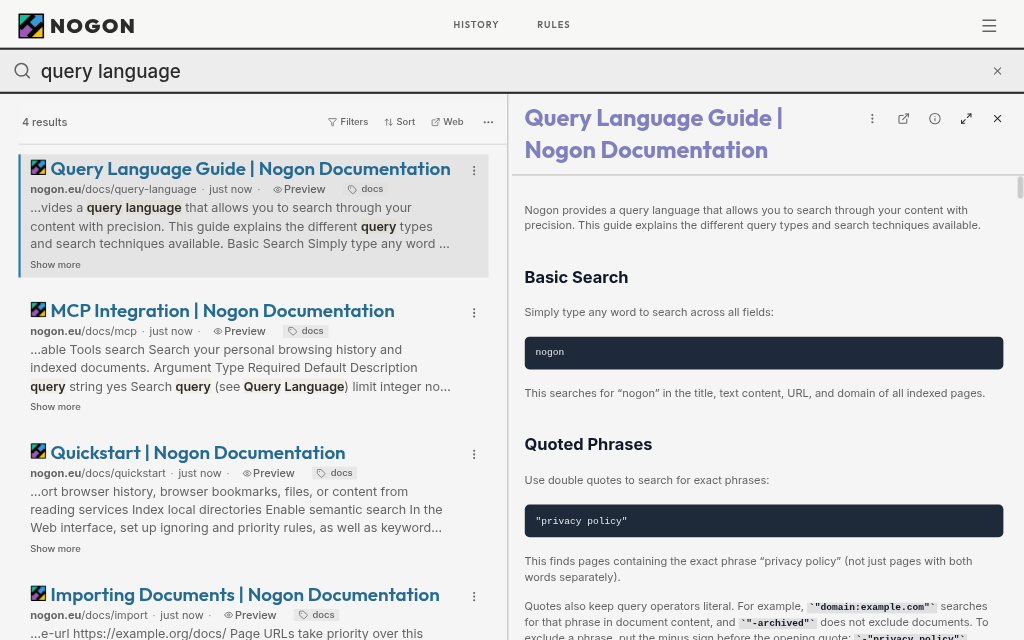
Hister is a private search engine for the pages you visit and the files you keep. It indexes their full contents so you can find information again from the web interface, terminal, or an AI assistant connected through MCP.
Try the demo · Download Hister · Read the quickstart · Documentation · Support the development
Quickstart
Download the binary for your platform from the latest release, then rename it to
hister(hister.exeon Windows).On Linux or macOS, make it executable:
chmod +x histerStart Hister on Linux or macOS:
./hister listenOn Windows, run
.\hister.exe listenin PowerShell.Keep this terminal open while using Hister. The server must be running to index pages and search them.
Open http://127.0.0.1:4433 and install the browser extension for Firefox or Chrome.
Visit a web page with the extension enabled, then return to Hister and search for a phrase from that page to find your first indexed result.
No configuration is required for a local personal setup. See the complete quickstart to choose what Hister indexes.
To search existing content, import browser history, import browser bookmarks, index local directories, or import files.
Alternative installation methods include Homebrew (brew install hister), Docker, and Nix. See the installation guide for instructions.
Features
- Privacy focused: No telemetry or mandatory cloud service. Run Hister locally or on infrastructure you control.
- Full text indexing: Search the actual contents of visited pages and local files, not only titles and URLs.
- Automatic browser indexing: Save newly visited pages with the Firefox or Chrome extension.
- Powerful queries: Use field filters, phrases, wildcards, negation, aliases, and result priorities.
- Optional semantic search: Find documents by meaning through an embeddings endpoint you configure.
- Crawler and browser import: Index websites or bring in existing browser history and bookmarks.
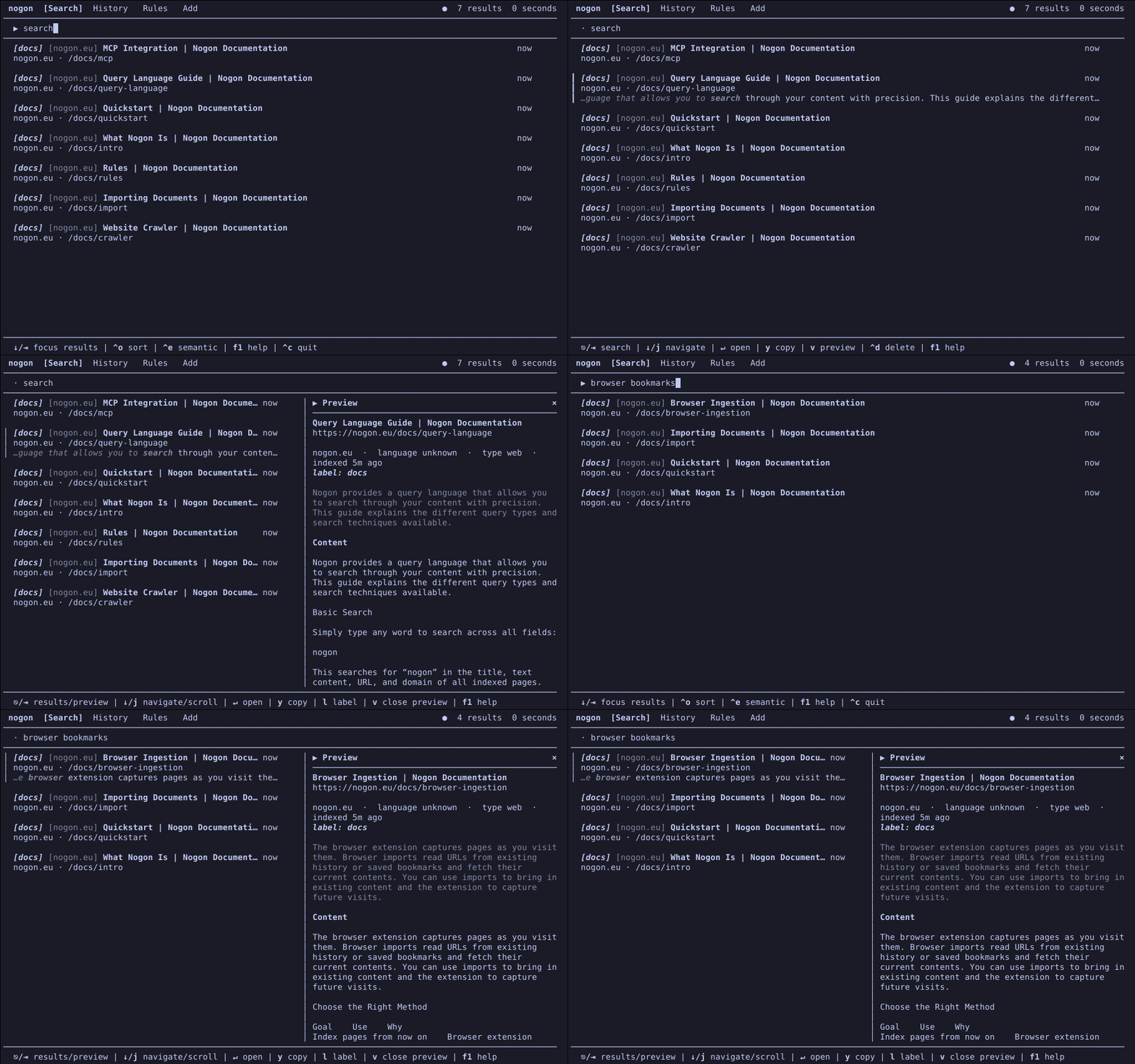
- Web, terminal, and MCP clients: Search from the browser, TUI, command line, or an AI assistant.
- Multi user support: Keep each user's documents and search results separate on a shared server.
Privacy
By default, Hister has no telemetry and no cloud sync. The browser extension sends indexed page content only to the Hister server you configure, apart from downloading page favicons. The server stores documents and search indexes on that server.
Optional semantic search sends document text to the embeddings endpoint you choose. Review the privacy overview and semantic search configuration before enabling remote integrations.
Why Hister?
Unlike traditional search engines, Hister builds a personal search index from the web pages and files you choose to keep. Your content stays on your Hister server, making it useful for finding information you've already encountered without relying on a third-party search provider.
Development
Requirements are Go 1.26, npm, and a C compiler for CGO dependencies.
git clone https://github.com/asciimoo/hister.git
cd hister
./manage.sh build
To work on the web app with hot reload and automatic Go rebuilds:
npm run serve:app
This starts a Vite development server and the Go backend with automatic rebuilds through air.
Community and contributing
Join us on IRCNet in #hister or on Discord.
Read CONTRIBUTING.md before submitting a change. Bugs and suggestions belong in the issue tracker. For security reports, see SECURITY.md.
Sponsors

License
AGPLv3 or any later version
Reviews (0)
Sign in to leave a review.
Leave a reviewNo results found