usagemax
Health Uyari
- License — License: MIT
- Description — Repository has a description
- Active repo — Last push 0 days ago
- Low visibility — Only 6 GitHub stars
Code Basarisiz
- exec() — Shell command execution in hooks/capture.ts
Permissions Gecti
- Permissions — No dangerous permissions requested
Bu listing icin henuz AI raporu yok.
Claude Code plugin for Claude Desktop: a band above the prompt with this chat's share, the 5-hour window and the week, run-out estimates; a usage line under every answer; a panel with top chats. By Roman Chernogorov & Danil Martsinkovskii.
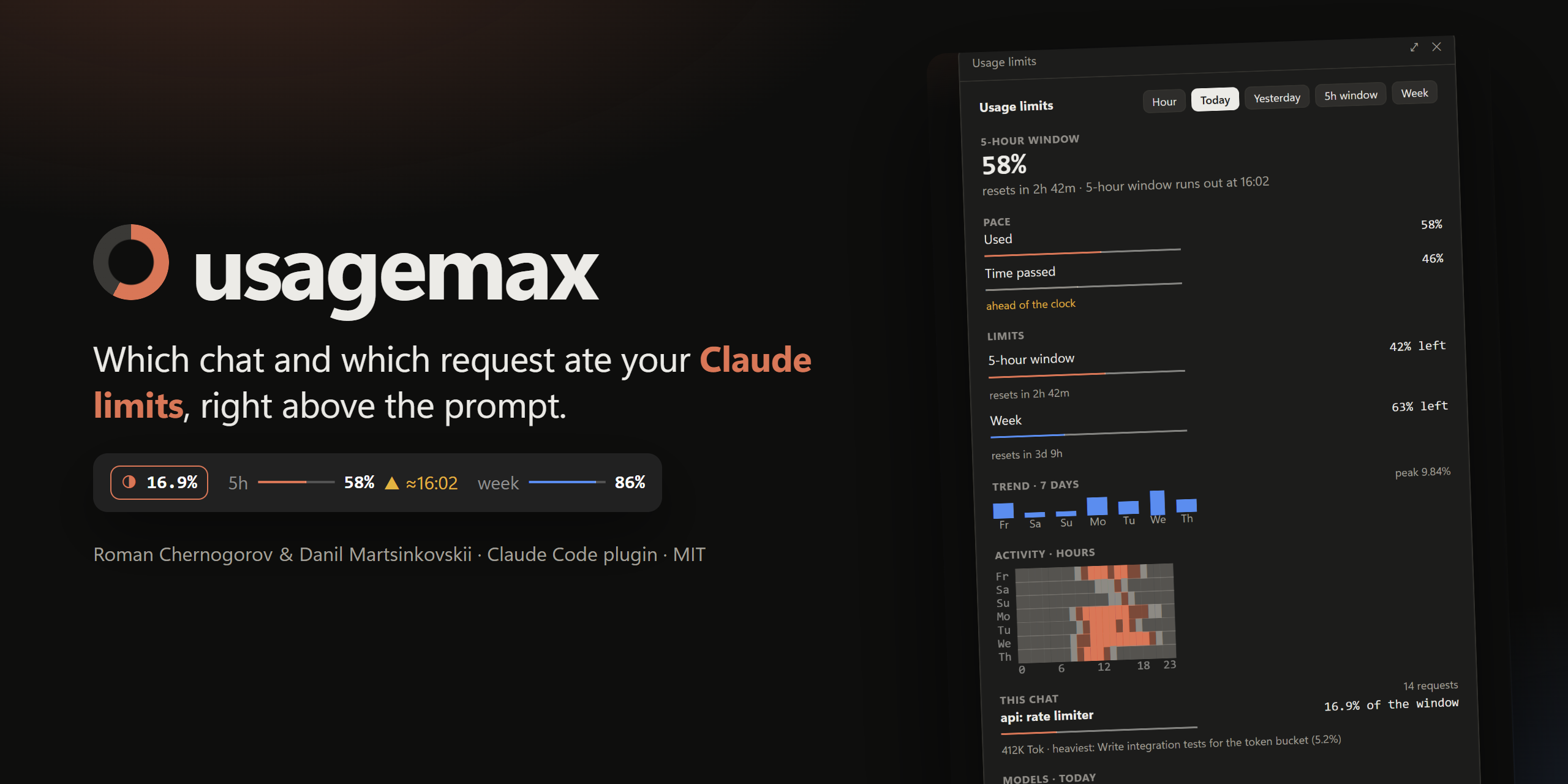








usagemax is a Claude Code plugin for the Code tab of Claude Desktop.
It shows what each request and each chat cost you in the 5-hour window and the weekly limit.
by Roman Chernogorov & Danil Martsinkovskii
What you get · Install · How it counts · Commands · Settings · FAQ
What you get
A band above the prompt
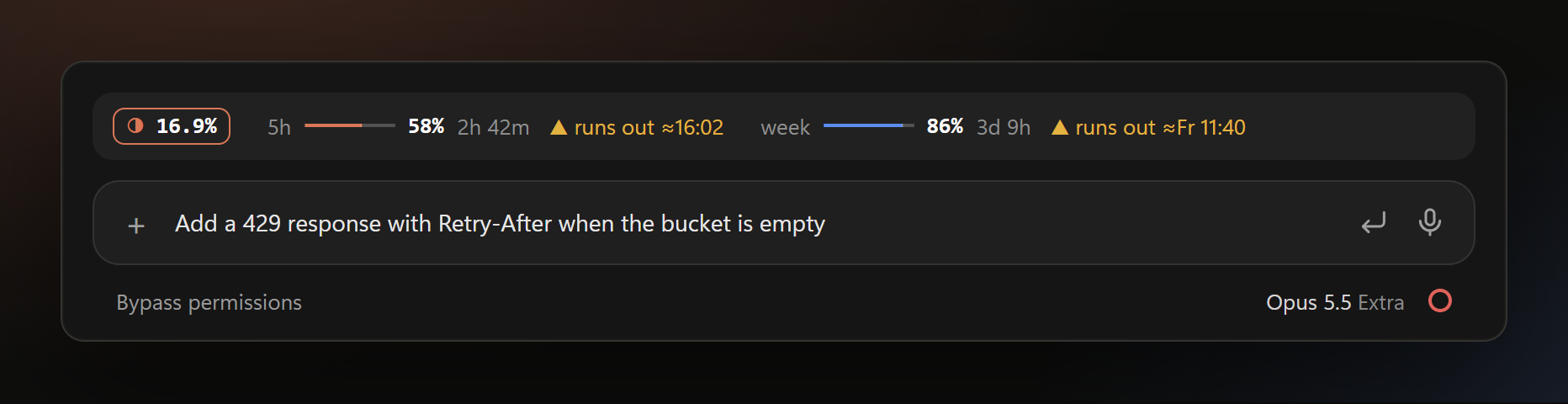
The orange chip shows this chat's share of the current 5-hour window: ◔ this chat 1.2%. Next to it: the 5-hour window and the week, each with a bar, the percent used and the time to reset: week ━━━━ used 78% · resets in 6h 38m. When a limit's recent pace would use it up before its reset, a yellow estimate follows it: ▲ runs out ≈16:02. The 5-hour estimate needs 15 of the last 30 minutes, the weekly one 6 of the last 24 hours, so a fresh window shows no estimate. In a narrow window the band stays on one row: it shortens the estimates, then drops the words, the times to reset and the bars. The band lights up under the pointer; click anywhere on it to open the panel. The band shows up as soon as a chat sends its first request.
Claude Code reports a limit as soon as it moves a whole point, in the middle of a request too, and the band follows at once. It also refreshes itself every minute: the time to reset counts down, and a reading from another Code chat on this computer shows up here within a minute. Usage from the Chat tab, the phone or another computer appears after the next answer in any Code chat.
A line under every answer
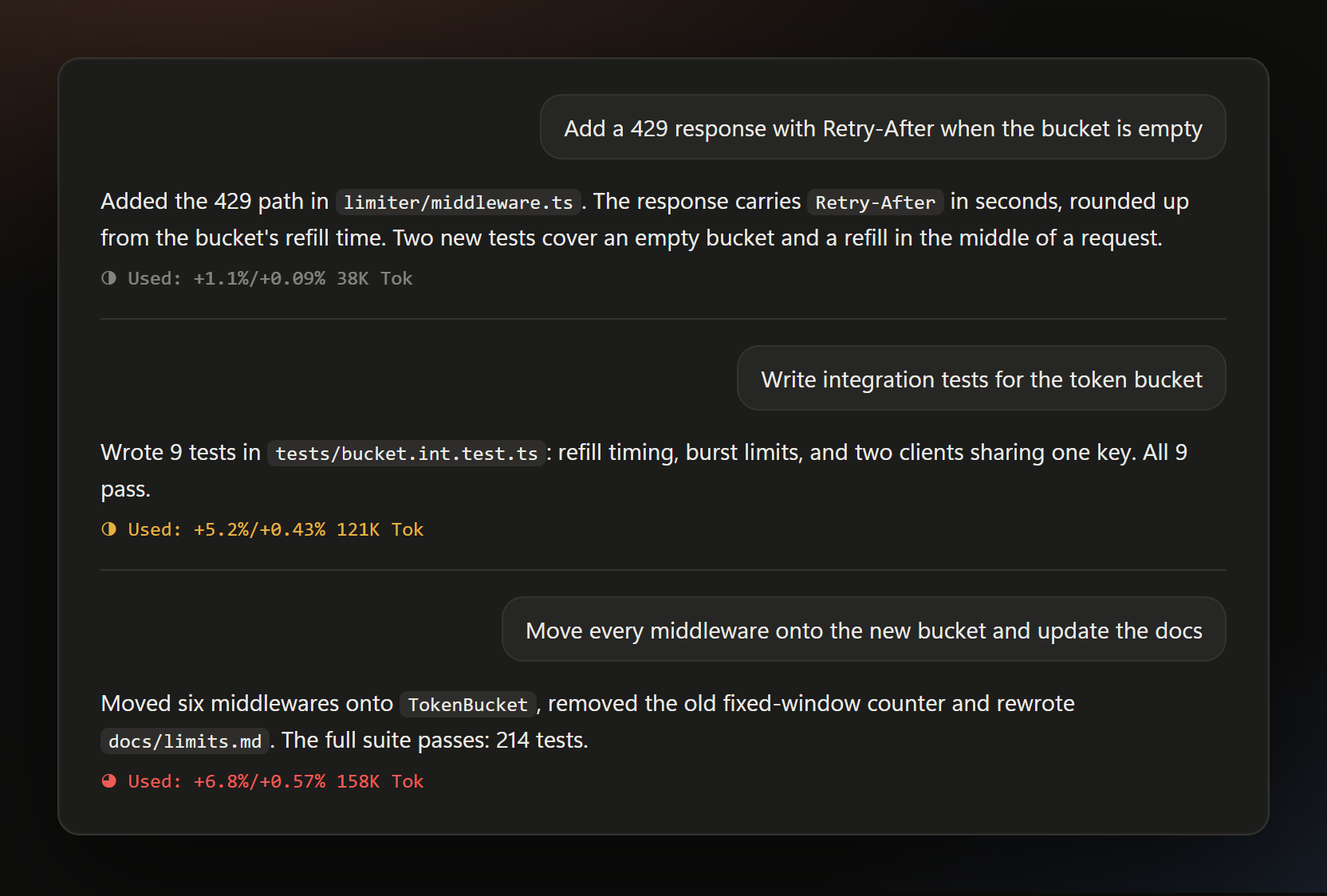
◑ Used: +5.2%/+0.43% 121K Tok · 2.4M cached
| Part | Meaning |
|---|---|
◑ |
How full the 5-hour window is: ○ ◔ ◑ ◕ ● |
+5.2% |
This request's share of the 5-hour window |
+0.43% |
This request's share of the weekly limit |
121K Tok |
Tokens sent and written |
2.4M cached |
Tokens read from the prompt cache: cheap per token, yet most of a long chat's cost |
With "footer": "tree" the line turns yellow from 3% of the window and red from 6%.
The panel
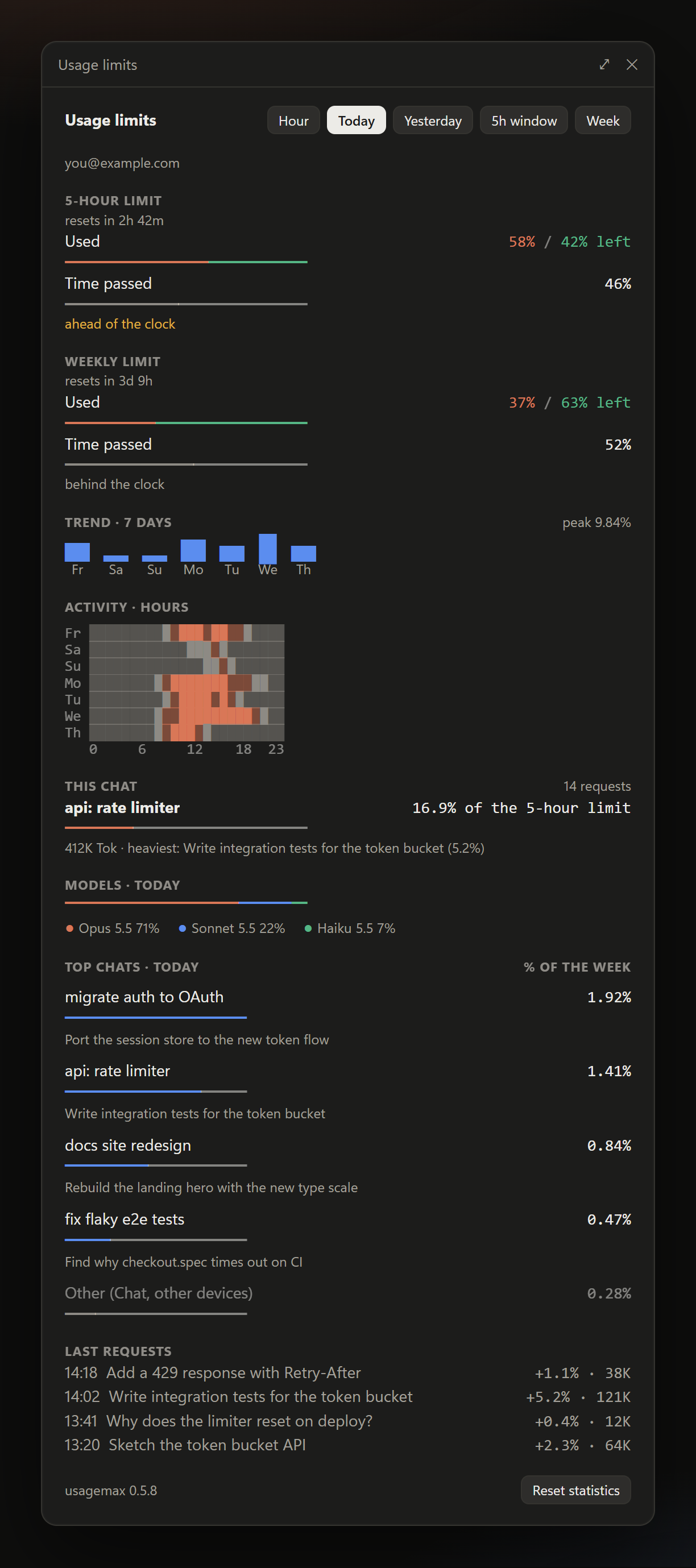
- 5-hour limit and weekly limit: used and left, the time that passed, the time to reset
- Trend for 7 days and an activity heatmap by hour
- This chat: total, heaviest request, last 10 requests
- Models: share of Opus, Sonnet, Haiku and Fable for the period
- Top chats for the hour, today, yesterday, the 5-hour window or the week
- Other row: usage no Code-tab chat explains (Chat tab, phone, another computer)
- Your account: the signed-in email under the title. Each Claude account sees only its own chats
- Reset statistics at the bottom: press it twice and this account's numbers start over. The rate stays, so shares stay accurate
Toasts
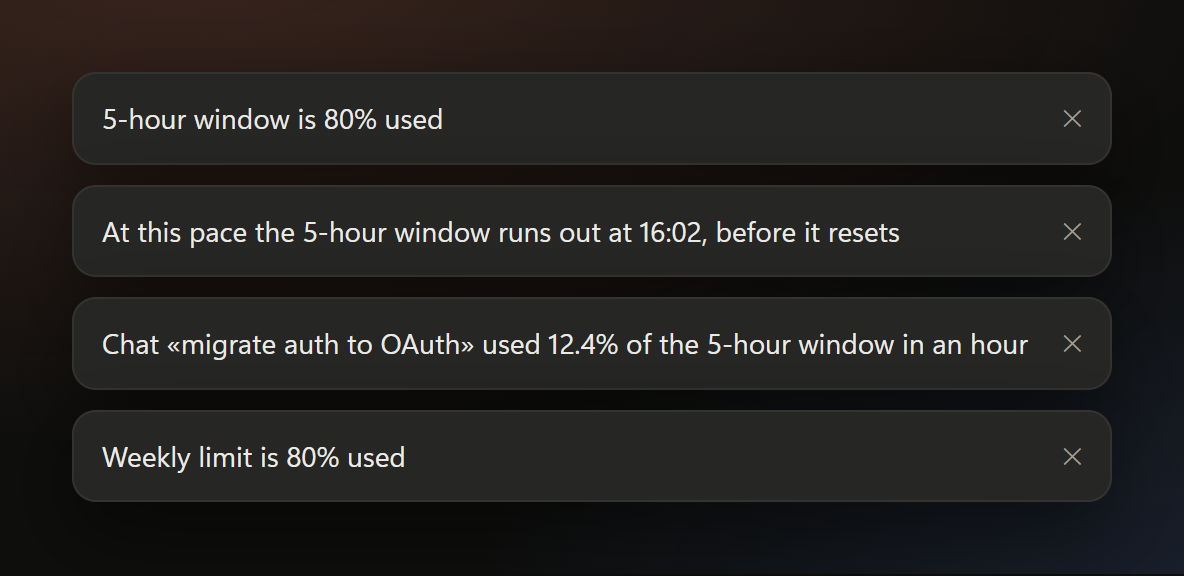
| When | Toast |
|---|---|
| 5-hour window reaches 80% and 90% | 5-hour window is 80% used |
| Weekly limit reaches 80% | Weekly limit is 80% used |
| The window runs out before the reset at this pace | At this pace the 5-hour window runs out at 16:02, before it resets |
| One chat used over 10% of the window in an hour | Chat «…» used 12.4% of the 5-hour window in an hour |
Install
Requirements: Claude Desktop with the Code tab and a Claude subscription with the 5-hour and weekly limits, such as Pro or Max. Tested with Claude Code 2.1.304 on Windows 11.
claude plugin marketplace add Aristosya/usagemax
claude plugin install usagemax@usagemax --scope user
New chats load the plugin. An open chat picks it up after /reload-plugins.
claude on PATH is older than the one Claude Desktop runs
Claude Desktop keeps its own copy under %APPDATA%\Claude\claude-code\<version>. In PowerShell:
$CC = Get-ChildItem "$env:APPDATA\Claude\claude-code" -Directory | Sort-Object { [version]$_.Name } -Descending | Select-Object -First 1 | ForEach-Object { (Get-ChildItem $_.FullName -Recurse -Filter claude.exe | Select-Object -First 1).FullName }
& $CC plugin marketplace add Aristosya/usagemax
& $CC plugin install usagemax@usagemax --scope user
Update
When a new version is out, usagemax says so in a toast. Press Update in Settings → Your plugins → Usagemax, then start a new chat or run /reload-plugins.
Claude Code's Update button compares against its own copy of this repository, and for a third-party marketplace it refreshes that copy only with auto-update on. So usagemax refreshes it itself: a few seconds after a chat starts, at most once an hour, it runs git fetch on that copy. A plugin added from a local folder is left alone.
Versions before 0.5.4 lack this. To get past them once:
claude plugin marketplace update usagemax
claude plugin update usagemax@usagemax
To have Claude Code install new versions by itself: run claude, type /plugin, open Marketplaces, select usagemax, then Enable auto-update.
Uninstall
claude plugin uninstall usagemax@usagemax --scope user
claude plugin marketplace remove usagemax
How the percent is computed
Claude Code reports limit usage in whole percents. A small request moves the counter by 0 or 1 point, and that difference tells you nothing.
usagemax prices each request's tokens by Anthropic's list prices and learns one rate per window for the whole account: how far the counters grew over the last 7 days, divided by the cost of every request in that span. A request's share is its cost times the rate. A request that moved the window by 10 points or more on its own shows the measured difference instead. A share never goes above how far the counter grew while the request ran, plus one point for rounding. Each Claude account learns its own rate.
During the first hours the rate has no data, and the line shows tokens only.
Commands
| Command | Shows |
|---|---|
/usagemax |
The panel |
/usagemax top [hour|today|yesterday|5h|week] |
Top chats as text, today by default |
/usagemax chat |
Every request of this chat |
/usagemax hour |
Top chats for the last hour |
Settings
%USERPROFILE%\.claude\usagemax\settings.json, optional:
{ "footer": "tree", "selfUpdate": true }
footer |
Line under the answer |
|---|---|
text (default) |
Plain text from Claude Code |
tree |
Drawn by usagemax: yellow from 3% of the 5-hour window, red from 6% |
rewrite |
Added to the end of the answer as code |
selfUpdate |
Update check |
|---|---|
true (default) |
Refresh this repository's copy from GitHub at most once an hour, so the Update button finds new versions |
false |
No network at all |
A new mode applies from the next answer. The plugin speaks English. It switches to Russian when Claude Code's language setting is Russian.
Data and privacy
| Path | Contents |
|---|---|
%USERPROFILE%\.claude\usagemax\sessions\<chat id>.json |
One chat's requests: time, first 120 characters of the prompt, tokens, limit readings, share |
%USERPROFILE%\.claude\usagemax\settings.json |
Settings |
%USERPROFILE%\.claude\usagemax\accounts.json |
When each account last reset its statistics, and which account owns requests recorded before 0.5.8 that no limit reading ties to an account |
%USERPROFILE%\.claude\usagemax\band-fault.json |
The last error of the band above the prompt, if it had one |
- Each chat writes its own file. Records older than 30 days go away when a chat starts.
- Chat titles come from Claude Code's local transcripts.
- usagemax takes the account from the chat's environment, which Claude Desktop sets for each chat (
.claude.jsonin a terminal session), and marks each request with it. - The one network call is that update check:
git fetchof this repository, at most once an hour, only when you installed from GitHub. It sends nothing about you or your usage."selfUpdate": falseturns it off.
FAQ
Does it count the Chat tab?No. Usage from the Chat tab, the phone app and other computers shows up in the Other row of the top.
Why does the line show– or tokens only?
The account rate needs a few hours of requests. Until then usagemax shows tokens, and – where a share is unknown.
No. Each request carries the account it ran under, so a chat that moved to another account splits between the two. The panel, the band and the commands show only the signed-in account. Requests recorded before 0.5.8 go to the account whose limits they saw.
My plan has no 5-hour limit. What does it show?The week alone. The chip, the line under an answer and the panel give each request's and each chat's share of the weekly limit: ◔ Used: +0.02% of the week 24K Tok.
API-key sessions have no 5-hour or weekly window. The line shows tokens only.
Where do the prices come from?From Anthropic's list prices per model: input, cache write, cache read and output. Only the ratio between requests matters, because the rate turns cost into percent.
Does it send my prompts anywhere?No. It stores the first 120 characters of each prompt in a local file and deletes them after 30 days.
Development
claude plugin test .
claude plugin validate .
| Path | Role |
|---|---|
hooks/register.tsx |
Entry point |
hooks/capture.ts |
Records each request with its tokens and limit readings |
hooks/button.tsx, hooks/band-client.tsx |
Band above the prompt: data, and the surface module that draws it and hears the click |
hooks/footer.tsx, hooks/panel.tsx |
Line under the answer, panel |
hooks/toasts.ts, hooks/commands.ts |
Toasts and /usagemax |
hooks/lib/ |
Prices, rate, reports, formatting |
tests/ |
Tests for claude plugin test |
Developers
- Roman Chernogorov
- Danil Martsinkovskii
License
MIT © 2026 Roman Chernogorov, Danil Martsinkovskii
Yorumlar (0)
Yorum birakmak icin giris yap.
Yorum birakSonuc bulunamadi