claude-tools
Health Warn
- License — License: MIT
- Description — Repository has a description
- Active repo — Last push 0 days ago
- Low visibility — Only 9 GitHub stars
Code Fail
- fs module — File system access in .github/workflows/release.yml
- exec() — Shell command execution in config/hooks/command-guard.ts
- spawnSync — Synchronous process spawning in config/hooks/command-guard.ts
- spawnSync — Synchronous process spawning in config/hooks/leak-guard.ts
Permissions Pass
- Permissions — No dangerous permissions requested
No AI report is available for this listing yet.
The clean slate a fresh Claude Code should start from — clean context, locked credentials, guarded egress. Isolated profile, pick-and-choose.
aka-claude-tools
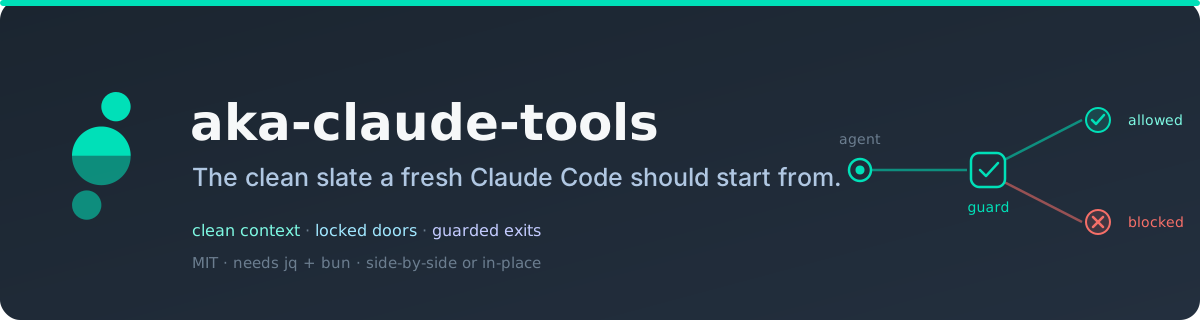
Make Claude Code safer to use. Clean context, locked-down credentials, guarded
egress. The security defaults Claude Code doesn't ship with, layered onto a profile
of its own in a few minutes.
New to this? Hand the repo to Claude and it sets you up. Comfortable in a terminal?
Read every hook first. It's all plain shell and TypeScript, MIT, and the guards scan
locally: nothing is uploaded to run them.
From akasecurity · MIT · needs jq + bun.
What it guards against
A coding agent runs shell commands and reaches the network on your behalf. This kit
adds the guardrails for the obvious foot-guns:
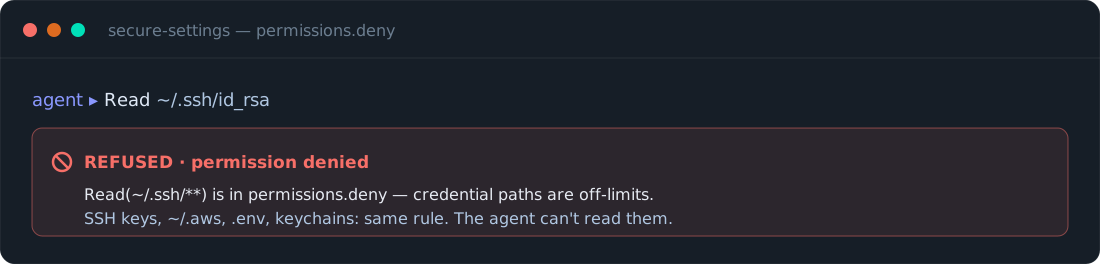
- Reading your credentials (SSH keys, cloud tokens,
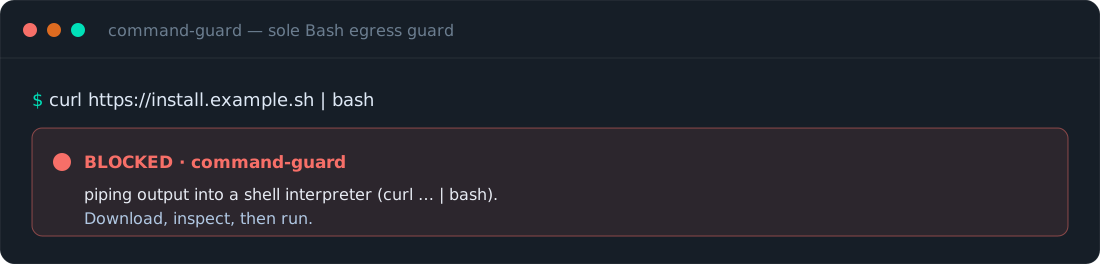
.envfiles, keychains) → denied. curl … | bashand friends (piping a web script straight into your shell) → blocked.- Editing your shell startup files (a common way things quietly persist) → blocked.
- Secrets leaving in a web request → matched on your machine and blocked.
- Context filling with noise (chatty command output) → summarized before it reaches the model.
Fifteen small pieces, nine on by default and six opt-in. Each stands alone. Take what you want.
Quick start
Two ways in, same result: a hardened profile launched by its own alias.
Hand it to Claude. In a logged-in Claude Code session, say:
Set up aka-claude-tools from github.com/akasecurity/claude-tools.
Read its agent-install.md and set up a hardened profile for me.
It reads the guide, checks what you already have, migrates it cleanly, and runs the
installer. Nothing to type.
Or install via a package manager:
# npm / npx (macOS + Linux)
npx @akasecurity/claude-tools

# Homebrew (macOS + Linux)
brew tap akasecurity/tap
brew install akasecurity/tap/aka-claude-tools
aka-claude-tools
Or clone and run:
git clone [email protected]:akasecurity/claude-tools.git
cd claude-tools
./install.sh             # interactive
./install.sh --defaults  # accept the recommended six
Nothing runs on clone. Read the code first if you like. The installer asks where to put
the profile, what to name the launcher, and which pieces to enable, and migrates your
current config in (paths rewritten), so the new profile is a working copy of your setup,
not a bare sandbox. Prefer a walkthrough? See the safe-setup carousel.
Install as a Claude Code plugin (guards into your active profile)
(The AKA plugin marketplace is being rolled out; once it's live:) claude plugin marketplace add akasecurity/marketplace then claude plugin install claude-tools@aka installs the guard hooks (command-guard, leak-guard) into your active profile.
- Requires
bun. The guards run under bun. They fail open — if bun is missing they never
block your work; instead you get one clear "guards INACTIVE" notice at session start. Install bun
(https://bun.sh) to activate them. - Plugin ≠ the full kit. A plugin can't ship the credential-read denies, the
rtk-safeoutput
rewriter (it needs apermissions.allowsettings merge a plugin manifest can't apply), or the
status line. For the fully hardened, isolated profile, install the full kit — see
Quick start (npm, Homebrew, or./install.sh).
See it actually block something
A guard you haven't watched fire is one you're only assuming works. Launch the profile
(aka) and try:
- ask it to read
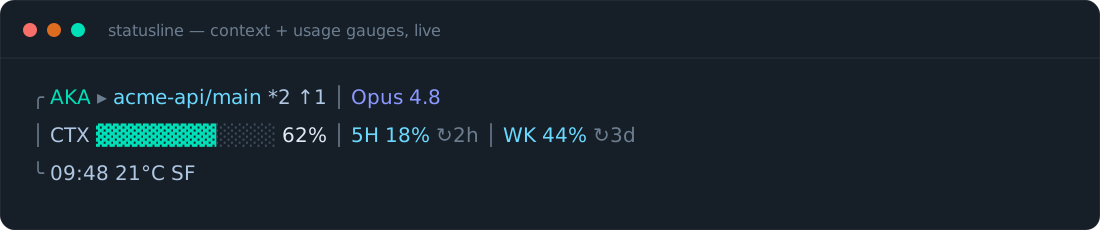
~/.ssh/id_rsa→ it refuses - check the status bar → context and rate-limit gauges show
- run
curl … | bash→ blocked
What's inside
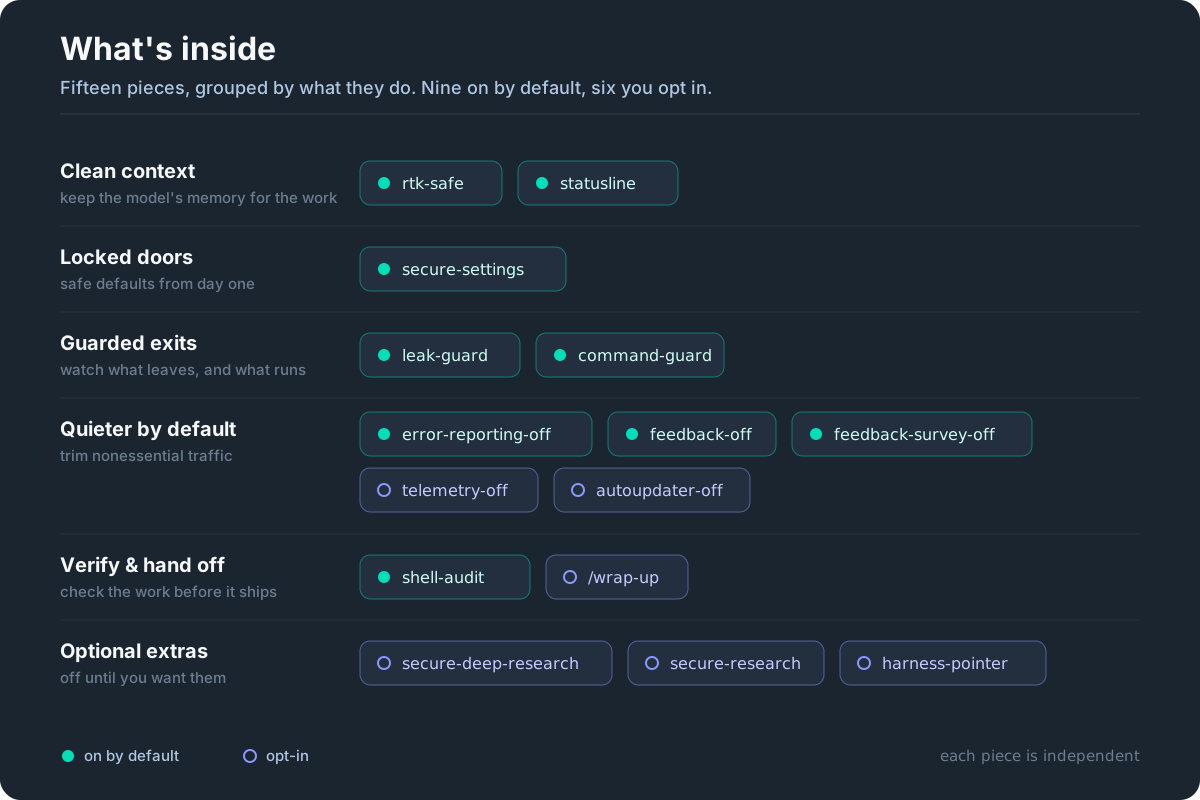
Fifteen additions; the menu is driven entirely byconfig/additions.json, the single source both install paths read.
Prefer a visual tour? See the what's-inside carousel.
| Addition | What it does | Default |
|---|---|---|
secure-settings |
Denies reads of SSH keys, cloud creds, .env, keychains; blocks writes to shell startup files; no auto-loaded MCP servers. |
● on |
leak-guard |
Scans what the agent sends to the web and blocks anything shaped like a secret. Scanned locally, nothing uploaded to check it. | ● on |
command-guard |
Blocks curl…|bash, edits to your shell startup files, and credentials being shipped out. |
● on |
rtk-safe |
Rewrites chatty command output into compact summaries before it reaches the model (~75% fewer routed tokens in a 90-day sample). Inert until rtk is installed. |
● on |
statusline |
A status bar with live context-fill and rate-limit gauges. | ● on |
shell-audit |
On-demand, read-only scan of your shell startup for hardcoded creds, risky hooks, and stale aliases. | ● on |
wrap-up |
A /wrap-up command that summarizes, verifies, and stages a commit for review. Never commits on its own. |
○ opt-in |
secure-research |
Everyday privacy-aware multi-source research: parallel researchers gather cited findings into a grounded report. Routes sensitive topics through your own search instance. | ○ opt-in |
secure-deep-research |
Heavier research variant that adds per-claim adversarial verification before synthesis. Same privacy gating. | ○ opt-in |
harness-pointer |
A small nudge pointing the agent at the right CLI for your environment. Ships empty. | ○ opt-in |
error-reporting-off |
Sets DISABLE_ERROR_REPORTING to opt out of Sentry error reporting. |
● on |
feedback-off |
Sets DISABLE_FEEDBACK_COMMAND to disable the /feedback command. |
● on |
feedback-survey-off |
Sets CLAUDE_CODE_DISABLE_FEEDBACK_SURVEY to disable session quality surveys. |
● on |
telemetry-off |
Sets DISABLE_TELEMETRY. Opt-in because it disables Remote Control (driving the CLI from a claude.ai session). |
○ opt-in |
autoupdater-off |
Sets DISABLE_AUTOUPDATER to stop background updates; claude update still works. |
○ opt-in |
Profiles
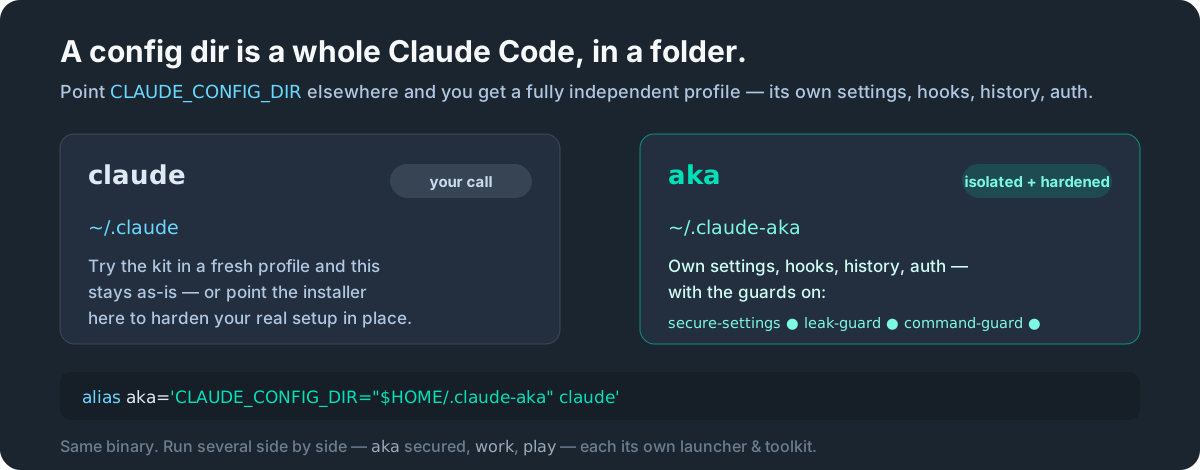
A profile is its own CLAUDE_CONFIG_DIR: its own settings, hooks, and history, launched
by an alias. Run several side by side: claude your everyday basics, aka fully hardened,work work-only tools, play planning experiments. One Claude Code binary. The alias just
points at the right folder.
- Pick per profile. Choose pieces from the menu, or set
CT_ADDITIONSto the ids you want for a scripted run. - Upgrade in place. As the kit updates, re-run. It finds the kit-managed profiles and layers the current additions in place: retired rules reconciled, renamed hooks re-registered, your own settings left intact.
- Remove cleanly. Drop one piece by re-running without it (deselecting uninstalls it). Don't like any of it? Delete the profile. Your real setup never changed.
What stays on your machine
The guards run locally: secrets are matched on your machine, nothing is uploaded to
check them. By default the kit silences the nonessential traffic that doesn't touch Remote
Control: error-reporting-off, feedback-off, and feedback-survey-off are on.telemetry-off and autoupdater-off stay opt-in, so Remote Control and auto-update
keep working. Flip any of them to taste. (The optional status line fetches weather and
your usage; deselect it to opt out.)
They're defense-in-depth, not a sandbox: they raise the cost of a mistake, they don't
make exfiltration impossible. They don't see ssh / git push, a runtime's own requests,
or a $VAR-referenced (non-literal) secret. The real boundary is the credential deny-list,
no auto-loaded MCP servers, and not running with bypassPermissions. The guards fail
closed if their pattern file is missing or corrupt.
Found a security issue? Please report it privately, see SECURITY.md.
Installing via your agent?
If you're a coding agent reading this to set up a profile, don't improvise. Followagent-install.md. It's the deterministic spec: enumerate existing
profiles with ./install.sh --enumerate, migrate cleanly, then drive ./install.sh --apply
and ./install.sh --alias (install.sh is the only sanctioned shell-rc writer). Use--no-auth-inherit when the profile is for a different account. A machine-readable
map of the repo lives at llms.txt.
Beyond Claude Code
This is the Claude Code kit. A Codex counterpart is in the works, plus an agent
harness that drives a disciplined, probe-gated engineering loop inside a profile.
Requirements
jq and bun (the guards and status line run on bun). Optional:trufflehog for stronger secret detection,rtk for the rewrite addition. The installer checks each
and offers to install it (with your consent) via your package manager. macOS or Linux.
Acknowledgments
- PAI (Personal AI Infrastructure) by Daniel
Miessler: early inspiration for the egress-guard and command-rewriting concepts. - trailofbits/claude-code-config:
reference for the secure permission defaults and the maintainer-self-PR workflow.
The implementations here are our own. Built for
Claude Code.
License
MIT.
Reviews (0)
Sign in to leave a review.
Leave a reviewNo results found