agent-sandbox
Health Gecti
- License — License: Apache-2.0
- Description — Repository has a description
- Active repo — Last push 0 days ago
- Community trust — 95 GitHub stars
Code Gecti
- Code scan — Scanned 12 files during light audit, no dangerous patterns found
Permissions Gecti
- Permissions — No dangerous permissions requested
Bu listing icin henuz AI raporu yok.
Agent Sandbox is an E2B compatible, enterprise-grade ai-first, cloud-native runtime environment for AI Agents. Allows Agents to securely run untrusted LLM-generated Code, Browser use, Computer use, and Shell commands etc. with stateful, long-running, multi-session and multi-tenant.
Agent-Sandbox is an open-sourced Blaxel Sandbox or E2B like solution!
🎉🎉🎉 Complete compatible with E2B protocol and SDKs.✅
Agent-Sandbox is an enterprise-grade ai-first, cloud-native, high-performance runtime environment designed for AI Agents. It combines the Kubernetes with container isolation. Allows Agents to securely run untrusted LLM-generated Code, Browser use, Computer use, and Shell commands etc. with stateful, long-running, multi-session and multi-tenant.
Agent-Sandbox UI
UI path is https://agent-sandbox.domain.com/ui.
Default UI admin login token: sys-2492a85b10ed4cb083b2c76b181eac96, config user tokens by env variable API_TOKENS_RAW e.g. user1-2492a85b10ed4cb083b2c76b181eac00,user2-2492a85b10ed4cb083b2c76b181eac01 .


Agent Use Sandbox Demo
Why Agent-Sandbox?
When we are developing AI Agents, one of the critical challenges is providing an Enterprise-Grade&Production-Grade environment for executing untrusted code and performing various tasks, that is Multi-Session and Multi-Tenant.
Sandbox must be isolated on a Per-Agent even Per-User basis to ensure security and prevent interference between different conversation or task. Additionally, the sandbox environment should support state persistence, allowing agents to maintain context and data across multiple interactions or multi agents etc.
Therefore, Multi-Session and Multi-Tenant is very critical, Each sandbox is isolated on a per-agent or per-user basis, ensuring security and preventing interference between different conversations or tasks.
I found kubernetes-sigs/agent-sandbox leverages AIO Sandbox and Kubernetes to provide a similar solution. But it seems not friendly for AI Agents to manage the sandbox lifecycle and not friendly for commonly users to use it, because it faces to Kubernetes directly.
So, We decide created this Agent-Sandbox project, which provides a RESTful API and MCP(Model Context Protocol) server to manage the sandbox lifecycle easily. It abstracts the complexity of Kubernetes and provides a simple interface for AI Agents and users to create, access, and delete sandboxes as needed. And we refer to some design ideas from Blaxel Sandbox and E2B provide similar features like lifecycle management and API design. Making it more suitable for AI Agents to use, but is opensource and self-hosted.
Full sandbox lifecycle manage by Agent-Sandbox MCP Server
Architecture
flowchart TD
    A1([Agent A]):::agent -->|Execute Code| ASB
    A2([Agent B]):::agent -->|Browse Web| ASB
    A3([Agent C]):::agent -->|Terminal Access| ASB(Agent-Sandbox <br/> Auto CRUD Sandboxes)
    A4([Agent ...]):::agent -->|...| ASB

    ASB -->SB1{{Code Sandbox}}
    ASB -->SB2{{Browser Sandbox}}
    ASB -->SB3{{Computer Sandbox}}
    ASB -->SB4{{Customized Sandbox}}

    SB1 <-->|File R/W| V
    SB2 <-->|State Persistence| V
    SB3 <-->|Shared Storage| V
    SB4 <--> V[Unified Storage <br/> NAS / OSS / S3]

    V --- K[Kubernetes Cluster]

    style ASB fill:#bd3cfe,stroke:#333,stroke-width:0,color:#fff;
    classDef agent fill:#f9f,stroke:#333,stroke-width:3px;
Features
- 🎉 E2B Fully-Compatible - Fully compatible with E2B protocol and SDKs, allowing seamless integration with existing E2B-based AI Agents and tools, please refer to usage in
examples/directory. - Ai-First - Agents automatically manage whole Sandbox's lifecycle by the MCP( Model Context Protocol ) , making it easy to manage various Sandbox environments and access them automatically.
- AI-Agent Runtimes - Supports various AI agent runtimes, including code execution, browser automation, computer use, and shell command execution and easy to customize more runtimes.
- Enterprise-Grade - Support multiple Sandbox lifecycle manage for each tenant or session, allowing Agents to run different tasks simultaneously without interference for different tenant or session.
- Cloud-Native - Leverages Kubernetes built to run in cloud environments, leveraging the benefits of cloud infrastructure such as scalability, flexibility, resilience and efficient resource management.
- Fast and Lightweight - Designed to be lightweight and fast, minimizing Kubernetes's objects to deploy. easy to use and maintain.
Quick Start
1, Installation
You can install Agent-Sandbox by applying the provided install.yaml file to your Kubernetes cluster.
requires Kubernetes version 1.26 or higher.
kubectl create namespace agent-sandbox
kubectl apply -nagent-sandbox -f install.yaml
You can create an ingress or port-forward to access the Agent-Sandbox API server. Ingress like this:
apiVersion: networking.k8s.io/v1
kind: Ingress
metadata:
  name: agent-sandbox
  namespace: agent-sandbox
spec:
  ingressClassName: ingress-nginx
  rules:
  - host: agent-sandbox.your-host.com
    http:
      paths:
      - backend:
          service:
            name: agent-sandbox
            port:
              number: 80
        path: /
Now you can access the Agent-Sandbox API server at http://agent-sandbox.your-host.com.
2, Usage
The Agent-Sandbox provides a RESTful API or MCP to manage sandboxes. The typical workflow involves creating a sandbox, accessing it, and then deleting it when no longer needed.
flowchart LR

A[Create Sandbox] -->|mcp ro restful api| B(Access Sandbox)-->|mcp or timeout or restful api| C[Delete Sandbox]
2.1, Use Agent-Sandbox MCP Server
You can manage sandboxes using the Model Context Protocol (MCP) with your AI Agents. The MCP server allows Agents to create, access, and delete sandboxes automatically.
MCP Server Address: http://agent-sandbox.your-host.com/mcp. Now support SSE(Streamable-http).
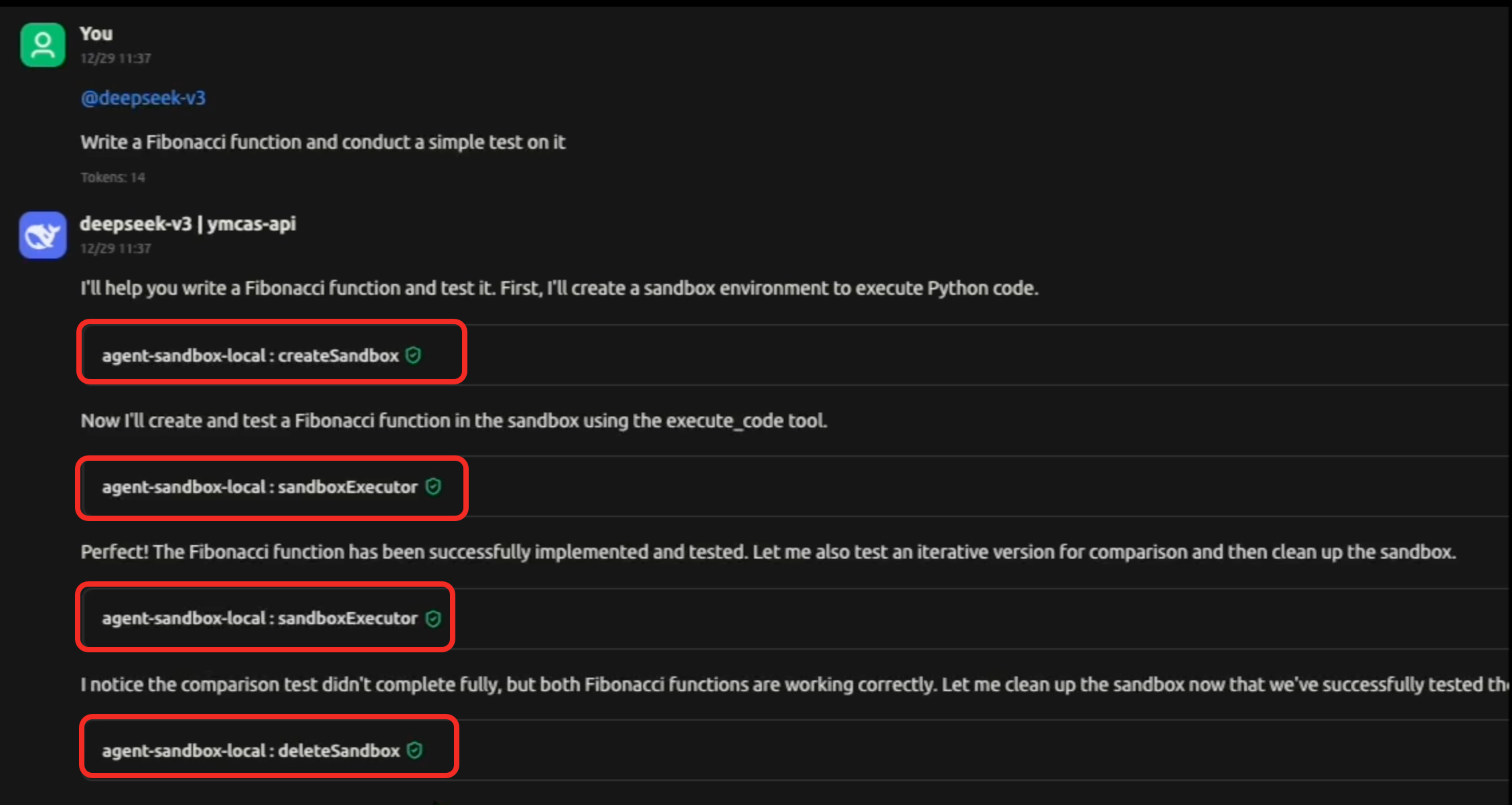
MCP Demos:
1, Code Execution
Agents automatically create a sandbox when code needs to be executed and delete it when execution completes, ensuring isolated and secure code runs.
2, Browser Use
Agents automatically create a sandbox when website access is needed and delete it when the task is finished, providing isolated browser sessions for web interactions.
This MCP integration enables agents to manage sandbox resources without manual intervention, supporting multi-session and multi-tenant operations with automatic cleanup.
2.2, Use RESTful API
You can also manage sandboxes manually using the RESTful API provided by Agent-Sandbox.
I, Create a Sandbox
You can create a new sandbox by sending a POST request to the /api/v1/sandbox endpoint with the desired configuration. For example, to create an aio sandbox and name it sandbox-01, you can use the following curl command or programmatically call the API:
|
Shell for China user, please specify the local aio image registry to improve the pull speed: |
Python |
Result
{
    "code": "0",
    "data": "Sandbox sandbox-01 created successfully"
}
II, Access to Sandbox
/sandbox/{sandbox_name} endpoint to get the access of the sandbox, including the connection details such as URL, WebSocket URL, VNC URL, or other relevant information based on the sandbox template.
Now you can access to the previously created sandbox-01 sandbox using /sandbox/sandbox-01.
You will see: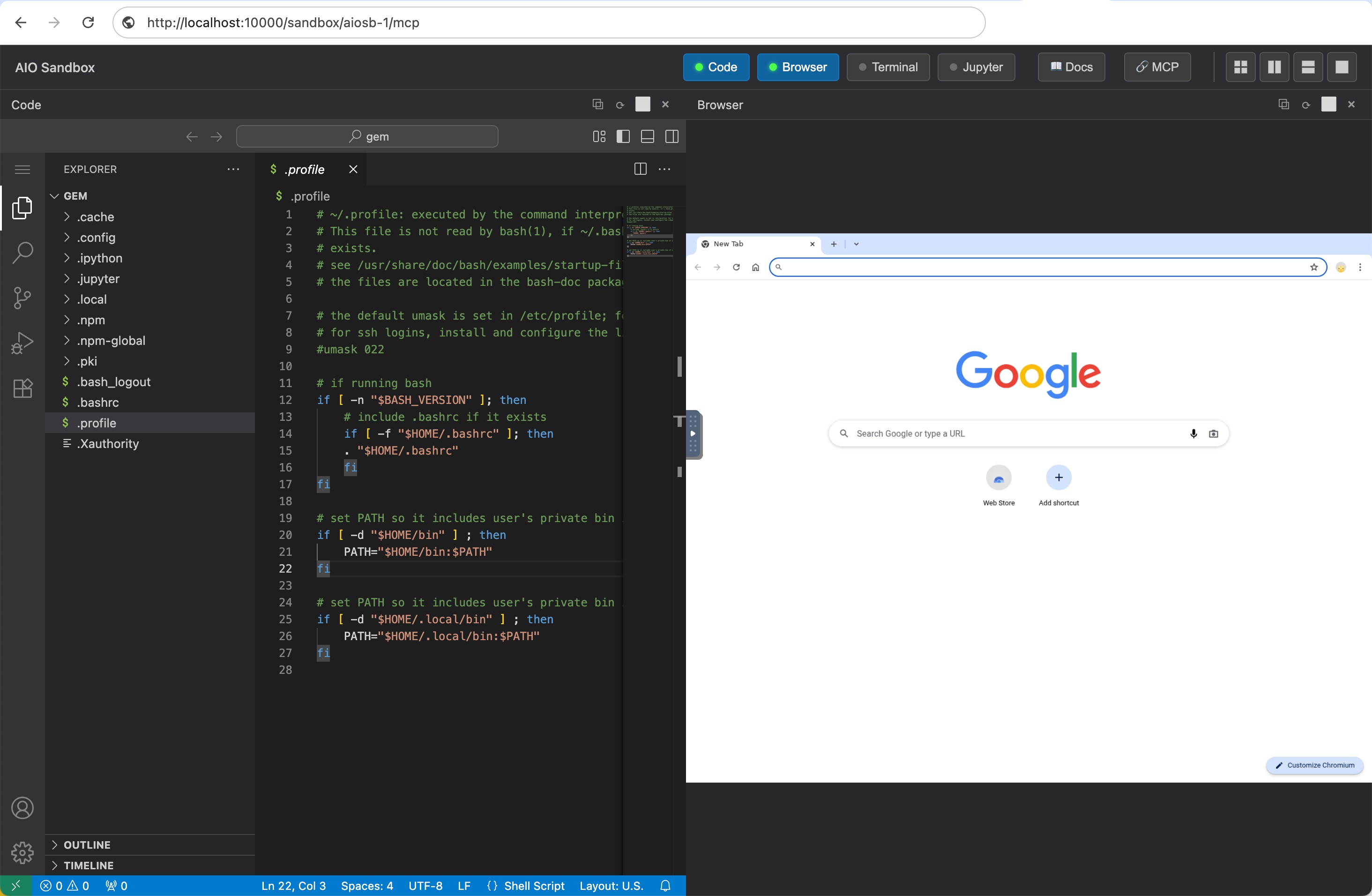
Use agent sandbox SDK access this sandbox:
from agent_sandbox import Sandbox

# Initialize client
client = Sandbox(base_url="http://agent-sandbox.your-host.com/sandbox/sandbox-01")
home_dir = client.sandbox.get_context().home_dir

# Execute shell commands
result = client.shell.exec_command(command="ls -la")
print(result.data.output)

# File operations
content = client.file.read_file(file=f"{home_dir}/.bashrc")
print(content.data.content)

# Browser automation
screenshot = client.browser.screenshot()
And this created Sandbox's MCP Server address is: /sandbox/sandbox-01/mcp. you can use this MCP Server with your AI Agent to access this sandbox.
For more usage, please refer to: https://github.com/agent-infra/sandbox
III, Delete a Sandbox
You can delete a sandbox by sending a DELETE request to the /api/v1/sandbox/{sandbox_name} endpoint. For example, to delete the sandbox-01 sandbox, you can use the following curl command or programmatically call the API:
|
Shell |
Python |
Result:
{
    "code": "0",
    "data": "Sandbox sandbox-01 deleted successfully"
}
License
Yorumlar (0)
Yorum birakmak icin giris yap.
Yorum birakSonuc bulunamadi