argus
Health Pass
- License — License: MIT
- Description — Repository has a description
- Active repo — Last push 0 days ago
- Community trust — 22 GitHub stars
Code Pass
- Code scan — Scanned 12 files during light audit, no dangerous patterns found
Permissions Pass
- Permissions — No dangerous permissions requested
No AI report is available for this listing yet.
Argus is a desktop app that helps find and fix wasted agent work. Local, free and open source. Focuses on business tasks, not code. Works with Claude Cowork / Chat / Code, ChatGPT Work and Codex.
Argus
Argus is a desktop app that helps you find and fix wasted agent work. It's built for people using
AI for business tasks. These tasks are usually more open-ended and need more external context than
coding, making for some frustrating agent interactions. Argus analyzes your AI sessions to identify
those costly, repetitive or unsuccessful tasks. It's free, open source and runs locally on Mac or
Windows. Argus works with Claude Cowork, Claude Chat, Claude Code, ChatGPT Work and Codex.
Try the live demo ·
Download ·
Documentation
The demo is a read-only copy of Argus filled with sample data, so you can look around without
installing anything. Argus is from The Agent Deployment Company
and is MIT licensed.
Installation
Argus is a desktop app that lives in your menu bar on macOS or your system tray on Windows. It keeps
your sessions current, opens Argus in your browser and updates itself.
Command line
Argus also ships as a command-line tool, which runs on Node.js 20.17 or
newer:
npx @agentdeploymentco/argus serve --open
That indexes the sessions on your machine and serves the web app at http://localhost:4242.
The rest of the examples use a bare argus, which is the command once the package is installed. It
also works through npx, and the desktop app bundles the same binary.
argus index --watch          # keep indexing new sessions, every 5 minutes by default
argus status                 # where the store lives, and per-source session counts
argus search "renewal"       # full-text search over titles, conversation and task text
argus search --file report   # sessions that touched a matching file path
argus run                    # index and serve in one supervised process
run also uploads on a schedule when an Argus Hub is
configured, which is what the desktop app runs. config and secret manage settings and stored API
keys. The CLI Reference covers every command and
flag.
Features
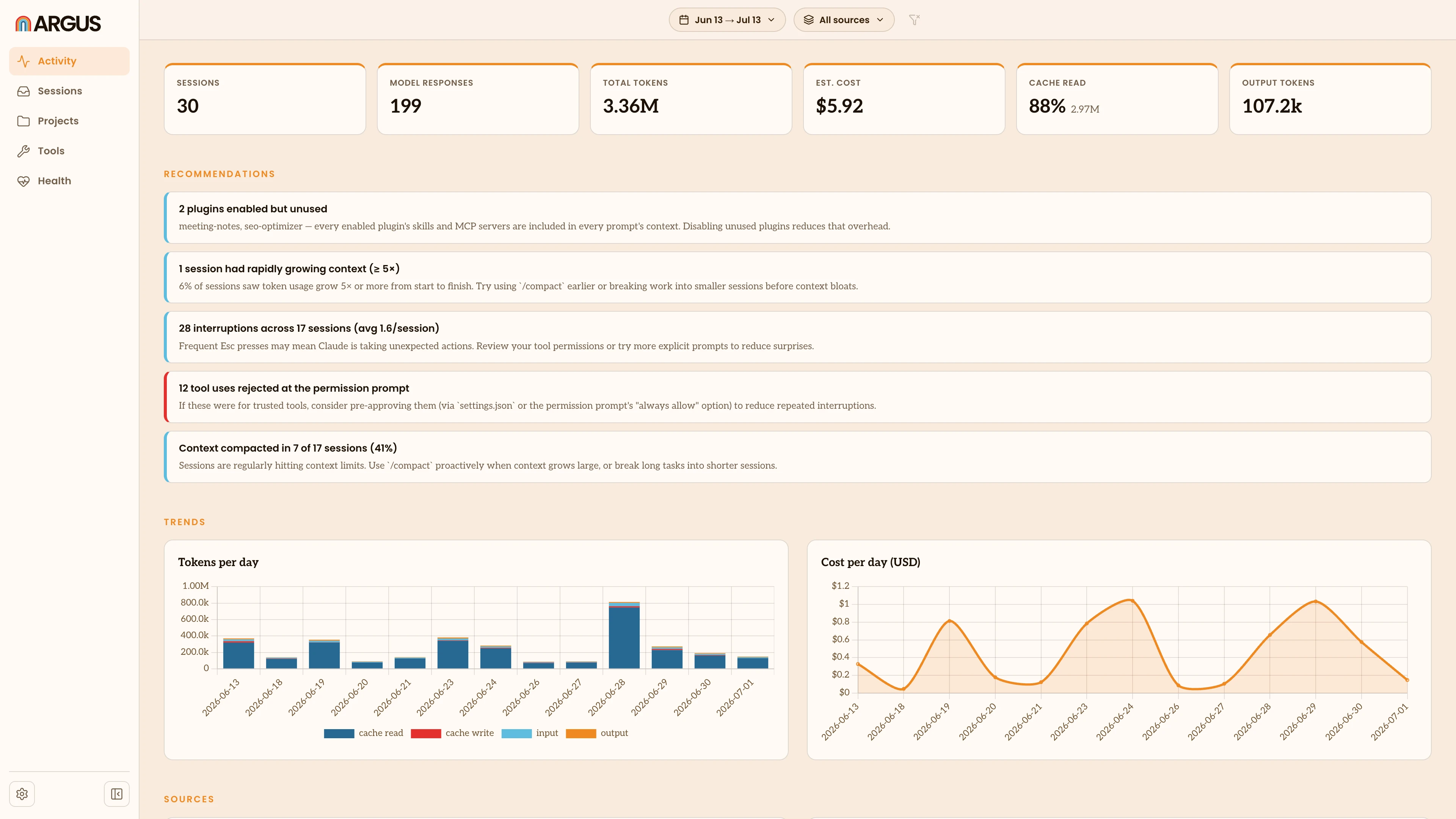
Argus runs in your browser and provides several different ways to identify wasted work. See
Overview for more.
- Activity is the home view: headline
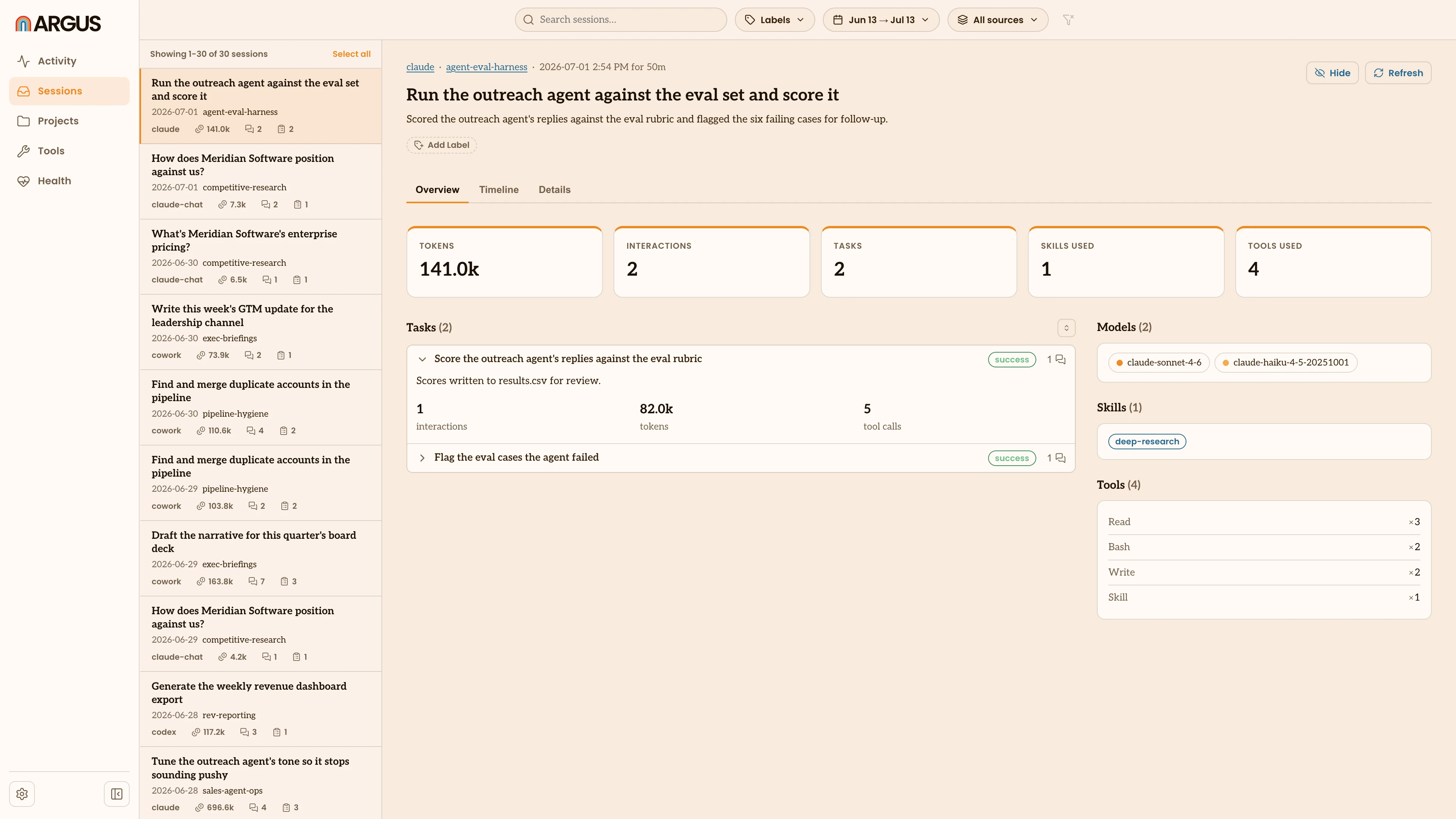
totals, recommendations and trends over time. - Sessions is where you find and read individual
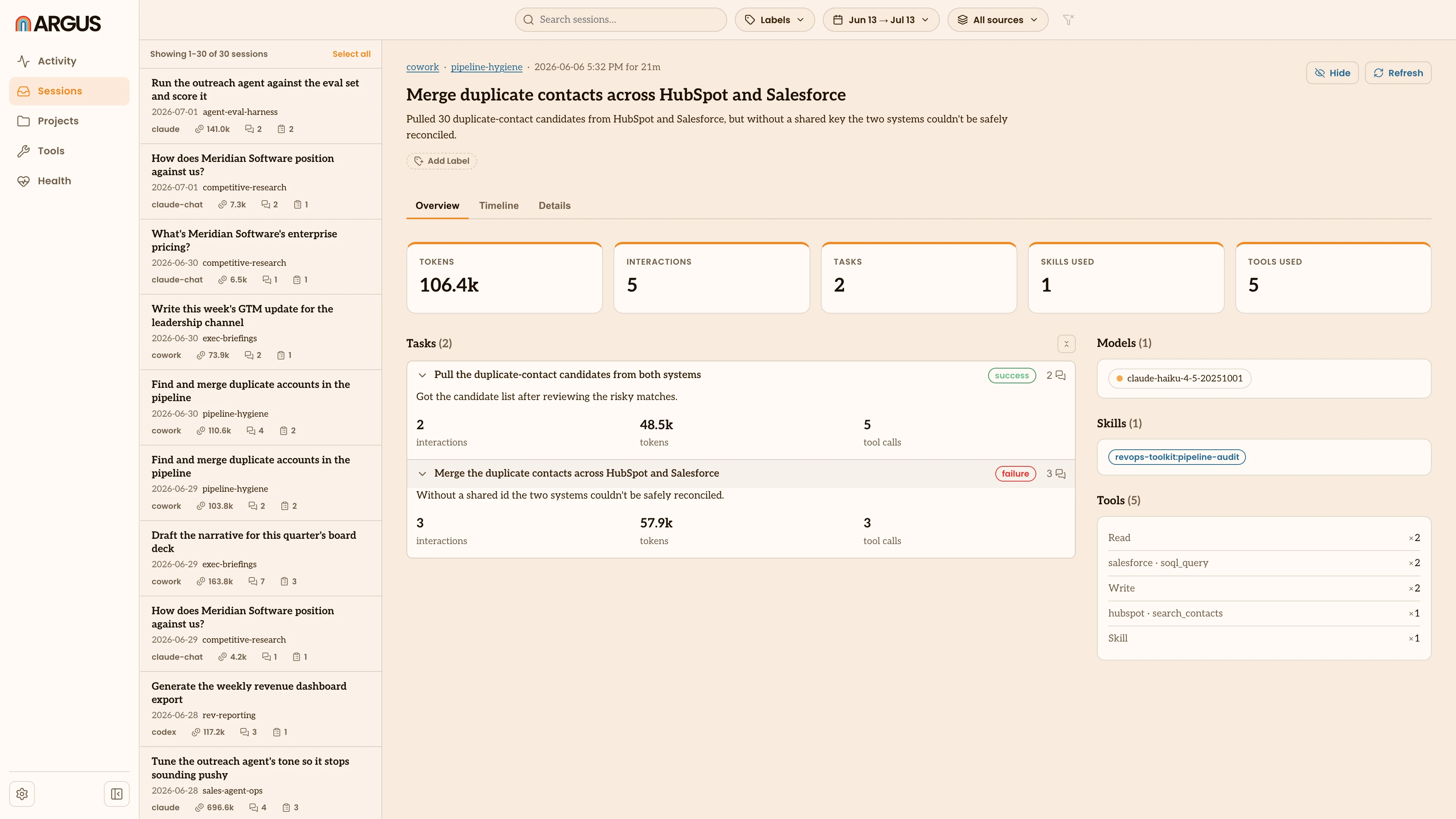
sessions in depth. Search them, label them and open one to see what happened. - Tasks are the things you set out to do in a session,
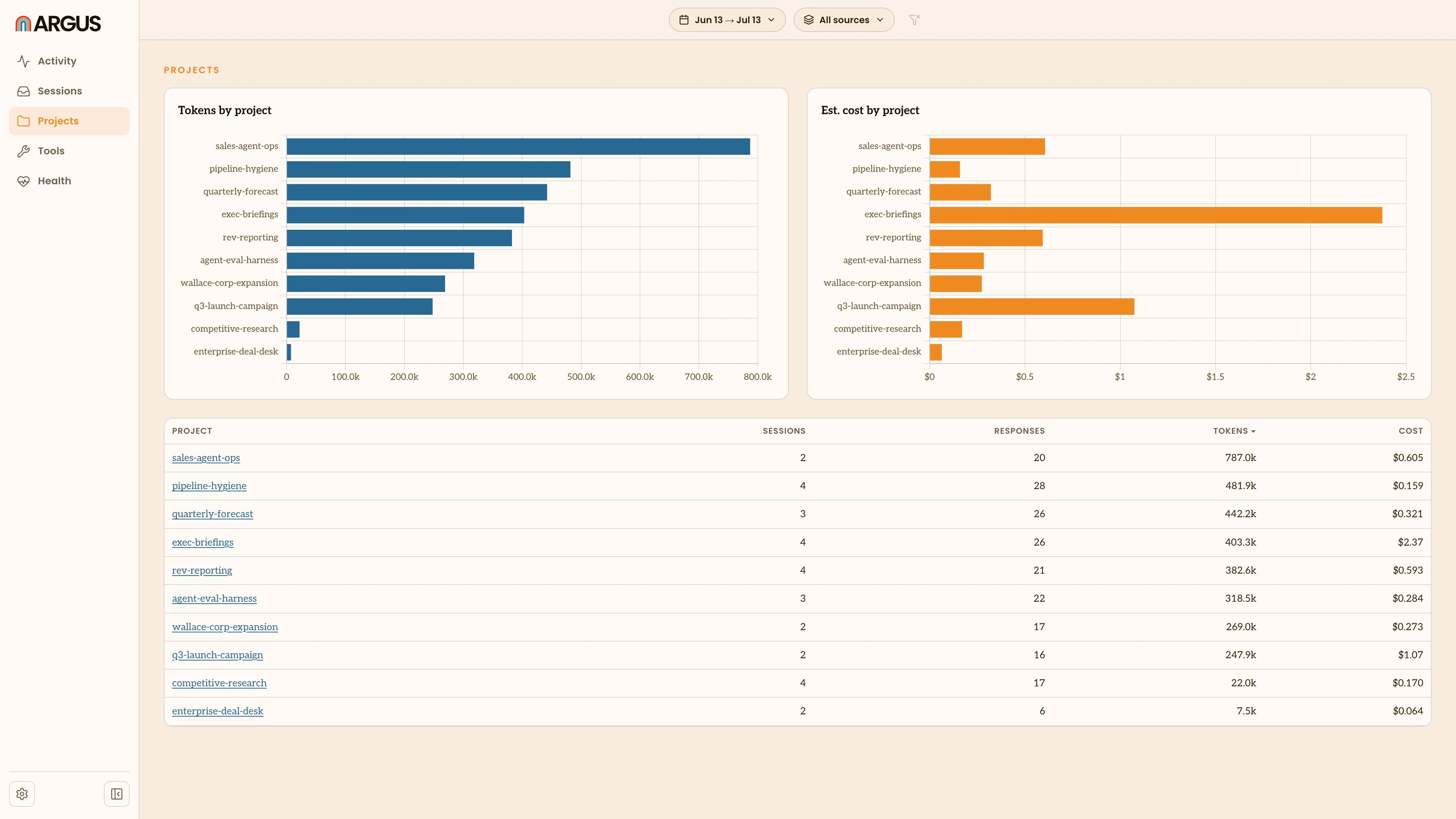
each with a judged outcome. - Projects groups your usage by
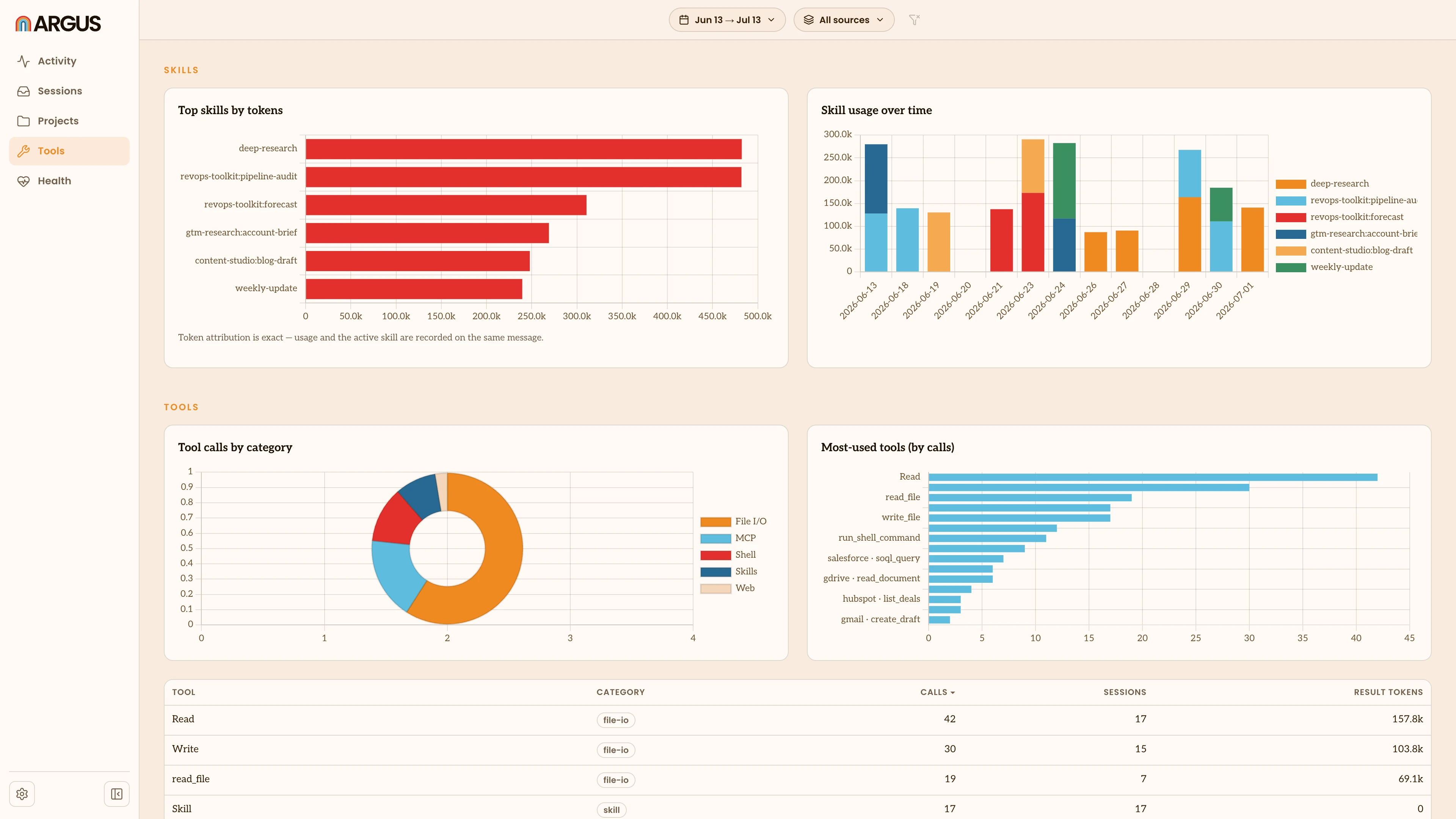
project, and Tools shows the skills,
tools, MCP servers and plugins your agents use. - Health surfaces friction: how often
you interrupted an agent, declined a tool action or had a conversation compacted. Claude
sessions only. - Argus Hub pools a team's usage into one org-wide
dashboard, if your company runs one.
| Sessions | Tasks |
|---|---|
 |
 |
| Projects | Tools |
|---|---|
 |
 |
Architecture
Argus finds the session files your agents already write to disk, parses them and writes the result
into a local SQLite database. Nothing runs as a service and there is no account.
index is the only thing that writes session data. It walks each agent's directory recursively so
subagent sessions are included, deduplicates messages by API message id (resumed sessions re-append
earlier messages verbatim), and reconciles everything before storing it. serve reads that and
writes nothing back except your own actions, like labels and hidden sessions.
Argus interprets each session to summarize it, extract tasks and judge how they turned out. It's the
only part of Argus that sends anything to a model, and it defaults to the claude CLI you already
have signed in. You can point it at
another provider, a
model gateway or a local model, or turn it off.
See Tasks for what it captures.
The desktop app is a Tauri tray shell around this same CLI. It supervises argus run and proxies a
fixed local port so an open browser tab survives restarts.
Supported agents
Argus finds these on its own, with no configuration.
| Agent | macOS | Windows |
|---|---|---|
| Claude Cowork | ~/Library/Application Support/Claude/local-agent-mode-sessions |
TBD |
| Claude Chat | ~/Library/Application Support/Claude/Cache/Cache_Data |
%APPDATA%\Claude\Cache\Cache_Data |
| Claude Code | ~/.claude/projects |
%USERPROFILE%\.claude\projects |
| ChatGPT Work and Codex | ~/.codex/sessions |
%USERPROFILE%\.codex\sessions |
| Gemini CLI | ~/.gemini |
%USERPROFILE%\.gemini |
If you've moved an agent's data with its own setting (CLAUDE_CONFIG_DIR, CODEX_HOME,GEMINI_CLI_HOME), Argus follows it. ChatGPT Work and Codex share one directory, so both are read
together. See Supported agents for what Argus
can measure for each.
Data and accuracy
Everything Argus builds stays in a local store. Set ARGUS_HOME to put it somewhere else.
Nothing is uploaded unless you run sync against an
Argus Hub your company operates, and that's off until
you configure it. Even then your prompt and response text never leaves the machine, and neither do
your API keys.
Cost is an estimate built from published API prices, so it won't match a subscription bill. Override
the prices in pricing.json if you need to.
For the full picture, see Privacy and Security.
Contributing
Argus is developed with Bun 1.2 or newer.
bun install
bun run dev          # API server and Vite, both with live reload
bun test
bun run typecheck    # also run in CI
See CONTRIBUTING.md for more, including how the pipeline fits together and how
to build the desktop app. If you're writing anything a user will read, refer to the guides indocs/contributing/.
License
MIT, see LICENSE.
Reviews (0)
Sign in to leave a review.
Leave a reviewNo results found