usagetrim
Health Gecti
- License — License: MIT
- Description — Repository has a description
- Active repo — Last push 0 days ago
- Community trust — 10 GitHub stars
Code Basarisiz
- exec() — Shell command execution in scripts/benchmark_code.py
Permissions Gecti
- Permissions — No dangerous permissions requested
Bu listing icin henuz AI raporu yok.
Keep the signal. Cut the noise. Local CLI + MCP — fold verbose tool output for Claude Code, Codex, Cursor & Desktop.
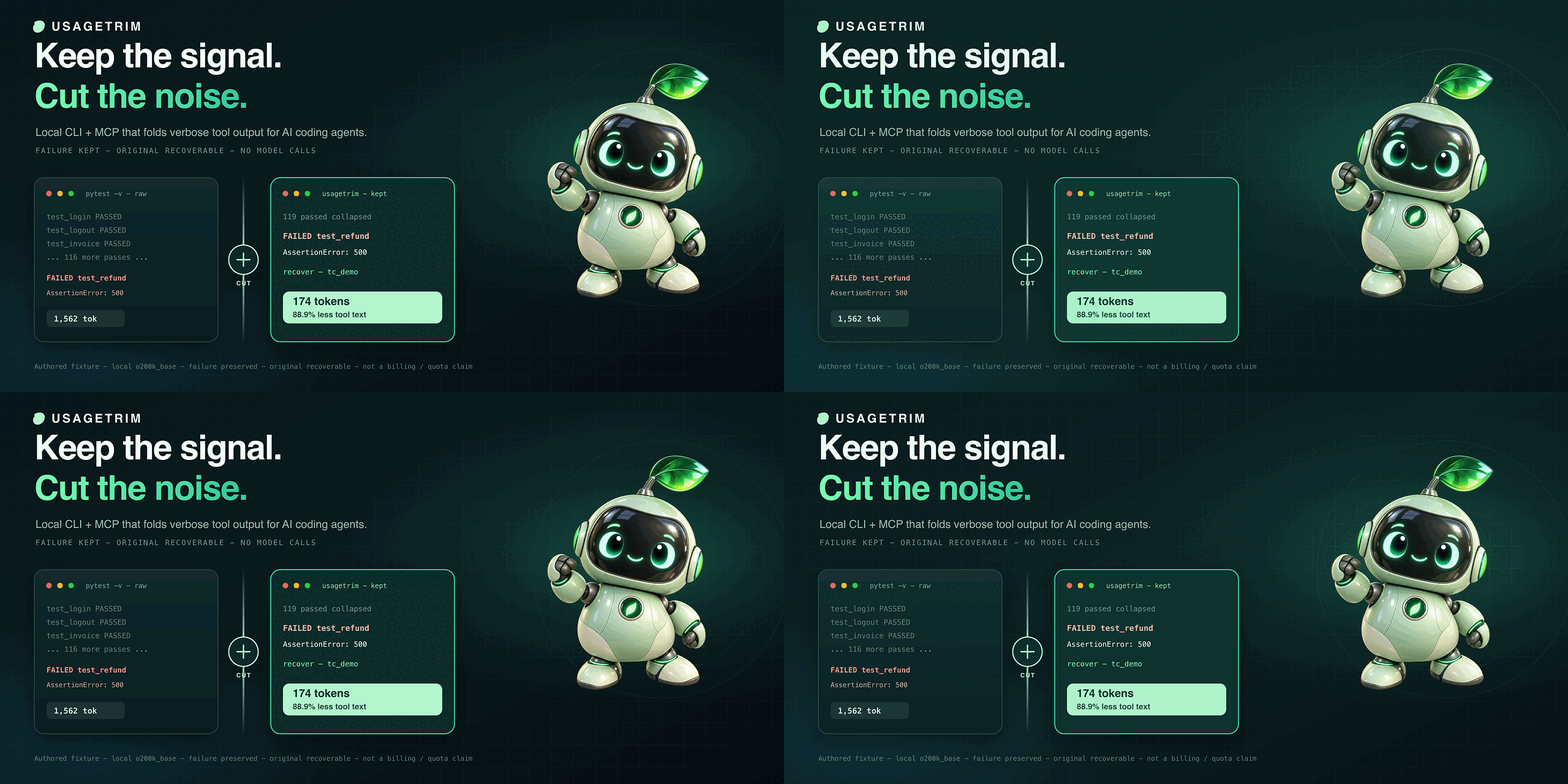
Keep the signal. Cut the noise.
Local CLI + MCP that folds verbose tool output for Claude Code, Codex, Cursor, and Claude Desktop — recoverable by reference. Optional macOS pet.





Install · Demo · Features · Connect · Pet · Guide

Install
Requires Python 3.11+ and uv.
uv tool install 'git+https://github.com/00200200/usagetrim.git'
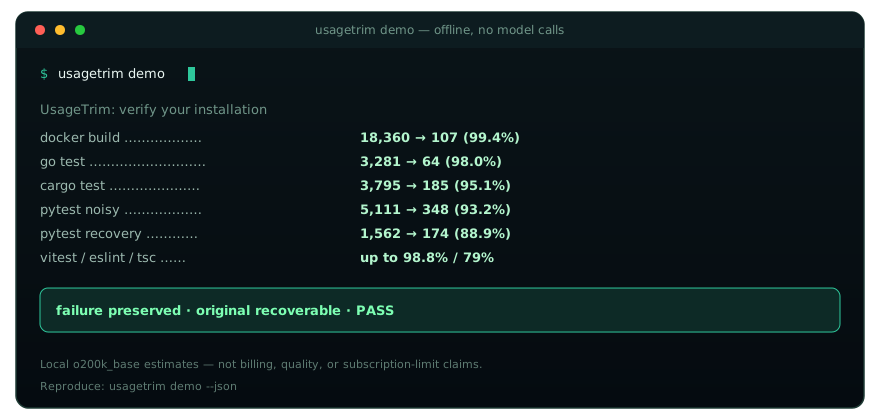
usagetrim demo
Install from this GitHub repo. The PyPI package named
usagetrimis a different project.
verbose tool text → keep the failure → recover the rest by reference
See it cut
usagetrim demo is offline — no model calls. Failures stay; originals recover exactly.
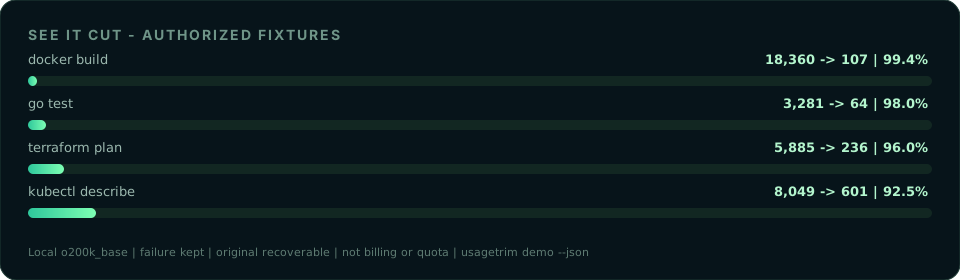
| Fixture | Tokens |
|---|---|
docker build BuildKit |
18,360 → 107 (99.4%) |
go test + goroutine dump |
3,281 → 64 (98.0%) |
terraform plan refresh/read |
5,885 → 236 (96.0%) |
cargo test + backtrace |
3,795 → 185 (95.1%) |
| pytest noisy (xdist + I/O) | 5,111 → 348 (93.2%) |
kubectl describe pod |
8,049 → 601 (92.5%) |
| pytest recovery demo | 1,562 → 174 (88.9%) |
vitest / eslint / tsc |
up to 98.8% / 79% |
Local o200k_base estimate — not billing, quality, or subscription-limit claims. Full matrix: usagetrim demo --json.
usagetrim run -- pytest -v
usagetrim run -- docker build -t app .
usagetrim run -- cargo test
usagetrim run -- go test ./...
usagetrim run -- kubectl describe pod api-7d8f9c-xk2m9
usagetrim run -- terraform plan
usagetrim run -- npx eslint . --format codeframe
What you get
- Cut noise, keep the failure. Specialized filters for pytest, Docker, cargo, go, vitest, eslint, tsc, mypy, pyright, kubectl, terraform,
uv sync/uv add, git diff, ruff… - Session dedup + spill. Same
runoutput or identicalcat/ MCPusagetrim_readview within ~15 minutes → short cache ref. Payloads over ~20 KiB → file + preview (USAGETRIM_SPILL_BYTES). - Recover by reference. Omitted text stays in a local CCR cache:
usagetrim retrieve tc_… - Measure it.
usagetrim gain/ MCPusagetrim_gain— per-tool-family savings and passthrough candidates (local estimates, not account quotas). - Desktop-ready. MCP for Claude Code / Codex / Cursor / Claude Desktop; Prepare-for-chat clipboard flow; optional macOS pet.
usagetrim gain                 # summary + by tool family + passthrough tips
usagetrim gain --history       # same tables + recent Raw→Compact / Saved rows
usagetrim gain --passthrough   # near-zero cuts only (specializer candidates)
usagetrim prepare --file draft.txt
How it fits
UsageTrim is not a chat interceptor. It sits on the tool path (CLI wrapper, MCP, Prepare-for-chat) so agents still see failures — just without the noise.
| Approach | What UsageTrim does instead |
|---|---|
| Blind head/tail truncation | Specialized cutters keep the failure signal; rest recovers via usagetrim retrieve |
| Rewrite the whole chat stream | MCP + prepare only — Desktop cannot rewrite model turns |
| Opaque “saved tokens” badges | usagetrim gain shows local Raw→Compact by tool family (not billing quotas) |
Same CCR idea as peers (compress → cache → retrieve). Differentiation is specialized cutters, session dedup, spill-to-file, and Desktop/MCP install paths — not a claim that we beat RTK/snip/headroom on every workload.
Connect your agent
Desktop & Coding profiles: 9–11 essential tools instead of 16 — about 36–38% smaller tool schemas in local o200k_base measurements (3,414 → 2,183 / 2,102). Not a per-turn usage guarantee.
# One-command installer for Codex & Claude Desktop
usagetrim install --codex            # configures ~/.codex/config.toml
usagetrim install --claude-desktop   # configures Claude Desktop MCP
usagetrim install --mcpb             # Extension manifest for one-click packaging
usagetrim install --all              # configures all at once
For Claude Code CLI:
claude mcp add --scope user usagetrim -- usagetrim mcp --profile coding
Manual MCP configuration for Claude Desktop, Cursor, Codex, Windsurf:
{
  "mcpServers": {
    "usagetrim": {
      "command": "/absolute/path/to/usagetrim",
      "args": ["mcp", "--profile", "desktop"]
    }
  }
}
Path: command -v usagetrim. Use --profile full for every tool, --profile coding for core terminal tools, or --profile desktop for chat apps. Client setup →
# Prepare messy logs or stack traces with prompt-cache prefix stabilization:
usagetrim prepare --desktop -f error.log

# Initialize or optimize lean, cache-aligned instructions (CLAUDE.md / AGENTS.md):
usagetrim rules --init --client claude        # writes lean CLAUDE.md (~120 tokens)
usagetrim rules --init --client codex         # writes lean AGENTS.md (~120 tokens)
usagetrim rules --optimize --write -f CLAUDE.md # strips filler, aligns prompt caching
Desktop companion
Mint robot on your Mac — draggable pet or menu-bar mode. Local measurements, task memory, optional account-limit readings. English UI. No extra AI calls.
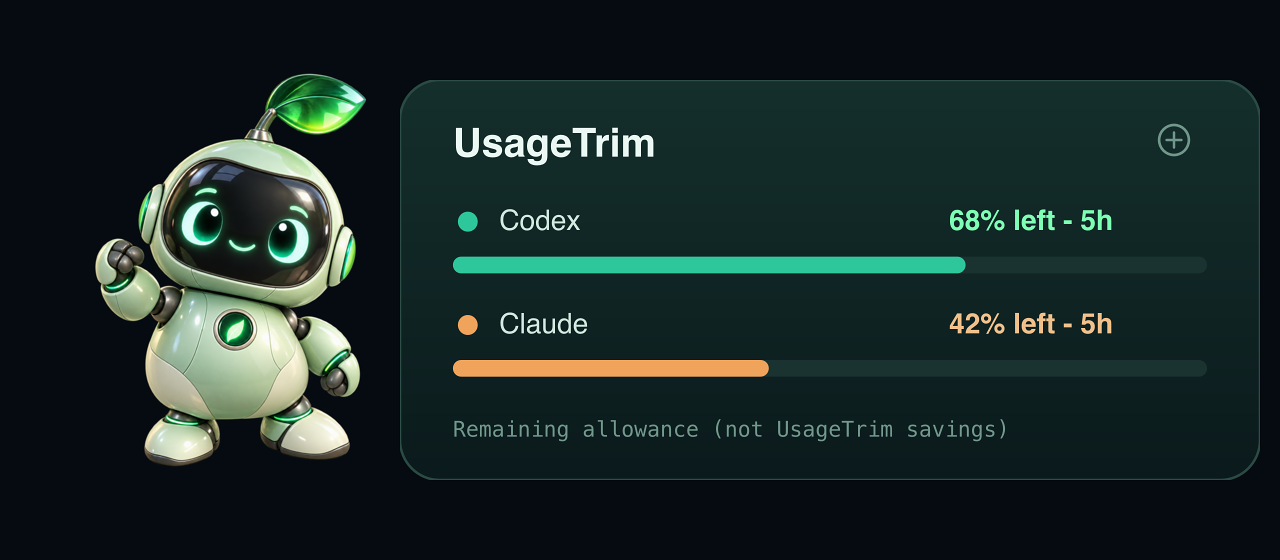
Example balances are remaining allowance — not savings caused by UsageTrim.
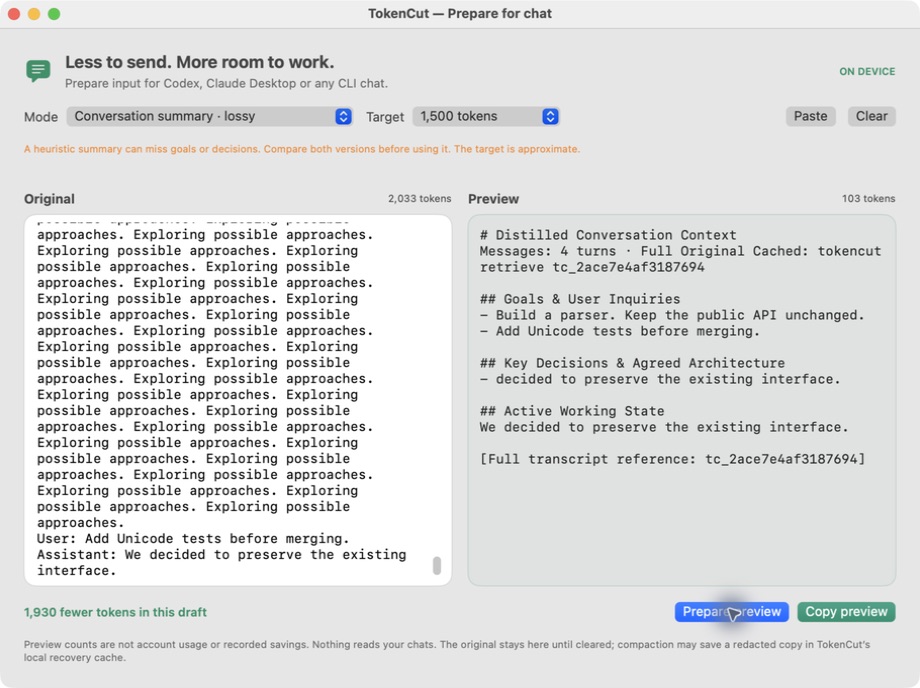
Prepare for chat — paste a log, preview the cut, copy into Codex / Claude Desktop. Log prep →
macOS 13+ · ad-hoc signed, not notarized. CLI and MCP work without the pet. Build →
Make it better with us
If UsageTrim earns a place in your workflow, star the repo. Lost context or a missed cut? Open an issue with a small redacted example.
Guide · Measurements · MIT
Yorumlar (0)
Yorum birakmak icin giris yap.
Yorum birakSonuc bulunamadi